

Description
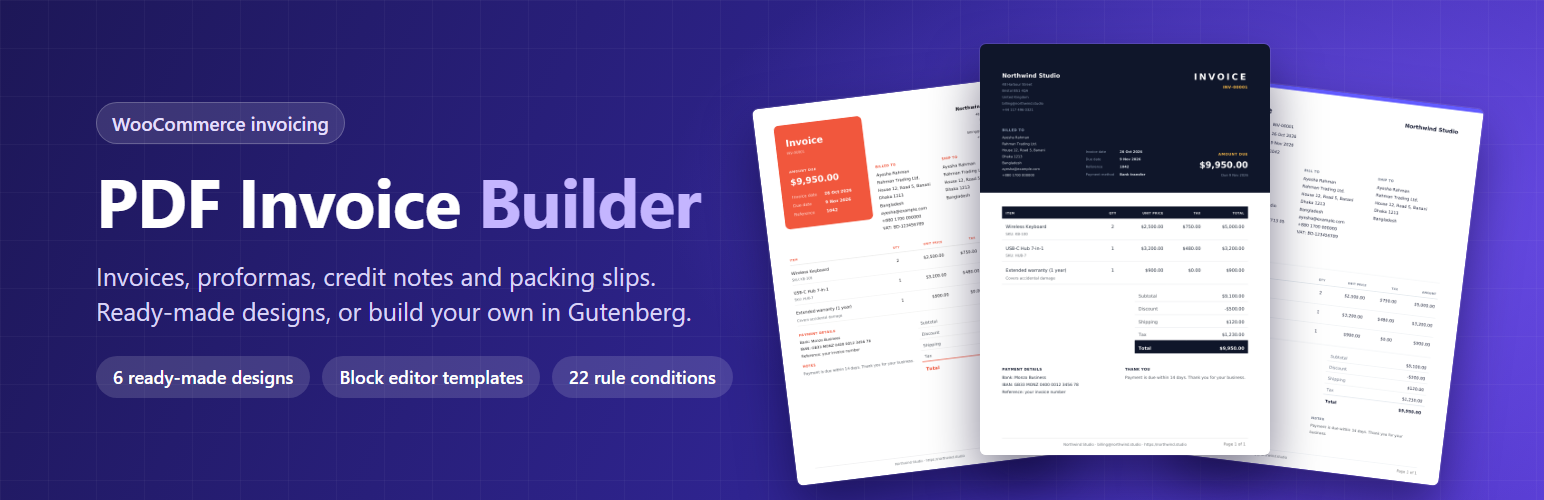
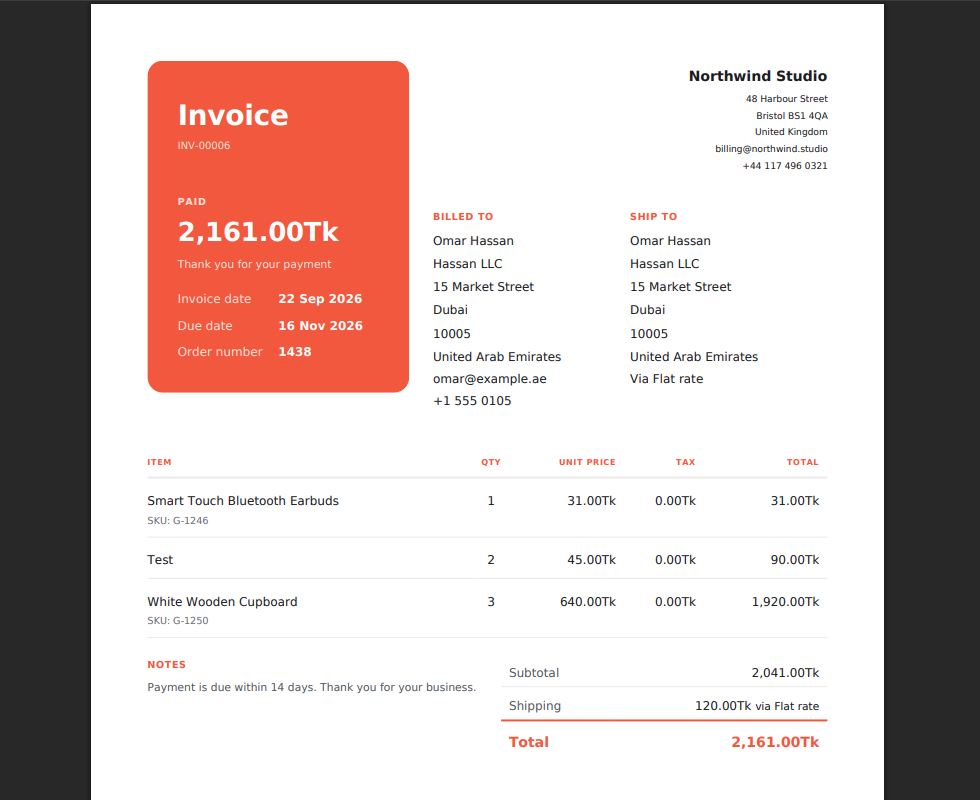
PDF Invoice Builder creates professional invoices, proformas, credit notes and packing slips for your WooCommerce orders. Pick one of the ready-made designs, or build your own layout in the block editor, then let the plugin generate, email and file every document for you. All PDFs are made on your own server; no external service is used.
Ready-made designs
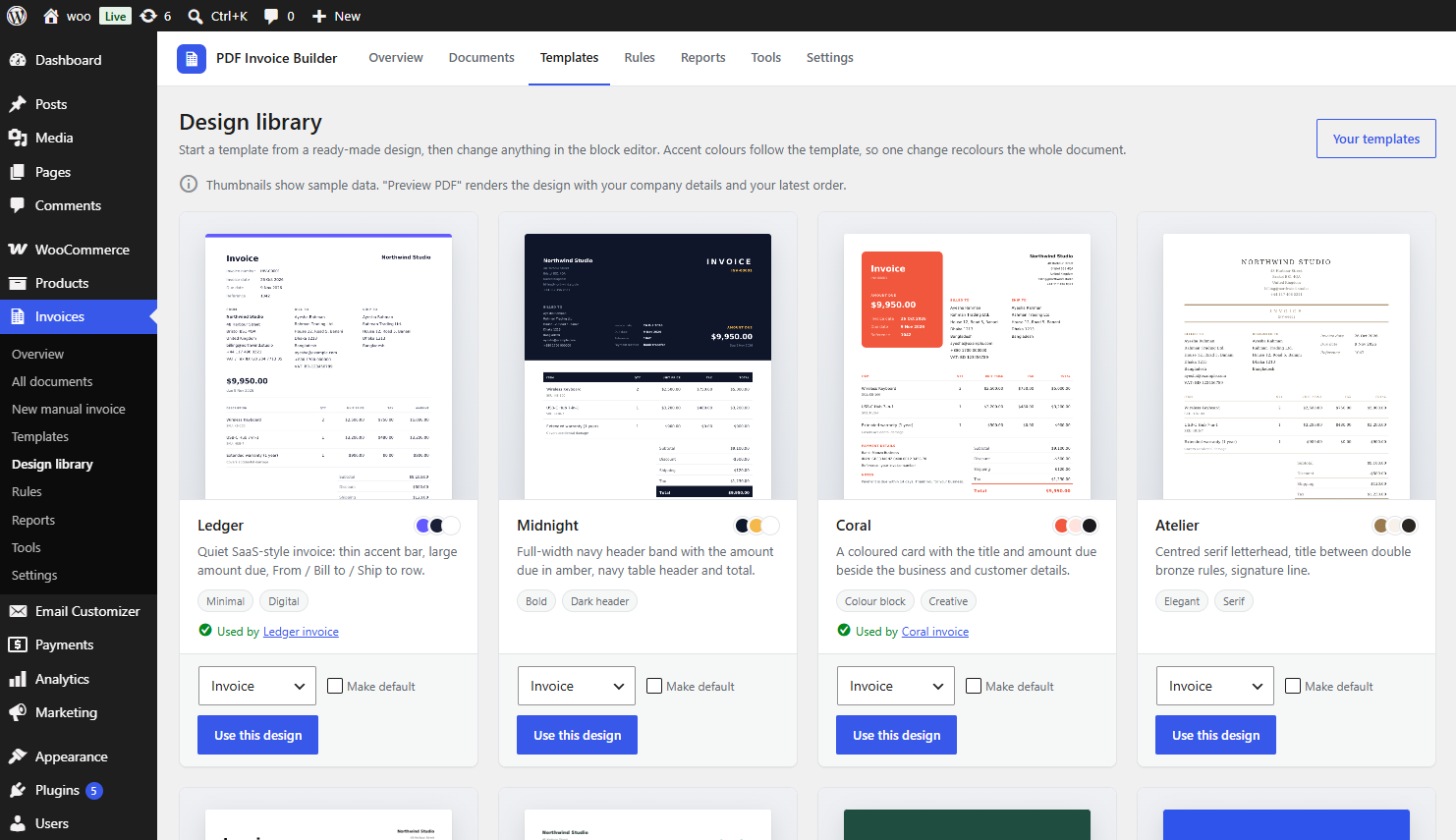
Start from the Design library: six complete invoice designs — Ledger, Midnight, Coral, Atelier, Signal and Mint. Preview any of them as a PDF with your own company details and latest order, create it as a template for any document type, and fine-tune it in the block editor. Every design follows your accent colour, so one change recolours the whole document.
Design documents in the block editor
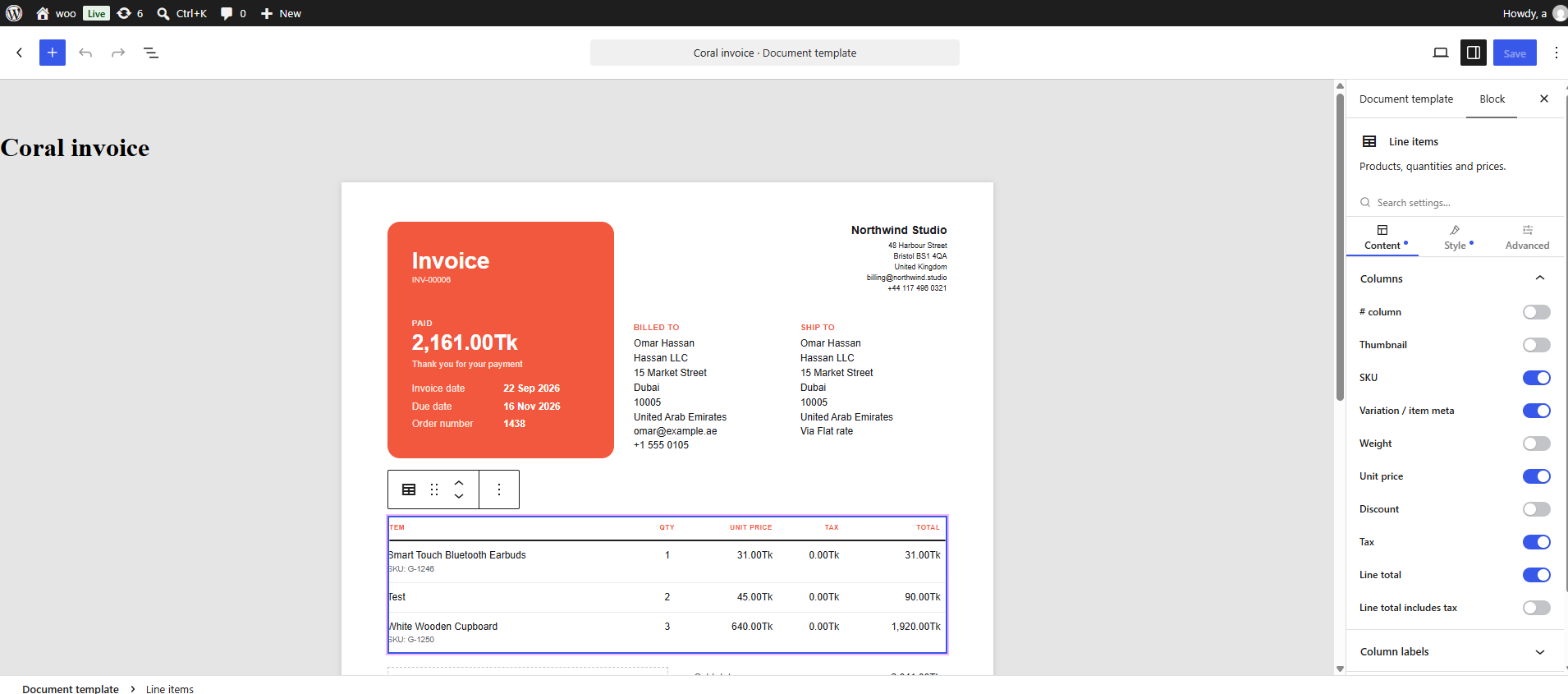
- 19 invoice blocks: company info, document title, document details, billing and shipping address, line items, totals, amount due, paid / unpaid stamp, payment info, terms, customer note, shipping details, signature, order field, section box, page header, page footer and page break.
- Works with the core paragraph, heading, columns, image, table, spacer and separator blocks.
- Every invoice block has Content, Style and Advanced tabs: colours, typography with the PDF fonts, spacing, borders, editable column labels, and per-block visibility by document type or payment state.
- Merge tags such as
{invoice_number},{invoice_date:d/m/Y}or{order_meta:_po_number}work in any text. - The editor previews the template with your latest order, so you see real data while you design.
PDF output
- A4, A5, Letter or Legal, portrait or landscape.
- Per-template font, accent colour and page margins.
- Page header and footer on every page, page numbers, watermark, custom TTF fonts and a currency symbol override.
Document types
- Invoice, proforma, credit note (one per refund) and packing slip.
- Manual invoices without an order, partial invoices for some of the items, several documents per order, and duplicates.
Rules and automation
- 22 conditions to choose the right template: order status, payment and shipping method, country, customer role, guest orders, order total, item count, products, categories, tags, product type, coupons, email, company, VAT number, order source, order fields, previous orders and weekday.
- Match all or any conditions, set a priority, and stop at the first match.
- Generate documents automatically on an order status change, at checkout, on refund or when payment completes.
- Attach documents to any WooCommerce email, and mark them paid or void automatically.
Find and manage every document
- One search over number, order, customer, email, phone, VAT number, address, company, country, city, products, SKUs, coupons, payment method and transaction ID.
- Filter by type, status, overdue, template, date range and amount range, with sortable columns and a view per document type.
- Bulk actions from the documents list or the orders list: download as ZIP, regenerate, email, mark paid or sent, void and CSV export.
- Create documents for past orders in batches from the Tools page.
For your customers
- An “Invoices” tab in My Account, with search.
- Download buttons on the order view, a
[webangon_invoices]shortcode, secret download links and optional guest access.
Reports
Monthly count and total per document type, outstanding and overdue amounts, and top customers.
Compatible with WooCommerce High-Performance Order Storage (HPOS).
Installation
- Upload the
webangon-invoices-for-woocommercefolder to/wp-content/plugins/, or install it from Plugins → Add New, then activate. WooCommerce must be active. - Open Invoices → Settings and fill in your Company details. Choose a default template and set your PDF options.
- Pick a ready-made design under Invoices → Design library, or design your own under Invoices → Templates in the block editor.
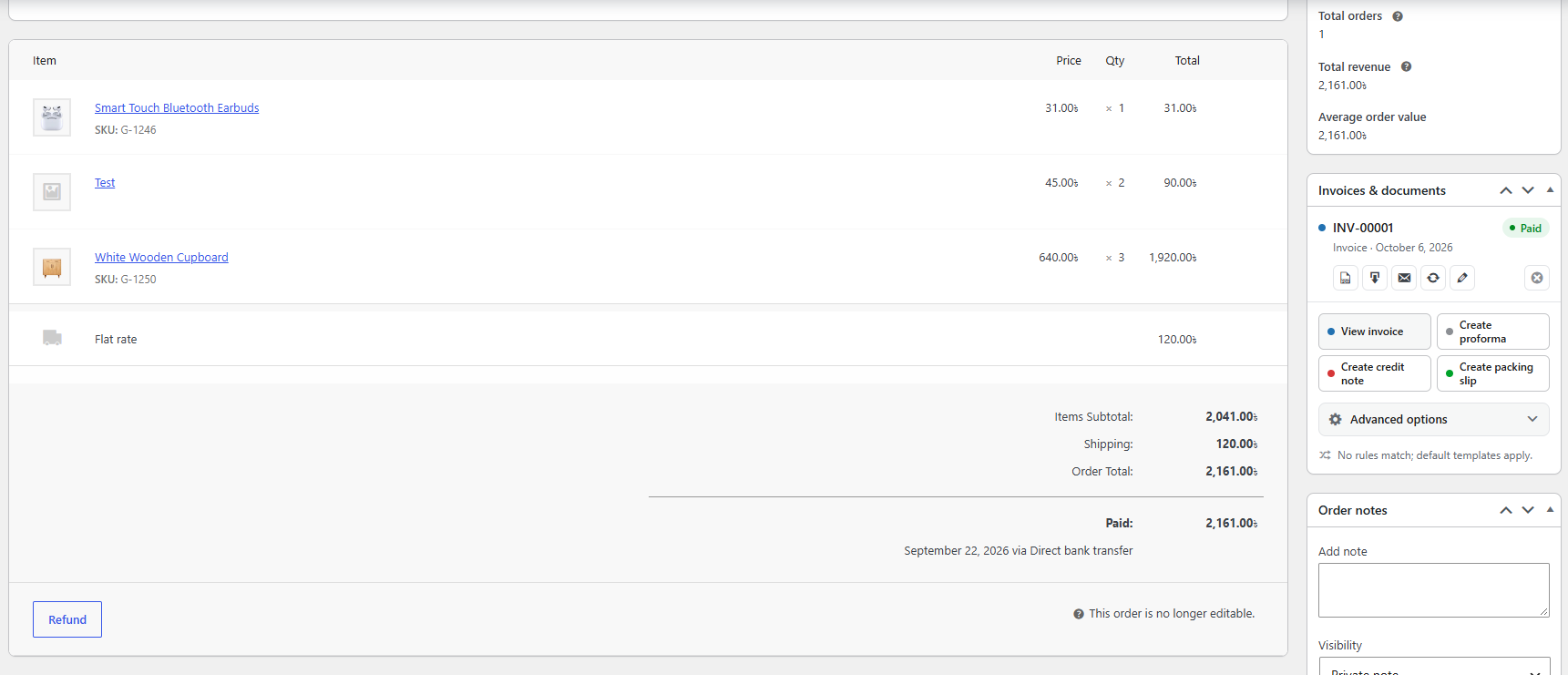
- Create a document from any order in the Invoices & documents box, or let your rules generate them automatically.
FAQ
Does it need WooCommerce?
Yes. It requires WooCommerce 8.0 or newer and shows an admin notice if WooCommerce is not active.
Is it compatible with HPOS (custom order tables)?
Yes. The plugin declares compatibility with WooCommerce custom order tables.
Are the PDFs created by an external service?
No. PDFs are rendered on your own server with Dompdf, which is bundled with the plugin.
Can I change a ready-made design?
Yes. Creating a design from the Design library makes it a normal template, which you can edit block by block in the block editor. Change the accent colour to recolour the whole design.
Can customers download their invoices?
Yes, for each document type you allow under Settings → Customer access. Customers then find their documents in the My Account “Invoices” tab, and you can add the [webangon_invoices] shortcode to any page.
Screenshots


Changelog
1.0.1
- New: Design library (Invoices → Design library) with six ready-made designs — Ledger, Midnight, Coral, Atelier, Signal and Mint. Preview each as a PDF with your own data, create it as a template for any document type, and edit it in the block editor. Designs follow the template accent colour.
- New block: Amount due. The total as one large figure with a label and the due date; on paid documents it can switch to “Paid” and a thank-you line.
- New block: Section. A box around other blocks with background, padding, corner radius, border and text colours; “Full bleed” stretches it to the paper edge for colour bands.
- New: every invoice block has Content, Style and Advanced tabs with settings search, colour and typography controls, spacing, borders, custom CSS, and visibility per document type or payment state.
- Line items: editable column labels and thumbnail size. Paid / Unpaid stamp: colours, border, padding and rotation. Page header and footer: distance from the paper edge, text colour and divider colour.
- Blocks that print nothing for the preview document now say so in the editor instead of “Block rendered as empty”.
- Fix: PDFs ignored the template’s page margin and printed edge to edge, so the page header and footer fell off the paper. The margin now applies, and the header and footer print inside it on every page.
- Fix: filled table rows (header, totals, stripes) no longer show hairlines between cells in PDF viewers.
- Saved templates are upgraded automatically on update, and a revision of each template is kept as a restore point.
1.0.0
- Initial release.