
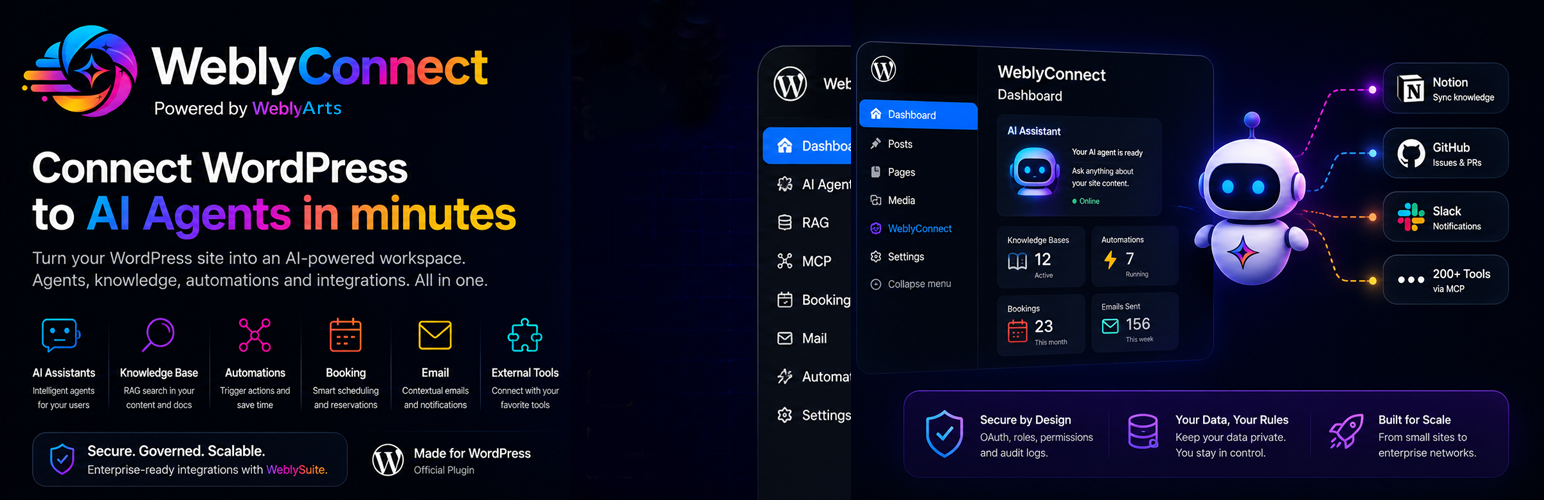

Description
One connection. Then the agents can work on your site.
WeblyConnect links WordPress to your WeblySuite account. It does not add a chat box and it does not publish posts. It is the sign-in the other two plugins require.
Install it, connect the account, then add the plugin for the job you actually want done.
What you get
- A secure link between this site and your WeblySuite tenant
- One place to see connection status, plan and disconnect
- The shared base that visitor chat and site tools plug into
- Updates from the Plugin Directory, with no separate updater
Add the plugin for the job
Both companions are in the Plugin Directory. Install them from Plugins > Add New.
- WeblyAgent Connect answers visitors from the knowledge you load. Product page: https://suite.weblyarts.com/weblyagent-connect/
- WeblyMCP Connect lets agents publish and update the content you approve (posts, media, forms, WooCommerce). It does not administer the site. Product page: https://suite.weblyarts.com/weblymcp-connect/
Chat works without WeblyMCP Connect. Site tools work without the chat widget. This plugin is required for both.
Get started
- Install and activate WeblyConnect from the Plugin Directory.
- Open WeblyConnect in wp-admin and click Connect to WeblySuite.
- Sign in to your WeblySuite account, or create one.
- Install WeblyAgent Connect for on-site chat.
- Install WeblyMCP Connect when agents should create or update content.
WeblySuite account
Connecting your account is explicit consent to send chat, site, and knowledge data to WeblyArts services.
- Console: https://suite.weblyarts.com
- Product: https://suite.weblyarts.com/weblyconnect/
- Terms (EN): https://suite.weblyarts.com/terms-of-service-en/
- Terms (IT): https://suite.weblyarts.com/terms-of-service/
- Privacy: https://weblyarts.com/en/privacy
What this plugin includes
- Encrypted storage of your WeblySuite token
- Connect flow back to the WeblySuite console
- Shared chat UI assets used by WeblyAgent Connect
- Admin screen: connection status, plan snapshot, disconnect
Bundled libraries
@microsoft/fetch-event-sourcev2.0.1 (MIT), readable source inassets/js/lib/fetch-event-source.js- PHP production libraries in
vendor/via Composer. Seecomposer.jsonin this zip:weblyarts/connect-sdk-core(GPL-2.0-or-later),guzzlehttp/guzzle(MIT),mcp/sdk(MIT). Customers do not run Composer.
Privacy
After you connect a tenant token, this site may send to WeblyArts:
- Chat messages and session ids (visitor widget, via WeblyAgent Connect)
- Knowledge content you choose to ingest
- Tool calls you enable (via WeblyMCP Connect)
- Site name and billing snapshot requests (via WeblySuite)
See https://weblyarts.com/en/privacy and https://suite.weblyarts.com/terms-of-service-en/
Installation
- Upload the
weblyconnectfolder to/wp-content/plugins/or install from Plugins > Add New. - Activate WeblyConnect.
- Open WeblyConnect in the wp-admin menu.
- Click Connect to WeblySuite and sign in with your WeblySuite account.
- Install WeblyAgent Connect for visitor chat, and WeblyMCP Connect when agents should update the site.
FAQ
Does WeblyConnect do anything on its own?
It connects the site to WeblySuite. The chat widget is WeblyAgent Connect. Publishing and updating content is WeblyMCP Connect. Both are in the Plugin Directory. Calendar, mail, Jira and similar tools are connected in the WeblySuite console, not shipped inside this zip.
Do I need a paid WeblySuite account?
The plugin code is free and GPL. AI replies and extra tools run on WeblySuite (trial or paid). If a request is over your plan, the service returns an error. Nothing in this zip is locked.
Does the plugin phone home before I connect?
No. Until you connect a WeblySuite account, it does not call WeblyArts chat, knowledge, or tools APIs.
Where do updates come from?
When hosted on WordPress.org, plugin updates come from the Plugin Directory only.
Changelog
0.2.19
- Dossier MCP reconnect uses the official mcp/sdk Client (Streamable HTTP), same protocol as AgentHub.
- WordPress.org SVN ships Composer production vendor in the directory zip (Guideline 8).
- Missing vendor/ no longer takes the WordPress site down.
0.2.18
- WordPress.org directory release.
0.2.17
- WordPress.org directory release.
- Stable tag matches plugin Version so the directory can publish /tags/0.2.17/.
0.2.12
- Listing copy: WeblyAgent Connect and WeblyMCP Connect are in the Plugin Directory.
0.2.8
- Consecutive identical ReAct pills collapse; the xN count sits beside the pill, not inside it.
0.2.7
- Visitor stream sends the site locale to AgentHub. Typing bubble notifies the widget so it can scroll.
0.2.6
- Directory listing copy for WordPress users: use cases, 5-minute setup, companion plugins required.
- Updated plugin directory banners.
0.2.5
- WordPress.org listing: slug
weblyconnect, display name WeblyConnect. - OAuth connect requires a valid CSRF
statebefore token exchange. - Release zip no longer ships bundled
.potranslation files.
0.2.4
- Plan cards and quota snapshot show monthly ecosystem request ceilings (then PAYG).
- Plugin Check (plugin_repo): translators comments, wp_remote HTTP clients, no CDN updater file.
0.2.0
- WordPress.org submission: GPL headers, readme, uninstall.
- Guideline 5/6: no local quota lock on included code; Hub/RAG enforce plan limits.
- Guideline 8: CDN plugin updater is not loaded.
0.1.35
- Internal / CDN releases (pre-directory).