
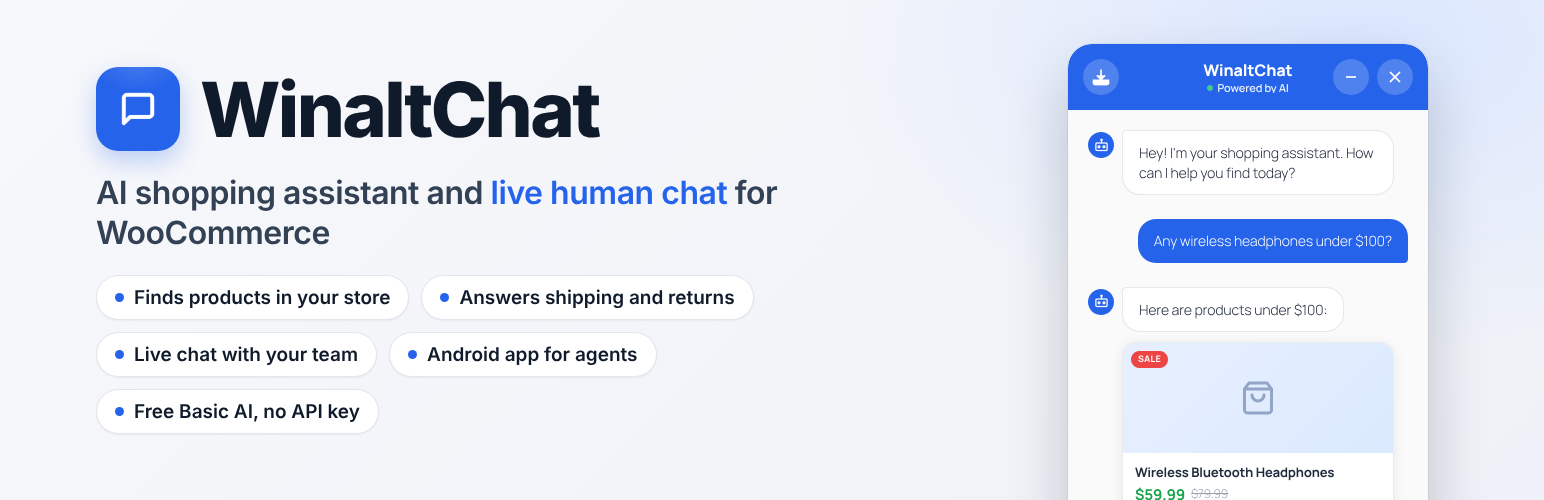

Description
WinaltChat adds a fast, intelligent chat widget to your
WooCommerce store. Customers can search your product catalogue,
get instant answers about shipping and returns, and, when they
need a real person, connect to your support team through a built-in
live chat system, all without leaving your store.
AI Shopping Assistant
- Dual AI Modes: Use your own API key from Groq (LLaMA,
free tier), ChatGPT (OpenAI), Claude (Anthropic), or Gemini
(Google) for full conversational AI. No key? The built-in
Basic AI mode runs entirely on your server with zero external
calls and zero ongoing cost. - Smart Product Search: Intent-aware search across your
WooCommerce catalogue. Handles typos, synonyms, multilingual and mixed-language
queries, and follow-up questions naturally. - Product Comparisons: Customers can ask “which is better, the Sony or the
Samsung?” and get a clear side-by-side comparison
with prices and key specs from your own catalogue. - Store Knowledge Base: Reads your shipping, returns, contact,
and about pages to answer policy questions accurately and
dynamically, with no hardcoded answers that break for other stores. - Conversation Context: Remembers context within a session so
follow-up questions (“does it come in blue?”) work naturally. - Order Status Lookup: Shoppers can ask “where is my order?” and,
with their order number and billing email, see the status, items,
shipping method and tracking, processed on your server only, never
sent to an AI provider. - Amazon Affiliate Fallback: When a product is out of stock,
optionally suggest an Amazon affiliate link so you still earn a
commission.
Live Human Chat
- Human Handoff: When a customer types phrases like “I want
to talk to a human”, “customer service”, “live agent”, or dozens
of natural variants, the plugin detects the request and connects
them to a real person on your team. - Admin Live Chats Dashboard: A dedicated Live Chats screen
in your WordPress admin shows all active, waiting, and closed
conversations in a two-panel interface. Every handoff request is
queued here as soon as it happens. Keep the tab open to also show
as instantly online to visitors and connect in real time. - Android App for Agents: Answer chats from your phone with the
free WinaltChat app on Google Play, including push alerts and an
“Available for chats” switch shared with this screen. - Visitor Name Prompt: Before connecting, the visitor is
optionally asked for their name. If skipped, they are identified
as “Visitor #ID” so you can tell conversations apart. - Full Conversation Context for Agents: When a customer is
handed off, the admin sees the complete prior AI conversation so
there is no need to ask “how can I help?” twice. - Visitor Presence Dot: A green dot shows the visitor is
active. It turns grey within 30 seconds if they close the tab. - Two-Tier Timeout: If your team does not respond within
90 seconds, the visitor sees a friendly patience message. After
5 minutes of no reply, the chat gracefully falls back to the AI
assistant with an optional email capture. - Intelligent Offline Handling: When no admin is online the AI
keeps helping, and the handoff request is still queued in the
background so it’s waiting in your Live Chats list whenever you
next check. No need to have caught it live. Visitors can also
optionally leave their email for a follow-up; leads appear with a
dedicated Leads section and unread badge. - Session Management: Close chats when resolved, or delete
them permanently. Closed and lead sessions stay visible in
their own sections until manually removed. - No Third-Party Chat Service: Live chat runs entirely within
your WordPress site using secure AJAX polling over the REST API.
No Pusher, no LiveChat subscription, no extra cost. - Email Notifications: Get an email when a customer starts a
live chat or leaves their contact details while you are offline.
Privacy & Security
- All live chat data is stored in your own WordPress database.
Chat messages and visitor details are never sent to an external
service by live chat. The optional features that contact one
(AI providers, translations, pattern sync, mobile push) are listed
under External Services below. - Session tokens are 32-character cryptographically random strings,
not sequential IDs, so sessions cannot be enumerated. - All endpoints enforce nonces, capability checks, input
sanitization, output escaping, and rate limiting. - Message content is sanitized server-side, and rich chat HTML
(product cards, links, images) is additionally sanitized
client-side via a bundled copy of DOMPurify before being
rendered. See “Bundled Libraries” below.
Bundled Libraries
- DOMPurify 3.1.6: client-side HTML sanitizer, used to safely
render rich chat content (product cards, links, images).
Vendored locally atassets/js/vendor/purify.min.js; not loaded
from a CDN. © Cure53 and other contributors. Dual-licensed under
the Apache License 2.0 and Mozilla Public License 2.0, both
GPL-compatible. github.com/cure53/DOMPurify
Requirements
- WordPress 6.2 or later
- WooCommerce 7.0 or later (must be installed and active)
- PHP 7.4 or later
- An API key from Groq, OpenAI, Anthropic, or Google (optional:
Basic AI and Live Chat both work without one)
Support
- Email: info@winalttechnologies.com
We aim to respond to all support requests within 48 hours.
External Services
This plugin connects to third-party AI providers only when you
configure an external AI mode and enter your own API key. In Basic
AI mode and during live human chat, no external AI service is used.
Order status lookups from the chat widget are processed locally on
your own server and are never sent to an AI provider or any other
external service.
AI Providers (optional, only when an API key is configured)
Customer messages, recent conversation context, and relevant store
and product context are sent to the AI provider you select so it
can generate a response. No data is sent to these providers when
using Basic AI mode.
- Groq: groq.com | Privacy Policy | Terms of Service
- OpenAI: openai.com | Privacy Policy | Terms of Use
- Anthropic Claude: anthropic.com | Privacy Policy | Terms of Service
- Google Gemini: ai.google.dev | Privacy Policy | Terms of Service
Amazon Associate Program (optional, only when a tag is configured)
When the Amazon fallback is enabled and no matching product is
found in your store, the plugin generates an Amazon search link
with your Associate tag. No customer data is transmitted to Amazon
by the plugin. The link simply directs the visitor’s browser.
- Amazon: amazon.com | Privacy Notice
Deactivation Feedback (sent on deactivation: the full survey response, or a bare anonymous count if skipped)
When you deactivate this plugin, an optional short survey asks why.
If you respond, your site URL, the plugin/WordPress/PHP version, and
whatever you entered in the survey are sent to Winalt Technologies to
help improve the plugin. If you skip the survey instead, a bare
deactivation count (just the plugin version and no site URL, WordPress
version, or PHP version) is still sent so skipped deactivations aren’t
invisible in aggregate. No personal data is collected beyond this
unless you choose to type it into the free-text field yourself.
- Winalt Technologies: aisalesmanchatpro.com | Privacy Policy
Basic AI Pattern Sync (automatic and in the background, about once a day, once after activation, and whenever you choose a new chat language)
Basic AI mode periodically pulls an updated set of intents, patterns,
and responses from Winalt Technologies so its built-in conversational
replies can improve and cover more languages over time. Only your
site’s detected language and the version number of the pattern set
you already have cached are sent. Nothing else. Your customer
messages, conversation content, and product data are never sent as
part of this sync, and never leave your site for this feature. If the
sync ever fails (network error, timeout, or Winalt Technologies is
unreachable), Basic AI mode silently keeps using whatever it already
has cached, or its original built-in patterns if it has never synced
successfully. Nothing breaks and no data is lost.
- Winalt Technologies: aisalesmanchatpro.com | Privacy Policy
Mobile Push Notifications (only if an agent uses the WinaltChat mobile app and has notifications enabled)
When a chat is assigned to an agent, or a visitor writes in a chat assigned to them while their app is closed, this plugin asks Winalt Technologies to deliver a push notification through Google’s Firebase Cloud Messaging. Sent: your site’s domain, a random secret this plugin generates to identify your site, the agent’s device token(s), a generic message (“New chat waiting” / “New message”) and the chat’s numeric ID. Never sent: the visitor’s name, email, message text or page, and no customer or product data. Nothing is sent unless an agent has registered a phone in the mobile app.
- Winalt Technologies: aisalesmanchatpro.com | Privacy Policy
- Google Firebase Cloud Messaging: firebase.google.com | Privacy Policy | Terms
Chat language – ready-made translations (only when you choose a language on the Appearance screen)
When you choose a language in Chat language on the Appearance screen and press Translate, the plugin asks Winalt Technologies for a ready-made translation of the chat buttons and messages in that language, so you do not need an AI key. The list of available languages is fetched the same way (nothing is sent with it). Sent with the translation request: your site’s home address, the language you chose, and the plugin edition and version. Winalt Technologies keeps one record per site and language (with a request counter and first/last request dates) so it can see which languages store owners need and add them. Never sent: customer messages, visitor details, or any chat or product data. Nothing is requested unless you press Translate. The translations are machine-generated and should be checked by a native speaker. If no ready-made translation exists yet, the plugin uses your own AI provider key instead, if you have connected one.
- Winalt Technologies – aisalesmanchatpro.com | Privacy Policy
Installation
- Upload the
winaltchat-for-woocommercefolder to
/wp-content/plugins/, or install directly via the WordPress
Plugins screen. - Activate the plugin through the Plugins screen in WordPress.
- Make sure WooCommerce is installed and active.
- Navigate to WinaltChat → Settings in the WordPress admin.
- AI Mode (optional): Choose your preferred AI provider and
enter your API key, or leave blank to use the built-in Basic AI
mode at zero cost. - Live Human Chat (optional): Scroll to the Live Human Chat
section, enable the toggle, set a notification email and agent
display name. A Live Chats item will appear in the sidebar. - Every handoff request is queued to this screen even when you’re
away, so you’ll never miss one. Keep the tab open while you work
if you’d also like to appear instantly online and connect live. - Customise the chat appearance under the Chat Appearance tab.
FAQ
Do I need an API key to use this plugin?
No. The built-in Basic AI mode handles product search, comparisons,
policy questions, and conversation without any API key or external
service. Real AI mode (Groq, OpenAI, Claude, Gemini) is optional
and improves response quality for complex queries.
Does Live Human Chat require any external service?
No. Chats run entirely within your WordPress site using the WordPress
REST API. No Pusher, no LiveChat subscription, no third-party
accounts needed. Only the optional mobile push notifications use an
outside relay (see External Services).
Is there a mobile app for agents?
Yes. The free WinaltChat Android app (https://play.google.com/store/apps/details?id=com.winaltchat.mobile) lets you answer live chats from your phone, with push alerts for new chats and messages, an “Available for chats” switch shared with the Live Chats screen, and fingerprint unlock. Sign in with your site URL, your WordPress username and an Application Password. The account needs the Live Chat Agent role or administrator access.
How does the admin know a customer is waiting?
Every handoff request is queued in the Live Chats screen the moment
it happens, so you’ll see it whenever you next check. No need to
have been watching at the time. You’ll also get an email at your
configured notify address, and a browser notification fires in the
tab itself (if you grant notification permission) when it’s open.
Keep the tab open while you work to additionally show as instantly
online, so a visitor connects to you live instead of waiting.
What happens if no admin is online when a customer asks for help?
The AI assistant keeps helping the customer seamlessly. A message
explains the team is unavailable, and the customer is offered an
optional email field so you can follow up. No dead ends.
How long before an unanswered live chat falls back to the AI?
At 90 seconds of no response, the visitor sees a friendly
“thanks for your patience” message. At 5 minutes, the chat
gracefully returns to AI mode with an email capture option. Both
thresholds are configurable in the Live Human Chat settings.
Can multiple admins handle chats at the same time?
Currently any admin with the manage_options capability can see and
reply to all live chats. Multi-agent role management is planned for
a future release.
How do I remove all plugin data on uninstall?
Deleting the plugin via the WordPress Plugins screen automatically
removes all WinaltChat settings, options, and live chat database
tables from your site.
Does it work with my theme?
Yes. The chat widget is injected into the page footer and uses its
own scoped CSS so it does not conflict with theme styles.
Will it slow down my site?
The AI chat widget loads asynchronously and does not block page
rendering. Live chat polling only runs while an active live session
is in progress, so normal AI chat and idle pages make zero polling
requests.
Screenshots


Changelog
1.67.37
- Fix: The support email on the plugin page is now info@winalttechnologies.com, and the Support Forum line is gone.
- Improve: Rewrote the plugin page text without long dashes so it reads more naturally.
1.67.36
- Fix: The readme no longer says nothing is ever sent to an outside service. It now points to the External Services list (AI providers, translations, pattern sync, mobile push).
1.67.35
- Improve: The mobile app is limited to 3 phones per site on the free plan. A 4th phone gets a clear “limit reached” message; signing out on one phone frees its slot. The same account can still sign in on several phones, and a phone whose notification token refreshes keeps its place.
1.67.34
- Fix: The chat no longer gives customers an email address taken from the WooCommerce or WordPress settings. It only uses the address published on your Contact page, in its own replies and in the AI model’s instructions. With no email on the Contact page, no address is given.
- Fix: An address you put on the Contact page is always used as written, even if it looks like an example. This undoes the 1.67.33 rule that skipped such addresses.
1.67.33
- Fix: “Most expensive” now lists the priciest products first, and “cheap gifts under $15” applies the $15 limit.
- Fix: A single result reads “Here is 1 product”, and the sale list is topped up with other sale items instead of showing one.
- Fix: A placeholder contact address (example.com, .test) is no longer shown to customers as the store’s email.
- Fix: The offline form rejects a mistyped email instead of saving a rewritten one.
- Improve: Accessibility. The chat is a labelled dialog, new replies are read out to screen readers, the message box and send button have labels, Esc closes the chat, buttons are at least 44px on touch screens, and View Product and the send arrow follow Text on Primary so light brand colours stay readable.
1.67.32
- Fix: After a page reload during a live chat, the visitor’s own messages showed raw text such as & and “. They now read normally, and delivery ticks match again.
- Fix: When the chat limit is reached, the shopper now sees “Too many requests. Please wait a moment before trying again.” instead of a generic error.
1.67.31
- Fix: Chats this week on the Home screen never counted real conversations, because the chat always sends the visitor’s first message along with the request. Each new conversation is now counted once.
1.67.30
- Fix: Basic AI no longer adds made-up taglines before a single product (“Premium Quality”, “Eco-Friendly”, “Trusted by thousands”, “Fast Delivery Available”). It now only mentions the shopper rating when the product has a good one with reviews.
1.67.29
- Fix: Removed the extra page-background and scroll-room rules that were added to chase a scroll flicker; free and Pro lay out the bottom of the screen the same way again.
1.67.28
- Fix: Live chat, the availability switch no longer moves when its label changes, the tabs (Live Conversations, Team Access, Settings) use the same soft highlight as the main menu, and the screen has a little scroll room underneath.
1.67.27
- Fix: Reset to Defaults on Appearance now shows the same colours that are saved (they differed until a refresh), sets Light or dark back to Light and clears the highlighted Style. Chat language is left as it was.
1.67.26
- Fix: Appearance, the Style you picked is remembered when you save, so it is still highlighted after reloading the screen.
1.67.25
- Fix: Appearance, the chosen Style stays highlighted after a reload, and the Style / Light or dark buttons and colour swatches have a visible hover in dark mode.
1.67.24
- Fix: Dark mode, the machine-translation note under Chat language is readable. The info tip says “our server” instead of the domain name.
1.67.23
- Improve: Appearance, the Style buttons now look like the Light or dark options, the live preview starts level with the first card, and the Chat language info tip is shorter and aligned.
Earlier versions are listed in changelog.txt in the plugin folder.