

Description
Video: Family Tree – Organization Chart
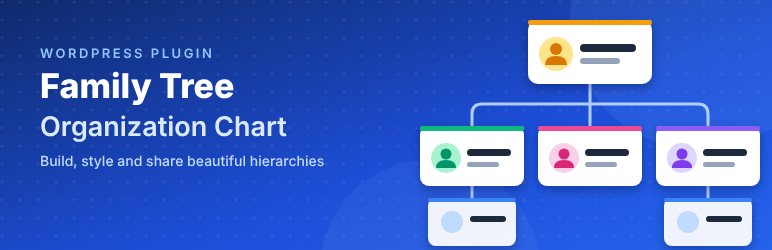
Family Tree – Organization Chart lets you show a family tree, a company org chart, a team structure or any other hierarchy on your site. Add your members once, build as many charts as you need, style them live and place them with a shortcode.
Features
Members
- Name, designation, short details, full profile (WordPress block editor), picture and social icons.
- 17 social networks: Facebook, X / Twitter, LinkedIn, Instagram, YouTube, TikTok, Pinterest, GitHub, WhatsApp, Telegram, Behance, Dribbble, Medium, Reddit, Twitch, Spotify and Website.
- Members are shared: add a person once and use them in as many charts as you like.
- The member list shows each member’s picture, designation and the charts they are used in.
- Password-protected members keep their profile hidden until the visitor enters the password.
Video: How to Customize the Family Tree – Organization Chart Plugin (WordPress Tutorial)
Charts and the tree builder
- Visual tree builder on each chart. Drag and drop to add, move, nest or remove members, add a member under another one, or create and edit a member (name, designation, short details, picture) without leaving the page.
- Unlimited charts. Create, duplicate and delete charts on the Templates & Shortcodes page. Each chart has its own tree, template and style.
- 6 templates: Classic Card (free), Circle Avatar, Modern Header, Compact Horizontal, Minimal and Photo Profile (Pro). Pick one and get a ready shortcode:
[ftree_6310_tree id="123"].
Design
- Live customizer with an instant preview, grouped in tabs: Display, Card & Lines, Title (Name), Designation, Short Details, Skills & Contacts, Profile Button and Profile Popup.
- Show or hide the chart title, picture, designation, short details, social icons, skills, contacts and profile button per chart.
- Accent color, card background, border, radius, width and padding; picture size and shape (circle, rounded, square); connector line color and width; space between members and levels.
- Font size, weight, color, margin, alignment, line height and text transform for the name, designation and short details.
- Profile button text, size, colors and radius.
On the front end
- Profile popup with the member’s picture, details, social icons, contacts, skills and full profile.
- Profile popup styles. Classic centered popup (free), plus side panel, full screen and bottom sheet (Pro), chosen per chart.
- Expand and collapse branches, with a count of the members under each one (Pro).
- Zoom in, zoom out, reset zoom and full screen buttons, which you can turn on or off per chart (Pro).
- Settings page (Pro) for the popup close button (position, content, shape, size, colors, close on outside click / Esc) and the loading indicator shown while a profile opens (spinner, dots, pulse or bar, with color, size, text and page dimming).
- Mobile responsive. On small screens the chart becomes an easy-to-read indented list.
- Accessible. Keyboard friendly buttons, Esc to close the popup and screen reader labels.
Search, SEO and AI
- Search & AI ready. Each chart adds schema.org structured data (JSON-LD) listing its people with name, job title, description, picture and social profiles, so Google and AI search tools (ChatGPT, Perplexity, Gemini, Copilot) can understand who is on the page. You can turn it off per chart.
- Found by site search. WordPress search (and Relevanssi) finds the pages that show a chart when visitors search for a member’s name, job title or short details. Pages that only hold a chart also get an automatic excerpt listing its members.
Tools
- Export / Import. Export members (with picture links), charts and settings to a .json file; import it on another site, optionally downloading the pictures (import is Pro). Imports always add new items and never overwrite existing ones.
- Demo data. Import 7 sample members with pictures, contacts, skills and social icons, a ready shortcode and (optionally) a draft page from the notice shown after activation. Remove it all again with one click.
- Theme overrides. Copy any file from
templates/intoyour-theme/family-tree/to change the markup. - Translation ready and compatible with WPML, Polylang and other multilingual plugins (see below). RTL languages are supported.
Multilingual (WPML, Polylang)
- Members are translatable posts. Translate a member in WPML or Polylang as you would a page.
- You build a chart once. It shows each member’s translation in the visitor’s language and falls back to the original when a translation is missing.
- The chart title and button text are translatable strings. Use WPML → String Translation or Polylang → Languages → Translations, group “Family Tree – Organization Chart”.
- A
wpml-config.xmlfile is included, so WPML knows which member fields to translate and which to copy.
Pro
A Pro license unlocks:
- Templates 02 to 06 (the free version includes template 01).
- Contacts on each member: mobile, phone, WhatsApp, email, website, Telegram, Skype, address or custom rows.
- Skills with percentage bars.
- Unlimited social icons per member (the free version shows one).
- Expand / collapse toggles on each branch.
- Zoom in, zoom out, reset zoom and full screen buttons on the front end.
- Profile popup styles 2–4: side panel, full screen and bottom sheet (style 1, the classic centered popup, is free).
- Settings page: customize the popup close button (position, content, shape, size, colors, close on outside click / Esc) and the loading indicator (spinner, dots, pulse or bar, color, size, text).
- Import of members, charts and settings from an export file (export is free).
You can try every Pro feature with a free demo key: click Get a free demo key on the Family Tree → License page. It has no time limit on a local site and works for 10 days on a live site.
External services
This plugin connects to wpmart servers only for Pro licenses and demo keys. Nothing is sent unless you enter a license key or click Get a free demo key on the Family Tree → License page.
Pro license server
- Service:
https://demo.tcsesoft.com/handle-license/pro-license.php - When: when you activate, deactivate or refresh a license, and once a day while a license is active.
- Data sent: the license key, the site URL, the product name and the plugin version.
Demo key server
- Service:
https://demo.tcsesoft.com/handle-license/demo-license.php - When: when you click Get a free demo key, when you activate or refresh a demo key, and once a day while a demo key is active.
- Data sent: the demo key (if any), the site URL, the plugin identifier and the plugin version. The server also sees your server’s IP address, which it uses to limit how many demo keys can be requested.
Provider for both: wpmart. Terms of use and privacy policy: https://www.wpmart.org/
Credits
Bundles Font Awesome Free 6.7.2 (icons CC BY 4.0, fonts SIL OFL 1.1, code MIT): https://fontawesome.com/license/free
Installation
- Install the plugin from Plugins → Add New, or upload the
wm-family-tree-organization-chartfolder to/wp-content/plugins/. - Activate the plugin. You can import the demo data from the notice that appears.
- Add members under Family Tree → Add Member.
- Go to Family Tree → Templates & Shortcodes, pick a template, then build the tree on the Members tab and style it on the Design tab.
- Copy the shortcode into any page, post or widget.
FAQ
How do I show a chart on a page?
Copy the shortcode from Family Tree → Templates & Shortcodes (for example [ftree_6310_tree id="123"]) and paste it into a page or a Shortcode block.
Can one member appear in several charts?
Yes. Members are shared, and each chart keeps its own tree.
How do I translate a chart?
Translate the members with WPML or Polylang. The chart then shows the translated members automatically. Translate the chart title and button text under String Translation (WPML) or Languages → Translations (Polylang).
Does the chart work with SEO and AI search?
Yes. Each chart prints schema.org ItemList / Person structured data (JSON-LD) next to the regular HTML, so search engines and AI assistants can read the members, their job titles and social profiles. Only details you show on the chart are included; contacts are never added. Turn it off with the “Structured data for search & AI” switch in the customizer, or change it with the ftree_6310_structured_data filter.
Will my site search find people in a chart?
Yes. A search for a member’s name, designation or short details returns the pages that show a chart with that member. This works with the built-in WordPress search and with Relevanssi (rebuild the Relevanssi index after changing a chart). Developers can turn it off with add_filter( 'ftree_6310_search_enabled', '__return_false' );.
Can I change the HTML of the cards?
Yes. Copy a file from the plugin’s templates/ folder to your-theme/family-tree/ and edit it there.
Are hidden contacts still in the page source?
No. When “Contacts” is switched off for a chart, the contacts are not printed on the cards at all, so they cannot be read from the page source. They still show in the profile popup of members who have a full profile.
Who can manage charts?
Administrators (the manage_options capability). Change it with the ftree_6310_capability filter.
Developer hooks
ftree_6310_capability– capability needed to manage charts, templates, settings and export / import.ftree_6310_templates– add or change templates.ftree_6310_style_fields,ftree_6310_style_groups– customizer fields and tabs.ftree_6310_member_data– member data passed to the templates.ftree_6310_social_networks,ftree_6310_contact_types– available social networks and contact types.ftree_6310_template_path– path of a template file.ftree_6310_card_skills_limit– number of skills shown on a card (default 3).ftree_6310_structured_data– the chart’s JSON-LD (return an empty value to skip it).ftree_6310_search_enabled– turn the site search integration on or off.ftree_6310_chart_saved(action) – fires after a chart is saved.
What happens to my data if I delete the plugin?
Charts and plugin settings are removed. Members are kept, so you don’t lose your content.
Screenshots


Changelog
1.2
- More feature added.
1.1
- New: profile popup styles (side panel, full screen, bottom sheet), Settings page for the popup close button and loading indicator, zoom and full screen buttons.
- New: Export / Import of members, charts and settings.
- New: schema.org structured data and site search (and Relevanssi) integration.
- New: WPML and Polylang support.
- New: free demo key for trying Pro.
- New: “Your shortcodes” list is now shown at the top of the Templates & Shortcodes page.
- Security: contacts switched off for a chart are no longer printed (hidden) in the page source.
- Security: the text of password-protected member profiles can no longer be found through site search.
- Security: members can no longer be listed by visitors through the REST API (
/wp/v2/ftree_6310_member).
1.0
- Initial release.