

Description
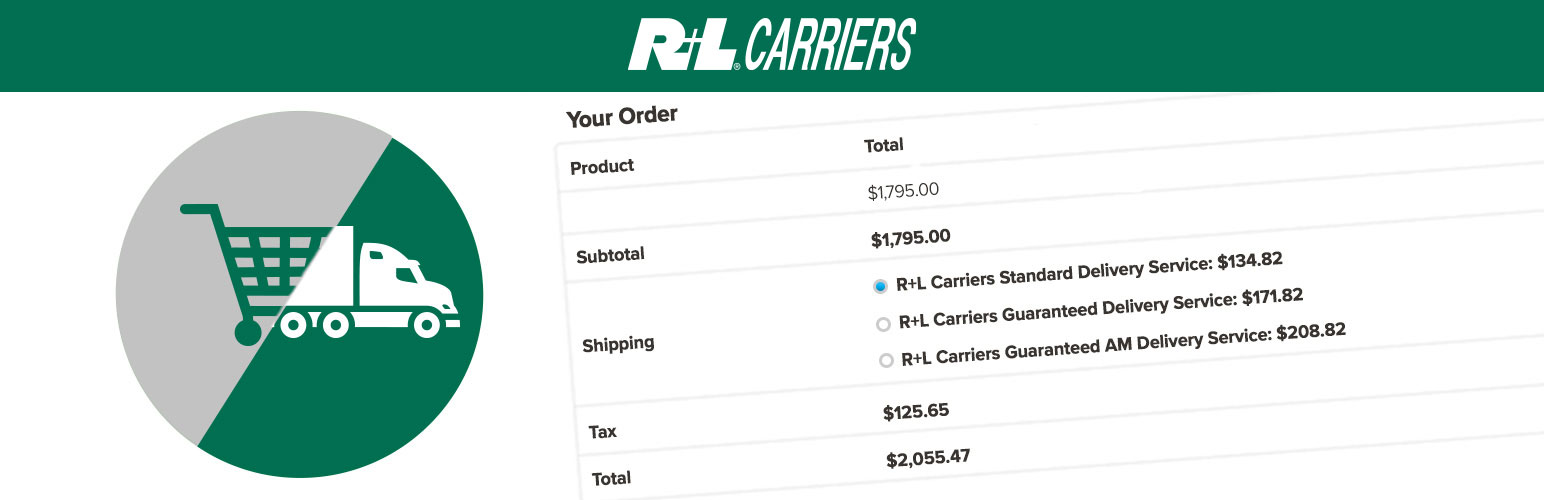
The R+L Carriers Shipping Rates for WooCommerce plugin connects WordPress and WooCommerce with your R+L Carriers account so store owners can offer live LTL freight rates within cart and checkout.
Endlessly flexible and customized with small businesses in mind, the R+L Carriers Shipping Method allows store owners to grow their online WooCommerce store by offering products of all shapes and sizes.
Your rates, every time
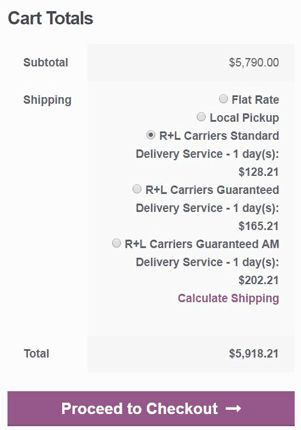
Rates specific to your MyRLC account are retrieved for each customer shopping cart session, and are based on cart product shipping attributes and quantities.
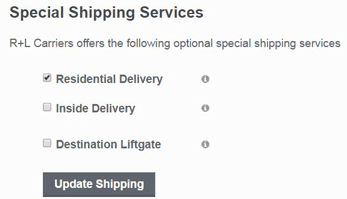
Support for standard weight and NMFC-based rates as well as negotiated rates. Optionally include special delivery services, such as liftgate or inside delivery, to each shipping charge.
- Don’t have an R+L Carriers MyRLC account? Sign up today.
Custom-tailored to your needs
Configure rate behavior and service controls to match your fulfillment requirements:
– Account-based LTL freight rate retrieval
– Service-level enablement and pricing adjustments
– Origin and destination accessorial controls
– Freight weight thresholds and forced freight handling
– Multi-origin warehouse routing
– Custom pallet definitions
– Optional inclusive maximum pallet count per shipping origin
– Multi-piece freight configuration
– Local Delivery and Store Pickup options from eligible origins
– Optional Google Maps address autocomplete, address normalization, and distance-assisted routing
– Order-level freight metadata storage
– Structured quote and Google API logging for troubleshooting
Need More Features?
The R+L Carriers website offers additional freight platform capabilities:
– Seamless Rate Quotes
– Bill of Lading Generation
– Pickup Request Scheduling
– Shipment Tracing
– Pickup Notification Emails
– Freight Classifications and Hazmat Support
This full-featured shipping platform is the complete solution for all of your freight shipping needs. R+L Carriers has you covered.
Installation
-
Ensure your environment meets the minimum requirements:
- WordPress 6.3 or greater
- WooCommerce 8.3 or greater
- PHP 7.4 or greater
- MySQL 5.7 or greater
- An R+L Carriers MyRLC account with a valid B2B API Key
-
Install and activate the R+L Carriers Shipping Plugin from the WordPress Plugins screen.
-
Open the dedicated setup hub at WooCommerce → R+L Carriers.
This overview/status page shows remaining setup tasks and links directly to the correct configuration areas.
-
Use the setup hub to complete required setup:
- Connect your MyRLC B2B API Key
- Add an optional Google Maps API key for address autocomplete, address normalization, and distance-assisted routing
- Configure shipment origins
- Confirm pallet settings
- Configure product freight data
- Add the R+L Carriers shipping method to the desired WooCommerce Shipping Zones
- Review optional shipping rules
-
Configure each Shipping Zone instance. Each instance can use plugin defaults or custom overrides for:
- Shipment origin
- Shipment construction
- Destination accessorials
- Delivery estimates
- Rates and services
- Availability
-
Ensure each freight product has the required freight configuration:
- Freight mode
- Freight pieces or package dimensions
- Weight (lbs)
- Dimensions (inches)
- NMFC freight class when required by the selected strategy
-
Return to WooCommerce → R+L Carriers to confirm setup status, then test rates at cart or checkout.
FAQ
I installed the plugin but rates are not showing up
- Open WooCommerce → R+L Carriers and review the setup/status checklist for incomplete or warning items.
- Confirm your B2B API Key is connected.
- Ensure each product includes:
- Weight (lbs)
- Dimensions (inches)
- Valid NMFC Shipping Class
- Confirm the R+L Carriers shipping method is added to a Shipping Zone. Learn more.
- Verify at least one active origin is configured globally or as a custom Shipping Zone instance origin.
- Ensure the cart weight meets any configured Minimum Freight Weight thresholds.
- Use the setup hub links to review quote or Google API logs when API details are needed.
The plugin cannot retrieve rates without required product freight data and a valid API key.
Does the plugin support multiple origin locations?
Yes. The plugin supports multiple warehouse origins.
You can configure multiple origins using:
– Distance-based routing
– Priority routing
– Round-robin routing
The WooCommerce → R+L Carriers setup hub links to origin management and reports incomplete origin setup. Origins can also be overridden per Shipping Zone method instance when custom origin behavior is needed.
Can I define custom pallet types?
Yes. The plugin supports configurable pallet types.
You may define:
– Pallet dimensions
– Tare weight
– Maximum capacity
– Automatic R+L pallet code mapping
Palletization rules determine how products are grouped for rate requests.
Can I configure freight attributes per product?
Yes. The plugin supports the following freight configuration options at the product level:
– Multi-piece freight
– Palletization rules
– Handling fees
– SOHU (Ships Own Handling Unit)
– Stackability constraints
– Rotation restrictions
– Local Delivery and Store Pickup availability
Accurate freight data improves rate precision.
What is the Shipping Rules Engine?
The Shipping Rules Engine allows store owners to:
– Apply markups or discounts
– Override service pricing
– Define free shipping thresholds
– Conditionally suppress service levels
Rules are applied dynamically during rate calculation.
How do I troubleshoot rate calculation issues?
Start at WooCommerce → R+L Carriers and review the setup/status checklist. The hub links to Logs when quote or Google API details are needed.
Structured quote logging captures:
– Request formatting
– API responses
– Rate filtering logic
– Validation errors
Google API logs capture connection tests, autocomplete, place details, geocoding, and distance lookups. Review logs before sharing them outside your organization.
Does the plugin require WooCommerce to function?
Yes. This plugin extends WooCommerce shipping functionality and requires WooCommerce to be installed and active.
Does the plugin support other freight carriers besides R+L?
No. This plugin provides rate quoting exclusively for R+L Carriers.
Does this plugin support Canadian shipments?
Partially.
R+L provides rate quotes when either the origin or destination is within the United States. Domestic Canada-to-Canada shipments are not supported.
If shipping from Canada, restrict shipping zones to U.S. destinations only.
Screenshots


Changelog
3.0.0
-
Major Release: Complete plugin rewrite.
-
NEW:
- Multi-warehouse origin support with distance-based, priority, and round-robin routing.
- Custom pallet type definitions with automatic R+L code mapping.
- Optional per-origin maximum pallet enforcement that suppresses R+L carrier rates when a finalized origin exceeds the configured maximum.
- Enhanced product freight configuration (multi-piece, palletization, handling fees, SOHU, stackability, rotation constraints).
- Local Delivery and Store Pickup fulfillment rates from eligible origins.
- Optional Google Maps address autocomplete, address normalization, geocoding, and distance-assisted routing.
- Shipping rules engine (markups, discounts, overrides, free shipping thresholds, conditional suppression).
- Structured quote and Google API logging with full pipeline visibility.
- Order-level freight metadata (service level, quote ID, shipment breakdown, pricing details).
- Modern React-based admin interface.
-
IMPROVED:
- Palletization logic, deterministic split-quote batching, and rate calculation performance.
- Settings organization and configuration flow.
-
REQUIRES:
- WordPress 6.3+.
- PHP 7.4+.
- WooCommerce 8.3+.
-
BREAKING:
- Settings migration required from v2.x.
2.0.3
-
Maintenance Release.
-
FIXED:
- JavaScript asset links.
-
CHANGED:
- Updated plugin tags for WordPress.org directory compliance.
2.0.2
-
Compliance Update.
-
CHANGED:
- Renamed plugin to “R+L Carriers Shipping Rates for WooCommerce”.
- Replaced WordPress.org banner assets to remove Woo/WooCommerce logos.
2.0.1
- FIXED:
- Destination accessorials were not saved during API calls.
2.0.0
-
Migration: SOAP to REST API transition.
-
CHANGED:
- Improved API request handling to reduce duplicate requests.
- Decimals in weight are rounded up to prevent API errors.
-
KNOWN ISSUE:
- New WooCommerce installations may require the checkout page to use the [woocommerce_checkout] shortcode.
1.8.4
-
NEW:
- Filter support for Shipping Classes.
- API channel identifier for WordPress-originated requests.
-
KNOWN ISSUE:
- Multiple API calls may occur due to WooCommerce shipping recalculations.
1.8.3
- IMPROVED:
- Handling of rate quotes for ocean shipments (AK and HI).
- Overdimension freight handling for ocean shipments.
1.8.2
- FIXED:
- Null dimensions causing quote failures.
1.8.1
- FIXED:
- Missing files from initial REST update.
1.8.0
- CHANGED:
- Updated plugin to use REST API instead of SOAP.
1.7.3
- CHANGED:
- Overdimension freight handling.
- SOAP endpoint update.
1.7.2
- FIXED:
- Corrected plugin version number in core PHP file.
1.7.1
- TESTED:
- WordPress 5.8.3.
- WooCommerce 6.0.
1.7.0
-
NEW:
- Automatic conversion of weight to pounds and dimensions to inches during rate requests.
-
CHANGED:
- FAQ section updated.
1.6.1
- CHANGED:
- Updated “Tested up to” tag.
- FAQ section updated.
1.6
- FIXED:
- Rate quote number display on order.
- Accessorial rate updates for non-logged-in customers.
1.5.1
- CHANGED:
- Version number update.
1.5
- FIXED:
- Error caused by new shipping states include.
1.4
- IMPROVED:
- Error handling.
1.3
- FIXED:
- Product shipping class validation logic.
1.2
-
FIXED:
- Selection of Canadian provinces in settings.
-
CHANGED:
- FAQ section updated.
1.1
- IMPROVED:
- Error handling to prevent edge case failure scenarios.
1.0
- Initial Release.