

Description
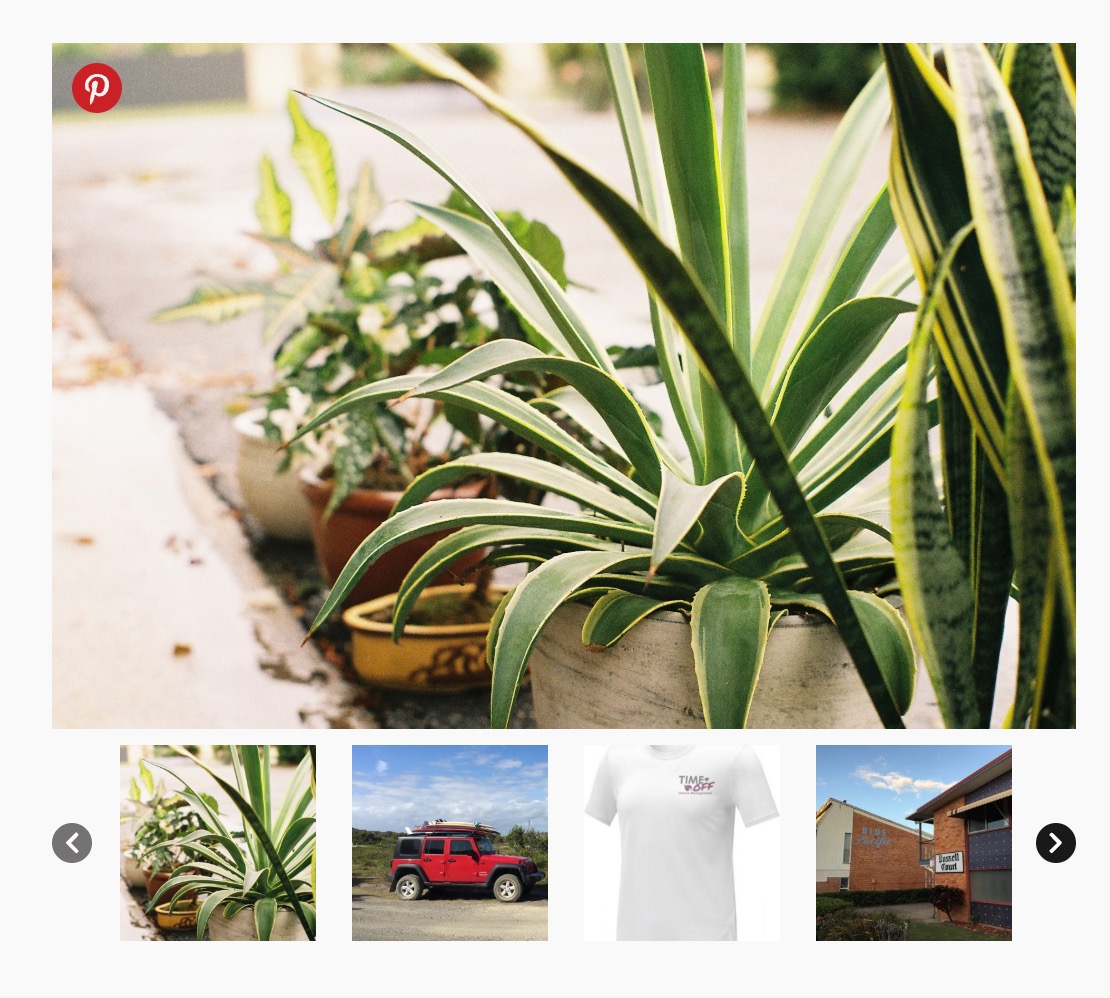
WooSwipe replaces the default WooCommerce product gallery with a clean PhotoSwipe lightbox and Slick thumbnail carousel.
It works with your WooCommerce product image settings. Adjust sizes under Appearance → Customize → WooCommerce → Product Images. Regenerate thumbnails after changing sizes (for example with AJAX Thumbnail Rebuild). If your theme registers its own image sizes, those may take priority.
Features
- Responsive and mobile-friendly
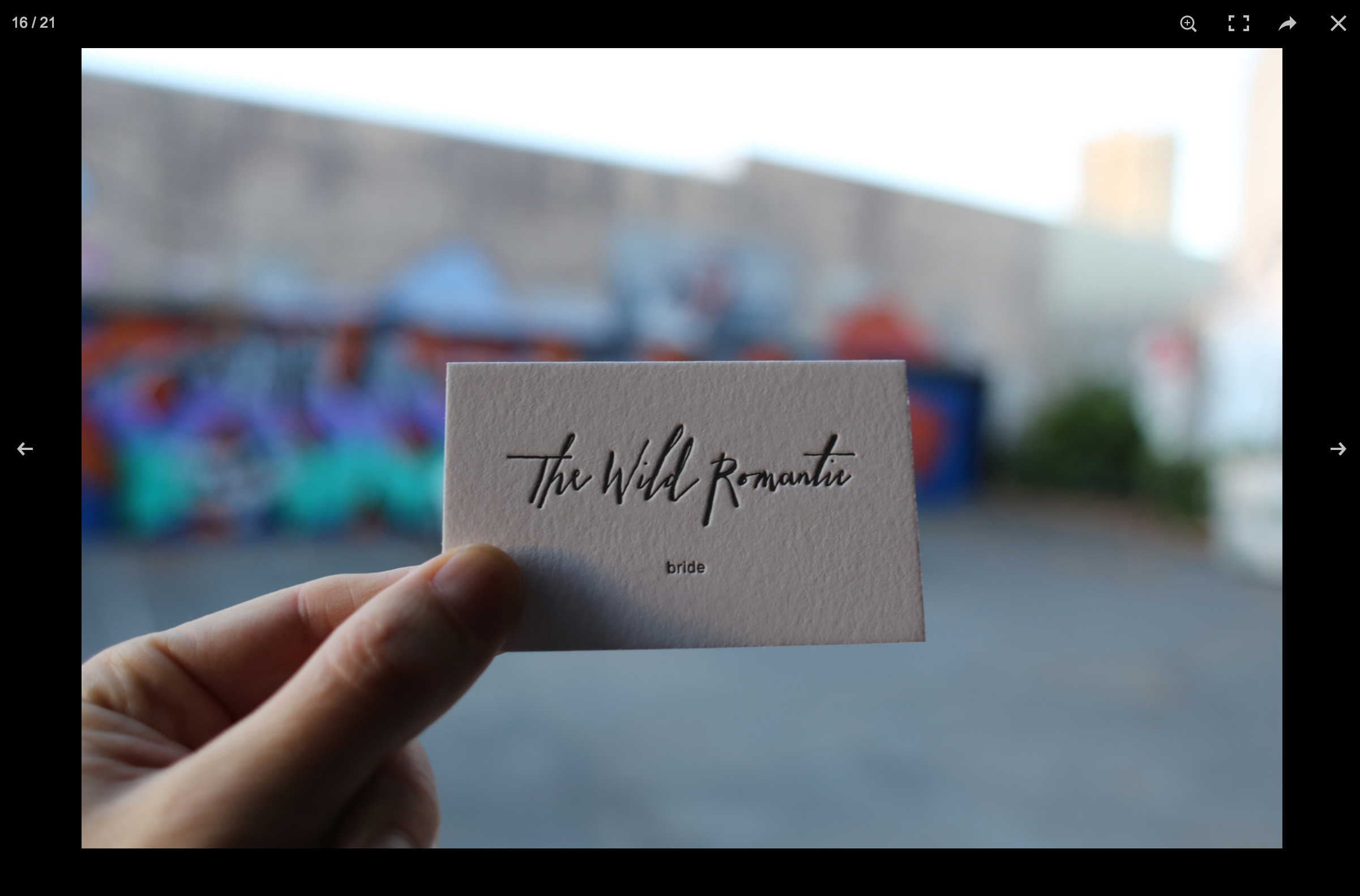
- Keyboard control and full-size lightbox images
- Optional main-image slider with navigation arrows
- White or dark icon theme, customisable icon colours
- Optional Pinterest pin button
- Option to hide thumbnails when there is only one image
- Works with variable products and variation images
- Supports the
[product_page]shortcode
Developer hooks
Actions
wooswipe_before_main— before the gallery markupwooswipe_after_thumbs— after the thumbnail stripwooswipe_after_main— after the full gallery
Filters
wooswipe_zoomed_image_size— lightbox / zoom image size (default roughly 1920×1080)wooswipe_include_attachment— returnfalseto exclude an attachment from the gallerywooswipe_is_block_gallery— returntrue/falseto force block-theme (full-width-in-column) vs classic two-column layoutwoocommerce_single_product_image_thumbnail_html— returning an empty string for an attachment also excludes it from the main image and thumbs (see FAQ)
Zoomed image size example
add_filter( 'wooswipe_zoomed_image_size', 'wooswipe_max_image_size', 10, 1 );
function wooswipe_max_image_size( $size ) {
    return 'large';
}
More info: WooSwipe on Thrive · GitHub
Installation
- Upload
/wooswipe/to the/wp-content/plugins/directory, or install from Plugins → Add New. - Activate WooSwipe (WooCommerce must be active).
- Optional: configure options under WooCommerce → WooSwipe.
- View a product page to see the gallery.
FAQ
How do I hide the featured image from the product gallery?
Use this in your theme’s functions.php or a code-snippets plugin. WooSwipe respects it for both the main image and thumbnails (from 3.0.9):
function remove_featured_image( $html, $attachment_id ) {
    global $post;
    if ( ! $post ) {
        return $html;
    }
    $featured_image = get_post_thumbnail_id( $post->ID );
    if ( (int) $attachment_id === (int) $featured_image ) {
        $html = '';
    }
    return $html;
}
add_filter( 'woocommerce_single_product_image_thumbnail_html', 'remove_featured_image', 10, 2 );
Or use the WooSwipe-specific filter:
add_filter( 'wooswipe_include_attachment', function( $include, $attachment_id ) {
    global $post;
    if ( $post && (int) $attachment_id === (int) get_post_thumbnail_id( $post->ID ) ) {
        return false;
    }
    return $include;
}, 10, 2 );
When the featured image is excluded, WooSwipe uses the first gallery image as the main image.
The gallery does not work
This is usually a JavaScript conflict. Try:
- Disable other plugins one by one to find a conflict.
- Switch temporarily to a default theme (e.g. Twenty Twenty-Four).
- Check the browser console for script errors.
Can I load a product gallery via shortcode?
Yes. Use [product_page id="123"] with the correct product ID.
The gallery is full width and product details sit underneath
That was a 3.0.10 regression on classic (PHP) themes: WooSwipe forced #wooswipe to width: 100%. Update to 3.0.12. Block themes (Twenty Twenty-Four / Twenty Twenty-Five) still use a full-width gallery inside their column.
Screenshots
Changelog
3.0.13
- Update the WordPress.org banners to show the inline gallery with thumbnails and circular navigation arrows.
- Replace the default gallery screenshot with the current gallery reference and include screenshots in the WordPress.org assets folder.
3.0.12
- Fix: gallery no longer forced to full width on classic (non-block) themes. 3.0.10 set
#wooswipe { width:100% !important }for block-theme columns, which overrode WooCommerce’s 48%.images/.summarytwo-column layout (gallery stacked above product details). Full-width is now scoped to block themes only (body.wooswipe-block-gallery/ product-image-gallery block).
3.0.11
- Fix: gallery no longer forced to full width on classic (non-block) themes. 3.0.10 set
#wooswipe { width:100% !important }for block-theme columns, which overrode WooCommerce’s 48%.images/.summarytwo-column layout (gallery stacked above product details). Full-width is now scoped to block themes only (body.wooswipe-block-gallery/ product-image-gallery block).
3.0.10
- Fix: double gallery on block themes (Twenty Twenty-Four etc.) — replace
woocommerce/product-image-galleryblock instead of also dumping via classic hooks - Fix: gallery width on block themes (classic WC
.images { width:48% }was shrinking WooSwipe inside the column) - Fix: constrain thumbnail image sizing so thumbs don’t render full-width
- Fix: vertically center thumbnail nav arrows (
top: 35%→top: 50%+ translateY)
3.0.9
- Fix: featured-image exclusion via
woocommerce_single_product_image_thumbnail_htmlnow applies to the main image as well as thumbnails - New:
wooswipe_include_attachmentfilter to include/exclude gallery attachments - Fix: PHP 8 fatals when main-slider attachments are missing image sizes
- Fix: variation image switching now matches by attachment ID (with URL fallback)
- Fix:
hide_thumbnailsoption correctly respected for simple products - Fix: PhotoSwipe item building bugs and duplicate lightbox entries
- Fix: JS no longer double-wraps main image markup
- Fix: admin settings save — nonce verification,
manage_optionscapability, sanitised colour fields - Fix: default options seeded on activation; options removed on uninstall
- Fix: frontend assets only load on product pages and
[product_page]shortcode contexts - Fix: use current WooCommerce image size names (
woocommerce_single,woocommerce_gallery_thumbnail) - Security: escape URLs and attributes in gallery markup
- Compatibility: tested with WordPress 7.0 and WooCommerce 10.9
3.0.8
- Readme update
- Tested with WP 6.7.1 + WC 7.0.0
3.0.3
- Major update to address minor security issues
- Recoded with new plugin framework
- Fixed the array_merge() fatal error for the empty featured image
- Updated the plugin’s structure with the boilerplate
- Fixed the Auth Broken Access Control Vulnerability
- Handled the multiple cases regarding empty images for (Featured image, Gallery images & Variation images)
- Updated the script for the variation change & swatches change
2.0.1
- Elementor plugin fix
- Added option for the slide navigation arrows
2.0
- Major update
- New touch slider carousel option for the main image
- New icon colour selector options
- Option to hide thumbnails
1.1.13
- Added option for hiding thumbnails when no product gallery or product variation image is available
- Remove lazy loading from main image (#40)
- Accessibility fixes
- Tested with WP 5.8.2 + WC 5.9.0
1.1.12
- Fixed wrong lightbox image when variation selected with Pinterest links
- Add
product_pageshortcode support (#20) - Tested with WP 5.7.2 + WC 5.4.0
1.1.11
- Fix Pinterest select image
1.1.10
- PHP notice fix
1.1.9
- Layout fix and image size fix
1.1.8.11
- Version bump slick.js 1.5.7 → 1.8.1
1.1.8.10
- Readme updated with latest way to adjust image sizes
1.1.8.9
- Revert PR38
1.1.8.8
- Compatibility for WooCommerce Variation Swatches and Photo up to v3.1.1
- Merged PR #38 — add variation id for thumbnails
1.1.8.7
- Readme and latest compatibility check
1.1.8.6
- Rollback bug fix
1.1.8.5
- SVG Pinterest image
- Meta text update
1.1.7.0
- Add Pinterest option
- Merged pull request pinit branch
1.1.6.9
- Variation image bug fix #27
- Skip repeated images from gallery and variation
- Minor restructure and tidy up
1.1.6.8
- Meta update and testing with WP v5
- Merged pull request from @matthijs166 #28
1.1.6.7
- Added alt tag to main image
1.1.6.6
- Readme
- z-index increase
1.1.6.5
- Fixed image change bug with variation selector
- Removed file
1.1.6.3
- Fixed depreciation notice of get_gallery_attachment_ids
1.1.6.2
- Readme docs update
1.1.6
- Fix Undefined variable: zoomed_image_size
1.1.4
- BJ Fixed Hooks Bug
1.1.3
- BJ Added hooks and filter
1.1.1
- Rewrite JS
- Fix image change bugs
1.0.5
- Style clear
1.0.4
- Style fix
1.0.3
- White Skin update
1.0.2
- Fix for missing srcset
1.0.1
- First version