

Description
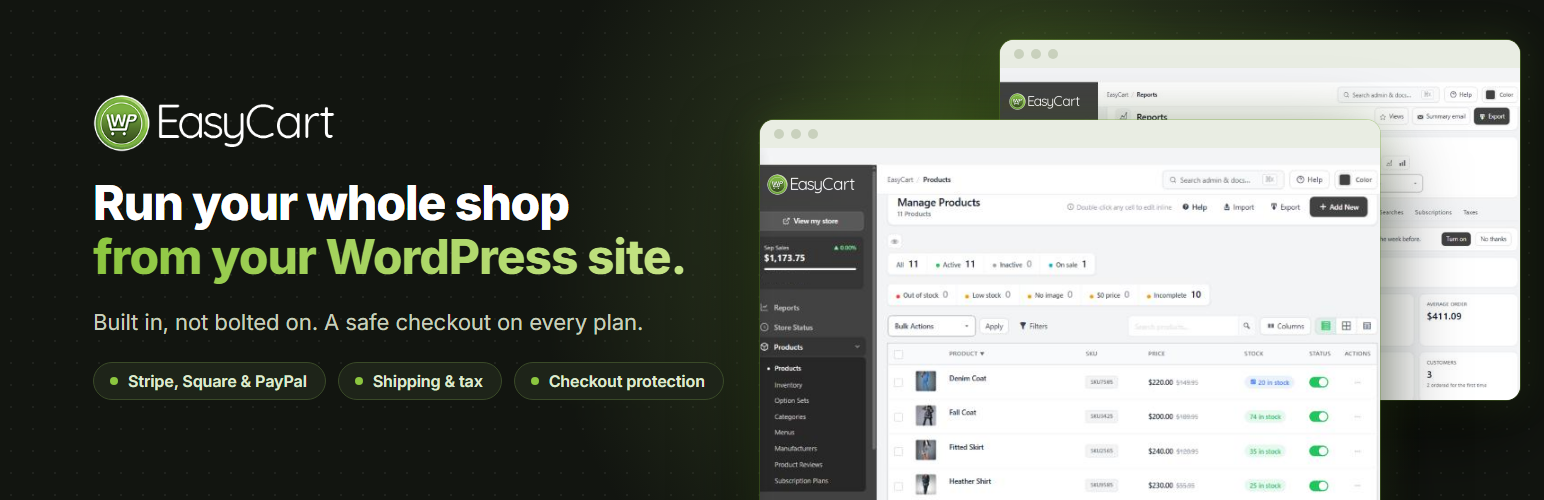
Run your whole shop from your WordPress site.
WP EasyCart adds a complete store to the WordPress site you already have. Products, checkout, orders, shipping, tax and reports are built in, not bolted on, so there is no stack of add-ons to buy and keep in step. Start free with unlimited products and orders, and move up to Pro when your store needs more.
It suits online shops that ship, restaurants, cafés and bakeries taking pickup orders, wholesalers billing trade customers, and makers and local producers who sell several ways at once.
Sell and get paid
- Unlimited products and orders, with options, variations and stock tracking.
- Stripe, Square and PayPal checkout, including Apple Pay and Google Pay.
- Checkout protection, on by default, that stops bots from testing stolen cards at your checkout.
- Catalog mode to show products without selling them.
Ship, fulfill and tax
- An order screen built for speed: see where each order stands, tick items off as you pack, and ship in one step with tracking and an email to the customer.
- Save the boxes you ship in and have new orders packed into them automatically.
- Shipping rates by price, weight, quantity or percentage, and tracking for every package through to delivery.
- Tax rates by country, state and province, and VAT with VAT number checks.
Grow your store
- Reports with your sales, orders and taxes, and a weekly summary email.
- See where each order came from, including AI assistants such as ChatGPT, Perplexity, Gemini and Copilot.
- Product pages that tell Google, Bing and AI assistants your prices, stock, reviews, return policy and shipping.
- Meta Pixel and Google Analytics, with support for your cookie banner.
- Customer reviews with review request emails.
Design it your way
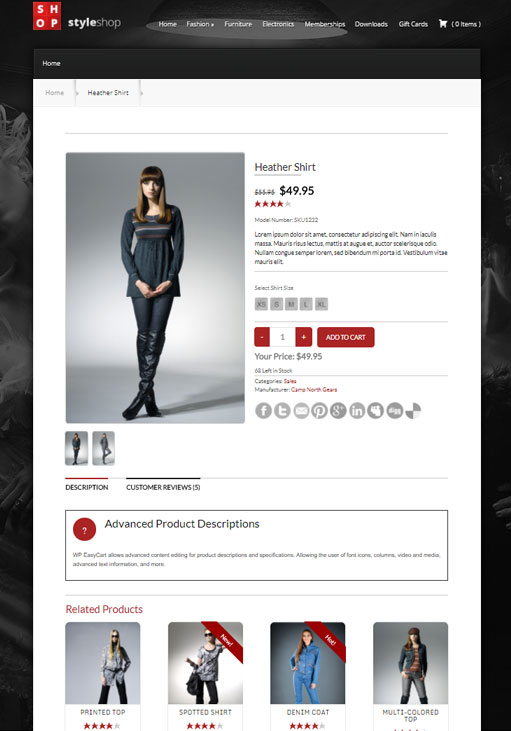
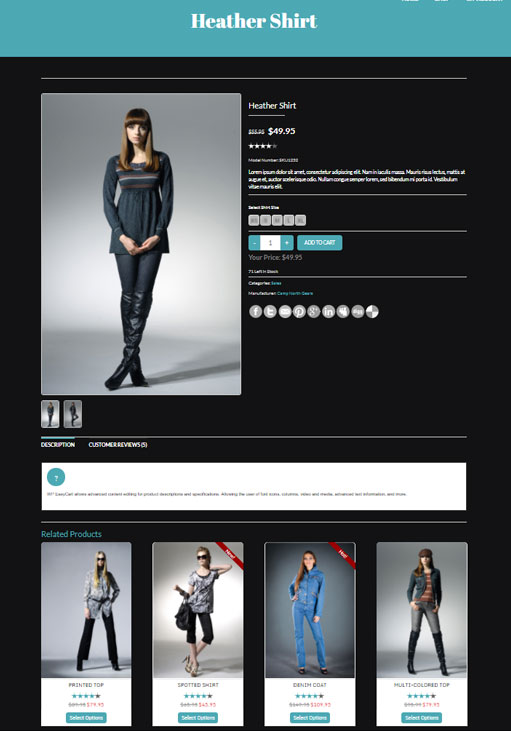
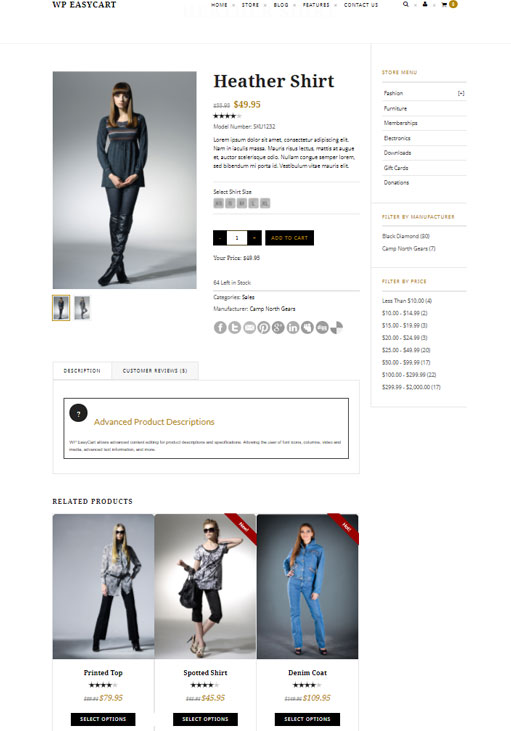
- Works with any theme, with store, cart and account pages created for you.
- Elementor widgets and templates for product, category, shop, cart, checkout and account pages, plus blocks and shortcodes.
- Change any wording your store shows, in any language.
Privacy built in
- Works with Complianz, CookieYes, Cookiebot, the WP Consent API and Google Consent Mode.
- Customers are included in WordPress’s personal data export and erase tools.
- Card details are entered in your payment provider’s own secure fields.
Pro: everything in Free, plus
- No WP EasyCart fee on your sales, and 30+ more payment gateways.
- One-page checkout, your own checkout questions, and gift orders.
- Subscriptions, digital downloads and gift cards, including Square gift cards that work at your register too.
- Live shipping rates from UPS, FedEx, USPS, DHL, Canada Post and Australia Post, Royal Mail prices for UK shops, plus store schedules and pickup locations.
- Automatic sales tax from TaxCloud or TaxJar.
- Coupons, promotions and abandoned cart emails.
- Order editing and refunds, invoices and credit notes, payment terms, and orders you create for phone customers.
- Full reports on products, customers, profit, carts and more, a Google product feed, and MailerLite, Kit and ActiveCampaign sync.
- One-to-one support and updates for as long as your plan is active, billed yearly or monthly. Try Pro free for 14 days from WP EasyCart › Registration; no card needed.
Premium: everything in Pro, plus
- Store manager apps for iPhone, iPad, Android and desktop.
- Premium extensions, installed in one click: Facebook & Instagram, Shippo, ShipStation, Stamps.com, QuickBooks Online, QuickBooks Desktop, Xero, Avalara AvaTax, AffiliateWP, Email Marketing for Mailchimp and Klaviyo, Zapier and more.
Helpful links
External services
WP EasyCart connects to these services only when you use the feature that needs them.
- WP EasyCart Connect ( connect.wpeasycart.com ) connects your Stripe, Square and PayPal accounts and passes their payment notifications to your store, installs WP EasyCart PRO when you start a trial or add a license, and, only if you choose to share anonymous usage data, receives a weekly summary of how the store is set up ( no customer or order details ); turning sharing off deletes what it kept. Privacy policy, terms.
- WP EasyCart documentation ( docs.wpeasycart.com ) supplies the list of help articles the admin search looks through, once a week, while you manage the store. Nothing you type in the search is sent. Privacy policy.
- WP EasyCart demo data ( support.wpeasycart.com ) supplies sample products and images when you install demo data from the setup wizard, and the pictures of the two example products in the products CSV starter template.
- Stripe processes card and wallet payments when you connect Stripe. It receives the order total and the customer’s payment and billing details. Privacy policy, terms.
- Square processes payments when you connect Square. It receives the order total and the customer’s payment and billing details. Privacy policy, terms.
- PayPal processes payments when you connect PayPal. It receives the order and the customer’s details needed for payment. Privacy policy, terms.
- Google reCAPTCHA and Cloudflare Turnstile check that a shopper is a person, only when you turn them on. Google privacy policy, Cloudflare privacy policy.
- Google Analytics and the Meta Pixel receive store events, such as product views and purchases, only when you add their IDs, and only after the shopper consents when your store asks for consent. Google privacy policy, Meta privacy policy.
- EU VIES ( ec.europa.eu ), the European Commission’s VAT number check, receives the VAT number a customer enters, and nothing else, when your store is in the EU and collects VAT numbers, to decide whether a business in another EU country pays the business rate. Privacy policy.
- HMRC ( through WP EasyCart Connect ), the UK’s Check a UK VAT number service, receives a UK ( GB ) VAT number a customer enters, and nothing else, when your store collects VAT numbers and needs to know whether a UK business is registered. Connect passes the number to HMRC and returns the answer. HMRC privacy notice, WP EasyCart privacy policy.
- Vatlayer receives the VAT number a customer enters, when you turn on VAT number checks. TaxCloud receives the order’s address and items when you turn it on with WP EasyCart PRO.
- Amazon S3 serves download files you choose to store there.
- Your site’s AI service ( the provider you set up in WordPress under Settings › Connectors ) receives a product’s name, its details such as brand, options and categories, and the text you ask it to improve, only when a store manager clicks Write with AI; WordPress’s AI Client sends it, and that provider’s own terms and privacy policy apply.
- An AI app you connect ( such as Claude, ChatGPT or Gemini ) receives what you ask it for, as the WordPress user who pressed Allow on your site, only after you connect it in Settings › AI assistants. When an app names itself by a web address, your store reads that address, at most once a day, to learn the app’s name and where to send you back after you sign in. The app’s own terms and privacy policy apply.
Installation
- In your WordPress admin, go to Plugins › Add New, search for “WP EasyCart”, then install and activate it.
- Follow the setup wizard to create your store pages and choose how you take payments, charge tax and ship.
- Add your products under WP EasyCart › Products.
- Connect Stripe, Square or PayPal under WP EasyCart › Settings › Payments.
To try Pro, open WP EasyCart › Registration and choose Start free trial.
FAQ
Is WP EasyCart really free?
Yes. The free plugin has unlimited products and orders and no time limit. On the free plan, payments taken through Stripe, Square or PayPal connected with WP EasyCart carry a 2% WP EasyCart fee; Pro and Premium have no WP EasyCart fee. Your payment provider’s own processing fees always apply.
What is the difference between Free, Pro and Premium?
Free is a complete store. Pro adds the features a growing store needs, such as 30+ more payment gateways, live shipping rates, subscriptions, coupons, invoicing and full reports, with no WP EasyCart fee. Premium adds the store manager apps and the Premium extensions. Pro and Premium both use the WP EasyCart PRO plugin. See plans and pricing.
Can I try Pro before I buy?
Yes. Start a 14-day free trial of Pro from WP EasyCart › Registration. No card is needed, and WP EasyCart installs everything for you.
How do Pro and Premium plans work?
A Pro or Premium plan covers one website, with updates and support for as long as it is active. Plans are billed yearly or monthly and renew automatically; cancel any time from your account at wpeasycart.com. A license bought before plans renewed automatically keeps working until its end date, and you renew it by turning on AutoPay in your account. Your license key also runs on up to 3 development copies of your store, such as localhost or a staging site, while your live store keeps it, and you can move it to a new live site.
Will it work with my theme?
Yes. WP EasyCart works with any WordPress theme and creates its store, cart and account pages for you. You can also design your store pages with Elementor or the block editor.
Can I show products without selling them?
Yes. Turn on catalog mode to show your products without the Add to Cart button.
Which payment gateways can I use?
The free plugin takes payments through Stripe, Square and PayPal, including Apple Pay and Google Pay, and can take manual payments such as bank transfer. Pro adds 30+ more, including Authorize.net, Braintree, NMI, PayTrace, Intuit Payments, Moneris, eWAY and Global Payments.
Can I sell on Facebook and Instagram?
Yes, with the Facebook & Instagram extension that comes with Premium. It keeps your Facebook and Instagram catalog in step with your store.
Does WP EasyCart help with privacy laws such as GDPR?
Yes. It works with the leading cookie banners and Google Consent Mode, so tracking waits for each shopper’s consent, and your customers are included in WordPress’s personal data export and erase tools.
Can I manage WP EasyCart with WP-CLI?
Yes. wp easycart info shows the version, whether the database is up to date and your plan, and wp easycart db upgrade finishes a database update after you update from the command line with wp plugin update. Run wp help easycart for every option.
Where can I get help?
Start with the documentation. Pro and Premium stores get one-to-one support from our team at support.wpeasycart.com.
Where do I report security bugs found in this plugin?
Please report security bugs found in the source code of the WP EasyCart plugin through the Patchstack Vulnerability Disclosure Program. The Patchstack team will assist you with verification, CVE assignment, and notify the developers of this plugin.
Screenshots



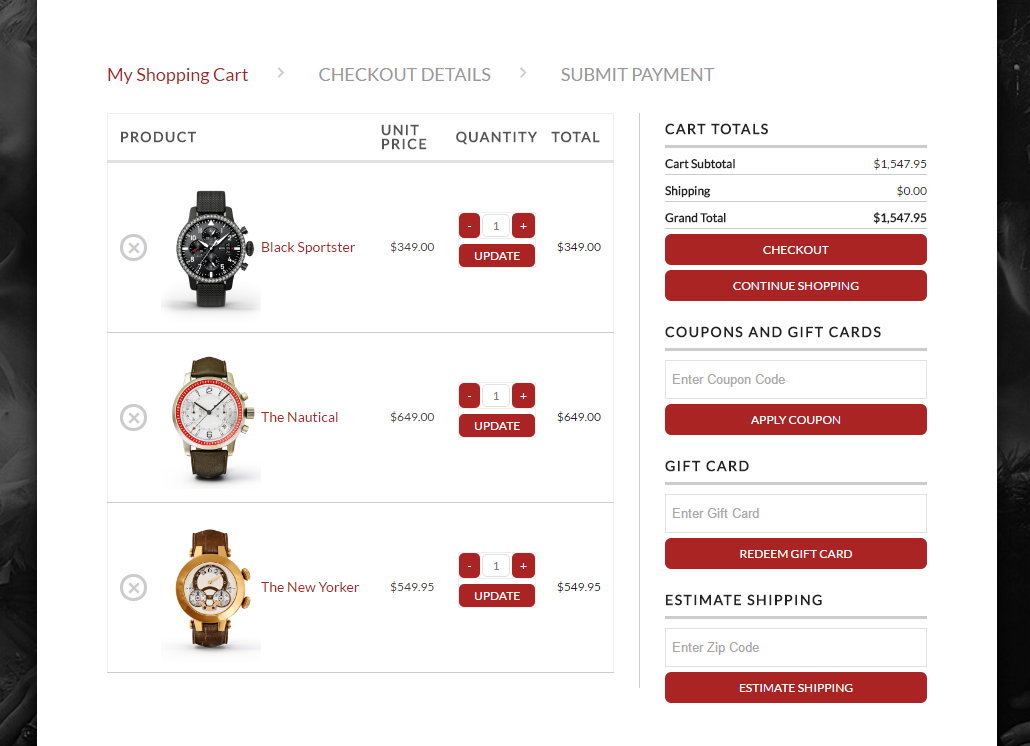
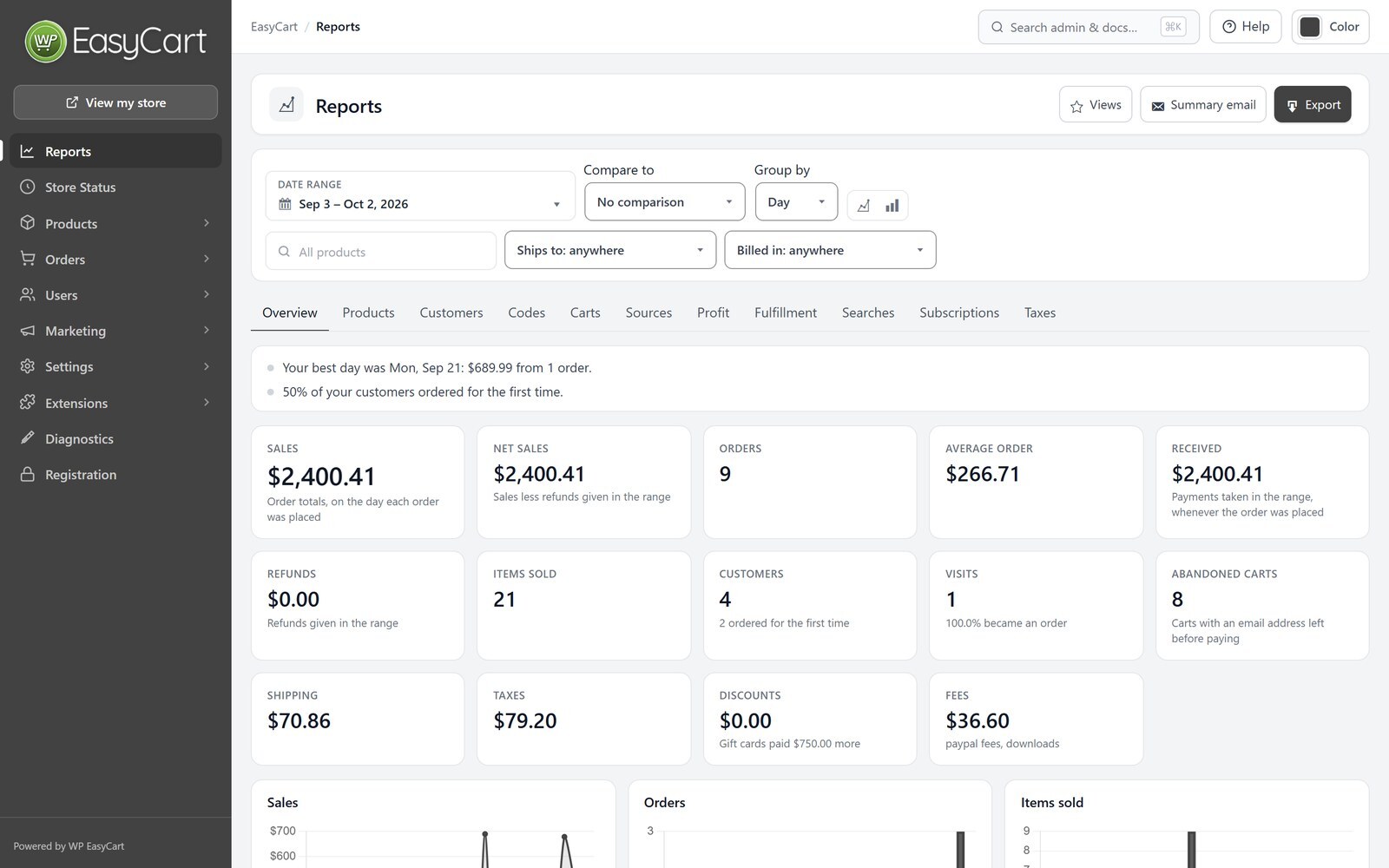
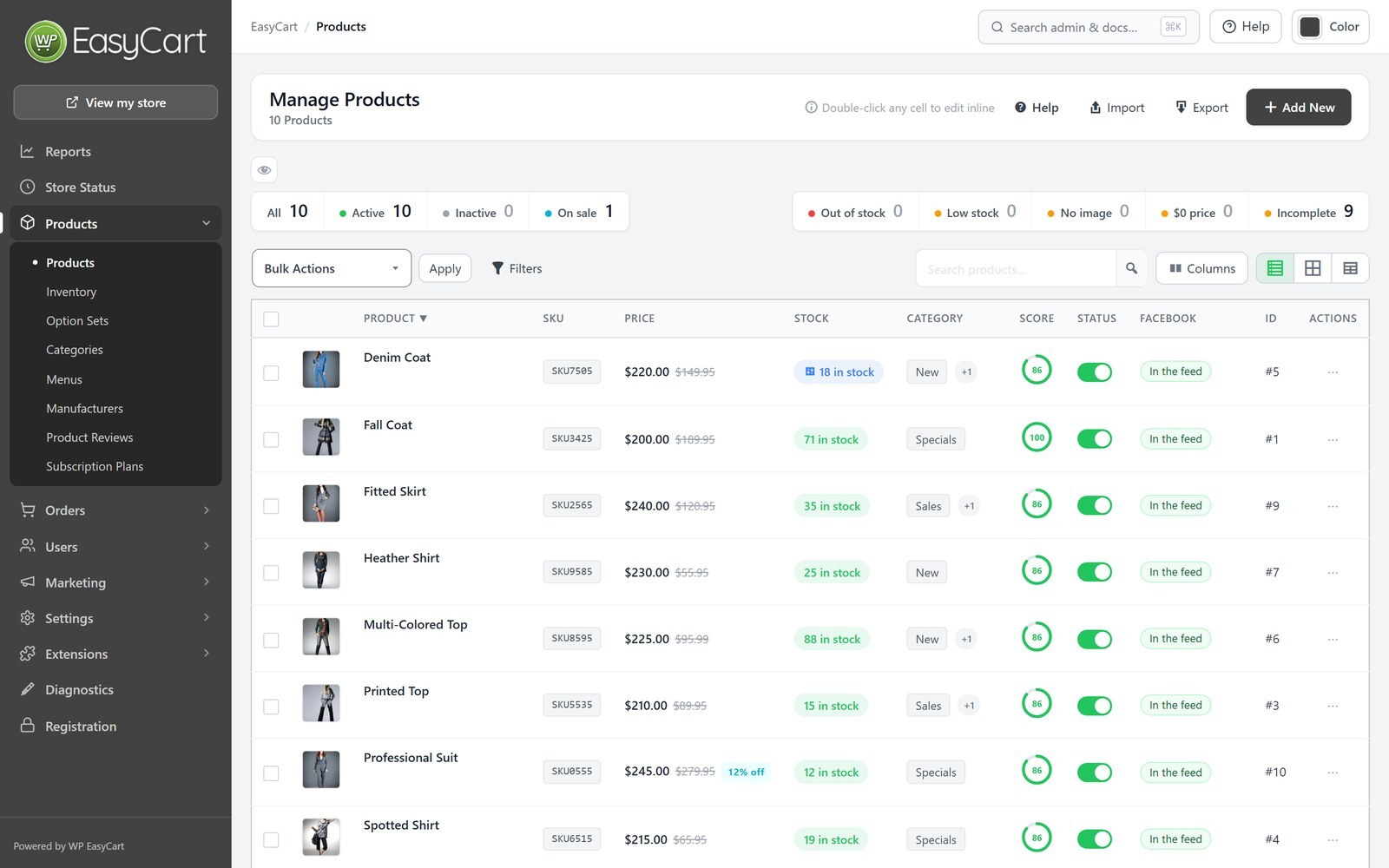
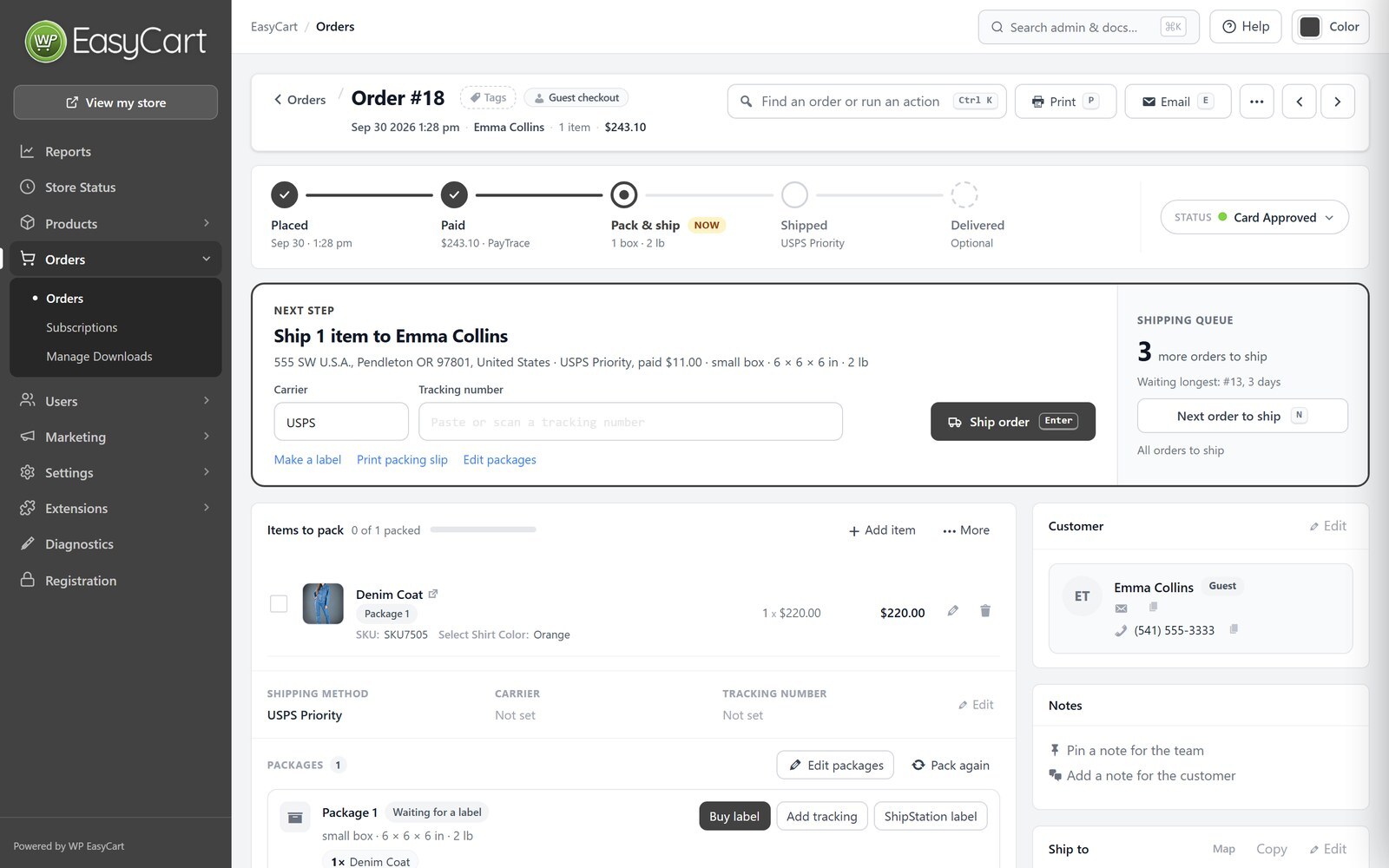
Changelog
6.0.7
- New Feature – Store setup: Settings walks a new store through setup, then shows what each part of your store does today, the few things worth a look, and every settings change from the last 30 days with Undo.
- New Feature – Settings › Payments: connect Stripe, Square or PayPal in one click or try each with a test account first, see every way shoppers can pay in one list, switch between live and test, turn on Amazon Pay through Stripe, and check what to do before you go live; new stores start with bank transfer off.
- New Feature – Shipping in three pages: choose how shoppers pay for shipping, set each zone’s prices right where you see them, connect carriers and labels in one place, and test any cart to any address to see every rate and how it was worked out.
- New Feature – Settings › Taxes starts from the settings most stores in your country use, edits your rates in place, and shows what a shopper pays at test addresses you choose.
- New Feature – Checkout and account settings show what shoppers see as you change them, your terms, privacy and returns pages can be drafted from your store’s own answers, and subscriptions can ask for a separate yes to renewals.
- New Feature – Add product asks what you’re selling in your own words, then only what that product needs, with its page drawn beside it; Quick start makes a product like one you already sell, so you just add the name, price and photos.
- New Feature – One option builder for products and the option sets list: reuse an option set or modifier, or make one by typing “Size: S, M, L”, see it as shoppers will, merge copies into one, and choose whether a change is for every product that uses it or only this one.
- New Feature – Categories that fill themselves: start from ideas drawn from your catalog, such as best sellers, new arrivals or gifts under a price, or set your own rules, and products join and leave on their own.
- New Feature – Email and documents: check that your receipts will arrive, send yourself a test, add your logo and business details, and preview every email, packing slip and invoice as customers get it.
- New Feature – Marketing in one place: your newsletter list, cart reminders, review requests, offers, email service, analytics tags and how your products read in Google and to AI assistants, each with its last 30 days.
- New Feature – Your own AI assistant, such as Claude, ChatGPT or Gemini, can help set up and run your store: settings, tax, shipping, products and photos, your site’s look and pages, orders to ship, returns, offers and reports, with every change previewed, approved by you and undoable; connect it by signing in with your WordPress account; payment connections, refunds and deletes stay with you ( WordPress 6.9 or newer with the MCP Adapter plugin ).
- New Feature – Write with AI: your site’s AI service drafts a product’s description, short description, specifications and search details for you to review ( WordPress 7.0 or newer ).
- New Feature – Match my theme: product cards, prices, buttons and checkout take your theme’s colors and fonts and stay readable; on for new stores, one switch for yours.
- New Feature – Notes for buyers for the whole store, shown once on the order confirmation page, the receipt and My Account, on every order or only orders with a download, a members-only page or something to ship.
- New Feature – Deposits: record a deposit taken outside the store, show what is still due on the order, receipt, invoice and My Account, and mark the order paid when the rest arrives.
- New Feature – Product Tracking for Elementor: a widget shoppers never see that tells Meta, Google, Pinterest, TikTok, Snapchat, Microsoft Advertising and Reddit when a product is viewed, and can run your own tracking code.
- Improvement – Store details shows prices as shoppers see them, offers your country’s usual currency, format and units, sets exchange rates for prices in other currencies, and warns when your store’s clock is set to the wrong time zone.
- Improvement – Product settings show the product page and store page as you change them, with the filter sidebar’s choices found as you type and inquiry spam protection in three levels.
- Improvement – Checkout protection shows the last week’s stopped card tests, what each level really limits, and sets up and tests its human check in three steps.
- Improvement – Restaurants and cafés say when they open next on the store, product and cart pages and can take orders for pickup then, and [ec_store_hours] shows your opening hours on any page.
- Improvement – “Hide rates until an address is entered” keeps shipping out of the total on the cart and the first checkout step until the shopper chooses a rate.
- Improvement – Google Ads counts each purchase through the Google tag once the shopper agrees, and an older conversion tag moves to it in one click.
- Improvement – Flex-fees are set up in one window that says in a sentence what the fee will do.
- Improvement – A store with no products is offered only the imports that work on its site, from WooCommerce, Square or a spreadsheet, and the CSV import has a starter template.
- Improvement – A development copy of your store on a subdomain with dev, test or staging in its name, such as teststore.yourstore.com, shares the live store’s license.
- Improvement – Store pages built with more page builders are recognized.
- Improvement – The Extensions page lists WP EasyCart API, a REST API and webhooks for connecting your store to other systems.
- Improvement – Stripe’s secret keys and signing secrets stay hidden on screen until you choose Show.
- Improvement – The forgot password page links to Create Account.
- Improvement – Danish, German, Spanish, French and Italian translations cover everything new in this release.
- Bug Fix – Pickup orders offer only the days and hours your schedule allows, in your store’s time zone, follow days marked Closed, and always record a pickup day and hour, through PayPal, Apple Pay and Google Pay too, so none reads December 31, 1969.
- Bug Fix – Buy one, get one promotions take their discount off once, on the cheaper item of each pair, and tax is charged on the right amount.
- Bug Fix – Duplicating a product whose options show or hide each other no longer stops with an error.
- Bug Fix – Notes for buyers that use [ec_account] or another store page shortcode no longer leave an order’s page in My Account loading, and a note several products share shows once.
- Bug Fix – On stores set up years ago, the Orders page counts and abandoned carts no longer fail with a database error ( “Illegal mix of collations” ).
- Bug Fix – Reports’ research export downloads again, and order and tax CSV exports show each order’s date and status on every line.
- Bug Fix – Importing a products CSV file works on Windows servers.
- Bug Fix – New products show in New arrivals at the right time on every server.
- Bug Fix – The product editor’s Add Modifier and Add Option Set buttons open the option set builder again instead of a new tab.
- Bug Fix – Zoom on hover works only with a mouse or trackpad, not on phones, tablets or touch screens.
- Bug Fix – Buttons and links on the account and cart pages keep their text size when pointed at or focused, whatever your theme sets.
- Bug Fix – Changing several settings quickly no longer makes switches flicker or switch back.
6.0.6
- New Feature – EU product safety details ( GPSR ): enter each manufacturer’s contact and responsible person in the EU once, add each product’s warnings, and product pages show them in a Product safety tab for stores that sell in the EU.
- New Feature – QuickBooks Online extension: paid orders become sales receipts, unpaid orders invoices with their payments, refunds become refund receipts, and an invoice paid in QuickBooks marks the order paid.
- New Feature – Xero extension: orders become invoices with their payments and the tax your store charged, refunds become credit notes, and an invoice paid in Xero marks the order paid.
- New Feature – NMI takes cards in its own secure card fields, so card numbers never reach your server, signs in with an API key before NMI retires username and password sign-in at the end of 2026, and adds Google Pay, Apple Pay and 3-D Secure.
- New Feature – Shipping receipts: keep the receipt number, amount, date and a photo of what you paid to ship each order or package, ready for chargebacks and lost package claims.
- New Feature – My Account has a Payment methods page for Stripe subscriptions: customers see each saved card and what it pays for, add a card for the subscriptions they choose, pick their default and remove cards that are unused or expired.
- Improvement – The cart page has the one-page checkout’s modern look: items as cards with a − / + quantity stepper, the totals and Checkout beside them, express buttons under Checkout and shorter items on phones, or keep the classic table.
- Improvement – The classic checkout’s steps end with one Continue button and show the order summary beside the form ( on phones a bar that opens in place ), and the payment step reviews your details in one box and offers the ways to pay as cards.
- Improvement – Checkout fields say what needs fixing once the shopper moves on, not while they are still typing, and Continue or Place order takes them straight to the first field to fix.
- Improvement – My Account lists orders ten a page with a search by order number, product or tracking number, pages subscriptions with an Active / Canceled switch, and lists every download a customer bought on a new Downloads page.
- Improvement – The Elementor My Account widgets look like your store’s own account page, in your Elementor kit’s colours and fonts, with the account menu on either side, or a Classic look to keep the older one.
- Improvement – The Elementor shop and cart widgets look finished on any theme and template kit, dark ones included, with sizes of their own, prices and words that stay readable and buttons that keep their own colours.
- Improvement – Payment options that can no longer take payments are retired: Moneris USA, Dwolla, PayPal Advanced, direct Affirm ( Affirm stays through Stripe ) and NMI’s Cardinal Centinel; a store still set to one is told what to use.
- Improvement – The setup wizard makes your store’s country the one checkout starts on.
- Improvement – Option sets have a name for the cart and orders, such as “Size”, separate from the product page label, so the cart, emails and invoices read “Size: Small”, not “Select Size: Small”.
- Improvement – Runs without deprecation notices on PHP 8.4 and 8.5.
- Improvement – Subscription checkouts count in Reports › Carts, a shopper who leaves a subscription’s sign-up page after entering an email is saved as an abandoned cart, and checkouts paid before they were left no longer count as recovered.
- Improvement – Danish, German, Spanish, French and Italian translations cover everything new in this release.
- Bug Fix – Pay links now add the Flex-Fees for the way the customer pays, such as a card fee, and show them before payment.
- Bug Fix – A Stripe subscription that is paused, or set to end with its billing period, stays paused or ending when Stripe sends its next update, so a paused member’s content stays closed.
- Bug Fix – Square text modifiers, such as a name to print on a shirt, now sync as a text box on the product, and the customer’s words reach the Square order.
- Bug Fix – PayPal Standard, Redsys, Netcash Pay Now, 2Checkout and PayFast mark an order paid only once, for its own total, when the provider confirms the payment, and shoppers coming back see their order confirmation instead of the cart.
- Bug Fix – Amazon Pay makes one order per payment, never leaves an unpaid order behind, gives a gift card’s share back when Amazon does not take the payment, and keeps signed-in customers signed in.
- Bug Fix – Card gateways such as PayPal Payflow Pro, First Data and MIGS no longer mark an order paid on an error page or a payment the bank refused, and declines keep the gateway’s reason in the gateway log.
- Bug Fix – A coupon code or gift card the cart refuses no longer takes anything off the order.
- Bug Fix – Subscriptions can no longer be added to the cart as a one-time purchase; they are bought from their sign-up page.
- Bug Fix – A customer’s country and state set in Users › Customers are saved so checkout starts on them, and customers saved before are fixed.
- Bug Fix – A required phone number and terms agreement are now asked for before paying with the express buttons ( PayPal, Apple Pay, Google Pay ), and every order records the terms agreement correctly.
- Bug Fix – A shopper opening a subscription’s sign-up page for the first time can continue after entering their email, without the page reloading first.
- Bug Fix – On per-seat pricing tables, the choice of what subscribers can change in My Account now applies to their number of seats, within the plan’s fewest and most seats.
- Bug Fix – On the one-page checkout, PayPal’s button shows in the Express checkout area with any card gateway, and after choosing PayPal shoppers can switch back to a card and tick the terms box again.
- Bug Fix – Renaming a customer role keeps its limited pages and Flex-Fees working, saving a role keeps its mobile admin panels, and Limit Access points out products that were deleted.
- Bug Fix – Live shipping rates send each carrier weights and sizes in the units it reads, so stores that weigh in grams, ounces or kilograms, or measure in centimetres, get correct quotes.
- Bug Fix – Store lists, quick view and related products show a running discount’s price with the regular price struck through and what shoppers save, and a blank discount badge reads “50% OFF” or “$5 OFF”.
- Bug Fix – A customer’s personal data export lists their EU withdrawal statements, and erasing their data says the statements are kept, as orders are.
- Bug Fix – Store Status’s Reset and Rebuild store permalinks give every product its page again, including products saved without a description.
- Bug Fix – The admin search window no longer opens by itself when a password manager fills in the search box.
- Bug Fix – The Meta Pixel’s Add to cart from a product page now sends the price of the chosen options and add-ons, the same as the server event.
- Bug Fix – A shipment reported twice with the same tracking number, by a shipping service or by pressing Ship twice, no longer adds a second package or sends a second shipped email.
6.0.5
- New Feature – One admin search: press Ctrl K ( ⌘K on a Mac ) on any WP EasyCart screen to find orders, customers, products, settings and help articles in one window.
- New Feature – Recommended tax settings for your country, in the setup wizard and Settings › Taxes, for the US, Canada, the UK, the EU, Australia, New Zealand and more, with a list of what changes and a one-click undo.
- New Feature – Reduced and zero VAT or GST rates for chosen products, with a rate for each country where it differs, set in the product editor’s new Tax section and listed rate by rate on receipts and invoices.
- New Feature – The lowest price of the last 30 days shows under a reduced price on product pages and in store lists, as EU pricing rules require.
- New Feature – Unit prices beside the price, such as €13.27 / kg, on product pages, in store lists and in the Google product feed.
- New Feature – Email-first checkout for subscriptions and for orders that need an account: existing customers sign in right under their email, and with a setting new customers pay first and choose their password afterwards.
- New Feature – A short subscription checkout, as a setting, for subscriptions that ship nothing: name, country and postcode with the payment on one screen.
- New Feature – Usage-based pricing tables: customers pick how much they need, such as 10 seats or 25,000 subscribers, and can move up or down later in My Account.
- New Feature – The cart and checkout fit narrow theme layouts and sidebars, on for new stores and recommended when your theme needs it.
- New Feature – A WP EasyCart widget on the WordPress Dashboard with today’s sales and the orders waiting to ship.
- Improvement – Apple Pay with Square sets itself up on your live store, and the Payments page says when anything still needs doing, with a note for your web host when its firewall blocks Square.
- Improvement – Limit Access is easier to set up: an on/off switch, one screen listing every limited page, a preview as a visitor, a buy button for visitors without access, no redirect loops, and members-only content kept private everywhere.
- Improvement – Pricing tables can include tiers that link to another page, such as Contact us, give each card its own badge and button, and turn back into a Change plan list.
- Improvement – The one-page checkout’s express payment buttons line up as one even set, side by side on wide screens and stacked on phones.
- Improvement – Product option choices are cards you can click anywhere on, the checkout’s tick boxes match them, option sets ask whether each choice makes a variation or adds to the item, and swatches go up to 200px.
- Improvement – Signing in at checkout is quicker: the classic checkout starts with the email, offers to sign in when it has an account, points out a likely typo and never asks for the email or password twice.
- Improvement – Addresses follow each country’s own format in emails, invoices, My Account and the admin, address forms ask for the region and postcode the way each country does, and the UK lists today’s counties.
- Improvement – Set your store’s country and units in Settings › Store details, including ounces and grams with a one-click conversion of saved weights, and write prices with a space where your country does, such as 1 234,56 €.
- Improvement – The setup wizard sets your country’s currency, price format, units, VAT, shipping countries and starter rates, and remembers your answers when you go back.
- Improvement – EU stores charge VAT the right way across the EU, below the €10,000 threshold or through the One-Stop Shop, and VAT numbers are checked with the EU’s VIES service or HMRC before the business rate applies.
- Improvement – Settings › Taxes leads with your country’s tax system, and stores in Australia, New Zealand and other GST countries see GST in place of VAT, with Australian invoices titled Tax invoice.
- Improvement – Your registered business name, address and tax number print on receipts and shipped emails, and your logo can sit higher on invoices, credit notes and packing slips.
- Improvement – Bill later is now Pay by bank transfer, with your bank details in your country’s own format at checkout, on the order confirmation and in invoice emails.
- Improvement – The Payments page, the setup wizard and Settings › Shipping lead with the payment gateways and carriers that serve your country.
- Improvement – The order button says that payment is owed, such as Place order and pay, as EU and UK consumer law requires.
- Improvement – Customers choose which of their subscriptions a new card is for, and each subscription in My Account shows its own card and its last ten payments.
- Improvement – Add to cart links take a quantity, such as ?ec_add_to_cart=SKU&quantity=4, and search engines no longer add products to carts through them.
- Improvement – Choose whether receipts, invoices, order emails, the order confirmation and My Account show the discount code a customer used, so a private code is never printed.
- Improvement – With Yoast SEO, the products CSV export and import include each product’s Yoast meta description.
- Improvement – When your server can’t reach Stripe, shoppers see that card payments are unavailable instead of an error, and other ways to pay keep working.
- Improvement – The admin works better on tablets, with screen readers and from the keyboard, its dates follow your WordPress date format, and more of it is translated, with Danish, German, Spanish, French and Italian covering everything new.
- Bug Fix – The product page shows the price the cart charges for every option, including sizes, number boxes and wholesale and volume prices, and size options check the width and height a shopper enters.
- Bug Fix – Orders keep the currency they were placed in after the store’s currency changes.
- Bug Fix – Square payments work for billing addresses outside the US, on stores whose Square location country was never saved and for guests on stores using WordPress User Sync, and Square’s Apple Pay button works from the keyboard.
- Bug Fix – Payment buttons no longer slide over a theme’s sticky header, and Stripe card payments work with block themes such as Twenty Twenty-Five.
- Bug Fix – Add to Cart no longer spins on cached store pages, and cart links keep their coupon code and count the orders they bring in.
- Bug Fix – The option set editor saves prices for number, text, date and file options again and keeps negative prices, large swatches and prices written with a comma, and admin prices use your store’s currency format.
- Bug Fix – Canadian tax uses today’s rates, and the one-page checkout shows the right GST, PST or HST as soon as a province is chosen.
- Bug Fix – Reprinted receipts and invoices show the VAT the order was charged, and changing one VAT setting no longer switches VAT off.
- Bug Fix – Offers that leave out items on sale now leave them out in the cart too, as the product page shows.
- Bug Fix – The admin no longer says your license has expired when this site has no license of its own.
- Bug Fix – CSV exports open in Excel with accented letters and dashes intact.
- Bug Fix – Product pages have a single main heading and give search engines shipping weights in your store’s own unit.
6.0.4
- New Feature – Your license also runs on up to 3 development copies, such as localhost or a staging site, beside your live store: enter the key on the copy and the live store keeps its license, and see or remove the copies on the Registration page.
- New Feature – EU withdrawal button, as EU law requires since 19 June 2026: shoppers withdraw from an order online with a “Withdraw from contract here” button, a short form and a confirm step, and get an emailed receipt, while you get an email and the order is flagged for you; products can be marked as having no right of withdrawal, and guests can find their order with its number and email.
- New Feature – Square gift cards: customers pay with the Square gift cards you sell at your register by typing the card number in the gift card box, with the rest paid by card through Square, and the gift cards you sell online can be Square gift cards that work at your register too.
- New Feature – WP-CLI commands: check your store with wp easycart info, and finish database updates from the command line with wp easycart db upgrade.
- Improvement – Limit an offer to customer roles, such as Wholesale, so coupons and promotions can be just for your trade customers, and their badges show only to those customers.
- Improvement – Try your live store with Stripe test cards: customer accounts set to Stripe test mode check out with your Stripe test keys while everyone else pays live, the payment step tells them so, their orders are marked as test payments and refund in test mode, and Settings › Payments and Diagnostics show which mode Stripe is in.
- Improvement – Stripe with your own API keys keeps your live keys and test keys side by side, with a choice of which ones the store takes payments with, and a signing secret for Stripe’s test-mode notifications.
- Improvement – Pages load faster, most of all on stores with several languages: only the language a page shows is read, and Site Health no longer warns that autoloaded options could affect performance.
- Improvement – Stores with an object cache such as Redis or Memcached stay fast while shoppers buy: adding to the cart and checking out no longer empty the whole site’s cache.
- Improvement – The one-page checkout’s cart has a modern look on every theme: quantity buttons, each offer’s saving and an estimated total under the subtotal, a clear Checkout button, and an outline of the cart while it loads; its order summary lets shoppers change quantities with + and – buttons and remove items without leaving the checkout.
- Improvement – When a quantity can’t go higher or lower, the cart tells the shopper why, right at the item: only so many in stock ( counting the same item with other options already in the cart ), the item’s purchase limit or its minimum, on the cart page, the one-page checkout’s cart and its order summary.
- Improvement – On both checkouts, a click anywhere on the terms or newsletter wording ticks the box, and a click anywhere on a payment choice chooses it.
- Improvement – A new order confirmation page: the thank-you card, the items with their pictures and the order’s totals, the order’s details and addresses, and how to pay a bank transfer order with its Pay now link; each order in My Account has the same modern look.
- Improvement – A modern My Account: one menu beside every page ( a row of tabs on phones ), breadcrumbs back to the orders and the dashboard, orders listed as cards with their pictures and status, a cleaner dashboard, and new sign in, create account, password and address forms; a guest’s order link shows just the order.
- Improvement – The one-page checkout and My Account show what they are doing while they load, sign a customer in or out, save or change screens, and say so when a slow server takes longer than usual.
- Improvement – The gateway log keeps short, readable entries when the store renews its connection to Square, PayPal or a shipping carrier, and Square and Stripe connect through WP EasyCart Connect’s newer services.
- Improvement – The product editor shows a product on one page, with a list to jump between its sections, or one section at a time if you prefer; a summary column keeps its status, type, shipping, tax, categories, manufacturer, listing health and storefront card in view ( on phones and narrow screens it slides in from a Summary button ), with a clear note when a product does not ship, previous and next move through your product list, sections follow the job with clearer names, shipping, weight, size and customs sit together in one Shipping section, the description, short description and specifications share one card with tabs, one product type choice shows only the sections that type uses, every change waits for Save with a Discard button, and adding a product can now pick its categories.
- Improvement – Product variations are edited in one table with their own SKU, price, stock, weight and cost: tick rows to set many at once, raise prices by an amount or a percent, build SKUs from a pattern, copy a value down the list and save everything with the product’s Save, and make option sets such as “Size: S, M, L” right on the product.
- Improvement – Filter the products list by product type, such as physical products, services, downloads, subscriptions or gift cards.
- Improvement – At checkout the card form takes its ZIP / postal code from the billing address instead of asking for it again, so the two always match: Stripe uses the billing address, and Square fills it in and asks the shopper to correct a different one.
- Improvement – Danish, German, Spanish, French and Italian translations cover everything new in this release.
- Bug Fix – Checkout buttons keep your store’s colours on themes that style every button, so Place order and the cart’s Checkout button are easy to see again.
- Bug Fix – On the one-page checkout, changing a quantity or a coupon updates the subtotal and the price of each shipping choice straight away, the shipping choices always match the address last typed, and Edit Cart opens the cart again instead of spinning.
- Bug Fix – On the one-page checkout, shoppers who create an account ( …