

Description
Display Google Reviews on Your WordPress Site in Under 2 Minutes — Stored Locally for Fast Page Speed.
WP Google Review Slider downloads your Google Business Profile (formerly Google My Business / GMB) reviews and saves them directly in your WordPress database on your own server. Unlike widgets that call external APIs on every page view, your site serves Google reviews locally for instant loading, better Core Web Vitals, full caching compatibility, and a smooth visitor experience.
Whether you run a storefront, a multi-location company, an e-commerce shop, or a service area business (SAB) without a physical street address, this Google reviews WordPress plugin makes it effortless to showcase verified 5-star customer testimonials, customer-uploaded review photos, and a Google rating summary badge anywhere on your site.
Why Choose WP Google Review Slider?
- Works With Service Area Businesses (No Address Needed): Many Google review plugins fail when a business hides its street address on Google Maps. WP Google Review Slider supports service area businesses, physical storefronts, and Google Product Reviews.
- Multi-Location Download Support: Add multiple Google business locations and download reviews for each location into your WordPress database.
- Two Flexible Download Methods:
- Google Crawl Method: Search for your business or enter a Place ID/search term to download up to 40+ newest or most relevant Google reviews — including customer-uploaded review photos — with no API key required.
- Official Google Places API: Connect your Google Places API key to download your 5 most helpful or newest reviews and keep them automatically updated every day via cron.
- Fast Local Storage (
utf8mb4Emoji Support): Reviews and customer photos are stored locally in WordPress so your pages stay fast and never break if an external service is slow. - Built-In Review Analytics Dashboard: Track your average Google star rating, 1-to-5 star breakdown, review volume timeline, rating trends over time, and positive/negative keyword word clouds right inside wp-admin.
Key Features (Free Version)
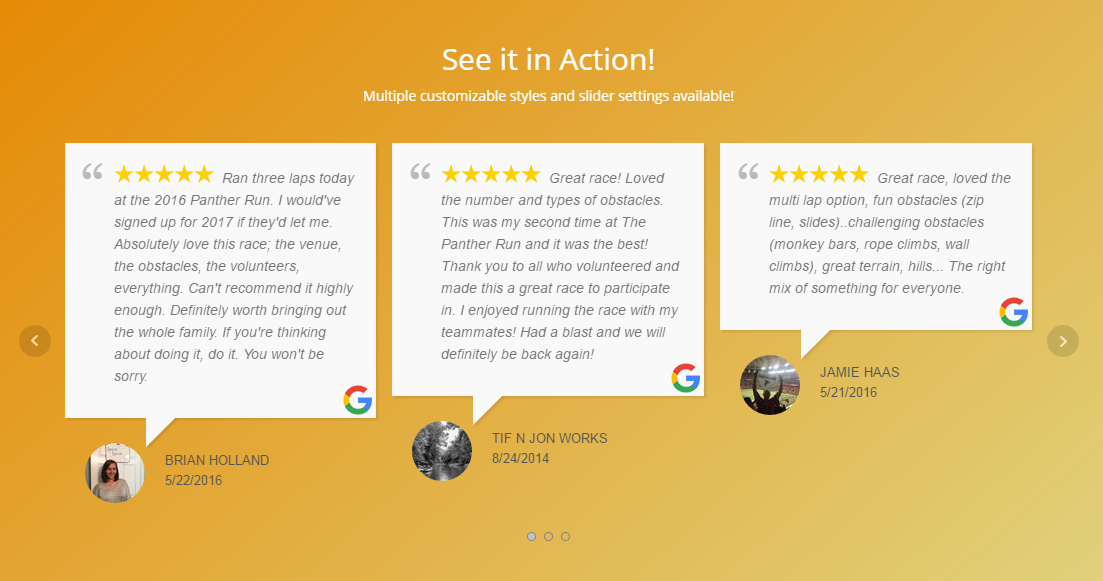
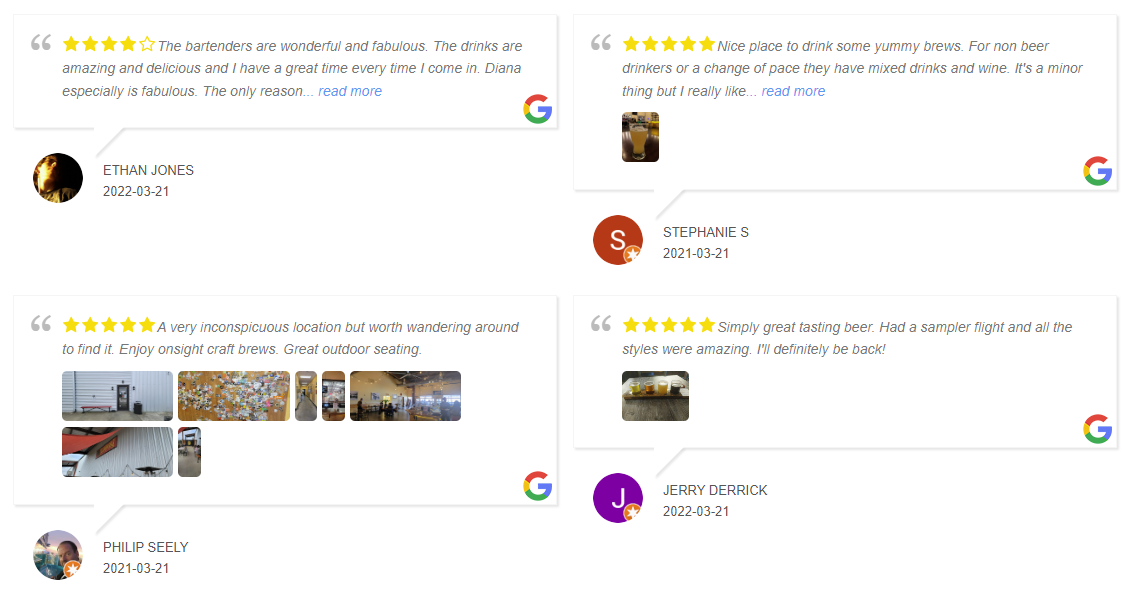
- Responsive Review Slider, Carousel, Grid & List: Showcase Google reviews in an animated horizontal slider or a multi-row, multi-column responsive grid.
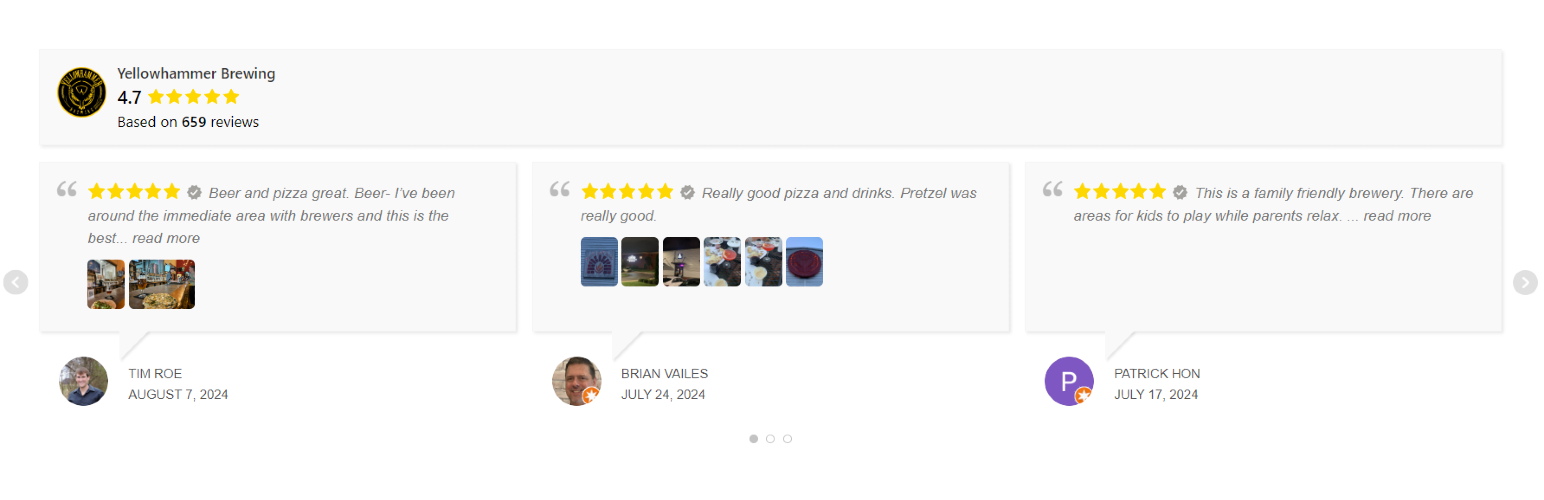
- Two Modern Template Styles + Live Preview: Choose between Style 1 (classic speech bubble) and Style 6 (modern review card layout) using a tabbed template editor (Style, General, Filter, Badge) with live AJAX preview.
- Google Summary Rating Badge: Display a customizable Google rating badge on the left, right, or above your reviews — or display the badge standalone. Customize business photo, name, colors, border, drop shadow, and “Based on…” / “Review us on…” text.
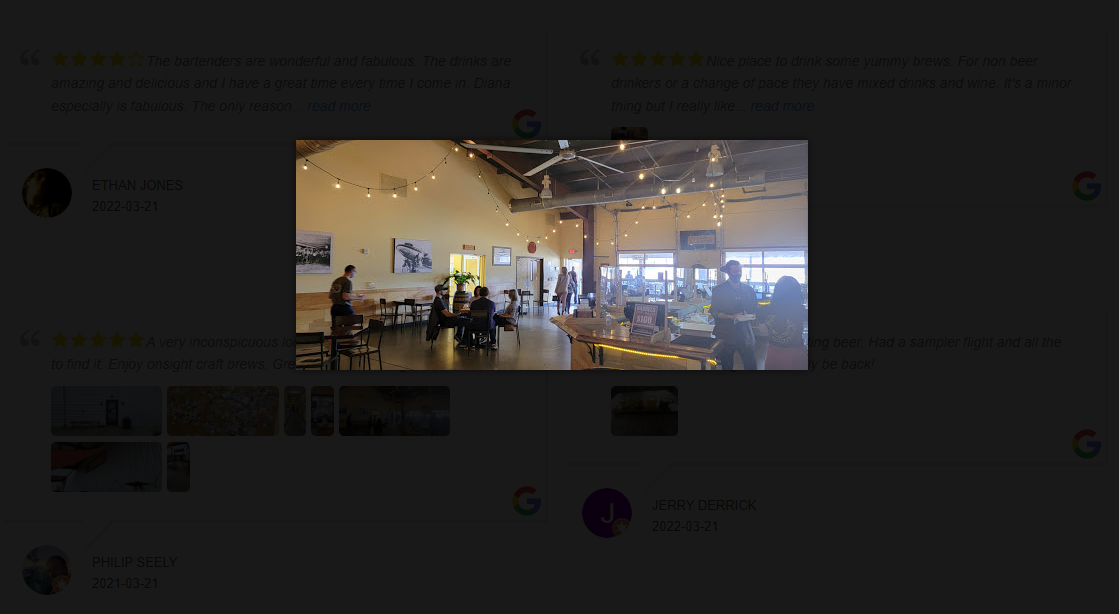
- Customer Review Photos & Lightbox: Download user-submitted photos attached to Google reviews and display them in a click-to-enlarge image lightbox.
- Review List Management: View all imported reviews in one place. Easily hide/show individual reviews, edit reviewer avatars and review dates inline, or delete reviews.
- Smart Template Filtering: Filter reviews by minimum star rating (e.g., only 4-star and 5-star reviews), hide reviews without text, sort by newest or random order, and select which saved Google location a template displays.
- Full Design Customization: Customize star colors, verified review badges, reviewer last name format (full name, hidden, or initial), avatar style (real photo, mystery icon, initials, or hidden), Google icon link, font sizes, background/text colors, border radius, and custom CSS.
- Advanced Slider & Layout Controls: Configure autoplay, slide speed and delay, show/hide navigation arrows and dots, swipe support on mobile, one-review-per-slide mobile mode, equal-height review cards, and expandable Read More links.
- Display Anywhere: Embed unlimited review templates on any page, post, sidebar, or footer using the WP Google Review Slider block, a shortcode, a WordPress widget, or a PHP template function.
- WordPress Dashboard Widget: See your latest downloaded Google reviews right on your WordPress admin dashboard.
Why Display Google Reviews on Your WordPress Website?
Google Business Profile reviews are one of the strongest trust signals online. Displaying real, verified Google reviews, star ratings, and customer photos alongside your calls to action, booking forms, and service pages builds instant social proof, reduces buyer hesitation, and improves conversion rates.
Check Out Our Other Free Review Slider Plugins
- Facebook & X (Twitter) Reviews
- Yelp Reviews
- TripAdvisor Reviews
- Airbnb Reviews
- Thumbtack Reviews
- Zillow Reviews
- WooCommerce Product Reviews
Upgrade to WP Review Slider Pro for More Features
Want to combine reviews from every platform, automate review requests, and unlock AI-powered insights? Upgrade to WP Review Slider Pro:
- 150+ Review Sites & Platforms: Automatically download and aggregate reviews from Google, Facebook, Yelp, TripAdvisor, Airbnb, VRBO, WooCommerce, Trustpilot, Zillow, Thumbtack, Amazon, Etsy, Fiverr, Houzz, Nextdoor, Booking.com, Expedia, Angi, HomeAdvisor, BBB, Capterra, G2, Glassdoor, Healthgrades, Zocdoc, Avvo, DealerRater, CarGurus, OpenTable, DoorDash, Uber Eats, Fresha, Reviews.io, Yotpo, Birdeye, Clutch, and 110+ more!
- Custom Review Sources & AI Import: Create custom review sources with your own platform name and logo for any site not listed, and even use AI to extract and import reviews automatically.
- Combine Multiple Locations & Platforms: Mix Google reviews from multiple locations and 150+ review sources into a single unified slider or grid, or filter dynamically by location, Post ID, Category, or custom tags.
- AI Review Summaries & Deep AI Analysis: Generate an AI-powered “Customers Say” summary for your template header or badge, run full AI Sentiment & SWOT Analysis reports (with themes, pain points, personas, and action items), and generate AI Owner Responses in one click.
- 15 Review Template Styles & Masonry Grids: Unlock 15 customizable template layouts (including media cards and WooCommerce product layouts), Masonry grids, continuous-scroll carousels, custom responsive breakpoints, and child-theme template overrides.
- Interactive Front-End Header, Search & Pagination: Add a front-end search bar, sort dropdown, rating/source filter, tag filter pills, Load More button, Endless Scroll, or numbered pagination above your reviews.
- 7 Summary Badge Styles, Floating Badges & Slide-Out Drawers: Choose from 7 badge designs, pin floating badges or review pop-ins to the corner of your site, and open a slide-out or pop-up review drawer when clicked.
- Front-End Review Submission Forms & Smart Review Gate: Collect new customer reviews with customizable forms (stars, thumbs, or smileys, custom fields, photo/video uploads, and reCAPTCHA). Route happy reviewers to Google/social pages while capturing low ratings privately.
- Automated Review Request Emails (Autoresponders): Automatically send branded review request emails after WooCommerce orders complete (or on custom schedules) with open/click tracking.
- Shareable Social Media Review Cards: Turn your best reviews into high-resolution PNG graphics for Instagram, Facebook, X, LinkedIn, or print — with Google Fonts, size presets, and Unsplash background search.
- Live Review Email Signatures: Generate HTML or dynamic image email signatures for Gmail, Outlook, and Apple Mail showcasing your live star rating and review count.
- Google Rich Snippet Schema (JSON-LD) & Product XML Feeds: Output valid JSON-LD
AggregateRatingschema markup for Google Search star snippets and generate Google Shopping Product Ratings XML feeds. - Auto-Translate, Webhooks, CSV Import/Export & White-Label: Automatically translate reviews with Google Translate API, send new reviews to Zapier, Make, or n8n via webhooks, get low-review email alerts, sync with TrustGuide, bulk-edit tags/categories, import/export CSVs, and enable Agency White-Label Mode.
Installation
- Upload the
wp-google-reviewsfolder to the/wp-content/plugins/directory, or install WP Google Review Slider directly from Plugins → Add New in WordPress. - Activate the plugin through the Plugins menu in WordPress.
- Open WP Google Reviews in your WordPress admin menu.
- Go to Get Google Reviews to add your business location(s) and download your reviews via Google Crawl or the Google Places API.
- Check the Review List and Analytics tabs to view and manage your imported reviews.
- Go to Templates, create a review slider, grid, or summary badge, then insert the WP Google Review Slider block or paste the shortcode into any page, post, or widget area.
FAQ
Are Google reviews stored on my server?
Yes. After you download reviews from Google, they are saved in your WordPress database on your own server (including local copies of customer review photos). Your site serves those stored reviews locally instead of calling Google every time a visitor loads a page, which keeps your site fast and cache-friendly.
Does this work for service area businesses without a physical address?
Yes! Many Google review plugins only work for businesses with a public street address. WP Google Review Slider supports service area businesses (SABs) as well as physical storefronts and Google Product Reviews.
Can I download Google reviews from multiple locations?
Yes. You can add multiple Google business locations on the Get Google Reviews page and download reviews for each one. In the free version, each review template can filter by a chosen Google location. In WP Review Slider Pro, you can also combine multiple locations and platforms into a single all-in-one slider or filter dynamically by Post ID and tags.
What is the difference between the Google Crawl method and the Google Places API?
- Google Crawl Method: Lets you search for your business or enter a Place ID/search term to download up to 40+ newest or most relevant reviews (plus customer-uploaded photos) without setting up a Google Cloud API key.
- Google Places API Method: Uses your official Google Places API key to fetch up to 5 of your most helpful or newest reviews and automatically checks for new reviews daily via a background cron job.
Can I display customer photos from Google reviews?
Yes. When you download reviews that include customer-uploaded images, the plugin saves them and displays thumbnail previews inside your review slider or grid. Visitors can click any photo to view it in a full-size lightbox popup.
Can I filter out low-star reviews or hide specific reviews?
Yes. In your template Filter settings, you can set a minimum star rating (for example, only show 4-star and 5-star reviews) and hide reviews without text. You can also click the visibility icon on the Review List page to hide any individual review at any time.
Can I display a Google review summary badge?
Yes. Every template includes a Badge tab that lets you display a customizable Google rating summary badge on the left, right, or top of your reviews — or hide the reviews to display a standalone badge.
How do I request a new feature?
We are always looking for features to add! Post on the WordPress.org support forum or contact us on the WP Review Slider website.
Where do I report security bugs found in this plugin?
Please report security bugs found in the source code of the wp-google-places-review-slider plugin through the Patchstack Vulnerability Disclosure Program. The Patchstack team will assist you with verification, CVE assignment, and notify the developers of this plugin.
Screenshots


Changelog
18.12
- Added a WP Google Review Slider block so a saved template can be inserted in the block editor.
- The block shows the selected template in the editor.
- Edit Template in the block toolbar opens that template in a new tab.
- Refresh in the block toolbar reloads the template preview.
- Open Templates opens in a new tab and reminds you to refresh the editor after creating a template.
18.11
- Security: require a nonce before Google Places admin actions that change the saved configuration. Credit: Abdullah Kareem.
18.10
- Checks the reviews table encoding on update and converts legacy utf8 (3-byte) tables to utf8mb4 so reviews containing emojis can be saved.
- Fix js error on template page.
18.9
- Updated Freemius sdk.
- Other small bug fixes and changes.
18.8
- Fix badge branding when a Google slider and a Facebook slider are used on the same page.
18.7
- Added a new Analytics page for review insights and charts.
- Added Pro feature highlights and upgrade nudges throughout the admin.
18.6
- Update the stored review date when an existing Google review is re-imported after being edited.
18.5
- General security hardening.
18.4
- Security: use $wpdb->prepare() for the badge location average/total lookup query.
18.2
- Security: fix reflected XSS via the place parameter on the Google Crawl admin page.
- Updated Freemius SDK to latest.
18.1
- More security hardening.
18.0
- Template Style 6 added.
- Badge border option and font size option for templates.
- More security hardening.
17.9
- Security: escape review content on output to prevent stored XSS.
17.8
- Updated styling for WPv7.
17.7
- missing image fix for review media
17.6
- small bug fix
17.4
- Fix for badge totals not updating.
17.3
- faster download speed for crawl
17.2
- bug fix with some sites being blocked
17.0
- Google download method update/fix.
16.7
- missing image fix
16.6
- another crawl fix for hotels
16.5
- another crawl fix
16.4
- another fix with Crawl being blocked on certain sites.
16.3
- fix with Crawl being blocked on certain sites.
16.2
- small bug fix
- added abilty to customize the Review us on text and the Based on text for the badge.
16.1
- small bug fix
16.0
- Fix for Above Wide badge on mobile view.
15.9
- Fix for Above Wide badge too many divs.
15.8
- Slider will now auto-close read more when going to next slide.
- Updated Freemius SDK
15.7
- fix bug with last name when reviewer as more than two names
15.6
- small bug fix
15.5
- fix for certain sites being blocked from Google Crawl.
15.4
- small bug fix from last update
15.3
- Added Read More Color option. Other small bug fixes.
15.2
- bug fix with CSS not applying to one review on mobile setting.
15.1
- added ability to hide or initial Last Name of reviewer.
- added feature to hide certain reviews
15.0
- small bug fix from last update
14.9
- Added feature where you can now advance through images.
- badge feature is now mobile friendly
14.8
- small bug fix from last update
14.7
- changed arrows to span to help with Google pagespeed.
- added additional slider options
- added badge option
- added reviews same height option
- added ability to download from multiple different locations.
- replaced background image url with a data uri
14.6
- template save issue
14.5
- small bug fix
14.2
- Added ability to show only one review per a slide on mobile.
- updated Freemius SDK
14.1
- small bug fix
13.9
- updated Freemius sdk.
13.6
- More sanitization on Template page.
13.5
- Small bug fixed with text sanitization.
13.4
- Updated Freemius SDK.
13.3
- PHP 8.2 warning notice fixed.
13.1
- Small css bug fix.
13.0
- Can now download product reviews.
12.9
- updated database table. better read more transition
12.8
- small css fix.
12.7
- Updated color picker js for review template settings.
12.6
- Update Freemius SDK.
12.5
- Small deprecated notice fix, no longer passing NULL to submenu page creation.
12.4
- Updated Freemius SDK to latest version 2.5.8.
12.3
- More descriptive alt text for thumbnails. Fixed bug with saving template when using transparent background color.
12.1
- Small bug fix when non-admin can see menu.
12.0
- Added ability to display user images added to reviews. Fixed bug in Google review rating download.
11.9
- Fix “read more” feature for non-english language.
11.8
- Small bug fixes.
11.7
- Small bug fix for when business isn’t found.
11.6
- Small bug fixes.
11.5
- Updated welcome page.
11.4
- Freemius sdk settings change.
11.3
- Fixed bug with searching for Google reviews with terms with ‘ in name. Fix for hotel search by placeid.
11.2
- Can now download 50 reviews. Added Freemius sdk for analytic.
11.1
- Changed stars to SVG. Added verified star option. Added avatar hide, show, initial image options.
11.0
- small bug fixes
10.9
- Updated margins for slider.
10.8
- Updated CSS width for icon.
10.7
- small bug fixes with non-slider grid google reviews
10.6
- small bug fixes
10.5
- small bug fixes
10.4
- another fix to review download crawl method
10.3
- small change to catch errors
10.2
- another fix to review download crawl method
10.1
- small bug fix to review download crawl method
10.0
- changed way crawl method works
9.9
- fix crawl method for hotels
9.7
- another small bug fix with Crawl method for Google Reviews
9.5
- small bug fix for service business reviews meta text
9.4
- no longer downloads “Positive:…” text in Google reviews.
9.3
- review slider updates to make it more reliable. Added swipe feature to google slider.
9.2
- Updated database table to handle long page names.
9.1
- another small bug fix with Crawl method when getting Google hotel reviews.
9.0
- added ability to filter by rating.
8.9
- fix conflict with FB version
8.8
- small bug fix with Crawl method when getting Google hotel reviews.
8.7
- small bug fix with Crawl method
8.6
- fix conflict with FB version
8.5
- small bug fix with Crawl method
8.4
- small bug fix with crawling translated reviews
8.3
- small bug fix with date and icon
8.2
- small bug fix
8.1
- small bug fix for certain place id values.
8.0
- Added google icon option.
7.9
- Can now download reviews from service area businesses.
7.8
- Added delay variable for slider.
7.7
- go pro link update.
7.6
- added lazy loading to images. small changes to menu
7.5
- small CSS changes to slider and dashboard widget
7.4
- removed deprecated jquery function .load
7.3
- added dashboard widget showing recent reviews.
7.2
- Small bug fix when testing api key.
7.1
- Small bug fix when using with Facebook version. Added primary keys to db tables.
7.0
- bug fix when updating to Pro version
6.9
- Small bug fix when checking api key.
6.8
- added read more option.
6.7
- Small bug fix when user does not have php mbstring extension.
6.6
- Google Places API Warning.
6.5
- Small bug fix when uninstalling it will now check for de-activated pro version.
6.4
- Checks for mbstring now. Also removed template selection from Edit Post page.
6.3
- Small bug fix with CSS style on review slider.
6.2
- Small bug fix.
6.1
- added way to delete a review.
6.0
- Added welcome page.
5.9
- Added admin notice.
5.8
- Added button to test API key.
5.7
- Added language code setting.
5.6
- Notes added.
5.5
- Small conflict fix with other free versions.
5.4
- minified and combined js and css files to increase load time. changed js to work with deffered javascript.
5.2
- Small bug fix.
5.1
- Small bug fix.
5.0
- added ability to update Avatar image location.
4.9
- hidden date no longer gets added to page.
4.8
- Updated instructions link.
4.7
- Small bug fix.
4.6
- Small bug fix with error message.
4.5
- Small bug fix.
4.4
- Option to use your own api key.
4.3
- Small bug fix.
4.2
- Small bug fix.
4.1
- now uses default api key
4.0
- place id look up url change.
3.9
- Small bug fix.
3.8
- Small bug fix.
3.7
- Small bug fix.
3.6
- Small bug fix.
3.5
- Small bug fix with Widget.
3.4
- Fixed so it can be used along side facebook version.
3.3
- Small bug fix.
3.2
- Small text change.
3.1
- Small bug fix.
3.0
- Small bug fix.
2.9
- Alt text added to stars.
2.7
- Small bug fix.
2.6
- Small bug fix.
2.5
- Small bug fix.
2.4
- WordPress V4.9 compatible fix of color picker.
2.3
- Small bug fix.
2.2
- Small bug fix.
2.1
- Small bug fix.
2.0
- Now will animate the height of the slider automatically.
1.9
- Small bug fixes. CSS conflict with multiple slides on one page.
1.8
- Small bug fixes. Another conflict with Fb version.
1.7
- Small bug fixes. Conflict with Fb version.
1.6
- Small bug fixes. Widget not displaying/
1.5
- Small bug fixes.
1.4
- Small bug fixes.
1.3
- Added manual location entry option.
1.2
- Small bug fixes.
1.1
- Small bug fixes.
1.0
- First Version