


Description
Recover your lost sales and boost your WooCommerce store performance with WPC Cart Revive. This powerful plugin automatically tracks abandoned carts and sends personalized recovery emails to nudge customers back to complete their purchases.
Key Highlights:
- Rich & Flexible Options: Tailor your strategy with different abandonment thresholds for members and guests. Fine-tune your tracking with Email and IP blacklisting (wildcard supported) and adjustable check intervals.
- Smart Coupon Settings: Boost conversion rates by offering unique, auto-generated coupons. Customize prefixes, values, expiry dates, and minimum spend requirements to provide the perfect incentive.
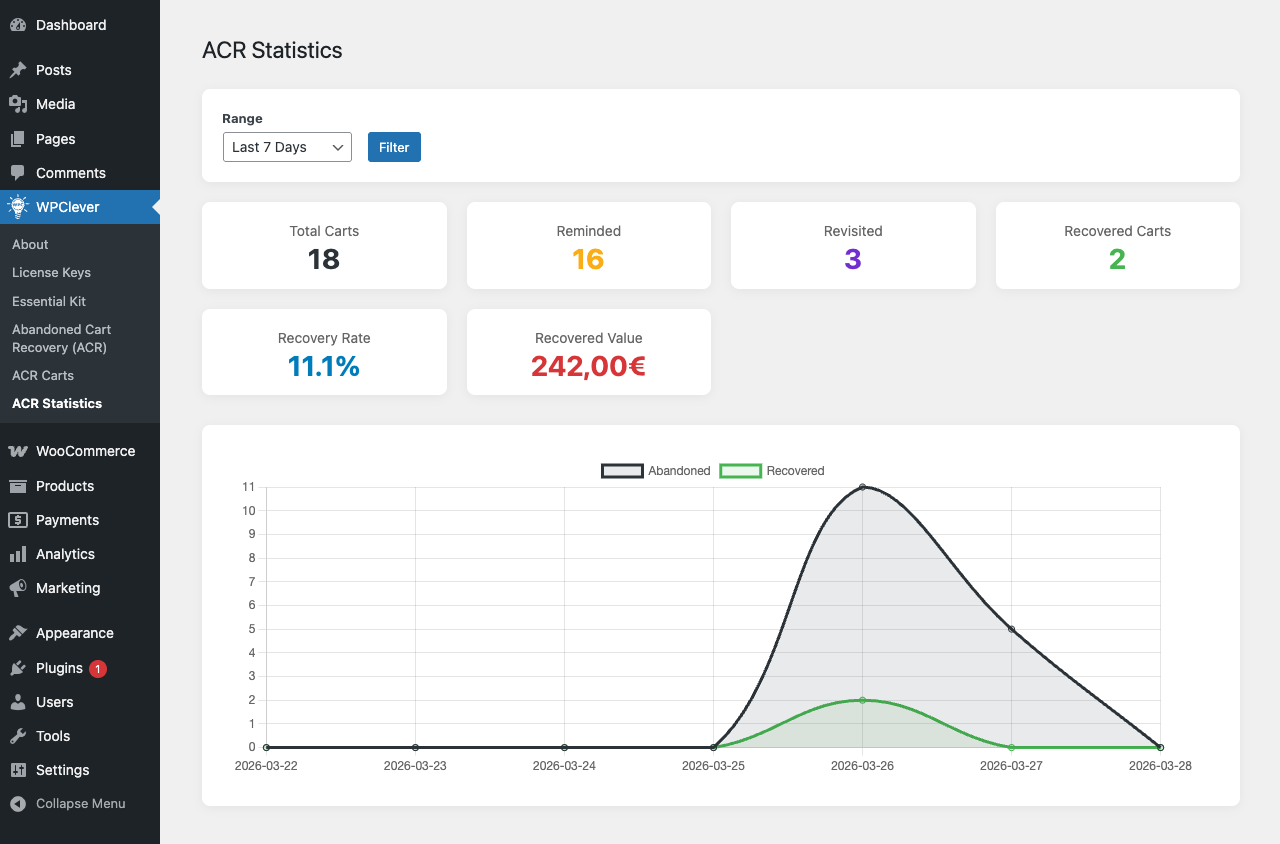
- Admin Notifications via Email: Stay in the loop with instant alerts. Receive professional email notifications the moment a cart is successfully recovered.
Features
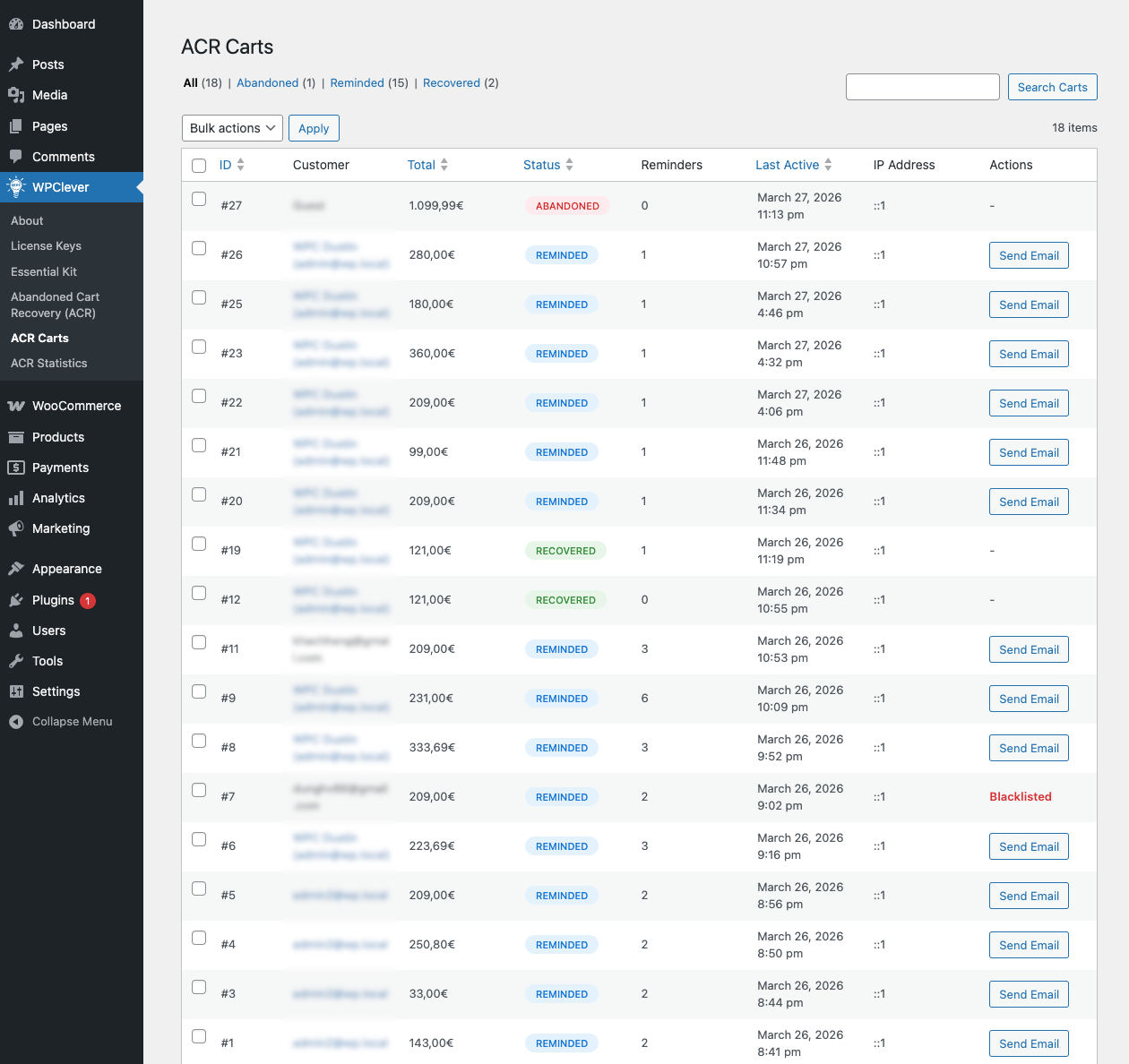
- Automatically capture abandoned carts for both logged-in users and guests.
- Customizable abandonment thresholds (in minutes) for different user roles.
- Send personalized recovery emails with product lists, images, and direct checkout links.
- Dynamic WooCommerce coupon generation to incentivize cart completion.
- Comprehensive Blacklist system for Email and IP addresses with wildcard support (e.g., @gmail.com, 192.168.1.).
- Instant Admin alerts via Email.
- GDPR ready: data retention settings, personal data export/erasure and privacy policy text.
- Lightweight and fully integrated with the WooCommerce ecosystem.
Not what you needed?
Please try other plugins from us:
- WPC Fly Cart for WooCommerce: a powerful cart popup plugin for preview cart content.
- WPC Share Cart for WooCommerce: share the favorite item list in cart easily via social media or links.
- WPC Added to Cart Notifications for WooCommerce: display a beautiful cart notice when products are added to the cart.
- WPC AJAX Add to Cart for WooCommerce: for assisting AJAX Add to Cart on your site.
- WPC Save for Later for WooCommerce: allow customers to save items in the list when they don’t want to purchase them immediately.
Installation
- Upload the plugin files to the
/wp-content/plugins/wpc-cart-revivedirectory, or install the plugin through the WordPress plugins screen directly. - Activate the plugin through the ‘Plugins’ screen in WordPress.
- Configure settings under ‘WPC Cart Revive’ menu.
Screenshots
Changelog
1.1.6
- Added: GDPR tools – automatic deletion of abandoned carts after X days
- Added: Delete or anonymize recovered carts after X days
- Added: Integration with WordPress Export/Erase Personal Data tools
- Added: Suggested privacy policy text
- Added: Delete cart records from the Carts screen (single and bulk)
- Added: Option to remove all data on uninstall
1.1.5
- Fixed: Minor CSS/JS issue in the backend
1.1.4
- Updated: Optimized the code
1.1.3
- Fixed: Remove HTML tags in message
1.1.2
- Fixed: Sending emails even after a customer has paid
1.1.1
- Fixed: Minor CSS/JS issue in the backend
- Updated: Compatible with WP 7.0 & Woo 10.9
1.1.0
- Updated: Optimized the code
- Updated: Compatible with WP 7.0 & Woo 10.9
1.0.1
- Changed plugin name to “WPC Cart Revive”
1.0.0
- Initial release.