
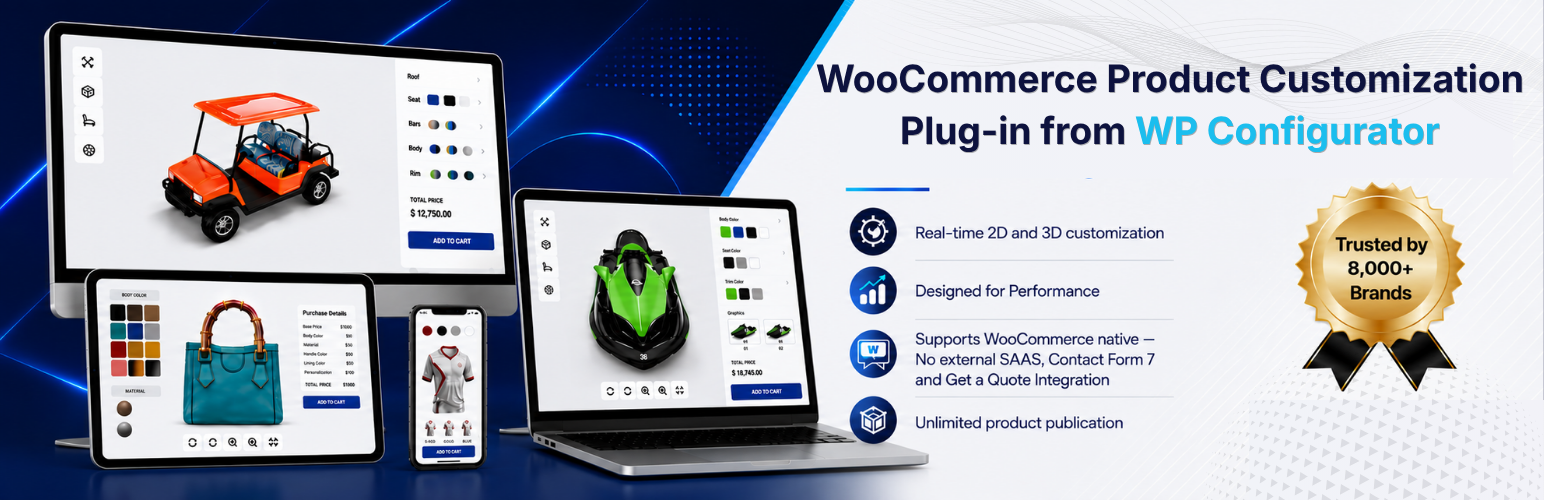

Description
WPConfigurator 3D Product Customizer Lite is a free WordPress and WooCommerce plugin from WP Configurator that lets you create interactive 3D product configurators and product customizers. Upload a GLB 3D model, organize it into configurable layers, and let customers customize colors and materials in real time before adding their configured product directly to the WooCommerce cart.
Built for stores that want to offer interactive product customization without relying on an external SaaS platform, the plugin keeps your configurator and configuration data inside your own WordPress and WooCommerce environment.
🚀 Build an interactive 3D product configurator
GLB 3D model support: Upload a GLB 3D model once and use it in both the WordPress backend editor and the interactive frontend configurator – no format conversion required.
Real-time material and color customization: Group meshes into configurable layers and let customers change colors and materials on the interactive 3D product model in real time.
Native WooCommerce integration: Connect a 3D configurator to your WooCommerce product and let customers add their exact product configuration directly to the cart and checkout.
Visual WordPress configurator builder: Create and manage interactive 3D product configurations from a modern WordPress dashboard without relying on an external platform.
Self-hosted configuration data: Layers, materials, and mesh assignments are stored as structured JSON in WordPress post meta, keeping your 3D product configuration data inside your own database.
🔑 More features for building a 3D product customizer
Customizable frontend design: Replace or customize the frontend template to create a 3D product configurator that matches your WooCommerce store’s design and branding.
Modular configurator settings: Enable or disable individual features based on your requirements, helping you build a streamlined 3D product customization experience.
Developer-friendly hooks and filters: Extend and customize 3D configurator behavior through your WordPress theme or custom plugin.
Advanced product customization [Pro]
- Color picker [Pro]: Let customers choose custom colors from an open color palette.
- Mesh swapping [Pro]: Replace 3D mesh geometry to offer structural product variations.
- Conditional Logic [Pro]: Create rule-based product configurations by showing, hiding, enabling, or disabling options based on customer selections.
- Custom Input Fields [Pro]: Let customers enter custom information and preferences as part of their product configuration.
- Custom Text Upload [Pro]: Allow customers to add personalized text to create unique, made-to-order products.
- Custom Image Upload [Pro]: Let customers upload their own images or artwork and apply them to customizable products.
- Dynamic Range Pricing [Pro]: Automatically calculate product prices based on selected options, quantities, dimensions, or other configurable values.
- Inventory Management [Coming Soon]: Manage stock for configurable product options and automatically prevent customers from selecting unavailable combinations.
Sales and conversion tools [Pro]
- Get a Quote [Pro]: Collect quote requests for complex or made-to-order product configurations.
- Contact Form 7 integration [Pro]: Attach product configuration details to quote or inquiry submissions.
- Analytics [Coming Soon]: Track customer interactions and product configuration data to understand popular options and optimize your sales strategy.
Export and management [Pro]
- Import/export configurators [Pro]: Reuse a configurator across products and sites.
- Advanced 3D controls [Pro]: Fine-tune rendering, lighting, camera, and scene settings.
- Augmented Reality (AR) [Coming Soon]: Let customers preview their configured product in their own space using their phone or tablet.
🏪 Who Is WPConfigurator 3D Product Customizer Lite For?
WPConfigurator 3D Product Customizer Lite is ideal for WooCommerce businesses that sell customizable, configurable, or made-to-order products. Create interactive 3D product experiences for industries such as:
- Furniture Configurator: Sofas, beds, dining tables, chairs, cabinets, and other customizable furniture and interior products.
- Gadgets & Gifting: Phone cases, bags, personalized gifts, mugs, art, and other customizable products.
- Fashion & Luxury: Clothing, shoes, swimwear, bags, hats, caps, backpacks, and other customizable products for men, women, and children.
- Food & Beverage: Create interactive product experiences for configurable food, beverage, packaging, and made-to-order products.
- Printing: Art and wall décor, printed accessories, personalized products, and other custom print items.
- Sports & Fitness: Sportswear, team apparel, gym equipment, bicycles, sporting goods, and fitness products.
- Automotive: Cars, trailers, golf carts, vehicle accessories, and other configurable automotive products.
If your customers need to visualize, customize, and configure a product before purchasing, WP Configurator helps you turn your WooCommerce product page into an interactive 3D product experience.
See Interactive WPConfigurator 3D Product Customizer Examples
Explore how WPConfigurator 3D Product Customizer Lite can help WooCommerce stores create interactive and customizable product experiences:
- 3D Golf Cart Configurator – Customize colors, materials, and components and visualize your golf cart in interactive 3D before adding it to the cart.
- 3D Helmet Configurator – Let customers customize helmet colors and materials with a real-time 3D product preview.
- 3D Skateboard Configurator – Configure and visualize a customized skateboard with interactive 3D product options.
- 3D Adjustable Bed Configurator – Explore product variations, customize options, and visualize an adjustable bed in interactive 3D.
- 3D Office Chair Configurator – Customize materials, colors, and product options while viewing the changes instantly on a 3D office chair.
- 3D Bag Configurator – Customize bag colors, materials, and details with a real-time 3D product preview.
- 3D Jersey Configurator – Design a custom jersey by changing colors and materials on an interactive 3D model.
Try More Live WPConfigurator 3D Product Customizer Demos in Our Test Store →
Try more live demos in our test store →
💬 Trusted by Businesses Using WP Configurator
Businesses use WP Configurator to create more engaging product customization experiences and help customers better understand configurable products before ordering.
- ★★★★★ zarbikes.com – “Before using WP Configurator, I struggled to display custom products on my website, Zarbikes.com. WP Configurator Pro tool changed everything. Now, I can…” – Matt, July 7, 2025
- ★★★★★ sepra-solutions.com – “Our website’s user experience has improved dramatically thanks to WP Configurator. The site is now easier to navigate, and this has supported our business…” – Olivier, June 27, 2025
- ★★★★★ artchustudio.com – “Our website has improved significantly since we started using WP Configurator. The shopping experience is now smoother, and our customers love how easy it is to…” – Ari, May 31, 2025
- ★★★★★ cancio.es – “I needed a configurator for a client, and WP Configurator Pro was the perfect fit. It was straightforward to set up, and the client-side interface is…” – Borja, May 2, 2025
- ★★★★★ vo2sportswear – “Adding a kit designer to our website was a priority, but other options were too expensive. WP Configurator provided a cost-effective solution. It’s been fantastic for…” – Gemma, April 13, 2025
- ★★★★★ himandi.rs – “WP Configurator has made it much easier for my customers to understand my products. The clear and simple descriptions have been a big help, and it’s had a…” – Ljubo, March 19, 2025
Read more reviews on wpconfigurator.com →
External services
This plugin relies on two external services. Both are operated by Plugora Tech OU (WP Configurator), the author of this plugin. Neither is contacted from the public frontend of your site.
1. Demo template assets
What it is and what it is used for: a file host holding the 3D models and texture images used by the three bundled demo templates (Office Chair, Golf Cart, Skateboard). The templates ship as JSON that references these files by URL instead of bundling them, which keeps the plugin download small. When you choose to create a configurator from a demo template, the plugin downloads the referenced GLB model and texture images and adds them to your own WordPress media library. The demo configurator is fully local afterwards and the host is never contacted for it again.
What is sent and when: nothing but the HTTP request needed to fetch each file. No site data, user data, licence key or personal information is transmitted. The requests happen only at the moment an administrator clicks to create a configurator from a demo template, never on the frontend and never on a schedule. If you never use a demo template, this service is never contacted.
Where the files come from: demos.wpconfigurator.com.
2. Documentation search
What it is and what it is used for: the public WordPress REST API of the plugin documentation site. It backs the help search box in the configurator editor toolbar, so an administrator can search the documentation without leaving the editor.
What is sent and when: the search text the administrator types into that box, sent as it is typed, and nothing else. No site data, configurator data, licence key or personal information is transmitted. The requests happen only in the WordPress admin, only while an administrator is using the help search box.
Where the requests go: docs-3d.wpconfigurator.com.
Terms and privacy
Both services are covered by the same terms and privacy policy.
Source code
The full, unminified source for the minified JavaScript and CSS bundles shipped in this plugin – the Vue 3 / TypeScript admin editor and the Alpine.js / Three.js frontend – is included in the plugin itself, under common/_dev/.
Build tools and steps: the JavaScript sources live in common/_dev/. They are built with Vite via pnpm:
- cd common/_dev
- pnpm install
- pnpm run build
That produces common/admin/assets/editor/ (admin editor bundle), common/public/assets/frontend/ (frontend bundle) and each module’s assets/ directory – every minified file shipped in this plugin. Running the three commands above on a clean checkout of common/_dev/ reproduces them.
Third-party libraries bundled with this plugin:
- Three.js – https://github.com/mrdoob/three.js (MIT)
- Alpine.js – https://github.com/alpinejs/alpine (MIT)
- Vue 3, Pinia, PrimeVue, TresJS – admin editor only (MIT)
- Dompdf – https://github.com/dompdf/dompdf (LGPL-2.1), namespaced into lib/ with php-scoper
- Emogrifier – https://github.com/MyIntervals/emogrifier (MIT), namespaced into lib/ with php-scoper
Installation
Minimum Requirements
- PHP 8.1.31 or greater
- MySQL 5.5.5+ or MariaDB 10.1+
- WordPress 6.6 or greater
- WooCommerce 8.0 or greater (only required for the WooCommerce cart integration)
Automatic installation
- Log in to your WordPress dashboard and go to Plugins > Add New.
- Search for “WPConfigurator 3D Product Customizer Lite”.
- Click Install Now, then Activate.
- Go to the new “3D Configurator” menu to create your first configurator.
Manual installation
- Download the plugin ZIP file.
- Upload it via Plugins > Add New > Upload Plugin, or unzip it into /wp-content/plugins/ via FTP.
- Activate the plugin through the Plugins menu in WordPress.
After activation
- Go to 3D Configurator > Add New and upload a GLB model.
- Build your layers, meshes, and controls.
- Connect the configurator to a WooCommerce product and set your base price.
- Publish, then test the full flow: configure → add to cart → checkout.
FAQ
What file format do I need for the 3D model?
The Lite version supports GLB 3D models. GLB packages the 3D model and its textures into a single file, making it a practical format for creating and publishing interactive 3D product configurators in WordPress. The Pro version also supports multiple GLB files for mesh swapping, allowing you to create structural product variations.
Does this replace my WooCommerce product setup?
No. Both WPConfigurator 3D Product Customizer Lite and Pro work alongside your existing WooCommerce products. Connect a configurator to a product, let customers customize it in interactive 3D, and add their selected configuration to the WooCommerce cart and checkout.
Where is my configuration data stored?
Your 3D configuration data-including layers, materials, and mesh assignments-is stored in WordPress post meta as structured JSON. This keeps your configurator data in your own WordPress database rather than requiring an external SaaS platform.
What’s the difference between Lite and Pro?
Lite provides the core tools needed to create an interactive 3D product configurator for WooCommerce, including GLB model loading, layer-based material customization, and WooCommerce cart integration.
WPConfigurator 3D Product Customizer Pro expands the workflow with inventory, analytics, color picker, conditional logic, mesh swapping, custom input fields, custom text and image uploads, dynamic range pricing, inventory management, analytics, Get a Quote, Contact Form 7 integration, import/export, and advanced scene controls.
Can I change how the configurator looks?
Yes. WPConfigurator 3D Product Customizer Lite includes frontend template and skin support, allowing you to adapt the configurator interface to your WordPress or WooCommerce store design.
Can I turn off features I don’t use?
Yes. The Modules settings screen lets you enable or disable individual features based on your store’s requirements, helping you keep the configurator setup focused on the functionality you use.
Where can I get help?
Visit wpconfigurator.com/contact-us for support, or browse the documentation and developer docs for setup and extension guides.
Changelog
1.4.0 Unreleased
- New: Show a configurator on any page or post with the
[wp3dconf id="12"]shortcode. Every skin also gets its own shortcode, such as[wp3dconf_accordion id="12"]. - New: A Shortcode column on the 3D Configurators list. Click it to select the shortcode, then copy it.
- New: A 3D Configurator block for the block editor. Pick the configurator and skin in the sidebar.
- New: A 3D Configurator element for Elementor, Divi, Bricks, Beaver Builder and WPBakery. Each one is only loaded when that builder is active.
- New: Show or hide the toolbar, total price, summary and form per page, with
show_toolbar,show_total_price,show_summaryandshow_form(shortcode attributes, or the block and builder settings). - New: Inspiration Gallery module – give a configurator ready-made looks, each with a name, a thumbnail and a choice of options. They show as a row of thumbnails under the 3D model that scrolls sideways, and a click applies a look.
- New: Shoppers can undo an applied inspiration, going back to what they had built.
- New: Each inspiration shows its total price under its name, with the regular price struck through when it is on sale.
- New: Set the heading above the inspirations under Settings > Text Strings, such as “High selling configurations”. Hide them on a page with the
show_inspiration="false"shortcode attribute, or the block and builder setting. - New: Create inspirations from the Inspirations icon in the editor toolbar. Pick a thumbnail from the Media Library and the option for each group; a group left empty keeps its default.
- New: File Upload field for Custom Fields – shoppers attach files such as artwork, a logo or a drawing. Choose the allowed formats, the largest file and how many files the field takes.
- New: A File Upload field can be required, and priced per file with Price Per File, on top of the field’s own price.
- New: Uploaded files are checked by their content, not just their name. File types that could run code on your site, such as SVG, HTML and macro-enabled Office files, are never accepted.
- New: The File Upload field matches the Custom Image Upload trigger: a drop zone shoppers click or drag files onto, with each file listed with a thumbnail or its type, its size, upload progress and a remove button.
- New: A File Upload field checks the format, size and number of files before uploading, and says what was wrong.
- New: The cart, order, quote email, quote screen and PDF invoice link to each file a shopper uploaded to a File Upload field.
- New: The summary popup shows the first image a shopper uploaded to a File Upload field beside the field, as it does for Custom Image Upload. Other files show their type, such as PDF, as the upload area does.
- New: Uploaded files that never reach an order or a quote are deleted after 7 days. Files in a quote or an order are kept.
- Dev – PHP: Added the
Rendererclass, the one place a configurator is rendered outside its own page.Renderer::render()checks the configurator, loads the assets and applies the skin. - Dev – PHP: Added the
Integration_Baseclass and thewp3dconf/integrationsfilter, to add support for another page builder. Seeguide/page-builder-integrations.md. - Dev – PHP: Added the
wp3dconf/page_has_configuratorfilter, for a page whose configurator is not in its content, so assets load in the page head. - Dev – PHP: Added the
wp3dconf/is_editor_contextfilter, for a builder’s editor to show a placeholder instead of the live configurator. - Dev – PHP: Added the
wp3dconf/render/outputfilter, for the markup of a rendered configurator. - Dev – PHP: A skin can declare options by overriding
Skin_Base::get_settings_schema()and read them withget_setting(). The shortcode, block and page builder controls are generated from it. Seeguide/create-custom-skin.md. - Dev – PHP:
Frontend::enqueue_assets()is new, andFrontend::set_module_attribute()is now static. - Dev – Added
templates/inspiration-gallery.php, theme-overridable. - Dev – JS: Added
applyConfiguration()andgetConfiguration()to the frontend store, to replace the whole selection without a reload and put it back later. - Dev – JS: Added
priceConfiguration()to the frontend store, to price a configuration without applying it.calculatePrice()now sums through the newcomputeTotals(). - Dev – JS: Added the
wp3dconf/frontend/configuration/appliedaction, fired once afterapplyConfiguration(). - Dev – JS: The store’s default selections are no longer changed when a shopper adds an option to a multi-choice group.
- Dev – PHP: Added the
wp3dconf/import/remap_attachmentsfilter, for a module to remap attachment IDs in its own meta after an import or a new configurator from a template. - Dev – PHP: Added the
wp3dconf/skin/settings_schemafilter, for a module to add its own shortcode attribute and block and builder control. - Dev – PHP: Added the
wp3dconf/frontend/toolbar/iconsaction intemplates/toolbar.php, for a module’s own toolbar icon. A theme that overridestoolbar.phpshould add it. - Dev – PHP: Each Custom Fields type is now its own class under
modules/custom-fields/fields/, extending the newField_Base. An add-on adds a field type withFields::register(). Seeguide/custom-fields.md. - Dev – PHP:
Field_Base::resolve_value(),get_amounts(),get_summary()andis_answered()take a last$contextargument with the field’suid,config_idandlayer, so a type can tell which field a value belongs to. Overrides must declare it too. - Dev – PHP: The Range scale and price math moved to
Field_Range.Fields::normalize_range_value(),Fields::range_amounts()and the other Range methods still work and call it. - Dev – JS: The Custom Fields frontend is now unbundled script modules in
modules/custom-fields/assets/frontend/js/, one file per field type, andcustom-fields.jsis removed. An add-on gives its field type its own frontend behaviour withregisterType()from@wp3dconf/custom-fields/registry. - Dev – PHP: Custom Fields types now register on
after_setup_theme, so a plugin or a theme can add one whatever the load order. - Dev – PHP: Added the
wp3dconf/custom_fields/register_typesaction, fired once the bundled field types are registered. CallFields::register()from it. - Dev – PHP: Added the
wp3dconf/custom_fields/type_registeredaction, fired after each field type is registered or replaced. - Dev – PHP: Added the
wp3dconf/custom_fields/before_fieldaction, fired before a field’s markup. It fires in PHP, so a theme that overrides the field templates still gets it. - Dev – PHP: Added the
wp3dconf/custom_fields/after_fieldaction, fired after a field’s markup. - Dev – PHP: Added the
wp3dconf/custom_fields/field_typesfilter, to remove, replace or reorder the bundled field types before they are registered. - Dev – PHP: Added the
wp3dconf/custom_fields/capabilitiesfilter, to give a field type a capability, or take one away. The shared settings follow it. - Dev – PHP: Added the
wp3dconf/custom_fields/type_definitionfilter, for a field type’s name, icon and summary label in the editor. - Dev – PHP: Added the
wp3dconf/custom_fields/settings_controlsfilter, to add, remove or change a setting in the Field Settings section. - Dev – PHP: Added the
wp3dconf/custom_fields/resolved_valuefilter, for the value a field’s control shows when the page loads. Pair it with the JSinitialValuefilter. - Dev – PHP: Added the
wp3dconf/custom_fields/template_argsfilter, for the$fieldarray the field templates receive. - Dev – PHP: Added the
wp3dconf/custom_fields/option_labelfilter, for a choice’s text in a dropdown. - Dev – PHP: Added the
wp3dconf/custom_fields/field_pricefilter, for a field’s price on the quote, PDF and cart. Pair it with the JSpricefilter, or the total shown will not be the total charged. - Dev – PHP: Added the
wp3dconf/custom_fields/summaryfilter, for how a field’s value reads in the quote, email, PDF and cart. Pair it with the JSsummaryfilter. - Dev – PHP: Added the
wp3dconf/custom_fields/is_answeredfilter, to decide whether a value fills in a required field. Pair it with the JSisAnsweredfilter. - Dev – PHP: Added the
wp3dconf/custom_fields/missing_fieldsfilter, for the required fields reported as empty when a quote or cart is submitted. Pair it with the JSmissingfilter. - Dev – PHP: Added the
wp3dconf/custom_fields/frontend_payloadfilter, for the data sent to the page aswindow.WP3dConf.customFields. - Dev – PHP: Added the
wp3dconf/custom_fields/editor_payloadfilter, for the data sent to the editor aseditorData.customFields. - Dev – PHP: Added the
Field_Filefield type (file-upload) and thefilecapability. A type with thefilecapability takes uploads through thewp3dconf_upload_field_fileendpoint. - Dev – PHP: Added the
File_Uploadsclass, which checks, stores and looks up the files in a File Upload field. A stored value is a list of<attachment id>:<secret>references, and one that does not check out is ignored in the price, summary and required check. - Dev – PHP: Added the
wp3dconf_upload_field_fileAJAX action, open to visitors, for uploading a file to a File Upload field. It checks the nonce, the field’s formats and size, and the file’s content, and allows 60 uploads per visitor per hour. - Dev – PHP: Added the
wp3dconf_remove_field_fileAJAX action, for a shopper removing their own upload before an order or quote uses it. - Dev – PHP: Added the
wp3dconf/custom_fields/file_formatsfilter, to add, remove or relabel the formats a File Upload field can allow. Blocked extensions, such as SVG and HTML, cannot be added. - Dev – PHP: Added the
wp3dconf/custom_fields/file_validfilter, to decide whether an uploaded file’s content matches its format, after the built-in check. - Dev – PHP: Added the
wp3dconf/custom_fields/file_upload_rate_limitfilter, for how many files one visitor may upload per hour. Zero turns the limit off. - Dev – PHP: Added the
wp3dconf/custom_fields/file_uploadedaction, fired after a shopper’s file is stored. - Dev – PHP: Added the
files,accept,formats,max_sizeandmax_fileskeys to the$fieldarray every field template receives. They are empty except on a File Upload field. - Dev – PHP: Added the
layer-file-upload.phptemplate, for the File Upload control. Themes can override it like the other field templates. - Dev – PHP: Added the
file_init,file_change,file_list,file_error,file_can_addandfile_removekeys to the$fieldarray, holding the store calls a File Upload control is wired with. They are empty on other field types. - Dev – PHP: The field markup allowance now keeps
template,buttonandp, and theacceptandmultipleattributes oninput, so the File Upload control surviveswp_kses(). - Dev – PHP: Added the
File_Usageclass, which links a File Upload field’s files in every server-rendered summary, marks them as used when a quote or order holds them, and sweeps the rest. - Dev – PHP: Added the
wp3dconf_sweep_field_filesdaily cron event, which deletes File Upload files no order or quote used once they are older than the retention period. - Dev – PHP: Added the
wp3dconf/custom_fields/file_linksfilter, for the file links in the cart, order, quote email and PDF. - Dev – PHP: Added the
wp3dconf/custom_fields/file_retention_daysfilter, for how many days an unused file is kept. Zero turns the sweep off. - Dev – PHP: Added the
wp3dconf/custom_fields/files_usedaction, fired after a quote or order marks its files as used. - Dev – PHP: Added
Fields::get(), which returns a registered field type, ornullfor a slug the module does not own. - Dev – PHP: Added
Fields::supports(), to check whether a layer type carries a capability. - Dev – PHP: Added
Fields::store_call(), which builds the Alpine expression a field type’s control calls a store method with. - Dev – PHP: Added
Field_Base::get_supported_capabilities(), which returns a field type’s capabilities after thecapabilitiesfilter. - Dev – JS: Added the
wp3dconf/frontend/customFields/valuefilter, for a field’s value just before it is stored. An empty value takes the layer out of the configuration. - Dev – JS: Added the
wp3dconf/frontend/customFields/committedaction, fired after a field’s value is stored, or after its layer is taken out. - Dev – JS: Added the
wp3dconf/frontend/customFields/initialValuefilter, for a field’s starting value once the store is ready. - Dev – JS: Added the
wp3dconf/frontend/customFields/summaryfilter, for a field’s entry in the summary popup. - Dev – JS: Added the
wp3dconf/frontend/customFields/pricefilter, for a field’s live price. Pair it with the PHPfield_pricefilter. - Dev – JS: Added the
wp3dconf/frontend/customFields/isAnsweredfilter, to decide whether a required field counts as filled in. - Dev – JS: Added the
wp3dconf/frontend/customFields/missingfilter, for the required fields that block a quote or add-to-cart. - Dev – JS: Added the
wp3dconf/frontend/customFields/storeBoundaction, fired once the field methods are on the store, to add your own. - Dev – JS: Added
type-file.js, the File Upload handler. It uploads each picked or dropped file at once and stores the references the server returns. - Dev – JS: Added the
initFieldFiles(),handleFieldFiles(),addFieldFiles(),removeFieldFile(),fieldFileList(),fieldFileError()andcanAddFieldFile()store methods, which the File Upload template calls. - Dev – JS: Added the
wp3dconf/frontend/customFields/fileUploadedaction, fired after a file is uploaded and stored on a field. - Dev – JS: Added the
wp3dconf/frontend/customFields/removeFileOnServerfilter, to keep a removed file on the server instead of deleting it. - Dev – JS: Added the
thumbnail()method to Custom Fields type handlers, for the image the summary popup shows beside a field. - Dev – JS: Added the
wp3dconf/frontend/customFields/thumbnailfilter, for the image the summary popup shows beside a field. - Dev – JS: Added the
thumbnailText()method to Custom Fields type handlers, for text such as a file type in the summary popup’s thumbnail box when there is no image. - Dev – JS: Added the
wp3dconf/frontend/customFields/thumbnailTextfilter, for that text. - Dev – JS: Added the
wp3dconf/frontend/summary/layerThumbnailTextfilter and the store’sgetLayerThumbnailText(), for short text shown in a summary row’s thumbnail box when the layer has no image. It is printed as text, never as markup. - Dev – JS: Added
fileTypes,uploadActionandremoveActiontowindow.WP3dConf.customFields. A type with thefilecapability and no handler of its own now uses the File Upload handler.
1.3.6 2026-10-30
- New: Custom Text module added – shoppers type their own text (a name, a number, a message) and see it on the model as they type.
- New: Choose which Google Fonts shoppers can pick from. They are downloaded to your site when you save, so shoppers never contact Google.
- New: A Customize popup with a live preview – text color, curve, letter spacing, rotation, size, position and outline. You choose which of these shoppers can change.
- New: Shoppers can change the text color when you enable “Text color” under Shopper Controls. Your Text Color setting is the starting color, and a changed color is listed in the cart, quote, email and PDF.
- New: Custom Text can be required and priced – a flat price plus an optional price per character.
- Fix: The Custom Image Upload trigger did nothing on a site without the Custom Fields module.
- Dev – Added
templates/layer/layer-custom-text.phpandtemplates/custom-text-popup.php, both theme-overridable. - Dev – PHP: Added the
wp3dconf/custom_text/frontend_payloadfilter, for the data printed aswindow.WP3dConf.customText. - Dev – PHP: Added the
wp3dconf/custom_text/layer_settingsfilter, for the “Custom Text” section of the layer settings panel. - Dev – PHP: Added the
wp3dconf/custom_text/font_listfilter, for the Google Fonts families that can be offered. - Dev – PHP: Added the
wp3dconf/custom_text/offered_fontsfilter, for the fonts a layer offers shoppers. - Dev – PHP: Added the
wp3dconf/custom_text/default_fontfilter, for the font used until the shopper picks one. - Dev – PHP: Added the
wp3dconf/custom_text/layer_font_urlsfilter, for the font file URLs sent to the frontend. - Dev – PHP: Added the
wp3dconf/custom_text/max_font_downloadsfilter, for how many fonts one save may download. - Dev – PHP: Added the
wp3dconf/custom_text/download_fontfilter, to stop a font being downloaded from Google. - Dev – PHP: Added the
wp3dconf/custom_text/clean_textfilter, for the shopper’s text after the layer’s rules are applied. - Dev – PHP: Added the
wp3dconf/custom_text/clean_stylefilter, for a layer’s cleaned style values. - Dev – PHP: Added the
wp3dconf/custom_text/clean_entryfilter, for a layer’s cleaned custom data (text, font and style). - Dev – PHP: Added the
wp3dconf/custom_text/style_defaultsfilter, for what a layer looks like before the shopper changes anything. - Dev – PHP: Added the
wp3dconf/custom_text/allowed_controlsfilter, for the style controls a shopper gets. - Dev – PHP: Added the
wp3dconf/custom_text/character_countfilter, for how many characters a text is charged for. - Dev – PHP: Added the
wp3dconf/custom_text/layer_pricefilter, for the price of a Custom Text layer that has text. - Dev – PHP: Added the
wp3dconf/custom_text/summary_labelsfilter, for the names used in cart, quote, email and PDF summaries. - Dev – PHP: Added the
wp3dconf/custom_text/style_summaryfilter, for the style values listed in a summary. - Dev – PHP: Added the
wp3dconf/custom_text/summary_partsfilter, for the parts of a layer’s one-line summary. - Dev – PHP: Added the
wp3dconf/custom_text/missing_layersfilter, for the required Custom Text layers reported as empty. - Dev – PHP: Added the
wp3dconf/custom_text/before_popupaction, fired before the Customize popup is printed. - Dev – PHP: Added the
wp3dconf/custom_text/after_popupaction, fired after the Customize popup is printed. - Dev – PHP: Added the
wp3dconf/custom_text/font_downloadedaction, fired after a font file is saved to the site. - Dev – PHP:
Custom_Text::style_summary()takes an optional second argument, the layer’s own text color. - New: Render Quality setting (Standard, High, Ultra) in Rendering Settings, for sharper results on the frontend.
1.3.5 2026-10-16
- New: “Follow store currency” – configurator prices take their currency, symbol position, separators and decimals from the active store plugin, and pick up any change made there automatically. This replaces “Use WooCommerce currency settings” and keeps its saved choice.
- Dev – Added the
Currency_Providerbase class and thewp3dconf/store_currency/providersfilter, so another store plugin (SureCart, FluentCart…) can supply its currency settings. It replaces thewp3dconf/wc/follow_currencyfilter, which is removed – usewp3dconf/follow_store_currency. - New: Range layer type – a slider or number box with a minimum, maximum and step (decimals allowed) and a unit, priced per unit on top of any flat price. Sell by the metre, by the centimetre or by the dozen.
- New: A Range can price its value in tiers – rows of From, To and Price, where the first matching row wins and each can charge flat or per unit (“× value”) for volume pricing. Outside every tier Price Per Unit applies, and the flat Price is always added.
- New: Formula layer type – a computed layer that evaluates an expression over other layers (
{width} * {drop} / 10000 * 45) and either adds the result to the total or simply displays it. Supports+ - * / % ^, brackets, the comparisons< <= > >= = !=joined withandandor, andif,not,min,max,clamp,round,ceil,floor,abs,sqrt, soif({width} <= 1000, 20, 35)prices in bands. - New: Conditional Logic can test a layer’s value – a Range’s number, a text field’s text, or the choice made in a select, radio or checkbox – and a formula’s result. A rule such as “Width is over 1200 mm” or “Opening area is at least 4.5 m²” can show, hide, enable, disable or select other layers.
- Improvement: The Conditional Logic “Option price” condition is now “Layer price”, and reads what a layer actually costs – a select’s chosen option, a Range’s tier, a price-mode formula – rather than its configured price. Rules on plain options behave as before.
- Dev – PHP: Added
wp3dconf/data/summary_uidsfilter, so a layer type that exists to price itself can add its own uid to the summary rather than relying on the browser to post it. - Dev – PHP:
wp3dconf/data/manipulate_layer_priceandwp3dconf/data/custom_data_stringnow receive the uids the summary is being built from as a final argument. - Dev – PHP: Added the
wp3dconf/data/sanitize_layer_settingfilter, applied to each layer setting an editor save stores, after the generic sanitizer. Formula uses it to keep<,>and%in an expression. - Dev – PHP: A number setting can declare
decimals, the decimal places its editor box accepts. - Dev – JS Frontend:
store.layerAmountsholds the effective price of each active layer, readable throughstore.getLayerAmounts( uid ). - Dev – Added
templates/layer/layer-range.phpandtemplates/layer/layer-formula.php, both theme-overridable like every other layer template. - New: Model Animation module added – animate parts of a model (shape keys / morph targets built into the 3D file) when a group is opened. Pick the part and movement, set the amount it moves from and to and when it plays during the animation so several movements can be chained.
- Dev – Added the
wp3dconf/frontend/canvas/after_canvasaction, and thewp3dconf/frontend/user/group_toggledandwp3dconf/frontend/user/option_clickedactions, which fire only for a shopper’s own clicks.
1.3.4 2026-09-28
- New: Custom Image Upload module added – shoppers can upload their own image, crop/pan/zoom/rotate it in a popup against an optional SVG mask.
- New: Configurator prices can now follow the WooCommerce currency settings, so a store no longer shows the configurator total in one currency and the WooCommerce cart and order totals in another. Settings -> General -> Currency.
- Improvement: The new setting is on for new installs and for stores whose two currencies already agreed. A store whose configurator currency deliberately differs from its WooCommerce currency keeps its own settings, and nothing it renders changes on update.
- Improvement: While the setting is on, the plugin’s own currency, symbol position, separator and decimal fields are shown disabled, and a warning appears on the settings page when the two currencies disagree.
- Fix: A disabled field on the settings page is no longer written on save. A disabled control is not submitted by the browser, so saving used to overwrite its stored value with the field’s default.
- Dev – Added the
wp3dconf/wc/follow_currencyfilter, so an add-on can decide per request whether prices follow the store currency. - New: The Custom Fields module can now be enabled from the Modules page, adding text, textarea, select, radio, checkbox and switch fields that carry their own prices.
- Fix: Contact Form 7 custom data was read from a different POST key than the one it validated against, so it was silently dropped instead of saved.
- Fix: The Contact Form 7 module’s frontend script was silently skipped whenever it enqueued before the core frontend script was registered.
- Fix: Contact Form 7 submissions now read configurator data straight from the sanitized
$_POSTpayload instead of CF7’s posted data, fixing hidden fields that were dropped on submit. - Fix: 3D model, texture and environment map loads now set
crossOrigin: 'anonymous'on their loaders, so they no longer fail silently when assets is served from a CDN on a different origin. - Fix: An empty field group in the editor’s settings panel no longer renders as an unusable blank panel.
- Fix: Long values in the downloadable summary and PDF invoice no longer get clipped by
white-space: nowrap. - Security: The
wp3dconf_create_configuratorandwp3dconf_save_configuratorAJAX endpoints skipped nonce verification entirely when no nonce was sent; the check is now mandatory. - Security: Added the missing
current_user_can()capability checks to the create, save, save-as-draft, duplicate, export, invoice-download, settings-save, license and deactivation-feedback AJAX endpoints. - Security: The settings-save AJAX endpoint accepted any option name; it is now limited to this plugin’s own
wp3dconf_options and requiresmanage_options. - Security: Module save payloads are now sanitized by
Module_Basebefore reaching each module’ssave(). - Improvement: Critical and per-configurator inline CSS now goes out through
wp_add_inline_style()instead of hand-printed<style>tags. - Fix: The quote invoice endpoints moved to their own class, loaded only while the Get a Quote module is enabled.
- Fix: Skin critical CSS is enqueued on
wp_enqueue_scriptsagain, so it reaches the document head instead of the footer. - Fix: The downloadable configuration summary no longer nests one
<style>element inside another. - Improvement: Localized editor data is now exposed as
wp3dconfData/wp3dconfEditorDataon the editor’s own script handle instead ofdata/editorDataon jQuery’s. - Improvement: Updated Dompdf to 3.1.6, Emogrifier to 8.2.0 and Alpine.js to 3.17.2.
- Fix: Saving settings no longer emits a PHP warning for layout-only field rows.
- Fix: Select, radio and checkbox custom fields showed a zero price in the configurator summary; each line now shows its option’s price, matching the total.
- Fix: A checkbox custom field that mixes sale and regular-priced options now totals correctly, in the configurator and in the cart.
- Fix: Free options in the cart, order, quote email and PDF showed a formatted zero instead of the Empty Remove Text (“Included” by default, Settings -> Text Strings).
- Improvement: Configurator details in the WooCommerce cart, checkout, Mini-Cart and order screens are easier to read – option names in bold, custom values in italics, and sale prices shown with the regular price struck through, including in the Cart and Checkout blocks.
1.3.3 2026-09-02
- New: Mesh swapping feature added.
- New: Background processing added while importing a configurator, so large imports no longer block the browser.
- New: Background processing added while creating a configurator from a demo template.
1.3.2 2026-07-31
- New: Conditional Logic module added – build rules in the editor that show, hide, enable, disable, select, deselect, or open/close layers based on other option selections.
- New: Share functionality added – customers can share their current configuration via a link, or directly to Facebook, LinkedIn, Pinterest, Instagram, and TikTok.
- Improvement: Modules now share a common
Module_Baseabstract class for editor/frontend asset enqueuing, data payloads, and save handling. - Improvement: Editor and frontend module bundles now share a common vendor chunk, reducing duplicate code across module bundles.
- Dev – Added
Module_Base::register()so add-on modules can register themselves without editing core module files. - Dev – Added
wp3dconf/editor/layer_typesfilter for modules to register custom layer types. - Dev – Added
wp3dconf/editor/global_settings_controlsfilter for modules to contribute global settings. - Dev – Added
wp3dconf/frontend/stored_valueandwp3dconf/frontend/retrieved_valuefilters so modules can round-trip their own data through the shareable-link payload. - Dev – Added
wp3dconf/modules/filesfilter so add-on modules can register their main class file withModules.
1.3.1 2026-06-26
- Fix: Get a Quote and Contact Form 7 is not submitting.
- Fix: WP Configurator Pro plugin raises an error while activate this plugin.
- Fix: Download canvas preview image is not working if it is loaded from woocommerce blocks.
1.3.0 2026-06-11
- Improvement: WordPress 7.0 compatibility added.
- New – Download summary as PDF feature added.
- New – Download canvas preview as image feature added.
1.2.0 2026-05-22
- New –
Swap Visibilityfeature added. - Fix – 3D Model not render after importing a configurator.
- Fix – Stale GLB file is stored in attachment urls.
- Fix – Unwanted order meta keys hide in the WooCommerce order details front end display.
- Fix – Slug not updated, when changed a post title.
- Dev – JS Frontend: Added
wp3dconf/frontend/afterModelLoadedaction. - Dev – JS Frontend: Added
wp3dconf/frontend/summary/layerCustomDatafilter. - Dev – JS Editor: Added
registerComponentcallback added to register a custom modules.
1.1.0 2026-05-14
- New – Advance 3D controls added (Rendering, Lighting, Camera, and Scene).
- New – Room environment support added in the frontend.
- Dev – JS Frontend: Added
wp3dconf/frontend/modelLoadedaction.
1.0.0 2026-05-08
- Info – Initial release.
- New – GLB model upload and 3D viewer with rotate and zoom support.
- New – Visual drag-and-drop layer editor with Group, Sub Group, and Option layers.
- New – Three option action types: Swap Material, Swap Texture, and Adjust Material.
- New – Four control types per group: Label, Icon, Color, and Text.
- New – Active Layers setting to pre-select options on page load.
- New – Required and Multiple selection settings per group.
- New – Base price and per-option pricing with real-time total.
- New – Keyboard shortcuts in the editor (Ctrl+Z, Ctrl+Y, Ctrl+S, G, H, O, Delete).
- New – Undo and redo history in the editor.
- New – WooCommerce module with cart integration, order meta, and thumbnail replacement.
- New – Get a Quote module with customer and admin email notifications.
- New – Quote submissions stored as posts with full configuration data.
- New – Configurable email templates with mail tags: {summary}, {customer_name}, {customer_email}.
- New – PDF invoice generation via Dompdf.
- New – Duplicate configurator with a single click.
- New – Import and export configurators as JSON or ZIP.
- New – Image URL remapping on import.
- New – Currency settings: symbol, position, separators, and decimal places.
- New – Text Strings setting to customize all frontend labels without code.
- New – Custom CSS and Custom JavaScript fields in Global Settings.
- New – Modules system: unused modules load no scripts or hooks.
- New – Status page with WordPress and server environment details.
- New – Debug log with download option.
- New – Email log tracking all outgoing plugin emails.
- New – Onboarding screen on first activation.
- New – Translation ready with .pot file. Compatible with Loco Translate, Polylang, and WPML.
- Dev – JS Frontend: Added
wp3dconf/frontend/storeInitializedaction. - Dev – JS Frontend: Added
wp3dconf/frontend/data/initializedaction. Params:{ store }. - Dev – JS Frontend: Added
wp3dconf/frontend/layer/activatedaction. Params:{ uid, layer, store }. - Dev – JS Frontend: Added
wp3dconf/frontend/layer/deactivatedaction. Params:{ uid, layer, store }. - Dev – JS Frontend: Added
wp3dconf/frontend/data/priceUpdatedaction. Params:{ store }. - Dev – JS Frontend: Added
wp3dconf/frontend/canvas/applyaction. Params:{ uid, layer, targetMeshes, customData, store }. - Dev – JS Frontend: Added
wp3dconf/frontend/price/layerfilter. Params:total, { uid, layer, store }. - Dev – JS Editor: Added
wp3dconf/editor/model-loadedaction. Params:{ store, store3D }. - Dev – JS Editor: Added
wp3dconf/editor/configurator-savedaction. Params:{ store }. - Dev – JS Editor: Added
wp3dconf/editor/layer-insertedaction. Params:{ store, layer, parent }. - Dev – JS Editor: Added
wp3dconf/editor/layer-addedaction. Params:{ store, layer }. - Dev – JS Editor: Added
wp3dconf/editor/layer-deletedaction. Params:{ store, layer, parent }. - Dev – JS Editor: Added
wp3dconf/editor/layer-duplicatedaction. Params:{ store, layer, parent, newLayer }. - Dev – JS Editor: Added
wp3dconf/editor/layer-reorderedaction. Params: `{ …