

Description
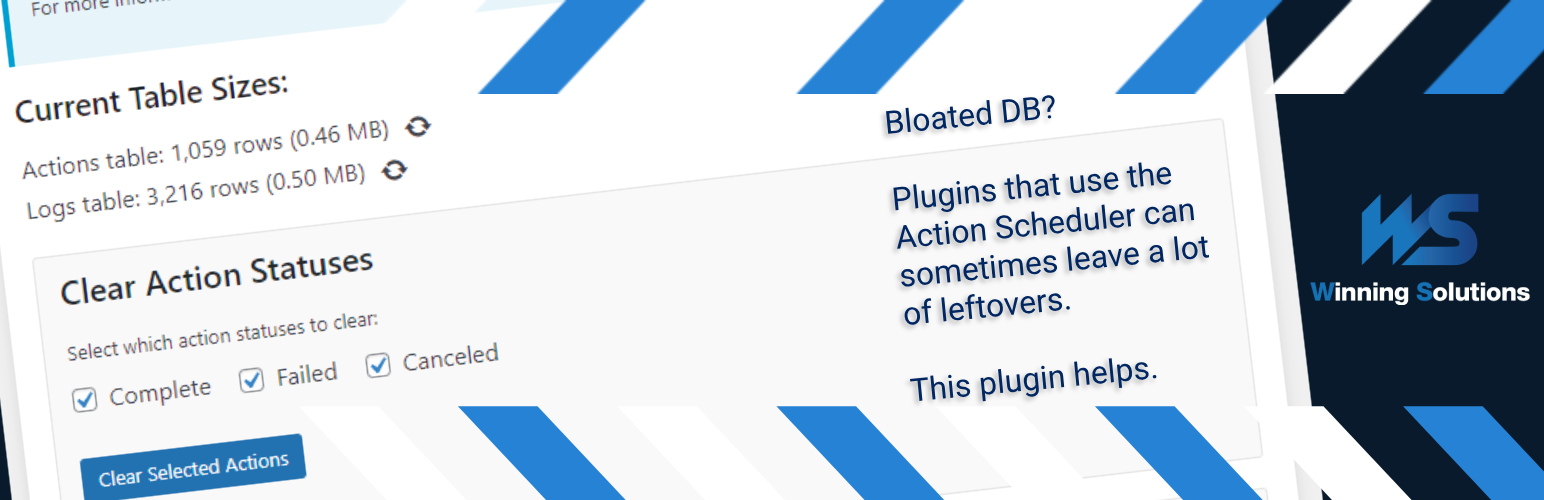
WS Action Scheduler Cleaner is a small tool designed to optimize your WordPress database by managing the Action Scheduler tables. Action Scheduler, a robust job queue and background processing library, is utilized by many popular plugins such as WooCommerce, WP Forms, and Jetpack to handle resource-intensive tasks asynchronously.
While Action Scheduler is crucial for the smooth operation of these plugins, its tables can grow significantly over time, potentially impacting your site’s performance. This is where WS Action Scheduler Cleaner comes in.
Key features:
- Easily clear completed, failed, or canceled actions from the Action Scheduler tables
- Set up automatic clearing schedules for efficient database maintenance
- Optimize the database tables to reclaim unused space and potentially improve performance
- Customize retention periods for logs and actions
- User-friendly interface integrated into the WordPress admin area
By regularly cleaning up unnecessary data from Action Scheduler tables, you can:
- Improve database query performance
- Reduce database size
- Enhance overall site speed and responsiveness
WS Action Scheduler Cleaner is an essential tool for any WordPress site using plugins that rely on Action Scheduler, especially high-traffic e-commerce sites or membership platforms that generate a large number of scheduled actions.
Usage
- In the WordPress admin panel, go to Tools > Action Scheduler Cleaner
- Select which action statuses you want to clear (completed, failed, canceled)
- Set up different automatic clearing schedules if desired
- Click “Clear Selected Actions” to manually clear actions – or let the automatic schedule handle it
- Optionally optimize the DB tables as well; this is your solution for when the size of the tables doesn’t seem to go down on simple clearing
For best results, we recommend setting up an automatic clearing schedule to maintain optimal database performance. Something like 7 days is usually sufficient. By default, Action Scheduler does this every 30 days, but only for completed and canceled actions, whereas you can control this aspect in the plugin. On deactivation of the plugin, the 30-day retention period as well as which actions get cleared will reset to their defaults.
Developer Information
Cleanup and optimization run in time-bounded chunks: each pass deletes up to batch_size rows per SQL statement and repeats until max_seconds elapses or no matching rows remain. Progress is saved between chunks so large tables can be processed without a single long request.
The following filters (since 1.3.0) let you tune behavior for your hosting environment. Add them in a custom plugin or your theme’s functions.php.
Manual cleanup (admin UI / AJAX)
wsacsc_ajax_cleanup_batch_size(default:10000) — Maximum rows deleted perDELETEstatement during manual clear operations initiated from the admin screen. Since 1.3.2, each job starts with smaller batches and adapts the size to the target time below, so this is an upper limit.wsacsc_ajax_cleanup_target_batch_seconds(default:1.0) — Target duration in seconds of oneDELETEstatement during manual clear operations. The batch size doubles while statements are faster than half this value and halves when they take more than twice this value.wsacsc_ajax_cleanup_sleep_us(default:5000) — Microseconds to pause between twoDELETEstatements during manual clear operations.wsacsc_ajax_cleanup_max_seconds(default:5) — Seconds of work per AJAX request before the plugin saves progress and returns. The admin UI polls for the next chunk while you keep the page open, so a lower value updates the progress text more often. Decrease if requests time out.
Scheduled cleanup (WP-Cron)
wsacsc_cron_cleanup_batch_size(default:1000) — Same as the AJAX batch size, but for automatic retention cleanup run on a schedule. Defaults are lower than manual cleanup to reduce impact on live traffic.wsacsc_cron_cleanup_target_batch_seconds(default:0.5) — Same as the AJAX target time, but for scheduled cleanup.wsacsc_cron_cleanup_sleep_us(default:25000) — Microseconds to pause between twoDELETEstatements during scheduled cleanup.wsacsc_cron_cleanup_max_seconds(default:45) — Seconds of work per cron run before the job pauses and schedules continuation (see below).
Background continuation
wsacsc_cleanup_use_background_continuation(default:true) — When a chunk ends before deletion is finished, schedule a single WP-Cron event to resume the job in the background. This is important for scheduled cleanup on large tables and when no admin session is polling progress. Manual cleanup in the browser also continues via AJAX polling; setting this filter tofalsedisables cron-based resumption only (unfinished scheduled jobs may stall unless something else triggers the next chunk). Since 1.3.2, only one process works on a job at a time: while the admin page polls a manual job, the background continuation waits, and it takes over about 25 seconds after the page stops polling.wsacsc_cleanup_continuation_delay(default:30) — Seconds until the background continuation runs. Clamped between15and120.wsacsc_cron_cleanup_cli_max_seconds(default:600) — When WP-Cron runs through WP-CLI (for examplewp cron event run --due-nowfrom a system cron job), a scheduled cleanup keeps running its next chunks in the same process, with the normal pause between chunks, instead of waiting for the next system cron run. After this many seconds, it starts no new chunk and leaves the rest to the next run.
Scheduled auto-optimize
After a scheduled retention pass deletes all matching rows for a table, the plugin may run OPTIMIZE TABLE automatically to reclaim disk space. Manual clear from the admin UI never auto-optimizes; use the Optimize button instead.
wsacsc_scheduled_auto_optimize_max_rows(default:100000) — Run auto-optimize only if the table’s total row count is at or below this value after cleanup. Prevents long, blocking optimize operations on tables that are still huge. Values below1000are raised to1000.wsacsc_scheduled_auto_optimize_delay_seconds(default:5) — Seconds to wait after the last delete batch before runningOPTIMIZE TABLE, giving the database a short breather. Clamped between0and60.
Resources and statistics
wsacsc_clear_actions_use_rebuild(default:true) — When “Clear Selected Actions” deletes almost all rows of a large table, the plugin copies the few rows to keep, empties the actions and logs tables withTRUNCATE TABLE, and copies the kept rows back with their original IDs. This takes seconds instead of minutes and frees the disk space at once. The tables are locked during the rebuild, so Action Scheduler waits briefly and loses nothing. The plugin falls back to deleting in batches when the conditions below are not met, when the database user lacks theCREATE,DROP,ALTERorLOCK TABLESprivilege, or when the tables are busy for more than 5 seconds. If a rebuild stops halfway, the plugin restores the kept rows on the next admin page load. Scheduled cleanup never uses the rebuild.wsacsc_rebuild_min_rows(default:100000) — Smallest number of rows to delete for which the rebuild is used.wsacsc_rebuild_max_kept_actions(default:10000) — Largest number of kept actions (for example pending actions) for which the rebuild is used. The lock time grows with this number.wsacsc_rebuild_max_kept_logs(default:40000) — Largest number of kept log entries for which the rebuild is used.wsacsc_clear_logs_use_truncate(default:true) — “Clear Logs” and a logs retention of 0 days empty the logs table withTRUNCATE TABLE, which takes under a second and frees the disk space at once. This needs the databaseDROPprivilege. Without it, or when this filter returnsfalse, the plugin deletes the log entries in batches.wsacsc_cleanup_memory_limit(default:512M) — Memory limit for cleanup and optimize requests. The plugin only raises the limit throughwp_raise_memory_limit()and never lowers it.wsacsc_exact_count_max_rows(default:1000000) — Row counts on the admin screen are exact up to this value. For a larger table, the screen shows the estimate of the database server with a~prefix. Values below1000are raised to1000.
Example (gentler cron, no background continuation):
add_filter( 'wsacsc_cron_cleanup_batch_size', function () { return 500; } );
add_filter( 'wsacsc_cron_cleanup_max_seconds', function () { return 30; } );
add_filter( 'wsacsc_cleanup_use_background_continuation', '__return_false' );
Author: Winning Solutions
Author URI: https://www.winning-solutions.de
Installation
- Upload the
action-scheduler-cleanerfolder to the/wp-content/plugins/directory - Activate the plugin through the ‘Plugins’ menu in WordPress
- Navigate to Tools > Action Scheduler Cleaner to access the interface.
FAQ
Is this plugin compatible with WooCommerce?
Yes, Action Scheduler Cleaner is fully compatible with WooCommerce and other plugins that use Action Scheduler.
Will this plugin affect my scheduled actions?
No, this plugin only clears completed, failed, or canceled actions. It does not interfere with pending or in-progress actions.
What PHP and WordPress versions are required?
Requires WordPress 6.3 or newer and PHP 7.4 or newer (compatible with PHP 8.5).
Why do I only see Pending (and All) on the Action Scheduler admin screen?
Action Scheduler only shows status tabs when at least one action has that status in the database. This plugin does not remove or hide those tabs. If Complete or Failed never appear, there may be no rows with those statuses—common when millions of actions are stuck in pending and the queue cannot catch up. Cleanup Schedule (how often the plugin runs) is not the same as Retention Period (how old finished actions must be before deletion). Retention uses completion or last attempt time, matching Action Scheduler’s built-in cleaner.
Why does the scheduled cleanup run one hour earlier or later after a daylight saving time change?
WP-Cron repeats an event after a fixed number of seconds, not at a fixed clock time. The time of day you set applies to the first run. After a daylight saving time change, the local run time moves by one hour. To set the time of day again, save the cleanup schedule with a different time.
What is the difference between Cleanup Schedule and Retention Period?
Cleanup Schedule sets how often this plugin’s scheduled cleanup runs (1–365 days, or disabled). Retention Period sets the age threshold for deleting finished actions you selected. When a cleanup schedule is enabled, Action Scheduler’s own continuous cleanup is turned off to prevent double deletion.
Screenshots

Changelog
2026-11-10: 1.3.2
- Fixed: With a cleanup schedule turned on, Action Scheduler deleted all finished actions at once. It now keeps them for your retention period.
- Fixed: Activation and deactivation no longer cause database errors on MySQL. Table sizes now show correctly on MySQL 8.
- Fixed: Clearing old actions now also removes their log entries. Retention now uses UTC time.
- Improved: Clearing millions of finished actions or logs now takes seconds instead of minutes. Other clears show their progress as rows deleted of the total and no longer run twice at the same time or stop early.
- Improved: Faster table statistics, no duplicate database index, complete German translations, and code that follows the WordPress Coding Standards.
2026-10-15: 1.3.1
- Fix high Redis and object cache load: The plugin no longer checks and repairs its cron events on every page request. In 1.3.0, this check could flush the whole
optionscache group several times per second. With Redis Object Cache, each flush scans the full Redis keyspace, so Redis could reach 100% CPU. - Fix scheduled cleanup without a time of day: When no time of day was set, the next run moved forward on every check, so the scheduled cleanup never ran. Existing valid events now keep their next run time.
- Safer scheduling: All changes to the plugin cron events go through one lock and the public WP-Cron functions. A failed attempt waits 5 minutes before the next attempt.
- No full cache flush on uninstall: Uninstalling the plugin no longer empties the whole object cache.
2026-05-25: 1.3.0
- More reliable cleanup performance: Manual AJAX cleanup now uses time-bounded chunks with progress saved after each batch; scheduled cron uses gentler defaults.
- Prevent DB contention: Add global lock to prevent parallel clear/optimize operations. This was mainly relevant on sites with huge tables that would take a long time to clear.
- Table size bugfix: Sometimes, the table size would not get updated correctly.
- Add filters for custom setups:
wsacsc_ajax_cleanup_batch_size,wsacsc_ajax_cleanup_max_seconds,wsacsc_cron_cleanup_batch_size,wsacsc_cron_cleanup_max_seconds,wsacsc_cleanup_use_background_continuation,wsacsc_scheduled_auto_optimize_max_rows,wsacsc_scheduled_auto_optimize_delay_seconds.
2026-05-22: 1.2.9.1
Fix: Minor CSS fix with Modern styles.
2026-05-22: 1.2.9
- WordPress 7.0 compatibility: Tested with WordPress 7.0; minimum WordPress version is now 6.3.
- PHP compatibility: Supports PHP 7.4 through 8.5.
- WordPress 6.3 APIs: Diagnostic logging via
wp_is_development_mode( 'plugin' ),cron_memory_limitfor scheduled cleanups, and simplified object cache flushing. - Admin UI: Styles use WordPress admin theme CSS variables for better compatibility with the Modern admin color scheme.
- Scheduling: Cron health checks run on the plugin admin screen only; reduced redundant schedule registration hooks.
- Security: Hardened AJAX status save and cleanup progress validation before batch deletes.
- Retention fix: Scheduled action cleanup now uses completion or last attempt time (aligned with Action Scheduler), not the original scheduled date—important for high-backlog sites where old scheduled dates caused immediate deletion of newly finished actions.
- Admin copy: Clarified cleanup schedule vs retention period and why Action Scheduler status tabs may show only Pending.
- FAQ: Added troubleshooting for missing Complete/Failed status filters.
2025-12-11: 1.2.5
- Increased batch size: AJAX-caused cleanups are a bit too slow to deal with GB-sized tables, so now they’re faster while still not stressing the DB too much.
2025-11-26: 1.2.4
- Updated error handling: Fix error occurring when the tables exist but have 0 rows.
2025-11-24: 1.2.3
- Improved scheduling logic for time: Fixed a bug that affected same-day changes of cleanup times.
- Improved AJAX cleanup performance: AJAX-based cleanup now uses batch processing with larger batches (5000 rows per batch, so still a low enough number that shouldn’t cause DB server issues) for faster cleanup of large tables.
- Enhanced user feedback: Added modern loading spinner animation and italic styling to progress messages. Buttons remain disabled and progress messages stay visible during cleanup operations.
- Prevented timeouts on large tables: Both AJAX-based and scheduled cleanup operations now temporarily increase PHP execution time and memory limits during cleanup to handle very large tables (multiple gigabytes) without timing out. Original PHP settings are automatically restored after cleanup completes. (Since 1.3.2, the memory limit is only raised and not lowered again.)
- Added cron health checking for version migration: We now handle edge cases for crons after version migration better and fixed some uninstall behavior issues.
2025-11-20: 1.2.0
- Fully separated Action Scheduler scheduled cleaning and plugin-based scheduled cleaning: Made clear the distinction and purpose of the two systems. Setting Cleanup Schedule activates the plugin-based scheduled cleaning. Action Scheduler’s built-in cleanup is automatically disabled when the plugin’s scheduled cleanup is active to prevent conflicts.
- Separated scheduling and retention: Cleanup Schedule (how often to run) is now separate from Retention Period (delete older than X days). Retention Period controls both Action Scheduler’s setting and the plugin’s own retention period setting. Cleanup Schedule only affects the plugin’s scheduled cleaner.
- Added time selector: Set a specific time of day for scheduled cleanup runs (respects WordPress timezone/localization).
- Fixed zero-day retention: A retention period of 0 days now correctly deletes all matching entries (actions/logs) for both the plugin’s and Action Scheduler’s cleanup systems.
- Improved behavior in caching situations: Object Caching could sometimes lead to issues with event hook generation. This is fixed.
- Fixed plugin uninstall behavior: Event hooks and some DB options could sometimes be left over on uninstallation. Now the plugin properly cleans up after itself.
- Backward compatibility: Existing settings are automatically migrated to the new structure on first load.
2025-11-11: 1.1.0
- Fixed scheduled cleanup: Fixed retention period filter bug (thanks for reporting, @kosaacupuncture) and made the cleanup process more robust.
- Enhanced AS integration: Now uses
action_scheduler_default_cleaner_statusesfilter to respect your selected action statuses (complete, failed, canceled) in AS’s automatic cleanup process as well. - Minor performance improvements: Increased cleanup batch size from 25 to 50 actions per batch and extended queue runner time limit from 30 to 60 seconds for more efficient processing
- Better error handling: Added error logging via WP_DEBUG and improved error handling for cleanup operations to help diagnose issues.
- Compatibility updates: Tested and verified compatibility with WordPress 6.9 and WooCommerce 10.3+.
- Misc. code improvements: Added table existence checks before cleanup operations and improved cache management and refactor the plugin a bit.
2026-06-10: 1.0.0
- Initial release.