


Description
WunderPaint puts a complete, layer-based editor into your media library – and then removes the border between your designs and your content. Text and image layers don’t have to hold fixed values: point them at your posts, products, prices or custom fields, and the same design renders itself for any piece of content you preview it with. A blog header, a price badge, a product card – designed once, filled by your website. Around the editor, a full media manager keeps your growing library organized, and everything you make stays fully editable, with versions and rollback.
See it live: Try the demo | Docs & FAQs | Website
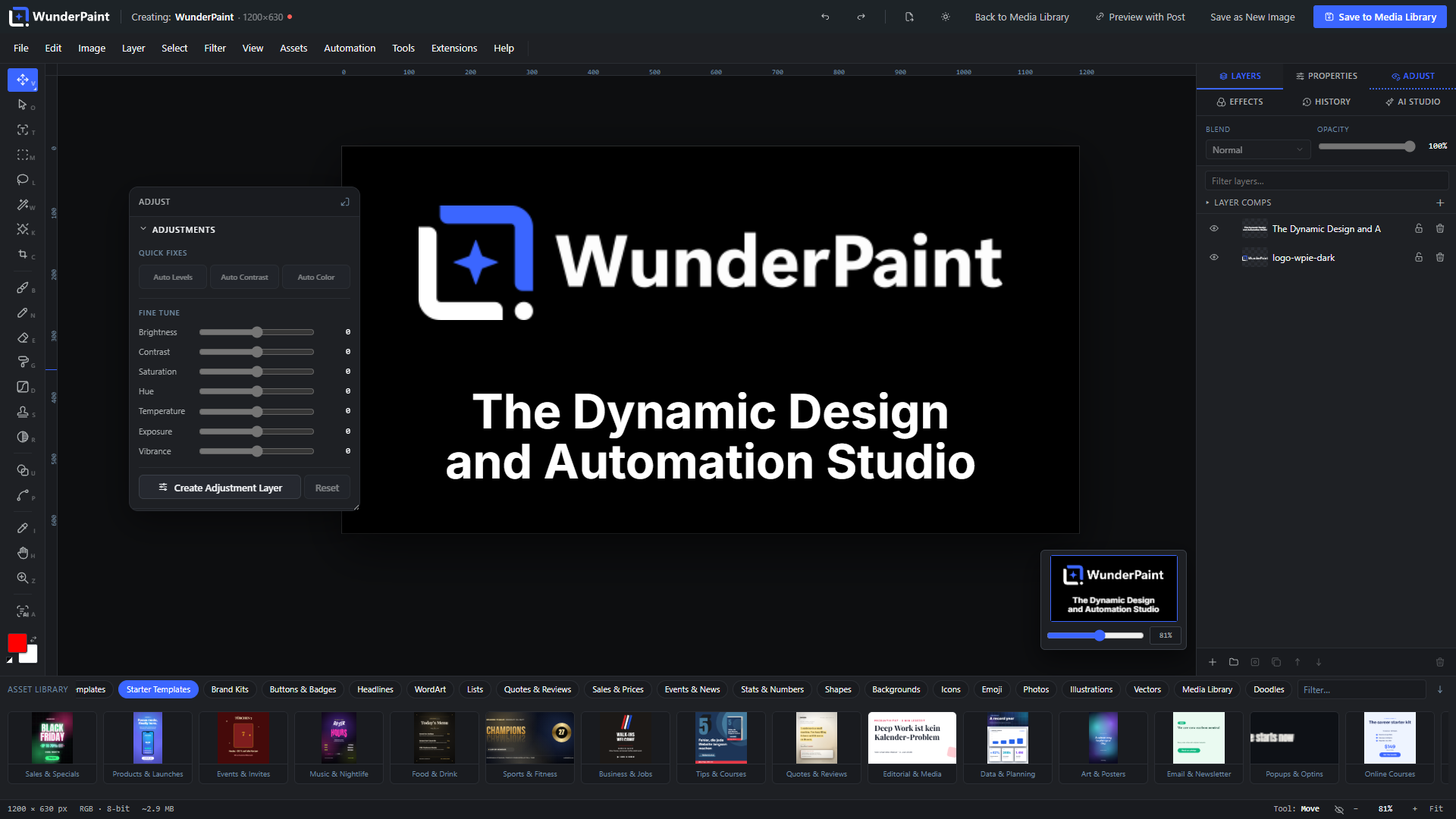
A complete editor
Open any image, or start on a blank canvas, and work the way you would in a professional desktop editor:
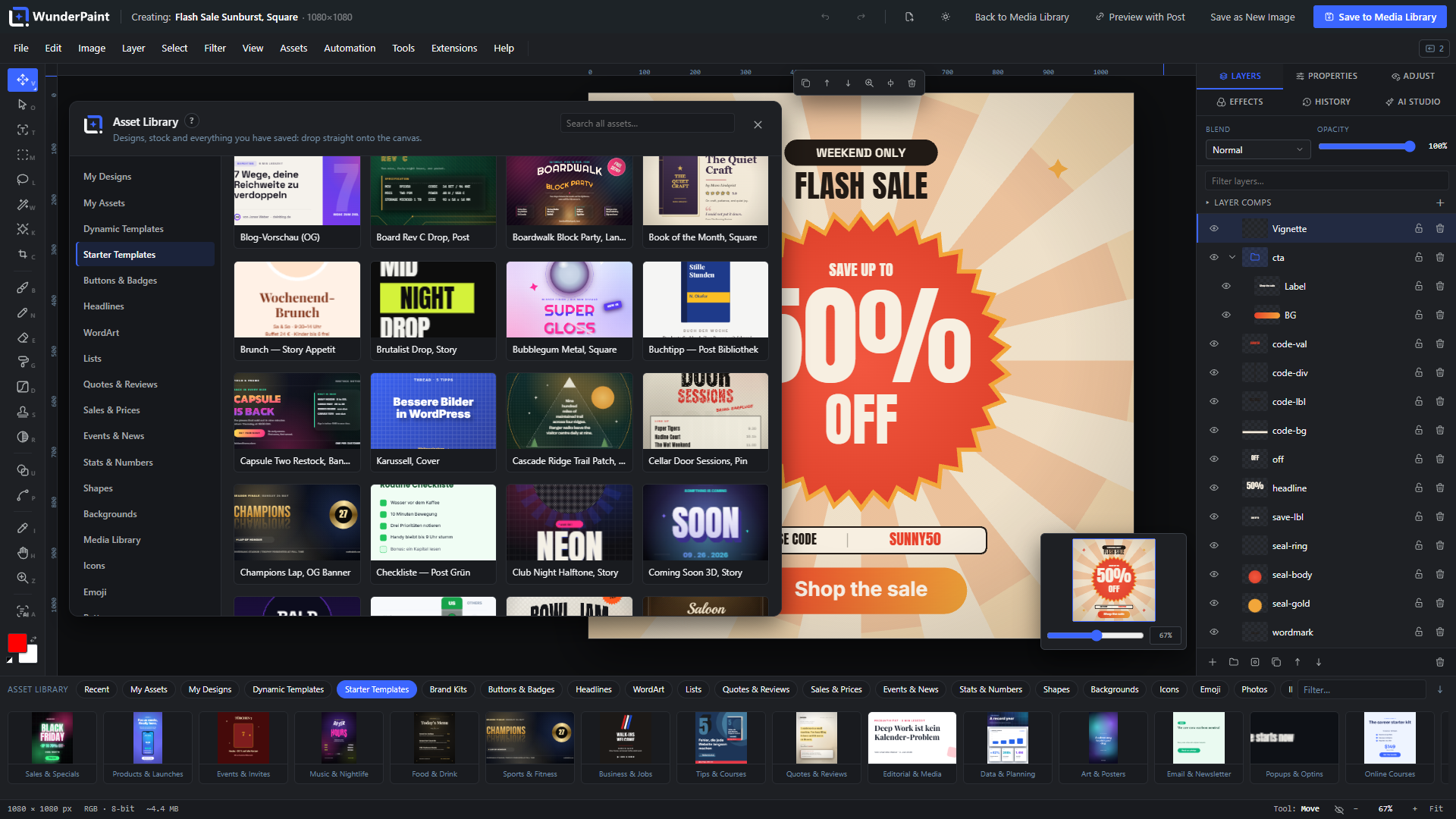
- Layers, groups and masks with blend modes, non-destructive layer styles (drop shadow, glows, bevel, overlays, stroke and more), adjustment layers, clipping masks and Smart Objects.
- Selections that understand your image: marquee, lasso and magic wand, plus subject selection and click-to-select powered by local models. Refine, feather, invert, save and reuse selections.
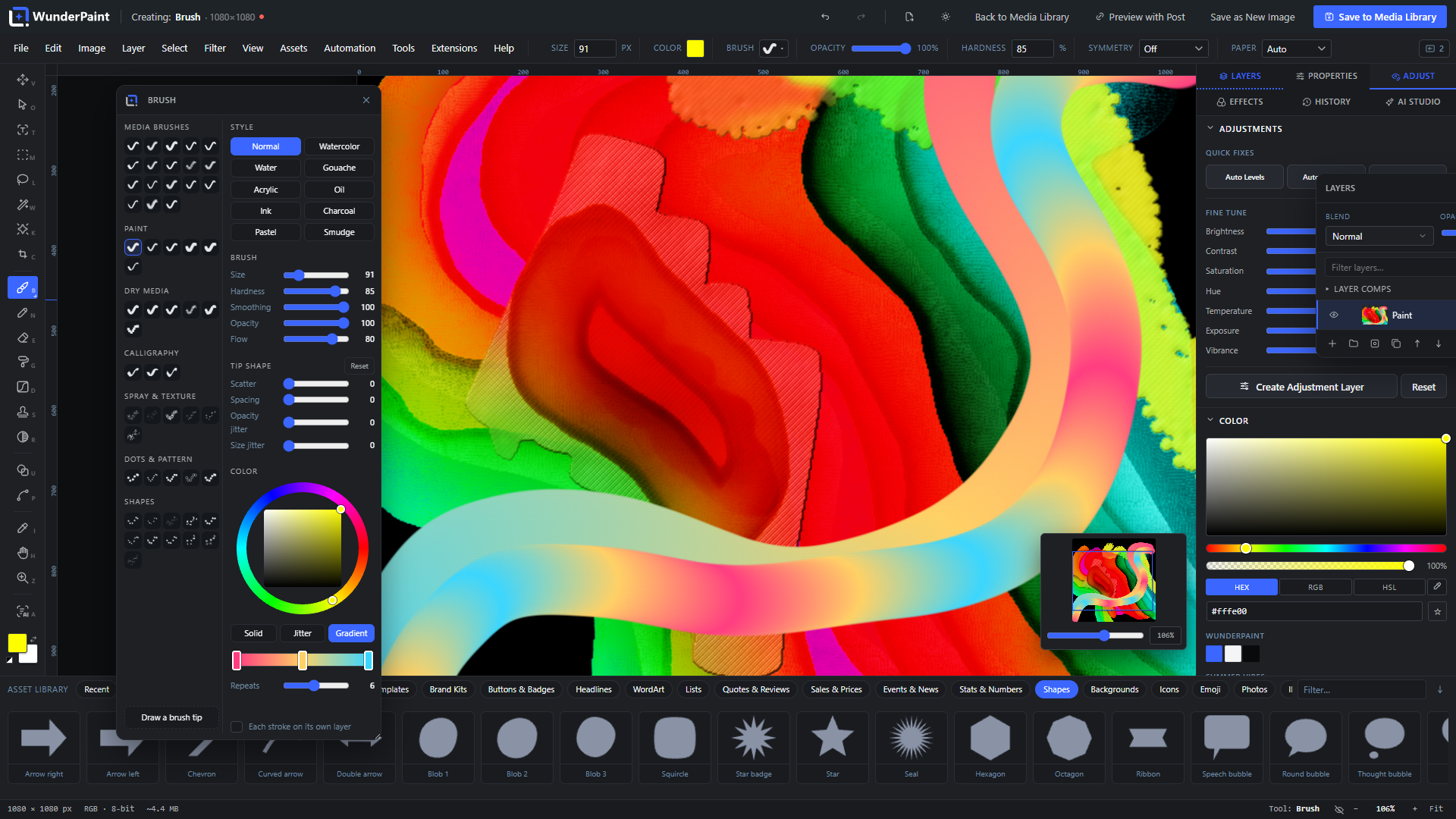
- Painting and retouching: brush, pencil and eraser with opacity, flow and hardness, custom brush tips, clone stamp, blur/sharpen brush, symmetry painting and content-aware object removal.
- Vectors: pen tool with full path editing, a shape studio where every shape has dials (a crown’s points, a ring’s slice, a speech bubble’s tail) plus generator families that are pure maths – superformula, guilloche, Lissajous, harmonograph, Chladni, Sierpinski, Truchet, mazes, Voronoi, metaballs, flow lines, brush strokes – gradients with on-canvas handles, dashed strokes, rounded and soft corners.
- Filters and effects from Gaussian Blur, Curves and Levels to Duotone, Halftone, Glitch, Glow and Tilt-Shift, plus color LUTs (.cube), filter presets, smart filters and one-click enhance.
- Precision tools: free transform with distortion, align and distribute, magnetic guides, radial repeat, guide templates, Magic Resize, and a recorder that captures your steps as replayable actions.
- Multi-page documents, tabs and safety nets: work on several documents at once, autosave to the browser every 30 seconds with session restore, and per-image version history with one-click rollback.
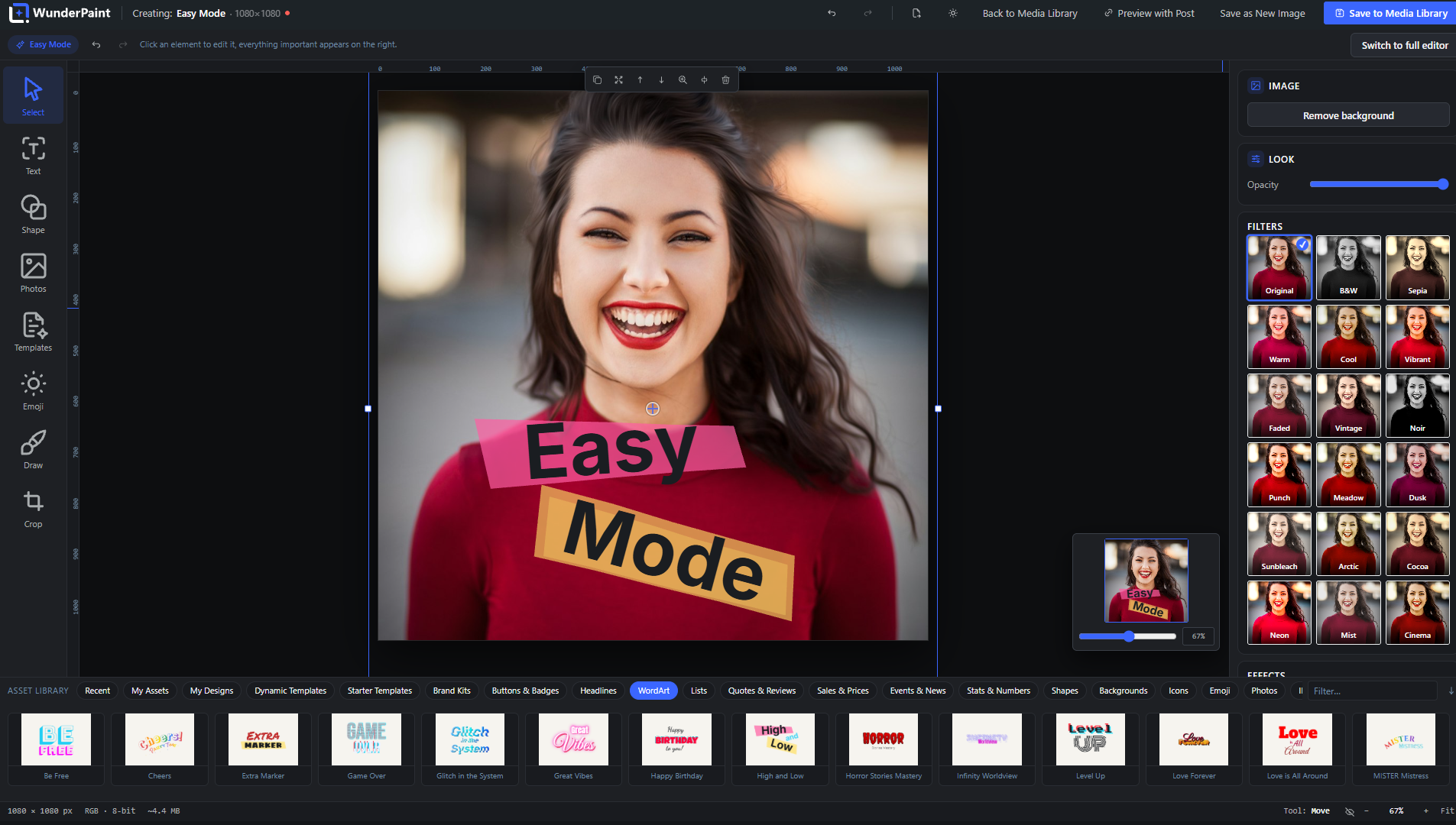
- Easy Mode keeps the surface calm and simple for occasional users; the full depth is one click away, on the very same document.
- My Archive: connect a folder on your own computer and browse it in the Asset Library and the tray under the canvas. It is read in place, nothing is uploaded or copied, only small previews stay in your browser; Chrome and Edge remember the folder across visits.
Design once – your content fills it in
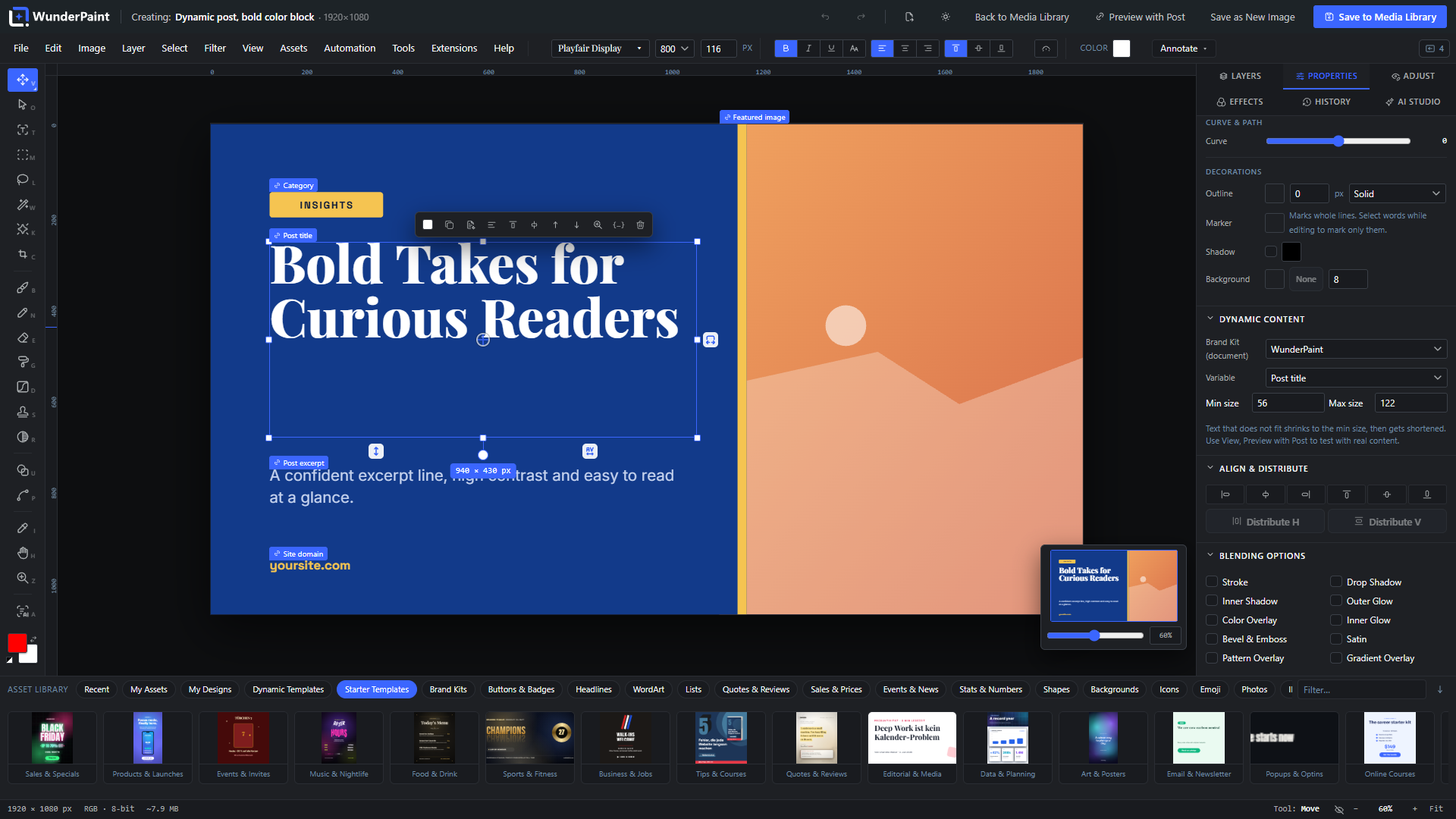
This is the heart of WunderPaint. Text and image layers can be bound to live WordPress data instead of fixed values:
- Bind layers to your content: post title, excerpt, body, permalink, category, tags, dates, reading time and featured image; author name, bio and avatar; site name, tagline and logo; your own custom fields; ACF image and text fields.
- WooCommerce built in: product name, price, sale price, discount percentage, SKU, stock status and quantity, low-stock hint, rating, review count, sale end date and product image – fields that are empty outside a sale simply hide their layer, so “SALE” badges appear and disappear on their own.
- Mix text and variables: write
{{post.title}}or{{product.price}}right inside a sentence. Bound text auto-fits its font size to the frame, bound images get cover/fit/fill rules with an anchor point. - More than text and images: QR codes rebuild themselves from variables, charts and tables pull rows straight from a WordPress query, and Smart Objects containing bound layers re-render per post.
- Preview with real content while you design: pick any post or product, watch every binding resolve live on the canvas, then export or save the resolved result – and set it as the featured image in the same flow.
- Reviews, comments and people: pull approved reviews with stars, avatars and excerpts, or your site’s users as team cards, into designed layouts.
- Save as Dynamic Template and reopen it any time; the stored template keeps its placeholders, so one design serves your entire archive.
Real typography
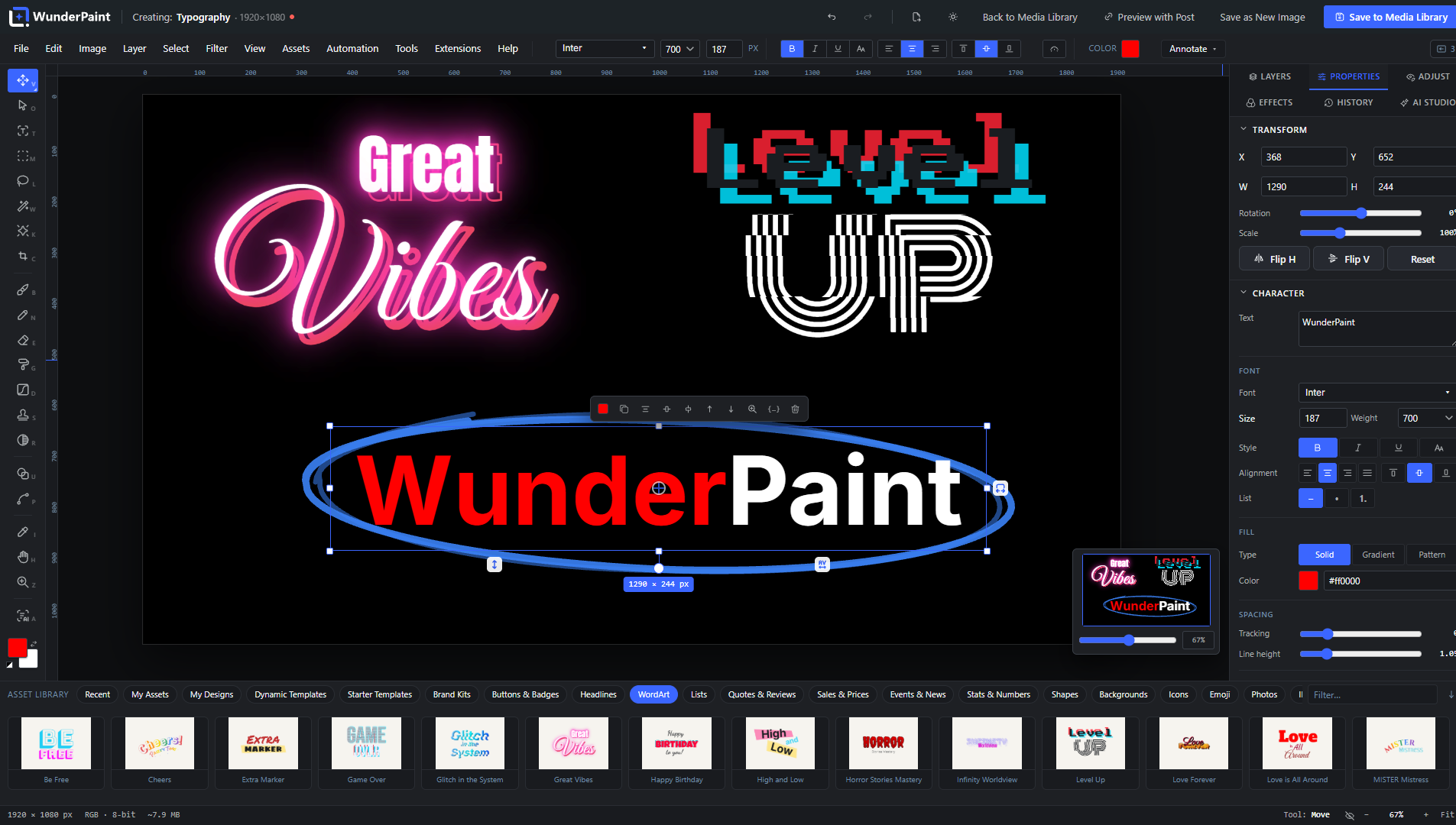
Style single letters inside one layer, choose from one-click text styles and combinable text effects, bend text with warp presets or a free arc, run it along any path, flow it into a shape, or place an editable headline behind the subject of a photo. Fluid Text lets the box set the type: every line grows to the width of the frame and the words spread over as many lines as the height allows, so a headline re-flows while you drag. Layouts put a look on top, from stacked poster capitals to an editorial lockup with kicker and detail line, and the look re-flows with the box too. Area text wraps automatically, marker-style hand-drawn highlights decorate single passages, drag handles adjust tracking and leading directly on the canvas, and a WCAG contrast check warns you before your caption becomes unreadable. Fonts come from bundled families, from a catalog your server downloads and self-hosts, from your own uploaded font files, from fonts your site already provides – and from Google’s CDN only if you explicitly opt in.
Charts, tables and data
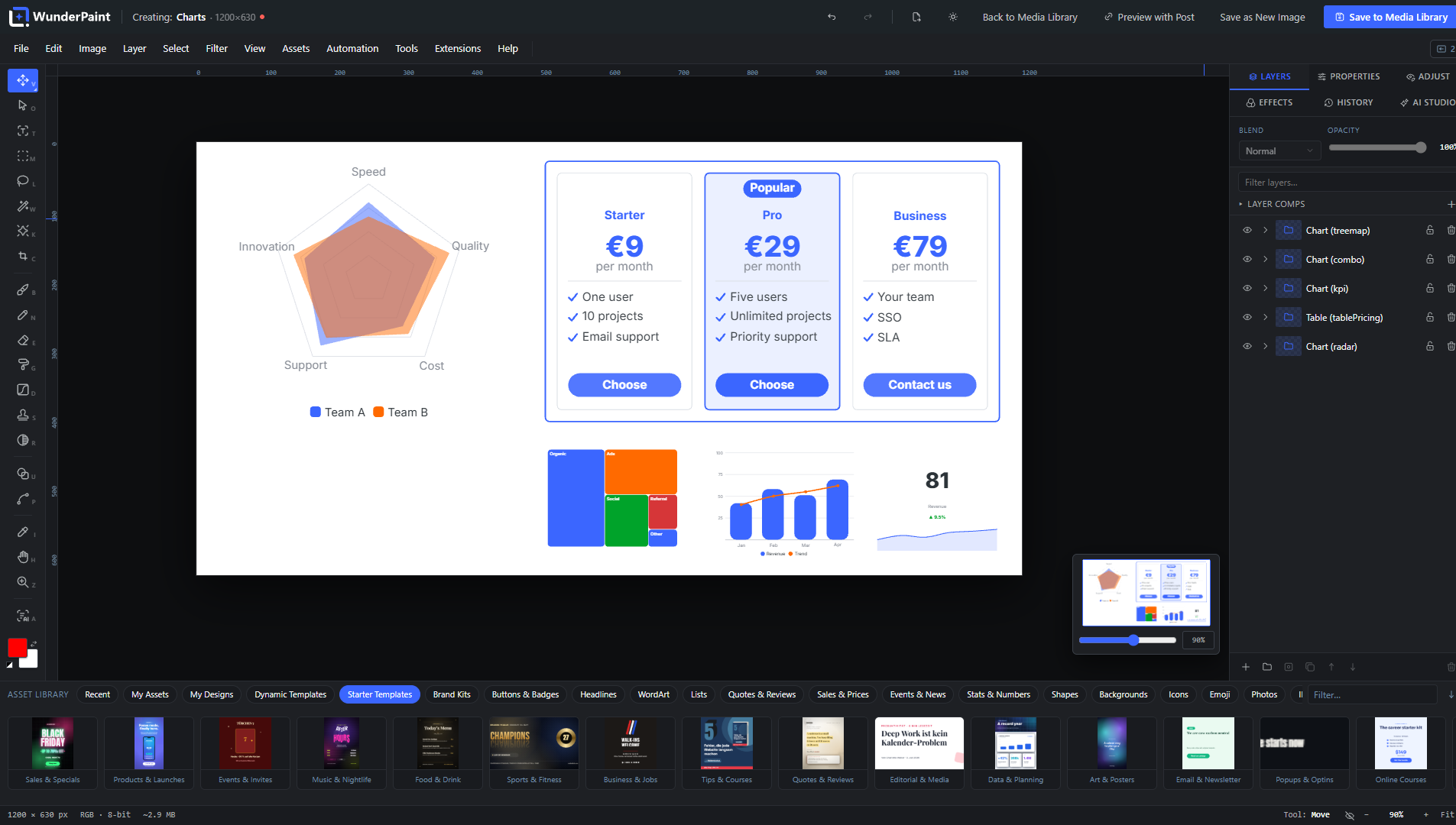
A dedicated studio builds chart types (bars, lines, areas, pie, ring, radar, waterfall, funnel, heatmap, treemap and more) and table types (comparison, pricing, ranking, schedule, checklist, menu, scorecard, calendar month, league table and more) – all as groups of real, editable shape and text layers, never flat images. Feed them by hand, paste CSV, or attach a WordPress query; cells and titles accept variables too.
Studios and generators built in
- Design Generator: describe what you need, get rendered layout variants with your brand colors, headline and logo, and insert the winner as editable layers – optionally already bound to post fields as a dynamic template. The image slot can use a stock photo, an AI image, or a placeholder.
- Background Studio: mesh gradients, organic blobs and waves, geometric lattices, low-poly, topographic contours, halftone rasters, concentric rings and confetti – all with grain and a random seed; tileable styles export as seamless patterns into your library.
- Screenshot Beautifier: frame any screenshot in a browser, phone or tablet mockup with shadow, radius and a generated background.
- Collage & Photo Grid: grids, mosaics, polaroids, filmstrips and contact sheets from your own photos – inserted as editable layers.
- Mockup Generator, QR codes with your logo (including a readability check), Vignette & Film looks, and stock photo search across Pexels, Unsplash and Pixabay with your own free API keys.
- 360° panoramas: view a photo as a walkable sphere, smooth the seam, cover the floor with your logo, add linked hotspots, and copy a self-contained HTML embed for your visitors. With an AI provider configured, describe a place to generate the full sphere or extend an existing photo into one.
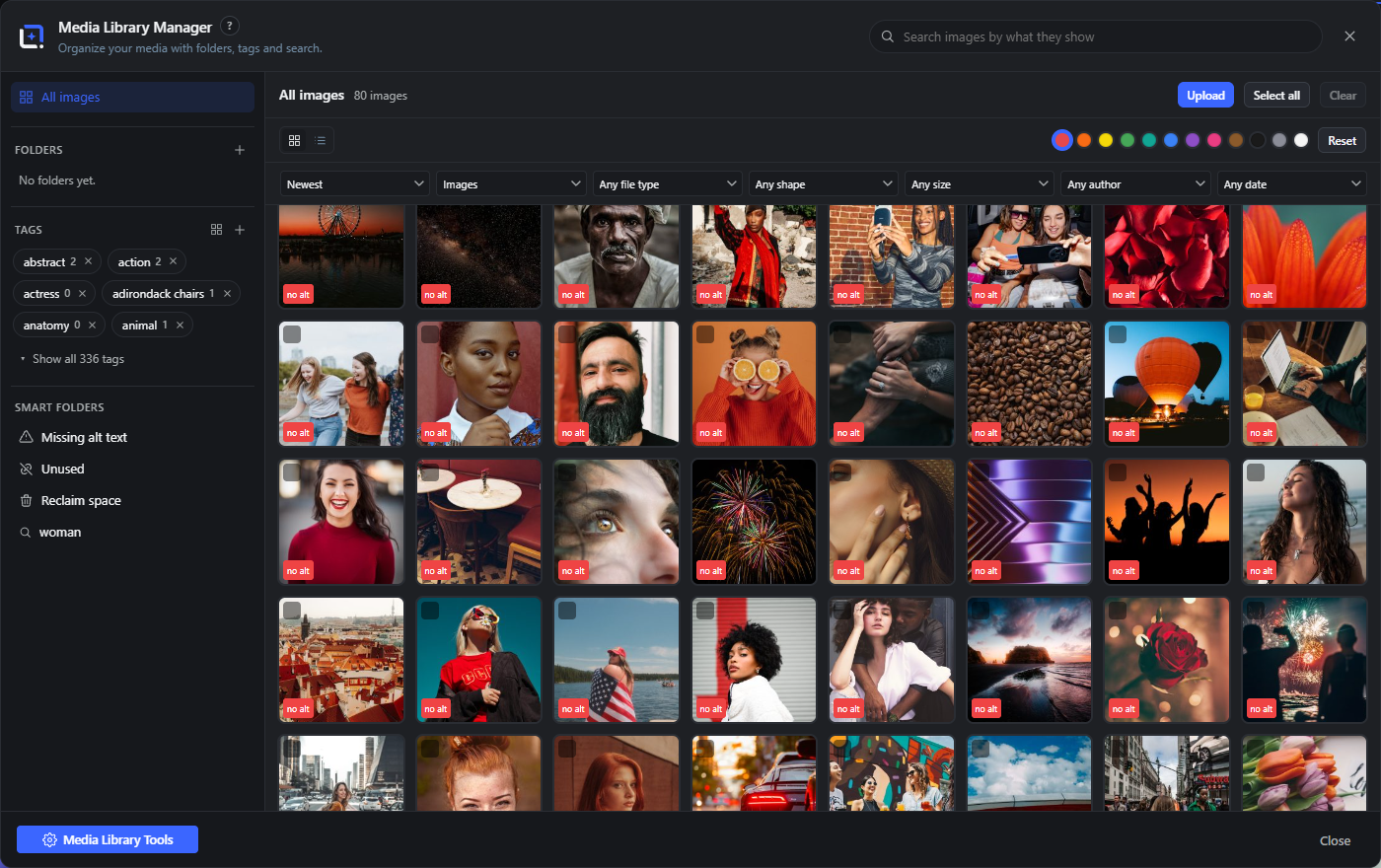
A media library that stays tidy
The built-in Media Library Manager can replace the standard media view and picker (opt-in):
- Real folders and tags as WordPress taxonomies, drag-and-drop organizing, bulk actions, saved searches and smart folders.
- Semantic search: find images by what they show, plus similar-image search, duplicate finder, color filters and folder suggestions – computed entirely in your browser against a locally hosted model.
- Know what you use: a usage analysis scans content, page-builder data, widgets, options and meta and answers “where is this image used?” with named sources and edit links. Find orphaned files, unused images and images missing alt text.
- Delete without fear: cleanup moves files into a holding area with a retention period and a daily release run instead of deleting instantly; restore anything with one click.
- Maintain at scale: replace an image and rewrite its references, recrop every thumbnail size with subject-aware auto-framing, spot oversized originals, keep IPTC credits and license info per image, rename titles by pattern, batch-watermark, and let the Metadata Assistant draft titles, alt texts and captions for the whole library (reviewed by you before anything is saved).
- See inside the file: a File data tab reads the camera, lens, software and location a photo carries, resolves coordinates to a place name on your own server, and removes either just the location or every embedded block, without re-encoding the picture.
- Optimized imports: bring files in through the manager and Smart Upload can scale them and convert them to WebP in your browser before they ever reach the server – no external service, no quota.
AI on your terms – or no AI at all
WunderPaint draws a hard line between two kinds of AI, and both are optional:
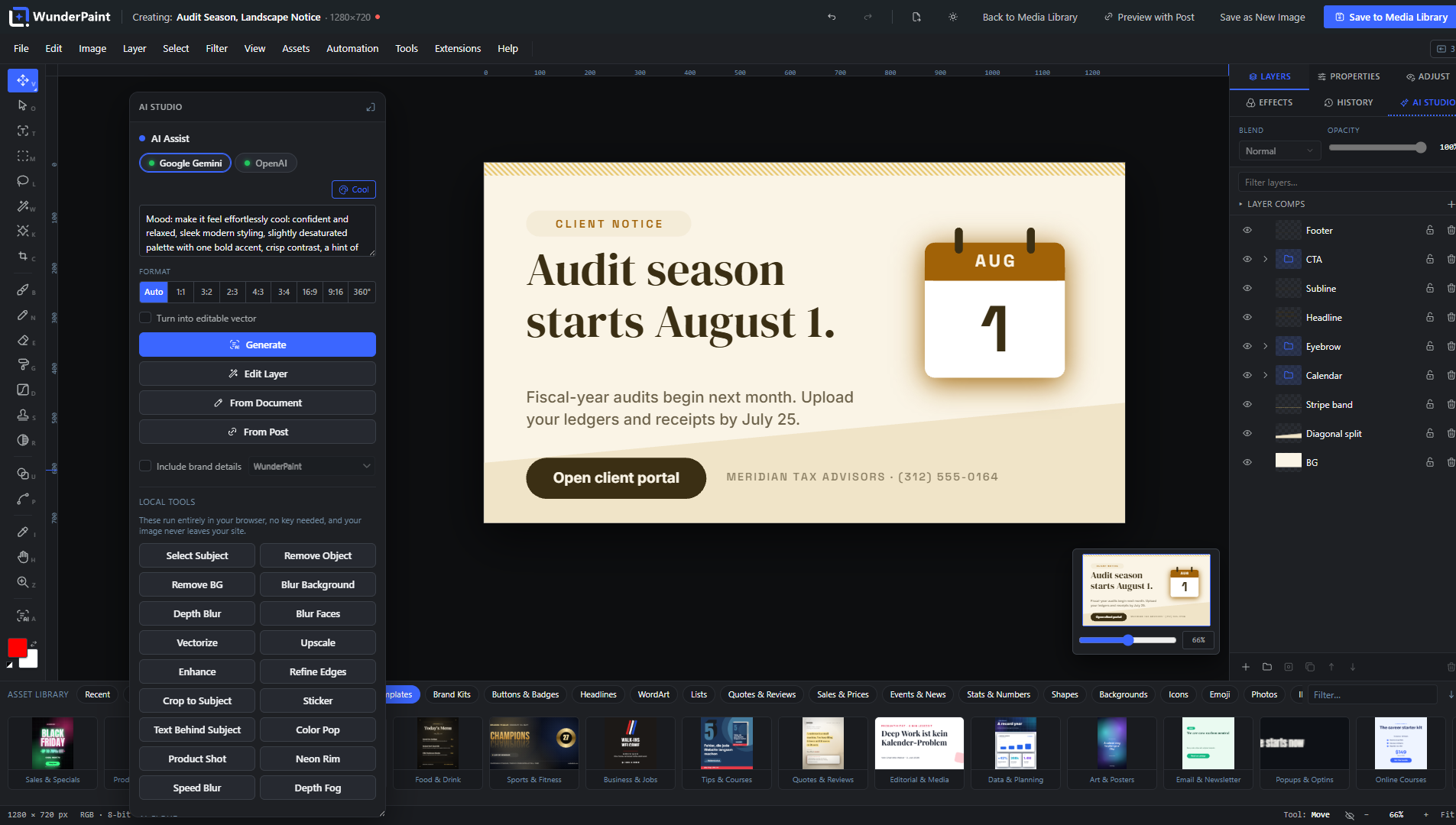
Local, no account, no key. These run in your browser against models hosted on your own server. Background removal, face blurring and AI upscaling work out of the box. Smart select, depth blur and depth fog, image captions and alt text (with on-device translation), semantic image search, smarter text layouts, an object removal that paints in what should be there and better cutouts that find the whole subject each need a one-time model download (from a few dozen to a few hundred megabytes, depending on the model), fetched from Hugging Face (the cutout model from the plugin’s own GitHub repository) only when an administrator requests it and served locally from then on. Alongside the models, purely algorithmic local tools need no download at all: edge refinement, a simple object removal that blends the surrounding pixels, sticker and text-behind-subject cutouts, and the one-click looks Color Pop, Product Shot, Neon Rim, Speed Blur and Depth Fog.
Bring your own key. Connect Google Gemini, OpenAI or Anthropic with your own API key. Gemini and OpenAI handle images: generate from text, edit a layer by instruction, inpaint inside a selection, outpaint beyond the canvas, create variants, turn sketches into finished images, generate vector illustrations and 360° panoramas, or replace a background. All providers handle text tasks: design and layout suggestions, metadata generation, text improvement, and an in-editor help assistant. Keys stay on the server (or in wp-config.php), every service has a connection test, a monthly budget cap can stop spending, and a usage log shows estimated cost per day, provider and action. Without a key, no request ever leaves your site.
Private by design
Everything runs on your own server: no telemetry, no tracking, self-hosted fonts by default. Cloud AI only runs when you trigger it, with a key you own, and every service a feature can reach is listed under External Services below.
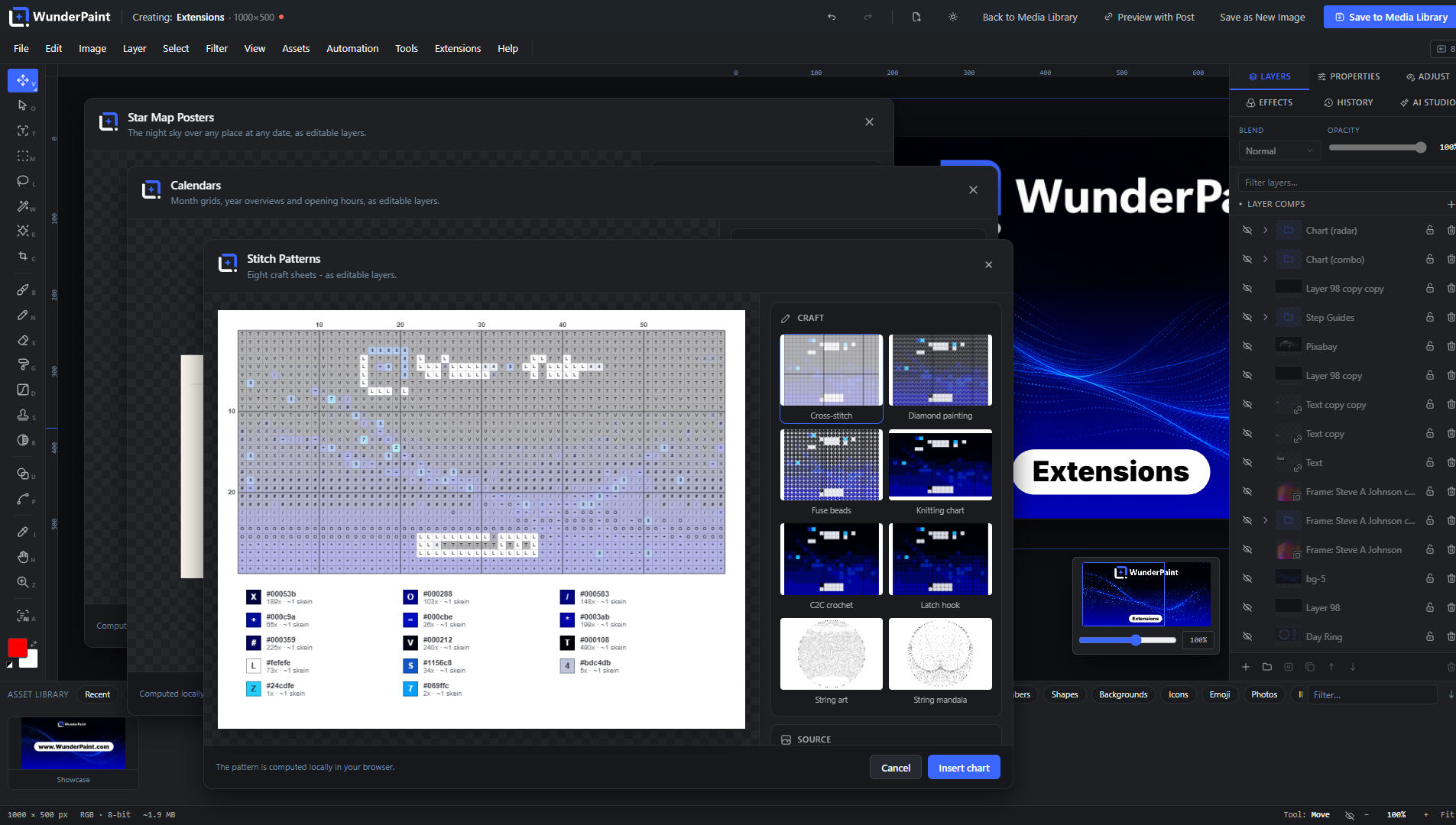
Grows with extensions
Studios that go beyond everyday editing come with the plugin and are simply there after installing: Chaos Art (a society of autonomous painters makes one-of-a-kind abstract art that can never be painted twice), Map Posters, Star Map Posters, Route Visualizer (a GPX track becomes a poster), Soundwave Art, Photo Mosaic, Text Art, Puzzle Sheets, Party Printables, Stitch Patterns, Drawing Templates, Origami, Day Ring, Papercut Art, Marble Bath, Mystic Studio, Seamless Patterns, Handwriting Fonts, Code Shot, Math Figures (formulas typeset as graphics), Sheet Music (notation from ABC or MusicXML) and Reformat (social formats with safe zones, in one pass). Each is a self-contained studio inside the editor, and new ones arrive with the next update.
WunderPaint Pro adds the extension manager – browse, install and update in one click – and the premium studios: 3D Mockup Studio with its library of product models, 3D Text, Motion Graphics, 3D Particle Studio, Cinematic Effects, Smart Diagrams, Calendars, Step Guides, Dynamic Showcases, Living Photos, Generative Art, AI Ad Banners and more. Extension packages are client-side only and can never ship server code.
Import, export and output
Import and export PSD including Smart Objects, edit SVGs as real vector layers, and export PNG, JPEG, WebP, SVG, multi-page PDF, animated GIF, APNG and WebM, favicon sets, carousel slices, and batches of multiple sizes as a ZIP. Exports can carry alt text, metadata, a watermark and an attached project file, so any saved image reopens later as a fully editable document. When you want to disclose AI involvement, the European Commission’s official labelling emblems are built in: pick one at save time and it goes into the picture where you place it, optionally alongside a matching entry in the file’s IPTC metadata. Nothing is ever labelled unless you ask for it.
WunderPaint Pro
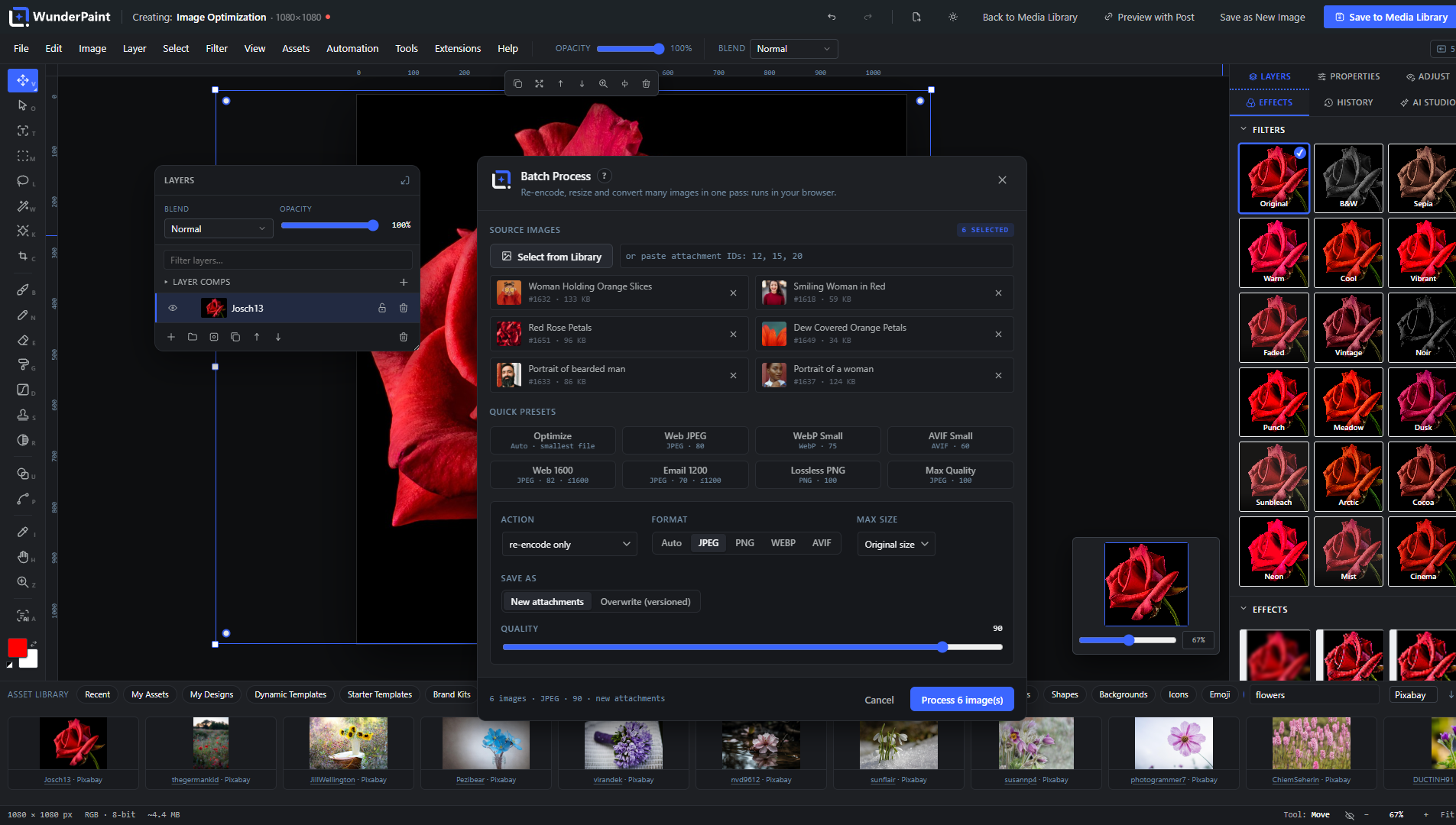
The free editor is complete, and yours to use on as many sites as you like: every design tool, every binding, every local model above is free. WunderPaint Pro takes those same designs and runs them at scale, in the background and on your website: featured images generated across whole archives from one template (with per-category templates and generate-on-publish), WooCommerce catalog and product gallery graphics, image series from a CSV file, batch processing of your existing library (optimize, resize, watermark, apply recorded actions), dynamic images on the front end through blocks, shortcodes and native Elementor widgets that re-bake on a schedule, on shop events or via webhook, live badges, personalized per-visitor images, an AI content generator that drafts complete posts with matching graphics and SEO fields, multiple brand kits, one-click extension installs including all premium studios, and scheduled backups to S3-compatible storage.
Requirements
A current desktop browser (Chrome, Edge, Firefox or Safari); the editor runs inside the WordPress admin and shows a notice on phones. Works with Gutenberg, Elementor, Bricks, Divi and any plugin that uses the media picker. The interface, the built-in handbook, the guided tours and the help assistant are available in English, German, Spanish, French, Portuguese, Italian and Dutch.
External Services
This plugin can talk to a number of external services, each only when you use the feature it belongs to, and a service that needs an API key stays silent until you enter that key. There is no analytics, no tracking and no telemetry of its own, and it never sends your content anywhere by itself.
The complete list, with the exact data each service receives and when, is in the FAQ below: “Which external services does this plugin use?” The same list, in more detail, is at https://help.wp-image-editor.com/#services
Bundled Libraries
WunderPaint is licensed GPL-2.0-or-later (see license.txt). Every bundled component is under a GPL-compatible license; full attributions are in third-party-licenses.txt.
The complete list, with the license of each component, is in the FAQ below: “Which third-party libraries are bundled?”
Development
The free plugin is open source (GPL-2.0-or-later). The human-readable source
of everything it ships – the editor bundle, the bundled studios and the
translations – is published at https://github.com/tbitdesign/WunderPaint.
BUILD.md there lists every generated file next to its source and the command
that produces it; the FAQ entry “Where is the source code of the compiled
files?” is the short version.
FAQ
Do I need to be a designer?
No. You start from templates and drag things into place, and it already looks designed. The depth is there when you want it, not before.
Where do my images go?
They stay in your media library. The editor runs on your own server and the local tools work inside your browser, so nothing is uploaded for them. Cloud AI only runs when you trigger it, with your own key; the full list of services any feature can reach is under External Services below.
Do I need AI API keys?
No. The whole editor works without one, including background removal, subject selection, depth blur, face blurring, upscaling and semantic search. A key (Settings, WunderPaint) additionally enables text-to-image generation, prompt-based editing, inpainting and outpainting, panorama generation and AI-written alt text.
If you run WordPress 7.0 or newer and have set up a provider in WordPress itself, the plugin uses that one for text and for plain image generation when you have entered no key of your own. Your own key always wins where you set one, because it also carries the model choice per feature and the spend counter.
What runs locally and what needs a key?
Background removal works out of the box: its model ships with the plugin. Smart select, depth estimation, image captioning, text importance and semantic search download their model once, through your own server, and run in your browser from then on; the in-browser runtime is configured never to fetch models remotely. Enlarging an image is plain high-quality resampling in a worker, so it needs neither a model nor a key. Everything that invents new pixels or writes text for you goes to the provider whose key you entered, and only when you ask for it.
Which layers can carry data?
Text, image and raster layers, plus QR codes, charts and tables, and Smart Objects whose embedded layers are bound. Shapes, gradients, groups and adjustment layers do not take a binding, and patterns do not either.
Where are my API keys stored?
Obfuscated in the WordPress database, or preferably as constants in wp-config.php (WPIE_GEMINI_KEY, WPIE_OPENAI_KEY, WPIE_ANTHROPIC_KEY, WPIE_PEXELS_KEY, WPIE_PIXABAY_KEY, WPIE_UNSPLASH_KEY, WPIE_MESHY_KEY). They are only ever read server-side and never sent to the browser.
Does it work with my page builder?
Gutenberg, Elementor, Bricks, Divi and any media picker: every image gets an Edit Image button that opens the full editor over your layout and drops the result straight back.
Can I open Photoshop files?
Yes. PSD files open as layered, editable documents (including Smart Objects), and you can export your work back to PSD. Round-tripping keeps the layer structure as far as the two formats allow.
Can I use iPhone photos (HEIC)?
Yes. Chrome, Edge and Firefox cannot show HEIC photos, and WordPress can convert them only where the server supports HEIC. WunderPaint converts them to JPEG in your browser whenever you open, drop or upload one through the editor or its Media Library Manager, so the Media Library receives a JPEG with all its sizes. The decoder ships with the plugin, loads only when a HEIC photo turns up, and sends nothing anywhere. Camera metadata such as the location is not carried over into the JPEG.
Will it slow my site down?
No. The editor only loads in wp-admin when you open it. Your visitors just receive normal, optimized images.
What if I deactivate the plugin one day?
Nothing dramatic. Exported images are ordinary files in your Media Library and stay exactly where they are. Folders and tags are stored as regular WordPress taxonomies. Your layered projects wait in the uploads folder for the day you come back.
Is it available in my language?
English is built in. Other languages come from translate.wordpress.org as WordPress language packs and install themselves once your locale has been translated.
What are the system requirements?
A current desktop browser: Chrome or Edge 110+, Firefox 115+, Safari 16.4+. Some 3D extension studios additionally need WebGL2 with hardware graphics, which every current desktop browser on a normal machine provides; Help, System Status shows exactly what your device offers.
Where do I get help?
The handbook lives right inside the editor (press ?), the built-in help assistant answers questions and builds little guided tours, and https://help.wp-image-editor.com covers every feature down to the single control.
Where is the source code of the compiled files?
All of it is public, at https://github.com/tbitdesign/WunderPaint – the readable original of every generated file this plugin ships. Node.js 20 and npm are the only things needed to rebuild them.
- build/.js and build/.css are webpack output, built from src/ with “npm ci && npm run build”. The files named after a library (build/agpsd..js, build/jszip..js and so on) are those npm dependencies, bundled by the same run; each one is listed with its own source link under “Which third-party libraries are bundled?” below.
- bundled-extensions//extension.js is esbuild output, built from extensions//src/ with “npm ci && npm run build” inside that studio’s folder; “bash tools/bundle-free-extensions.sh” then collects the built studios into bundled-extensions/ (it does not build them itself and stops when one is missing).
- Translations are not part of the download: wordpress.org delivers them as language packs from translate.wordpress.org. Their sources (tools/.py, languages/*.po) stay in the repository.
- build/vtracer..wasm is not compiled during that build and is not ours: webpack copies it out of the npm package vtracer-wasm (MIT), a WebAssembly build of VTracer (https://github.com/visioncortex/vtracer, MIT). It is the vectorizer behind the editor’s Vectorize command, which turns a bitmap into paths in the browser.
- build/ort.wasm.min..mjs is copied from npm in the same way: the CPU build of onnxruntime-web (MIT, https://github.com/microsoft/onnxruntime), which carries the local AI features.
- build/libheif..js and build/libheif..wasm are copied from npm unmodified as well: libheif-js (LGPL-3.0), the Emscripten build of libheif with its libde265 HEVC decoder, which turns HEIC photos into JPEG in the browser. Source: https://github.com/catdad-experiments/libheif-js
BUILD.md in that repository lists every generated file next to its source and the exact command that produces it.
Which third-party libraries are bundled?
Each library below is bundled into its own file under build/, named after the library, so a file there can be traced back to its source at a glance. Full attributions and copyright notices are in third-party-licenses.txt.
- ag-psd — MIT License (PSD read/write). Source: https://github.com/Agamnentzar/ag-psd — build/agpsd..js
- Tabler Icons — MIT License (icon library). Source: https://github.com/tabler/tabler-icons — build/icons-lib..js and assets/ui-icons/
- qrcode — MIT License (QR-code generation). Source: https://github.com/soldair/node-qrcode — build/qrcode..js
- polybooljs — MIT License (polygon boolean operations behind the shape tool’s Unite/Subtract/Intersect/Exclude and Outline Stroke). Source: https://github.com/velipso/polybooljs — build/polybool..js
- jsQR — Apache License 2.0 (the in-dialog scan check that decodes the rendered code). Source: https://github.com/cozmo/jsQR — build/jsqr..js
- jszip — MIT License (ZIP reading and writing for project files and exports; dual-licensed MIT or GPL-3.0-or-later, used here under MIT). Source: https://github.com/Stuk/jszip — build/jszip..js
- libheif-js — GNU LGPL-3.0 (HEIC/HEIF photo decoding in the browser: libheif with the libde265 HEVC decoder, both LGPL-3.0, compiled to WebAssembly, bundled unmodified and loaded only when a HEIC photo is opened or uploaded). Source: https://github.com/catdad-experiments/libheif-js, https://github.com/strukturag/libheif and https://github.com/strukturag/libde265 — build/libheif..js and build/libheif..wasm; license text in assets/licenses/libheif-LGPL-3.0.txt
- vtracer-wasm — MIT License (color image vectorization; a WebAssembly build of VTracer by Vision Cortex, also MIT). Source: https://github.com/jsscheller/vtracer-wasm and https://github.com/visioncortex/vtracer — build/vtracer..wasm
- imagetracerjs — The Unlicense (vectorization fallback where WebAssembly is unavailable). Source: https://github.com/jankovicsandras/imagetracerjs — build/imagetracer..js
- gifenc — MIT License (animated GIF encoding). Source: https://github.com/mattdesl/gifenc — build/gifenc..js
- upng-js — MIT License (APNG encoding). Source: https://github.com/photopea/UPNG.js — build/upng..js
- unicode-emoji-json — MIT License (emoji metadata). Source: https://github.com/muan/unicode-emoji-json — build/emoji-lib..js
- onnxruntime-web — MIT License (local inference runtime; its WebAssembly build includes Apache-2.0 and BSD-3-Clause components; the CPU build is bundled with the plugin, never loaded from a CDN). Source: https://github.com/microsoft/onnxruntime — build/ort..js, build/ort.wasm.min..mjs and assets/ort/
- Spectral.js — MIT License (Kubelka-Munk pigment mixing, the physics behind the paint media: blue over yellow gives green, the way paint does. Reimplemented in plain JavaScript after the original by Ronald van Wijnen; the spectral tables are derived from its GLSL). Source: https://github.com/rvanwijnen/spectral.js — part of the editor bundle, src/lib/spectral.js in the public repository
- @huggingface/transformers (transformers.js) — Apache License 2.0 (in-browser runtime for the local AI features, bundled from npm; formerly published as @xenova/transformers). Source: https://github.com/huggingface/transformers.js — build/transformers..js
- EU AI labelling emblems — published by the European Commission for labelling AI-generated content, bundled byte-identical and free to use without attribution. Source: https://digital-strategy.ec.europa.eu/en/policies/eu-icons-labelling-ai-generated-content — assets/eu-ai-labels/
- U²-Netp model — Apache License 2.0 (Xuebin Qin et al.), the background-removal model; license text and notice travel with it in assets/models/. Source: https://github.com/xuebinqin/U-2-Net — assets/models/u2netp.onnx (ONNX is an open, documented format; the weights are read by the runtime, never executed)
- YuNet face detector — MIT License (Wei Wu, Hanyang Peng, Shiqi Yu; OpenCV Zoo), finds faces for Blur Faces and so Collage & Photo Grid keeps them in frame; license text and notice travel with it in assets/models/. Source: https://github.com/opencv/opencv_zoo/tree/main/models/face_detection_yunet — assets/models/face_detection_yunet_2023mar.onnx (ONNX weights, read by the runtime, never executed)
- Real-ESRGAN general x4v3 — BSD 3-Clause License (Xintao Wang), the AI upscaler behind Upscale, exported unchanged from the official release to ONNX; license text and notice travel with it in assets/models/. Source: https://github.com/xinntao/Real-ESRGAN — assets/models/realesr-general-x4v3.onnx (ONNX weights, read by the runtime, never executed)
- Fonts — the self-hosted families ship with the plugin (Roboto, Open Sans, Inter, Montserrat, Poppins, Oswald, Bebas Neue, Anton, Playfair Display, Lora); a larger catalog can be downloaded to your own server under Settings → Fonts. All of them are under the SIL Open Font License 1.1. See assets/fonts/OFL.txt. Sourced from the @fontsource project / Google Fonts.
The free studios in bundled-extensions/ carry code and data of their own. They travel in the same download, so they belong in the same list:
- highlight.js 11.11.1 — BSD-3-Clause (syntax highlighting in Code Shot, core plus the common languages). Source: https://github.com/highlightjs/highlight.js — bundled-extensions/wpie-code-shot/extension.js
- JetBrains Mono — SIL Open Font License 1.1 (the typeface Code Shot sets code in). Source: https://github.com/JetBrains/JetBrainsMono — bundled-extensions/wpie-code-shot/fonts/, with FONT-LICENSE.md beside it
- three.js 0.185.1 — MIT License (the WebGL renderer that folds the paper in Origami, including RoomEnvironment). Source: https://github.com/mrdoob/three.js — bundled-extensions/wpie-origami/extension.js
- tz-lookup 6.1.25 — CC0-1.0 public domain dedication (offline time zone for a pair of coordinates, so Mystic Studio needs no service). Source: https://github.com/darkskyapp/tz-lookup — bundled-extensions/wpie-mystic-studio/extension.js
- d3-celestial constellation figures — BSD-3-Clause, Copyright (c) 2015 Olaf Frohn, drawn over the Yale Bright Star Catalogue (public domain). Source: https://github.com/ofrohn/d3-celestial — bundled-extensions/wpie-star-map/extension.js and bundled-extensions/wpie-mystic-studio/extension.js
- abcjs 6.7 — MIT License (the ABC notation engraver in Sheet Music; no audio parts). Source: https://github.com/paulrosen/abcjs — bundled-extensions/wpie-sheet-music/extension.js
- xml2abc 1.68 — GNU Lesser General Public License v3.0, bundled UNMODIFIED, full license text beside it. Loaded only when a MusicXML file is imported. Source: https://wim.vree.org/js/xml2abc-js_index.html — bundled-extensions/wpie-sheet-music/assets/xml2abc.js
- MathJax 3.2 — Apache License 2.0 (TeX input, SVG output, lite adaptor and font glyph data), loaded only when Math Figures typesets a formula. Source: https://www.mathjax.org — bundled-extensions/wpie-math-figures/assets/mathjax.js
- Moon photograph — NASA/JPL, Galileo spacecraft, 7 December 1992 (PIA00405), NASA imagery, public domain, resized to 1200 px. Source: https://photojournal.jpl.nasa.gov/catalog/PIA00405 — bundled-extensions/wpie-mystic-studio/textures/moon.jpg, with TEXTURES.md beside it
- Oldenburg map excerpt — © OpenStreetMap contributors, Open Database License (ODbL); one small area so Map Studio has something to show before any map is fetched, credited on screen as well. Source: https://www.openstreetmap.org/copyright — bundled-extensions/wpie-map-studio/oldenburg.json
- GeoNames place index — Creative Commons Attribution 4.0 (CC BY 4.0), the offline city index the place search answers from; built once and shipped, never downloaded at run time. Source: https://download.geonames.org/export/dump/ — assets/geo/cities.json
Apache-2.0 components are compatible with this plugin via the “or later” clause of GPL-2.0-or-later (Apache-2.0 is compatible with GPLv3). The same clause covers the one LGPL-3.0 component, xml2abc, which is bundled unmodified and can be replaced on its own.
All AI cloud calls are proxied server-side; API keys never reach the browser. Background removal and upscaling run fully locally in your browser and no data leaves your site for those; the runtime that carries them is bundled rather than fetched from anywhere.
Which assets does the optional 3D Solar System Studio use?
The separately installed 3D Solar System Studio extension includes planet and sky maps by Solar System Scope / INOVE (https://www.solarsystemscope.com/textures/, CC BY 4.0: https://creativecommons.org/licenses/by/4.0/), relief maps computed from public-domain NASA elevation models (LRO LOLA and MGS MOLA from the NASA PDS Geosciences Node, MESSENGER from USGS Astrogeology), a reduced HYG star dataset by David Nash / Astronexus (https://github.com/astronexus/HYG-Database, CC BY-SA 4.0: https://creativecommons.org/licenses/by-sa/4.0/), and adapted constellation figures and conventional names by the Stellarium team and contributors (https://github.com/Stellarium/stellarium/tree/6176182b9fc861990dae1b5dba67d2024d2b4100/skycultures/modern, CC BY-SA 4.0). These assets are loaded locally. The extension ships ATTRIBUTION.md, TEXTURES.md and individual data notices with the complete sources and adaptation details. The adapted star and constellation data remains under CC BY-SA 4.0. These optional extension assets are not bundled in the Free plugin ZIP.
Which external services does this plugin use?
This plugin can talk to the external services listed below. Each is contacted only when you use the feature it belongs to, and a service that needs an API key stays silent until you enter that key in Settings, WunderPaint, AI Providers. Unless an entry says otherwise, the request is made server-side by your WordPress site, so the service sees your server’s IP address and not your visitors’. The plugin has no analytics, tracking or telemetry of its own and never sends your content anywhere by itself.
The stock photo services below also work the same way: nothing is sent until you enter that service’s own key, and then only when you search under Assets, Stock Images. Your server sends the search text you typed, the page number and the number of results per page, together with your key. The result thumbnails are then shown straight from the service’s image servers, so the browser of the person searching contacts them directly and its IP address is visible there. When you place one of the pictures in your design, your server downloads that file into your own Media Library.
- Pexels (api.pexels.com, images.pexels.com). The key travels in the request header. Privacy policy: https://www.pexels.com/privacy-policy/ Terms: https://www.pexels.com/terms-of-service/
- Pixabay (pixabay.com, including its image servers). Also sent: the image type you picked (photo, illustration or vector) and a safe-search flag. Note that the Pixabay API accepts its key only as a query parameter, so unlike the others the key travels in the request URL. Privacy policy: https://pixabay.com/service/privacy/ Terms: https://pixabay.com/service/terms/
-
Unsplash (api.unsplash.com, images.unsplash.com, plus.unsplash.com — an Unsplash+ result is served from the last of these, by your server when it downloads the file and by your browser when it shows the thumbnail). Also sent: a content filter set to high. The access key travels in the request header. Privacy policy: https://unsplash.com/privacy Terms: https://unsplash.com/terms
The AI providers below all work the same way: nothing is sent until you enter that provider’s API key yourself, and then only when you trigger the action. Your key travels with every such request. What leaves your site depends on the action, and never on anything else: image generation sends your prompt; image editing sends your prompt and the current image, inpainting and outpainting additionally the mask you painted, variations the source image alone; alt text and image descriptions send the image and the language you want; the Design Assistant, design review, improve text, gradient, lockup and vector suggestions send the brief or wording you wrote, the canvas size, and, if you filled one in, your brand kit of colors, font names, company name, industry, tone of voice and company description; SEO suggestions send the post title and excerpt; text lockups send the wording of the text layer, its style note and its box size; an extension using the generic text endpoint sends the prompt it built. The connection test in Settings sends your key alone to the provider’s model list. -
Google Gemini (generativelanguage.googleapis.com). Runs: image generation and editing, inpainting and outpainting, 360° panorama generation, alt text and image descriptions, and all the text actions above. Privacy policy: https://policies.google.com/privacy Terms: https://ai.google.dev/gemini-api/terms
- OpenAI (api.openai.com). Runs: image generation and editing, inpainting and outpainting with a true mask, variations, alt text and image descriptions, and all the text actions above. Privacy policy: https://openai.com/policies/privacy-policy Terms: https://openai.com/policies/terms-of-use
- Anthropic Claude (api.anthropic.com). Runs: alt text and image descriptions, and all the text actions above. Claude is never used to generate or edit images here, so no image is sent to it except the one you ask it to describe. Privacy policy: https://www.anthropic.com/legal/privacy Terms: https://www.anthropic.com/legal/commercial-terms
- OpenStreetMap Nominatim (nominatim.openstreetmap.org). When: only when an editor user searches for a place inside a map extension, the place is not in the offline city index that ships with the plugin, and the answer is not already cached on your site. A search for a town is answered on your own site and never reaches this service; what is asked here is what the index cannot know, such as house numbers, lakes and mountain passes. Sent server-side: the place name you typed, the number of results wanted, the language for the answer, and a user agent line that identifies the plugin with its version and contains your site address, because the Nominatim usage policy requires requests to identify themselves. No API key, no account, no personal data. Results are cached on your own server. Privacy policy: https://osmfoundation.org/wiki/Privacy_Policy Usage policy: https://operations.osmfoundation.org/policies/nominatim/
- OpenFreeMap (tiles.openfreemap.org). When: only when a map extension actually draws a map and the geometry is not already cached on your site. This is the first source asked; the Overpass servers below are the fallback when it does not answer. Sent server-side: a request for the map tiles covering the section you are drawing. No API key, no account, no cookie, no personal data – OpenFreeMap has no registration and no user database. Received: vector tiles with the street, water, building and park geometry, cached on your own server. Map data from OpenStreetMap, ODbL. Privacy policy: https://openfreemap.org/privacy/ Terms: https://openfreemap.org/tos/
- OpenStreetMap Overpass API (overpass-api.de, and the mirrors overpass.kumi.systems, overpass.private.coffee and overpass.osm.jp, which are tried one after another if the first does not answer). When: only when a map extension draws a map, the geometry is not already cached on your site, and the tile server above did not answer. Sent server-side: a query containing the coordinates of the map section you are drawing, the requested level of detail, and the same identifying user agent with your site address. No API key, no account, no personal data. The street, water and park geometry that comes back is cached on your own server. Map data © OpenStreetMap contributors, ODbL. Privacy policy: https://osmfoundation.org/wiki/Privacy_Policy Terms: https://osmfoundation.org/wiki/Terms_of_Use
- Meshy (api.meshy.ai, and the download addresses it returns). When: only if you have entered a Meshy API key and you generate a 3D model in the 3D Objects studio, which is part of WunderPaint Pro. Sent server-side: for text to 3D, the text prompt you typed together with the generation settings; for image to 3D, the image file you selected; in both cases your Meshy API key. Your site then asks Meshy repeatedly whether the job is finished, and when it is, downloads the finished model file and its preview picture from the addresses Meshy returns, into your own site. The connection test in Settings asks for your account balance and sends nothing but your key. Privacy policy: https://www.meshy.ai/privacy-policy Terms: https://www.meshy.ai/terms-of-use
- Hugging Face (huggingface.co). When: only when an administrator presses the download button for a local AI model under Settings, WunderPaint, Local AI Models. Sent: a request for the file list of that model repository (or, for a model pinned to one exact version, none) and then a request per model file; pinned files are checked against their checksums. No API key, no account, no site data, no personal data. This is a one-time server-to-server download; afterwards the model files are served from your own site, and the in-browser AI runtime is configured never to fetch models remotely, so the browsers of the people using the editor do not contact Hugging Face at all. Privacy policy: https://huggingface.co/privacy Terms: https://huggingface.co/terms-of-service
- GitHub (github.com, and the download address it forwards to on githubusercontent.com). When: only when an administrator presses the download button for the Better cutouts model under Settings, WunderPaint, Local AI Models. That model is an export made for this plugin from BiRefNet lite (MIT) and lies in a release of the plugin’s public repository, github.com/tbitdesign/WunderPaint. Sent: one request per file of that model; both files are checked against their checksums before they are kept. No API key, no account, no site data, no personal data. This is a one-time server-to-server download; afterwards the model is served from your own site, and the browsers of the people using the editor do not contact GitHub. Privacy policy: https://docs.github.com/site-policy/privacy-policies/github-general-privacy-statement Terms: https://docs.github.com/site-policy/github-terms/github-terms-of-service
- Google Fonts (fonts.googleapis.com, fonts.gstatic.com). The plugin ships a set of font families with it and contacts no font CDN by default. Google is contacted only in the two cases you choose yourself. (a) An administrator downloads additional families under Settings, WunderPaint, Fonts: your server asks fonts.googleapis.com for the stylesheet of the family and requested weights, then downloads the matching woff2 files from fonts.gstatic.com and stores them in your uploads folder. Sent: the family name and weights, nothing else. This happens once, server to server, and afterwards those fonts are served from your own site. (b) An administrator switches on the Google Fonts CDN option: the editor then loads font stylesheets from fonts.googleapis.com in the browser while people work, which makes their IP address visible to Google. Exported images are unaffected either way, because text is rendered into pixels on your side. Privacy policy: https://policies.google.com/privacy What Google Fonts logs: https://developers.google.com/fonts/faq/privacy
- Feeds and data sources you enter yourself (any address you type). When: only when you point a dynamic layer or a repeater at an RSS or Atom feed or at a JSON endpoint, for example a podcast feed, a YouTube channel feed or the now-playing endpoint of a web radio. Sent server-side: a plain request for exactly the address you entered, so that host sees your server’s IP address and nothing else from your site. The answer is analyzed on your server and cached there briefly. No data of yours is transmitted, and no such request happens unless you enter an address.
- Gravatar (secure.gravatar.com). When: only when a dynamic layer is bound to an author avatar or to the author of a review, and only for the picture of that one person. Your server computes the avatar address with WordPress’ own get_avatar_url(), exactly as your theme does for every comment, and the picture is then fetched through your site’s image proxy when the layer renders. Sent: the hashed e-mail address that WordPress sends for every avatar on your site. Privacy policy: https://automattic.com/privacy/
One more connection that is not a third-party service: if your Media Library is offloaded to external storage, opening such an image in the editor makes your site fetch that file from your own storage address server-side. This only ever concerns attachments of your own site that the current user is allowed to edit.
The local AI runtime (ONNX WebAssembly and transformers.js) belongs to the plugin instead of being pulled from a CDN, so a local AI feature (Background Removal, Smart Select, Depth Blur, local alt text) runs entirely in your browser and your images never leave it. The only external touch is the optional one-time model download above. Where it is absent, the features that need it say so and stay disabled.
Screenshots
Changelog
1.433.0
- Repeat, a new tool: a live layer that lays out copies of any layer or group in a row, a grid, a circle or along a path, with a progression for size, opacity, rotation and color. Bake turns the copies into real layers; Grid Repeat and Radial Repeat are folded into it.
- Color is a main panel on the right: one editor for fills, strokes, paint colors, gradients and patterns, with harmonies, palettes, color finding and linked colors. History has its own window, and the theme palette and Elementor Global Colors appear in the palette list.
- Color Schemer, rebuilt: see a palette on your own design in several variants side by side and apply it in one undo step. Every editable color becomes a palette color, dark to dark and light to light, and photos stay as they are. Color scales add lighter and darker steps around an exact base color, matching grays, a contrast matrix and a gradient gallery that opens any gradient in the Color panel.
- Easy Mode is rebuilt, and the new Themes panel gathers the tools, panels and studios for one kind of work.
- The Extensions menu is sorted by what you want to make, with the same category names in the extension manager and the Themes panel.
- Search in the title bar: every command, tool, filter and extension, found by name or menu path, even with a typo, and run with Enter; Cmd/Ctrl+K jumps into it.
- Smart Edit, a new extension, sorts your document into visual families such as text styles, shapes, colors and related elements, and changes each family as a whole. Every edit stays in a preview of your design until one undo step applies them all.
- 3D Solar System Studio: Earth gets a cloud layer, city lights on its night side and oceans that catch the light; the Moon, Mercury and Mars show their mountains and craters from NASA elevation data; Saturn’s rings and globe cast their shadows on each other. The planets wear sharper maps, loaded only for the bodies a scene shows. Black holes bend the light of their disk around the shadow, so its far side shows above and below, ringed by light that circles the hole; satellites, stations, telescopes and habitats are rebuilt as real hardware with round hulls, softened edges, seams, solar cells, trusses and docking ports. An inserted picture matches the preview at every size: edges are smoothed, background stars and large lights keep their size, and a glow survives a transparent background. In the date-based model the moons stand clear of their planets, the asteroid belt follows the scale, and dwarf planets, comets and moons stand where they are on the chosen date. New scenes show metal that reflects its surroundings, gas clouds that face the view, and black holes that bend the starlight and the space clouds behind them. A second, colored light from behind draws a lit rim on the dark side of a world, and rays of light spread from a star and stop at whatever stands before it. Stars have a surface that darkens and reddens towards the limb, with granulation and spots, and a red dwarf, a red giant, a blue giant and a white dwarf join the Sun as bodies. A field of distant galaxies makes a backdrop that a black hole draws out into arcs, and the shadow one body throws on another has a dark core and a soft rim at every size. An emission nebula is a cloud of gas with depth: lit from within by the stars it holds and crossed by lanes of dust, it is another cloud from every side, and a world placed in it is veiled by the gas before it.
- Import SVG reads everyday SVG files the way a browser shows them. Edit > Replace Colors swaps as many solid colors as you like in one undo step. My Archive browses a folder on your computer inside the Asset Library without uploading anything. AI Presets let administrators curate the AI Studio presets for the whole site.
- The Pen tool draws editable centerlines with width profiles and a style library, and Wax crayon, Colored pencil, Airbrush and Metal leaf join the paint media.
- Background Studio, Screenshot Beautifier, Mockup Generator and Collage & Photo Grid have grown: soft light, starfield and pattern styles with ready-made looks, new screenshot frames and layouts with a tilt, phone, tablet and print mockups with a floor reflection, and new collage layouts with shadow and background.
- Working in the editor: sliders and number fields behave the same everywhere (Alt for fine steps, Shift for fast ones, click a readout to type), smart guides snap groups and equal gaps, tool panels can be pinned and collapsed, menus group their entries under headings, styles, effects and filters preview on the selected layer while you hover, and the rulers switch units and adapt to the zoom.
- The paint media behave like their materials. Watercolor dries into an even wash with a crisp darker edge instead of a woven pattern, color dropped into a wet wash stays a soft mark, a drop of clean water clears its middle and pushes a dark front ahead of itself, and ink lines stay smooth at any angle. Gouache, acrylic and oil cover what they are painted over, a light hand lays bristle streaks instead of a see-through film, open oil stays where it was laid, and the canvas shows as cloth. Charcoal, pastel, crayon and colored pencil fill the tooth of the paper layer after layer, pastel covers instead of tinting, and fine lines hold together. Every wet medium mixes like pigment: blue into yellow gives green. The smudge tool carries paint with it: it draws color out of a shape and lets it fade, blends an edge it is rubbed across, reaches as far for a slow hand as for a fast one, and leaves an even area as it was.
- Wet paint media run smoothly on every graphics card: they only work where paint is still wet, pace themselves to what the card manages and are ready before the first stroke, and saving a step for undo no longer pauses the editor.
- AI Studio does more on your own device: Upscale with AI enlarges a picture with a bundled model, Select by Description finds what you type and selects the whole object, Remove Object fills the gap with a local model, and cutouts get cleaner edges, with a larger cutout model as an optional download. Blur Faces and the collage focus find faces with a small bundled detector.
- Straighten a photo while you crop it, and open HEIC photos wherever a file comes in. Right-click menus stay on screen, an open dialog owns the keyboard, and a new layer lands in the group of the layer you had selected.
- Fixed: the first paint stroke behaves like every other, a duplicate gets its own mask, soft-edged selections fill and copy correctly, and conversions, rasterizing and export keep wide strokes and rotated outlines whole. Large generated designs no longer slow down panning and zooming.
- Complete translations in every language the editor ships with.