


Description
The AI SEO weapon most WordPress users haven’t found yet.
Insane results & reviews – Xagio has both. While everyone else is still filling out SEO checklists, Xagio’s AI is writing your titles, meta, content and schema, researching and clustering your keywords, tracking your rankings, and building launch-ready sites for you with Agent X.
One plugin. Your whole SEO workflow. Done for you.
Xagio SEO takes a new approach to WordPress SEO by combining keyword research, competition analysis, keyword clustering, on-page optimization, content and schema – all powered by AI.
Forget endless SEO checklists and manual optimization. Xagio AI does the work for you while the Project Planner centralizes your entire SEO workflow in one dashboard.
✅ AI-Powered SEO
Instantly generate WordPress SEO titles, meta descriptions, content, and schema markup with AI.
✅ Project Planner
Optimize your entire website’s SEO from a single dashboard instead of jumping between tools.
✅ Built-in SEO Features
Everything you need for WordPress SEO – sitemaps, redirects, schema, rank tracking – without extra plugins or upgrades.
✅ Agent X – AI Website Builder Built In
Enter your niche and let Agent X build a launch-ready, SEO-optimized site – keyword research, topical clustering, content, schema, and design, all done for you. (Agent X website builds run on credits.)
✅ Free AI SEO
Xagio includes AI-powered SEO optimization at no cost – no hidden paywalls, just smarter SEO.
With AI-driven automation and a structured SEO workflow, Xagio makes powerful SEO simple, fast, and effective.
🎯 Is Xagio the Right WordPress SEO Plugin for You?
Xagio is built for everyone, from solo website owners to large agencies managing multiple client sites.
✅ For Beginners
No experience? No problem. Xagio AI automates keyword research, meta optimization, and schema generation – so you get fast SEO results without the learning curve.
💼 For Business Owners
Rank higher and drive traffic without hiring an SEO expert. Xagio handles technical SEO while you focus on growing your business.
⚡ For SEO Professionals & Agencies
Xagio automates, centralizes, and optimizes your SEO workflow, from onboarding to fulfillment and reporting. Replace multiple tools, cut inefficiency, and improve client retention and profitability.
🔗 For Affiliates
Optimize niche sites, product reviews, and landing pages with AI-powered SEO – increase rankings and earn more commissions with less effort.
🏗️ For PBN Managers
Xagio network management tools simplify maintaining large private blog networks – organize, update, and optimize multiple sites in one place.
📍 For Local SEO
Win local rankings with AI-optimized metadata, schema, and structured content – boosting visibility in Google Maps and local search.
🛒 For eCommerce Stores
Enhance product pages, categories, and descriptions with AI-driven SEO – improve rankings, click-through rates, and sales.
The Project Planner – Optimize Your Entire Site’s SEO from One Dashboard
“The most valuable asset any SEO has is time, and with the Xagio Project Planner, you’ll get it back.”
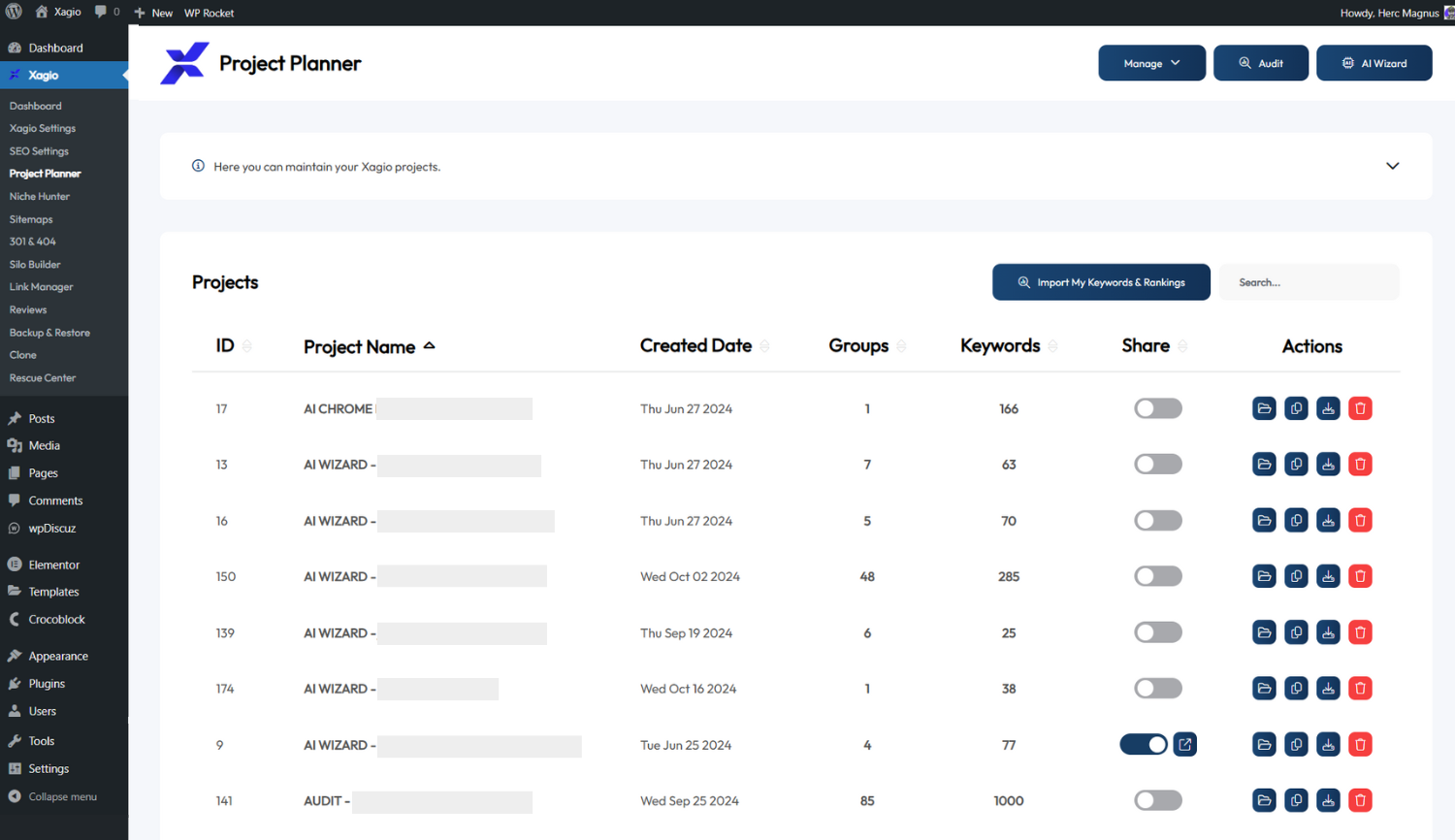
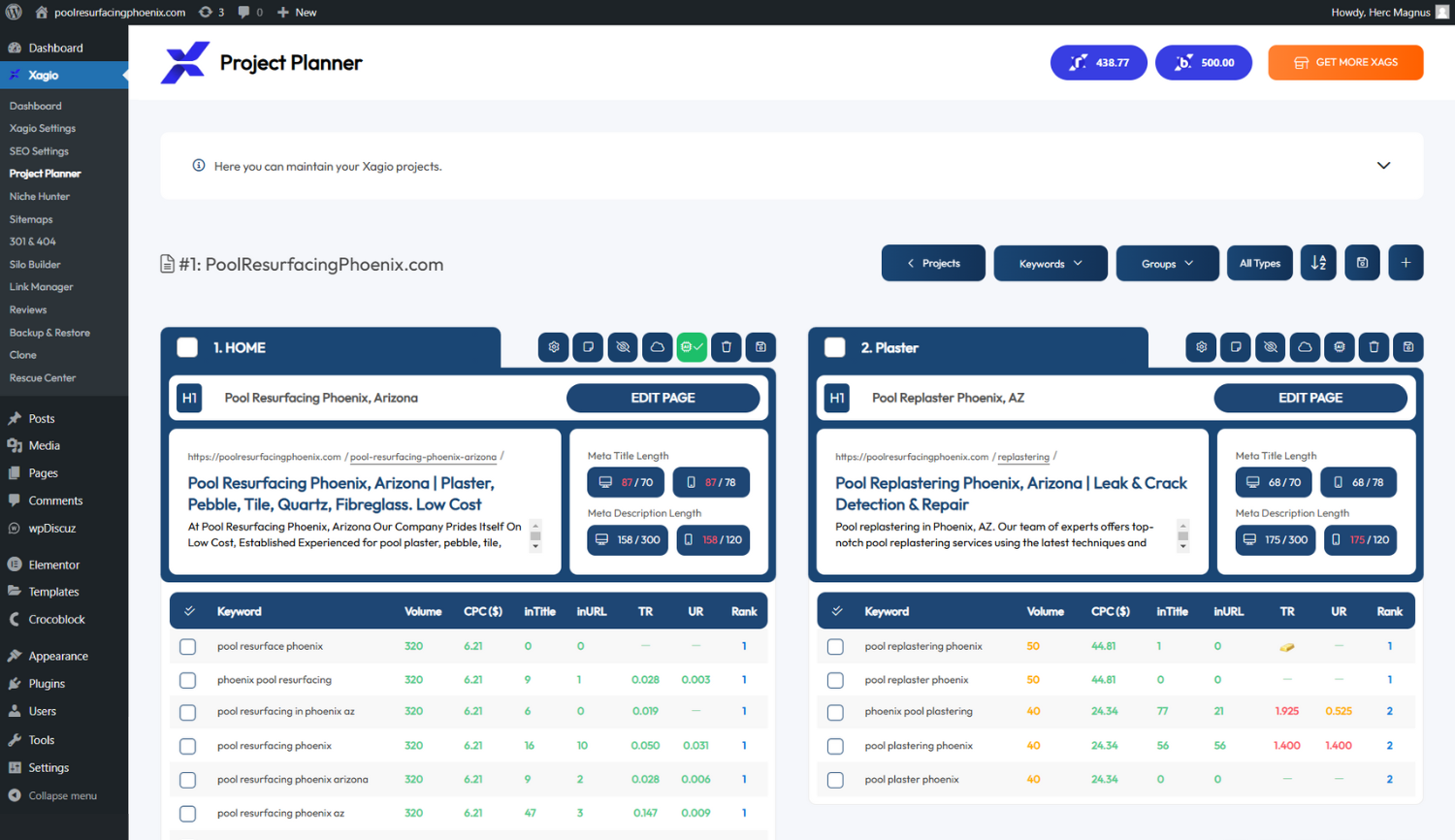
The Project Planner is the command center for your SEO strategy. Instead of switching between tools, Xagio organizes all SEO data by page – keywords, rankings, competition, and CPC – so you can optimize faster and make smarter decisions.
✅ AI-Powered Bulk Optimization
Apply AI-generated titles, meta descriptions, and H1s across multiple pages at once – saving hours of manual work.
✅ Instant Site & Keyword Onboarding
Import all pages, keywords, and rankings in one step and start optimizing immediately.
✅ Full-Site SEO, Organized by Page
View keywords, rankings, competition, and CPC grouped per page for faster, smarter optimization.
✅ Bring Your Own Data
Already have keyword research? Import your keyword list instantly and let Xagio’s AI handle the rest.
✅ Advanced Keyword Clustering
Group thousands of keywords into relevant, structured clusters – helping you plan better-targeted content.
✅ Seeding for Precision Targeting
Search for specific words or patterns across all keyword groups and pull them into one focused group for precise content planning.
Optimize entire websites faster, eliminate guesswork, and make data-driven SEO decisions – all from one dashboard. 🚀
🔥 Everything You Need for SEO – Completely Integrated
Xagio combines AI-powered SEO with essential site management tools, so you can rank higher without expensive add-ons.
🚀 AI-Powered SEO Optimization
- AI Meta Optimization – Instantly generate SEO-friendly titles, descriptions, and headers.
- AI Content – Create structured, search-optimized content in a single click.
- AI Schema – Automatically generate structured data for rich snippets and better SERP visibility.
📊 Keyword Research & Project Planning
- The Project Planner – Manage and optimize your entire site’s SEO from one dashboard.
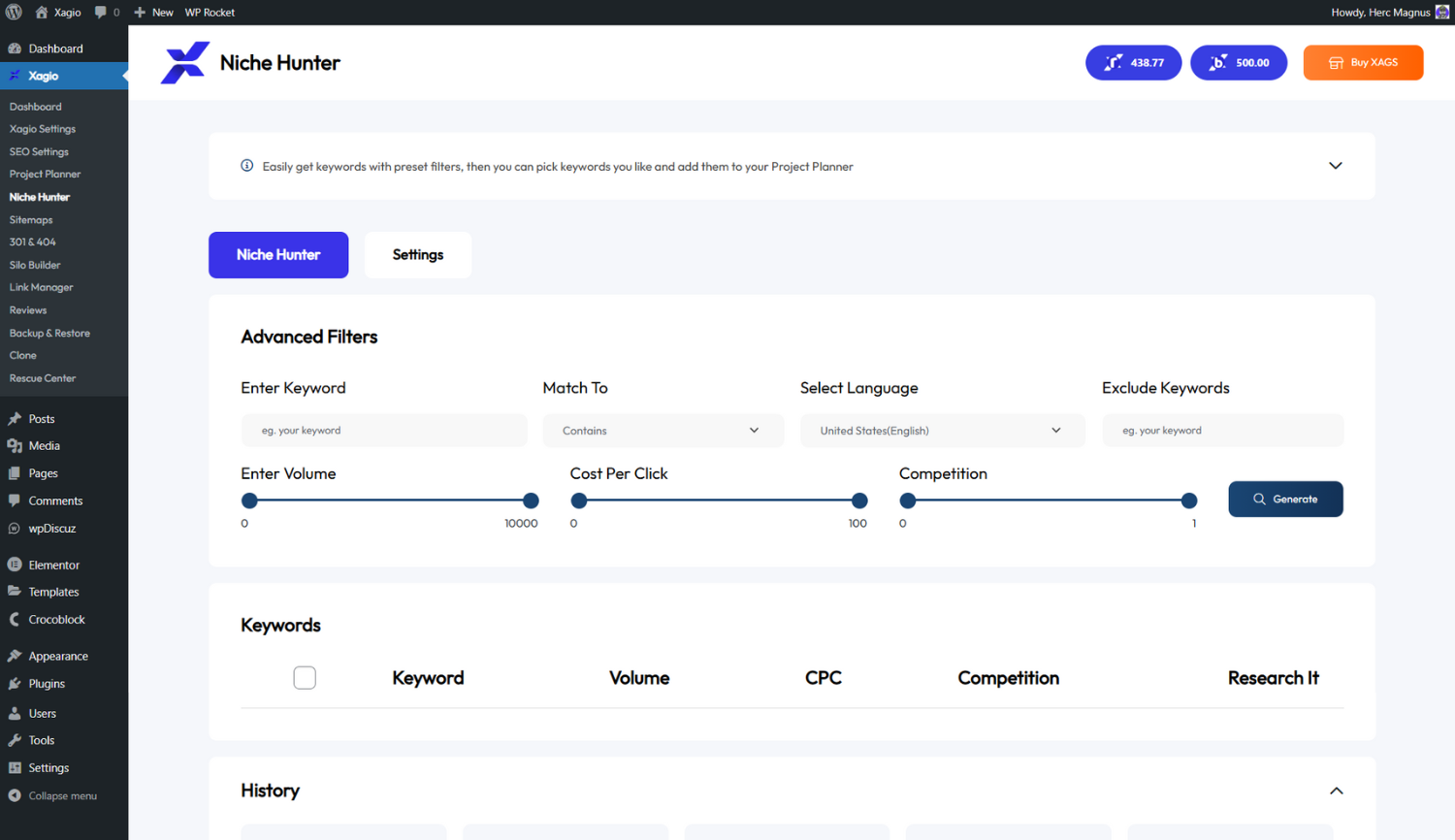
- Keyword Research, Import & Clustering – Discover and organize keywords into strategic groups for better content planning.
- Seeding for Precision Targeting – Pull specific keywords from multiple groups into a single focus group.
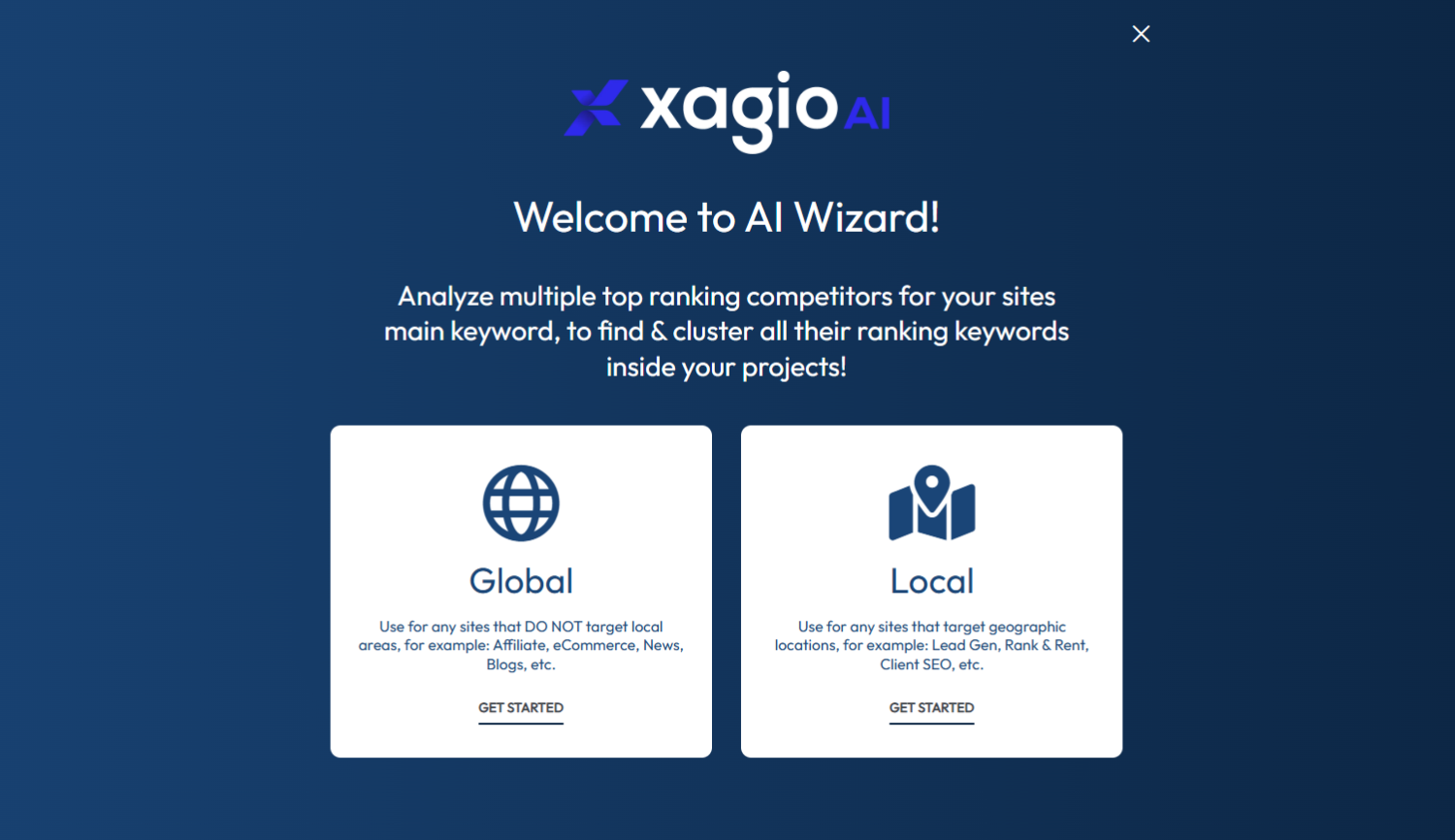
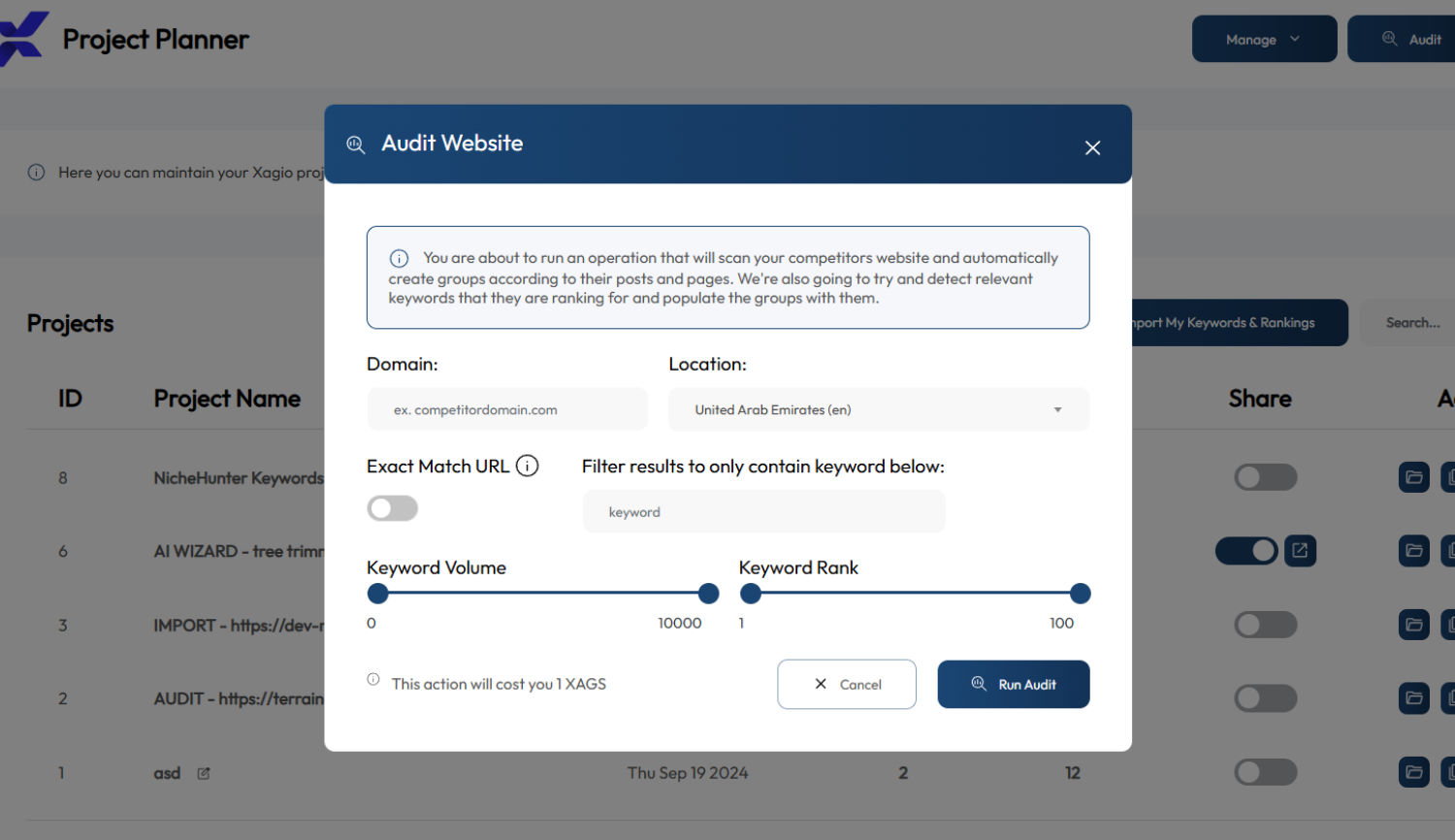
- Automatic Site Audit (Ranking Keywords Per Page) – Instantly discover which keywords your pages rank for.
🔎 Rank Tracking
- Per-page keyword rank tracking – Monitor your Google rankings over time, right inside WordPress.
- Competition & CPC data – See difficulty and value for every keyword you target.
🤖 AI Visibility – Get Found in AI Search (AEO/GEO)
People are searching inside ChatGPT, Microsoft Copilot, Perplexity, Google Gemini, Claude, and Google AI Overviews. Xagio makes your site ready to be read and cited by them.
– LLMs.txt generation – Publish the LLMs.txt file for AI crawlers, straight from WordPress.
– OKF (Open Knowledge Format) – Generate an OKF knowledge bundle so AI engines can read your content in a structured format.
– Robots.txt management – Edit and control your robots.txt directly from WordPress, no file access needed.
✍️ Front-End AI Assistant
- Edit any page by asking – Change a headline, swap an image, or rewrite copy by telling the AI what you want, live on the page. No editor, no code.
📞 RingRobin Call Tracking (Free Integration)
- Built-in call tracking – RingRobin is a free call-tracking tool from the Xagio team that shows which keywords and pages drive real phone calls. Connect it in one click to tie your SEO work directly to leads.
⚙️ On-Page SEO
- Edit H1, Title, and Meta Descriptions in the page editor – Optimize while you create content.
- Centralized H1, Title, and Meta Description management – Edit and update everything in one place.
🗺️ XML Sitemaps & Search Console
- Automatic XML sitemaps – Keep search engines crawling every important page.
- Google Search Console integration – Connect your SEO data to Google directly.
🔀 301 & 404 Redirect Management
- Create unlimited 301 redirects – Preserve SEO value when URLs change.
- 404 monitoring for high-traffic pages – Find and fix broken links before they hurt rankings.
🏗️ Content Silo Management
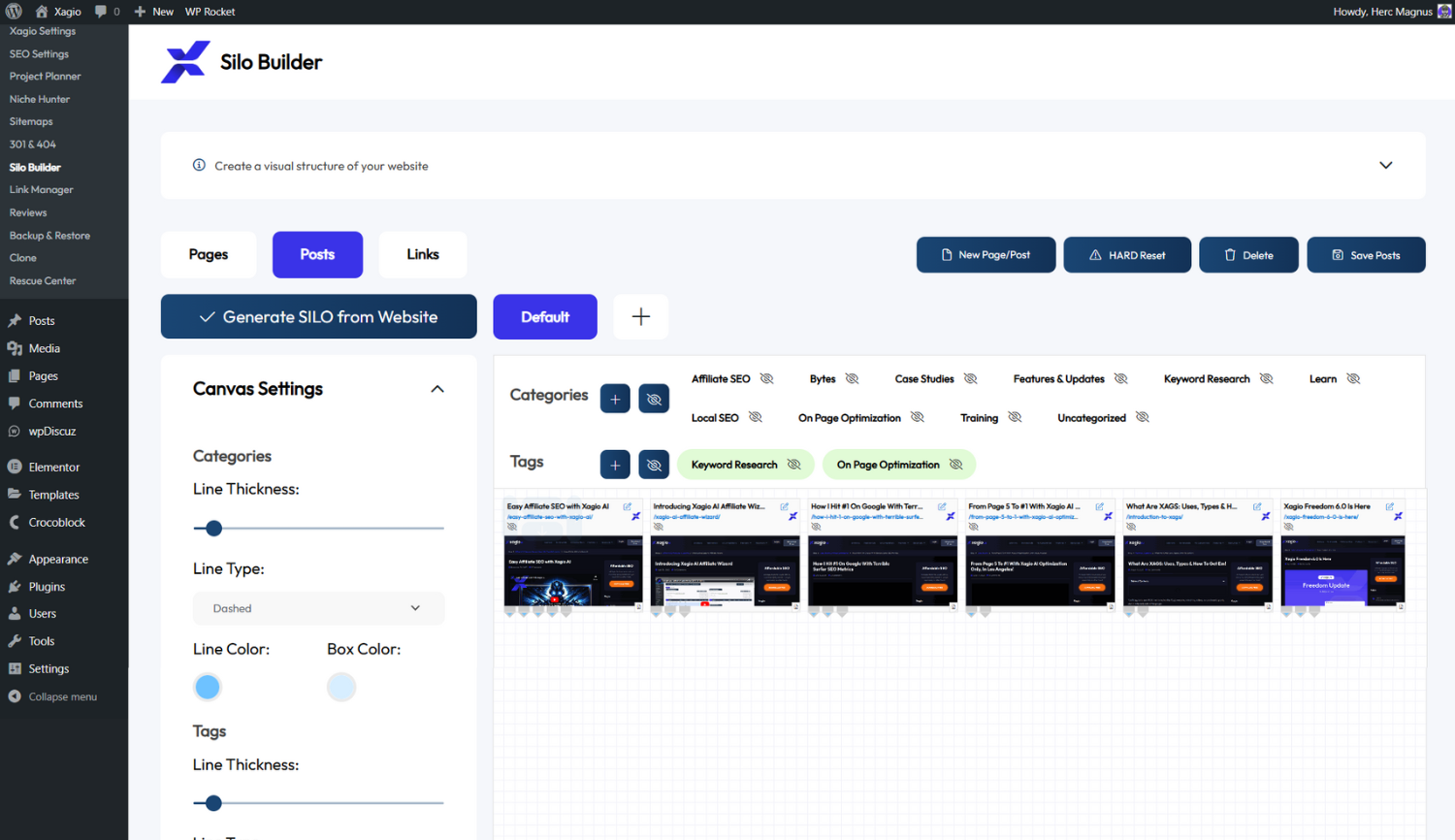
- Physical Silos via Pages – Strengthen SEO with hierarchical content structure.
- Virtual Silos via Links – Improve internal linking without changing site structure.
- Organize Blogs with Tags & Categories – Keep content structured and discoverable.
🔗 Link Management
- Track Image & Text Links – Monitor performance and engagement.
- Link Impressions, Clicks & Conversion Stats – Understand link performance.
- Shortcodes for Internal Links – Simplify internal linking across your site.
- Masked Links for External Use – Keep external URLs clean and trackable.
⭐ Customer Reviews & Review Schema
- Fully Customizable Review Design & Fields – Collect and display reviews your way.
- Collect Reviews, Ratings, or Both – Build trust with user-generated content.
- Global or Per-Page Review Functionality – Control where reviews appear.
- Automatic Aggregate Rating & Schema Injection – Boost SEO with structured review data.
💾 Fully Automated Backup & Restore
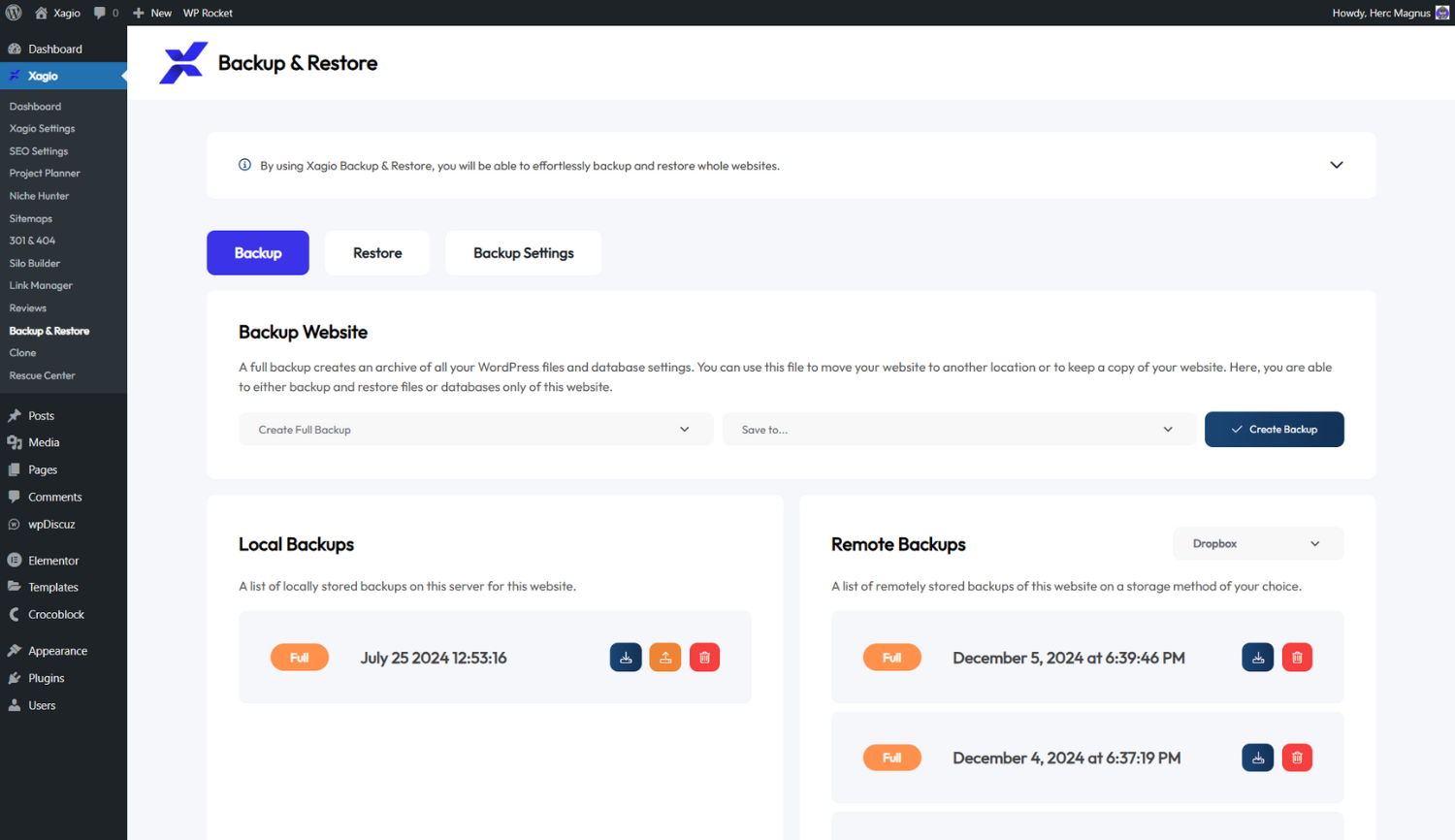
- Save Backups Locally or to Cloud – Keep your data secure.
- Automated Backup Schedules – Never lose important site information.
- 1-Click Restore from Backups – Recover lost data instantly.
🔁 WordPress Cloning
- Clone a WordPress Site from URL – Quickly duplicate entire sites.
- Backup Source & Target Domains Before Cloning – Ensure safe migrations.
🛠️ Rescue Center
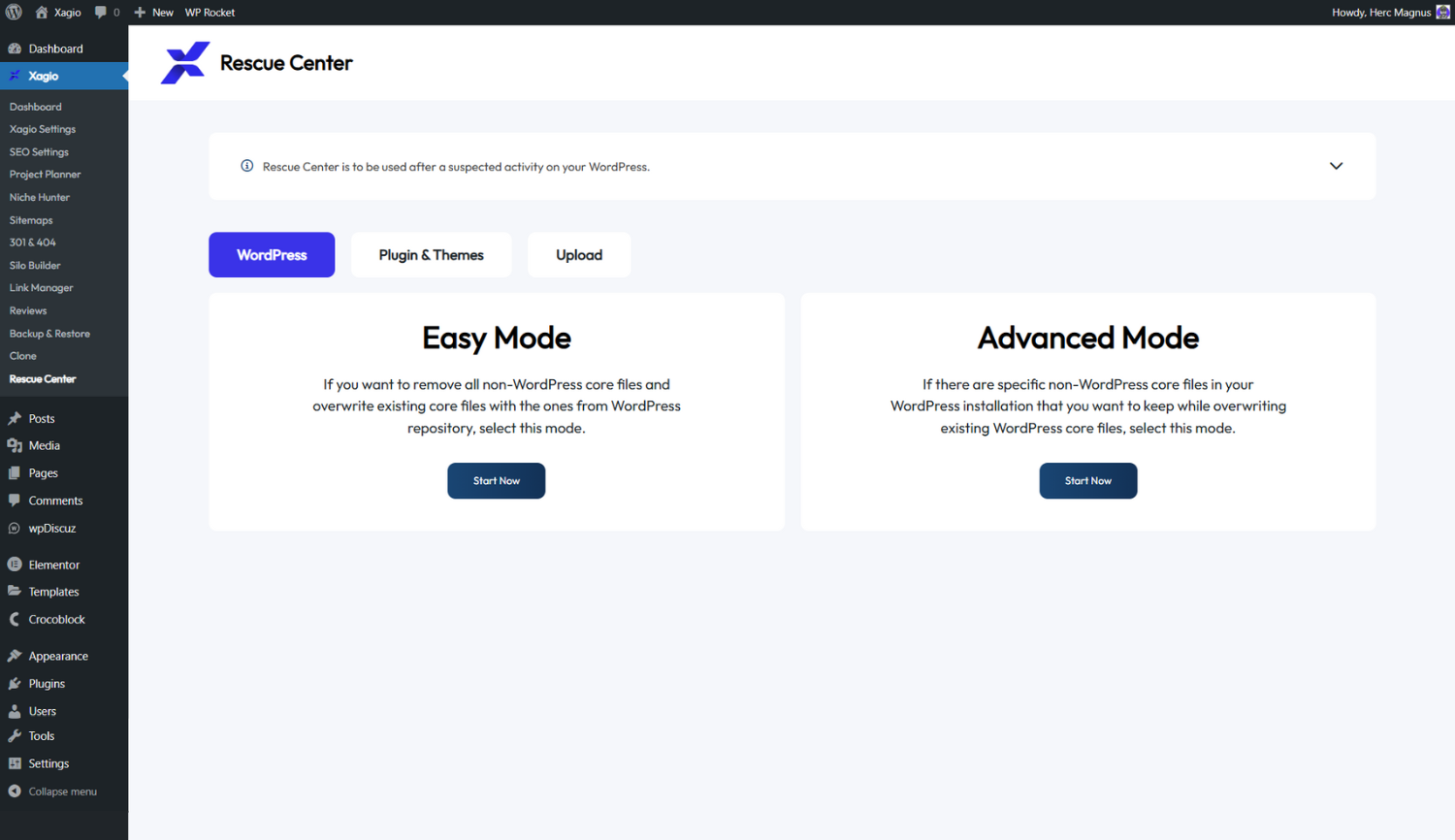
- Easy & Advanced Restore Modes – Roll back changes effortlessly.
- Fix Broken Plugins & Themes – Repair corrupted installations.
- Scan Media Library for Malware – Protect your site from security threats.
SEO Has Evolved – It’s Time to Evolve With It 🚀
Traditional SEO is slow, expensive, and frustrating.
Xagio AI removes the complexity, giving you the fastest, easiest way to rank higher and drive more traffic.
Stop wasting time with outdated methods – install Xagio and start ranking smarter. 🚀
Third-Party Services
This plugin relies on third-party services to provide certain functionalities. Below is a list of the services used and the purposes for which they are used.
Xagio Panel API
- Purpose: This service is used for license verification, updates, and website management, ensuring the plugin operates smoothly and stays up-to-date with the latest features and security patches.
- Service URL: Xagio Panel
- Terms of Use: Xagio Panel Terms of Use
- Privacy Policy: Xagio Panel Privacy Policy
Pixabay API
- Purpose: This service is used for sourcing royalty-free images to enhance content within the plugin.
- Service URL: Pixabay
- Terms of Use: Pixabay Terms of Service
- Privacy Policy: Pixabay Privacy Policy
YouTube Embeds
- Purpose: This service is used to embed YouTube videos within the plugin’s UI, allowing users to easily add video content to their websites, which can enhance SEO through multimedia content.
- Service URL: YouTube
- Terms of Use: YouTube Terms of Use
- Privacy Policy: YouTube Privacy Policy
Tawk.to
- Purpose: This service is used for live chat support, enabling real-time communication between users and support teams.
- Service URL: Tawk.to
- Terms of Use: Tawk.to Terms of Use
- Privacy Policy: Tawk.to Privacy Policy
Dropbox API
- Purpose: This service is used for cloud storage and retrieval of content files, including images and backups.
- Service URLs:
- Terms of Use: Dropbox Terms of Service
- Privacy Policy: Dropbox Privacy Policy
Google APIs
- Purpose: This service is used for various Google functionalities, including Google Search Console integration, Google Drive access, and Google Analytics tracking.
- Service URLs:
- Terms of Use: Google Terms of Service
- Privacy Policy: Google Privacy Policy
Microsoft Graph API
- Purpose: This service is used for integrating Microsoft services, including OneDrive and Microsoft Office 365.
- Service URLs:
- Terms of Use: Microsoft Terms of Use
- Privacy Policy: Microsoft Privacy Policy
Microsoft Online Login
- Purpose: This service is used for authenticating users via Microsoft services, including Office 365 and OneDrive integrations within the plugin.
- Service URL: Microsoft Online Login
- Terms of Use: Microsoft Online Terms of Service
- Privacy Policy: Microsoft Privacy Policy
Chrome Web Store
- Purpose: This service is used for distributing browser extensions associated with the plugin’s functionalities.
- Service URL: Chrome Web Store
- Terms of Use: Chrome Web Store Terms of Service
- Privacy Policy: Google Privacy Policy
Facebook APIs
- Purpose: This service is used for social media integration, including posting to Facebook and accessing Facebook Insights.
- Service URLs:
- Terms of Use: Facebook Terms of Service
- Privacy Policy: Facebook Data Policy
W3C Validator
- Purpose: This service is used for validating the plugin’s generated HTML to ensure compliance with web standards.
- Service URL: W3C Validator
- Terms of Use: W3C Terms of Service
- Privacy Policy: W3C Privacy Policy
WordPress.org
- Purpose: This service is used for plugin updates, downloads, and API requests to the WordPress repository.
- Service URLs:
- Terms of Use: WordPress Terms of Service
- Privacy Policy: WordPress Privacy Policy
Bannerbear
- Purpose: This service is used for generating dynamic images and banners for SEO purposes.
- Service URL: Bannerbear
- Terms of Use: Bannerbear Terms of Service
- Privacy Policy: Bannerbear Privacy Policy
Schema.org
- Purpose: This service is used for structured data validation and schema generation to improve SEO.
- Service URLs:
- Terms of Use: Schema.org Terms of Use
- Privacy Policy: Schema.org Privacy Policy
Google Tag Manager
- Purpose: This service is used for managing and deploying marketing tags (snippets of code) on your website.
- Service URL: Google Tag Manager
- Terms of Use: Google Tag Manager Terms of Service
- Privacy Policy: Google Privacy Policy
Gravatar
- Purpose: This service is used for displaying user avatars in the plugin’s UI based on their email addresses.
- Service URL: Gravatar
- Terms of Use: Gravatar Terms of Service
- Privacy Policy: Gravatar Privacy Policy
Support
For any issues or support inquiries, please visit the Xagio Support Center or contact us directly through the plugin’s support forum.
Installation
- Upload the
xagio-seofolder to the/wp-content/plugins/directory. - Activate the plugin through the ‘Plugins’ menu in WordPress.
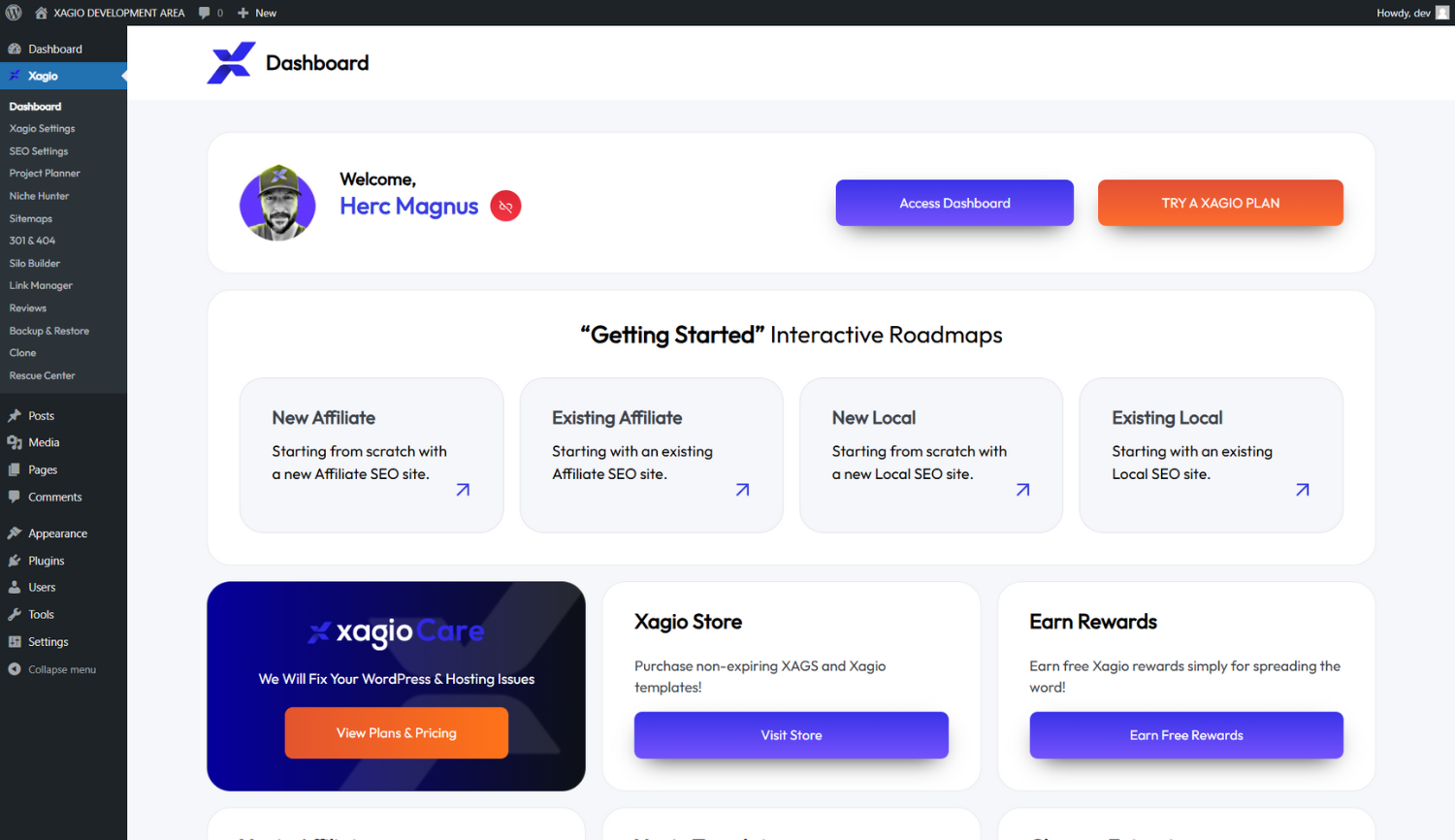
- Open the Xagio SEO dashboard from the WordPress admin area to begin configuring your SEO settings.
FAQ
Q: Why is Xagio free if it is so good?
A: Xagio follows a freemium model – powerful SEO features for free, with the option to unlock deeper capabilities through paid upgrades. Anyone can experience AI-powered SEO without upfront cost, and advanced users who need more data, enhanced AI processing, or bulk actions can upgrade. You get real SEO value for free, and more when you need it.
Q: Do I need SEO experience to use Xagio?
A: No. Xagio is designed for both beginners and experts. The AI automates complex SEO tasks so you can focus on what matters – growing your business or scaling your agency.
Q: What makes Xagio different from other SEO plugins?
A: Most SEO plugins hand you checklists and recommendations, then leave you to figure out how to optimize. Xagio is different – it does the work for you with AI-powered meta optimization, content generation, and schema. It also includes keyword research, clustering, and the Project Planner for full-site SEO management.
Q: Can Xagio help my site show up in ChatGPT, Copilot and other AI search?
A: Yes. As people move from Google search to asking ChatGPT, Microsoft Copilot, Perplexity, Google Gemini, Claude, and Google AI Overviews, Xagio helps your site get read and cited by them. It generates an LLMs.txt file for AI crawlers, an OKF (Open Knowledge Format) knowledge bundle, and gives you full robots.txt control – plus AI-structured content and schema – so your pages are ready for AI answer engines, not just traditional search.
Q: What is Agent X?
A: Agent X is Xagio’s AI website builder. Enter your niche and it builds a launch-ready, SEO-optimized site for you – keyword research, topical clustering, content, schema, and design. Agent X website builds run on credits, while the core SEO features of the plugin are free to use.
Q: What is RingRobin?
A: RingRobin is a free call-tracking tool built by the Xagio team. It shows which keywords and pages are driving real phone calls, so you can connect your SEO work directly to leads. The RingRobin account is free and connects to Xagio in one click.
Q: Does Xagio replace my current SEO plugin?
A: Yes. Xagio does everything a traditional SEO plugin does – and more. It handles metadata, Open Graph, redirects, XML sitemaps, and schema, plus AI optimization, keyword research and clustering, rank tracking, and a centralized Project Planner.
Q: Will Xagio slow down my site?
A: No. Xagio is built for performance. Unlike bloated SEO plugins that load unnecessary scripts, Xagio keeps your site fast and optimized.
Q: Is Xagio compatible with my theme and other plugins?
A: Yes. Xagio is built to work seamlessly with most WordPress themes and plugins, following WordPress best practices for maximum compatibility.
Q: Can I import my existing keyword research?
A: Yes. Import your own keyword lists into Xagio and group them with Clustering & Seeding for better optimization workflows.
Q: Does Xagio generate content?
A: Yes. Xagio’s AI can generate structured, SEO-friendly content based on your site’s metadata and optimization goals.
Q: Can I use Xagio on multiple sites?
A: Yes. Install and use Xagio on as many sites as you want.
Q: How often is Xagio updated?
A: We release updates regularly to improve performance, add features, and keep compatibility with the latest WordPress versions.
Screenshots
Changelog
7.1.0.54
- 🐞 Contact forms on sites built from older Xagio Elementor templates now send their messages to the site owner (the site admin e-mail) instead of a Xagio address. This is cleaned up once on update; e-mail addresses you entered yourself are kept.
- 🐞 Fixed a PHP 8 error in the scheduled task that sets the default SEO settings for custom post types and taxonomies.
- 🐞 The Xagio log file keeps every entry of the day instead of only the last one.
7.1.0.53
- ⚙️ New: the Xagio panel can read a site’s structure for converting it to a fast static site (pages, redirects, SEO settings, forms and their recipients, menus, comments, uploads). Only the panel’s connection for a site administrator can call it, and it never includes passwords, API keys or CAPTCHA secret keys.
- 🐞 Dropbox backups that fail now say why (for example an expired or revoked connection, or a full Dropbox) instead of “Info: Array”, and a refused token or a busy Dropbox is retried once.
- 🐞 Sites without a connected Xagio account no longer send plugin, theme and AI price requests that the Xagio panel could only refuse.
7.1.0.52
- 🔒 Security: Link Manager shortcodes now escape the link title, image and URL when a post is shown, so a title attribute added in post content can no longer inject script (reported through Wordfence).
7.1.0.51
- 🐞 Editing a post from the Xagio panel (Quick Edit) no longer turns it into plain text. Headings, links, paragraphs and other formatting are kept; scripts and unsafe attributes are still removed.
- 🐞 The SEO on/off state the Xagio panel shows for each post now matches what was set from the panel or in the post editor.
- 🐞 Removing the schema of a category or tag from the Xagio panel no longer removes the schema of the post or page with the same ID (or the site-wide schema).
- ⚙️ Agent X no longer shows a Purchase Templates button, because templates are free.
7.1.0.50
- ⚙️ Niche Hunter “Search keyword in Google” now opens a clean Google results page for the searched country and location (no personalisation from your own search history, ads shown without billing advertisers), and keywords with special characters are encoded correctly.
7.1.0.49
- ⚙️ Agent X and Project Planner competitor search (Get Top Ten) is now sent with your Xagio license, so it is billed to your Xagio account the same way as Get Top Ten in the Xagio panel.
7.1.0.48
- ⚙️ Agent X and Project Planner competitor search now waits while Google’s redirect links are turned back into the real website links, showing “Resolving Google Goto Links…” with a running timer. Before, slow searches came back short or empty.
- ⚙️ A competitor search that times out now shows an error instead of loading forever.
- ⚙️ Project Planner CSV exports now include the TR (Title Ratio) and UR (URL Ratio) columns.
- 🐞 Project Planner import accepts files re-saved by a spreadsheet, and the TR / UR tooltips show the correct formula.
7.1.0.47
- 🔒 Backup archives are no longer downloaded through direct file URLs. Downloads now require an administrator or a one-time link, and backup files get long random names.
- 🔒 Direct web access to the backups folder is blocked on Apache and LiteSpeed. Existing backups are renamed on update, so previously known URLs stop working.
- ⚙️ Backups stored locally are now removed automatically after 72 hours. Existing backups get 72 hours from this update.
- ⚙️ The temporary copy made for cloning is removed as soon as the other site has downloaded it.
- 🔒 Removing a local backup can no longer reach files outside the backups folder.
7.1.0.46
- 🐞 Fixed restoring file backups, which always failed with a misleading permissions error.
7.1.0.45
- 🔒 Database backups are no longer written to the website root. Temporary database files now use random names and are always removed, even if a backup or restore crashes or times out.
- 🔒 Database files left behind by earlier versions are removed automatically.
- 🔒 Restoring or cloning a backup no longer places database files in the website root, and uploaded restore archives are removed afterwards.
- ⚙️ Backups now lift PHP time and memory limits where the host allows it and reject empty archives.
- ⚙️ Backup uploads retry once on failure and report clearer errors.
- 🐞 Fixed upload events for deleted backups firing on every page load.
- 🐞 Fixed restoring database-only backups from remote storage.
7.1.0.44
- ⚙️ Stability improvements and vulnerability fixes.
7.1.0.43
- ⚙️ Stability improvements.
- ⚙️ Added sticky project planner sorting.
- 🐞️ Fixed bug with taxonomies exclusion.
7.1.0.42
- ⚙️ New AI Settings page to manage LLMs.txt and OKF in one place.
- ⚙️ Improved OKF knowledge pages with cleaner, better structured content.
- ⚙️ Added OKF quality checks.
- ⚙️ Smarter /sitemap.xml handling that safely points to the Xagio sitemap.
7.1.0.41
- ⚙️ Robots.txt and LLMs.txt feature improvements.
- ⚙️ OKF (Open Knowledge Format) feature added in SEO Settings.
7.1.0.40
- 🐞 Fixed compatibility errors for WordPress Plugin Check (deprecated function calls).
7.1.0.39
- ⚙️ Robots.txt feature added in SEO Settings.
- ⚙️ LLMs.txt feature improvements.
- ⚙️ Added RingRobin integration Xagio Settings/Integrations.
7.1.0.38
- 🧹 Backend cleanup and small bug fixes.
- 🔒 Security hardening and stability improvements.
- ⚙️ Agent X performance updates.
7.1.0.37
- 🐞 Sitemap redirect fix.
- ⚙️ Stability improvements.
7.1.0.36
- 🐞 404 logs fix.
- 🐞 Fixed sitemap error.
7.1.0.35
- 🐞 Minor Agent X bug fixes.
- ⚙️ Agent X performance updates.
7.1.0.34
- ⚙️ Added Rank Tracker settings sync with panel.
- 🐞 Fixed an issue with sitemap regeneration on page update.
7.1.0.33
- ⚙️ Improved Heading 1 (H1) detection and sending for Gutenberg template content.
- 🐞 Fixed an issue where rank was displayed as null in certain cases.
7.1.0.32
- 🐞 Minor improvements to Agent X template selection.
- ⚙️ Agent X performance updates.
7.1.0.31
🔒 Security hardening and stability improvements.
7.1.0.30
🎨 UI/Editor styling refinements and minor display fixes.
⚙️ Improved template application behavior and overall stability.
7.1.0.29
🐞 Fixed a bug with API keys not being recognized or generated.
7.1.0.28
🐞 Fixed a bug caused by WordPress ‘wp_safe_redirect’ function.
7.1.0.27
⚙️ Improved Agent X stability and performance across various hosting environments.
🐞 Fixed a critical bug where Agent X templates were occasionally failing to import on specific WordPress versions.
7.1.0.26
💡 Improved AI Clustering feature in Agent X, now with better usability.
⚙️ Optimized Database Query efficiency for the AI Assistant’s content review process.
🐞 Resolved an issue causing intermittent failures during Google Maps API integration after Agent X setup.
🐛 Minor adjustments and fixes to the LLMs.txt feature in SEO Settings.
7.1.0.25
- ⚙️ Improved Agent X template handling for Elementor and Divi.
- 🐞 Fixed issues with background image rendering in AI Assistant.
7.1.0.24
- 💡 Improved Maps automatic set up after Agent X.
- 🐞 Minor Agent X bug fixes.
7.1.0.23
- 🐛 Minor Agent X changes.
- ⚙️ Adjusted AI Assistant Design.
- 🐞 Fixed issues with OneDrive backup.
7.1.0.22
- ✨ Enhanced functionality of AI Assistant, added support for Background Images.
- 📊 LLMs.txt feature added in SEO Settings.
- ⚙️ Optimized Agent X template page naming.
- 🐞 Fixed image replacement related issues with AI Assistant.
7.1.0.21
- 💡 Xagio AI Assistant feature added.
- 💡 AI Clustering feature added in Agent X.
- ⚙️ Fixed issues with templates not being properly modified by AI.
- 🐞 Added more debug information to help with error handling.
7.1.0.20
- 💡 Improved Agent X error reporting and validation.
- ⚙️ Stability improvements for better plugin performance.
- 🐞 Fixed UTF-8 encoding during content generation.
7.1.0.19
- ✨ Enhanced compatibility with Divi Theme.
- 🐞 Fixed reported issues/bugs.
7.1.0.18
- ⚙️ Agent X performance upgrades.
- 🐞 Minor improvements to Rank Tracking.
7.1.0.17
- ⚙️ Added compatibility fixes for older jQuery versions.
- 🐞 Additional escaping and sanitization to harden security.
7.1.0.16
- 🐛 Agent X improvements and stability upgrades.
7.1.0.15
- 🐞 Minor bug fixes and performance improvements.
7.1.0.14
- ⚙️ Stability improvements for better plugin performance.
- 🐞 Squashed bugs affecting edge-case metadata issues.
7.1.0.13
- 🧠 Improved AI meta suggestions across large keyword groups.
- 🐛 Fixed redirect rule inconsistencies in 301 manager.
7.1.0.12
- ✨ Enhanced compatibility with popular caching plugins.
- 📊 Improved reporting visuals for project overview.
7.1.0.11
- 🔍 More accurate keyword rank detection per page.
- 🐞 Fixed minor UI glitches in Project Planner.
7.1.0.10
- 🔁 Improved redirect logic for custom post types.
- 🛠️ Backend enhancements to support larger keyword imports.
7.1.0.9
- 🧩 Better compatibility with Gutenberg and page builders.
- 🔄 Smoother transitions when updating meta titles in bulk.
7.1.0.8
- 🐛 Fixed SEO audit display for long-tail keywords.
- ⚙️ Improved performance of AI clustering on high-volume sites.
7.1.0.7
- 🧠 More relevant AI schema output suggestions.
- 🐞 Fixed an issue where default meta descriptions weren’t saved.
7.1.0.6
- 🚀 Faster loading of Project Planner dashboard.
- 🔧 Minor stability fixes.
7.1.0.5
- 🔍 Improvements to keyword grouping logic.
- 🐛 Fixed rare issues with schema injection on product pages.
7.1.0.4
- 💡 Added more context-aware AI suggestions for service pages.
- 🛠️ Bug fixes and compatibility updates.
7.1.0.3
- 📊 Improved CPC and competition display for keywords.
- 🐛 Minor bug fixes in link tracker stats.
7.1.0.2
- 🔐 Enhanced schema validation for review blocks.
- 🧹 Backend cleanup and small bug fixes.
7.1.0.1
- 🚦Improved error handling when saving large keyword lists.
- 🐞 Minor fixes for plugin settings panel.
7.1.0.0
- 🧠 NEW: Agent X AI Assistant introduced – intelligent on-page SEO suggestions.
- 📌 Improved accuracy of AI-generated meta and content.
- 🛠️ Major performance boost to large-scale project handling.
7.0.0.14 to 7.0.0.35
- 🧹 Ongoing bug fixes and refinements based on user feedback.
- ⚙️ Enhanced support for SEO across PBNs and niche sites.
- 🛠️ Optimized AI processing speed for bulk operations.
7.0.0.0 to 7.0.0.14
- 🚀 Initial launch of Xagio SEO.
- 🧠 Core AI engine for generating titles, metas, content & schema.