


Description
Run your salon’s bookings, schedules, and customer relationships from WordPress.
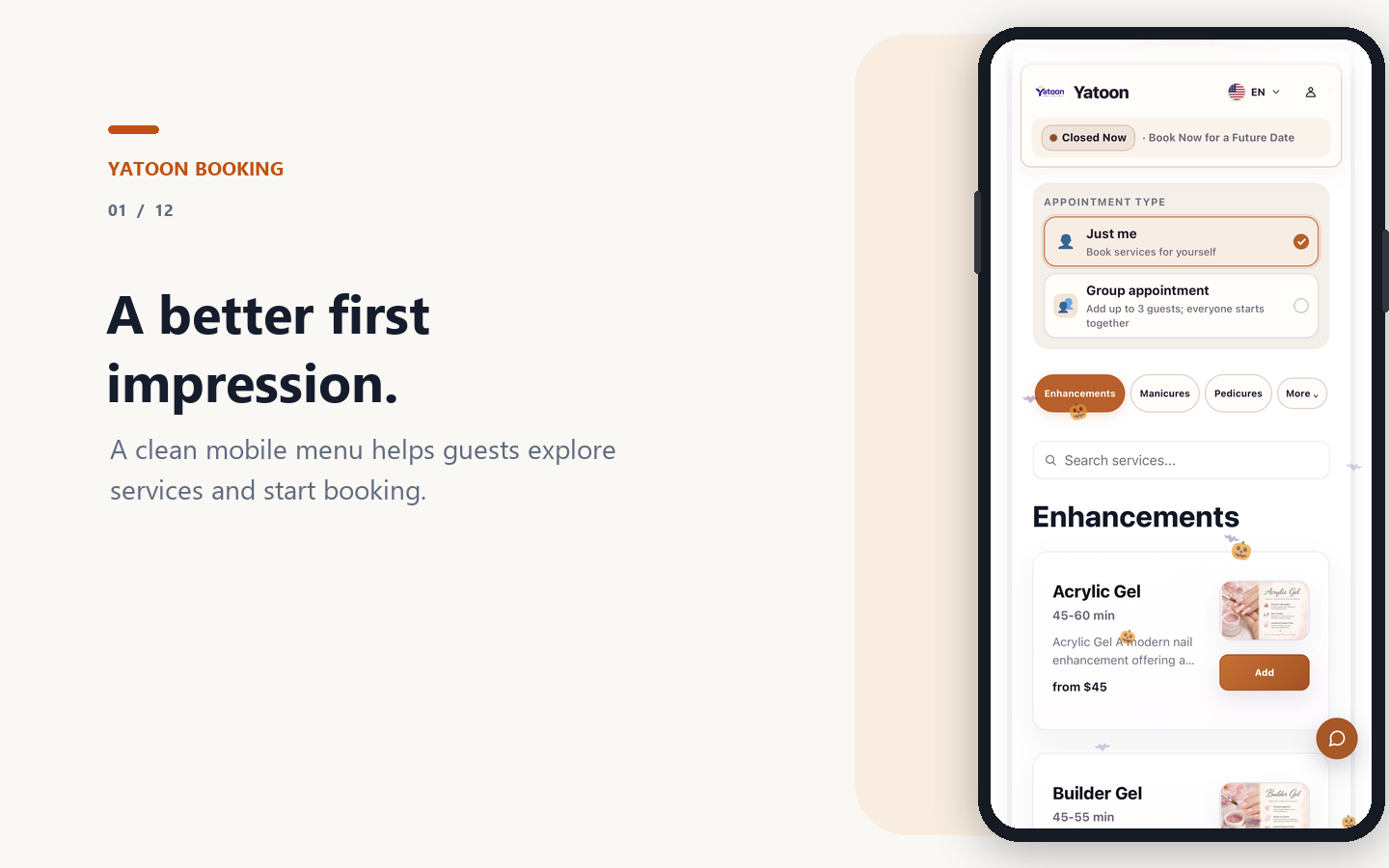
Yatoon gives salons a polished booking experience for clients and a practical local booking toolkit for the team. Clients choose services, add-ons, professionals, dates, and times on mobile; staff manage the day from WordPress.
Try the live booking demo – no account or installation required.
Watch the complete mobile booking demo:
Built for nail salons, hair salons, barbershops, spas, beauty studios, and other appointment-based businesses. Yatoon has also been used for daily bookings at a real nail salon for more than a year.
Local-first workflow: Free keeps scheduling, availability, customer records, and bookings inside WordPress. External payment, calendar, messaging, and platform connections are Pro features.
What Free includes
- Local WordPress scheduling, availability checks, customer records, notifications, and booking management
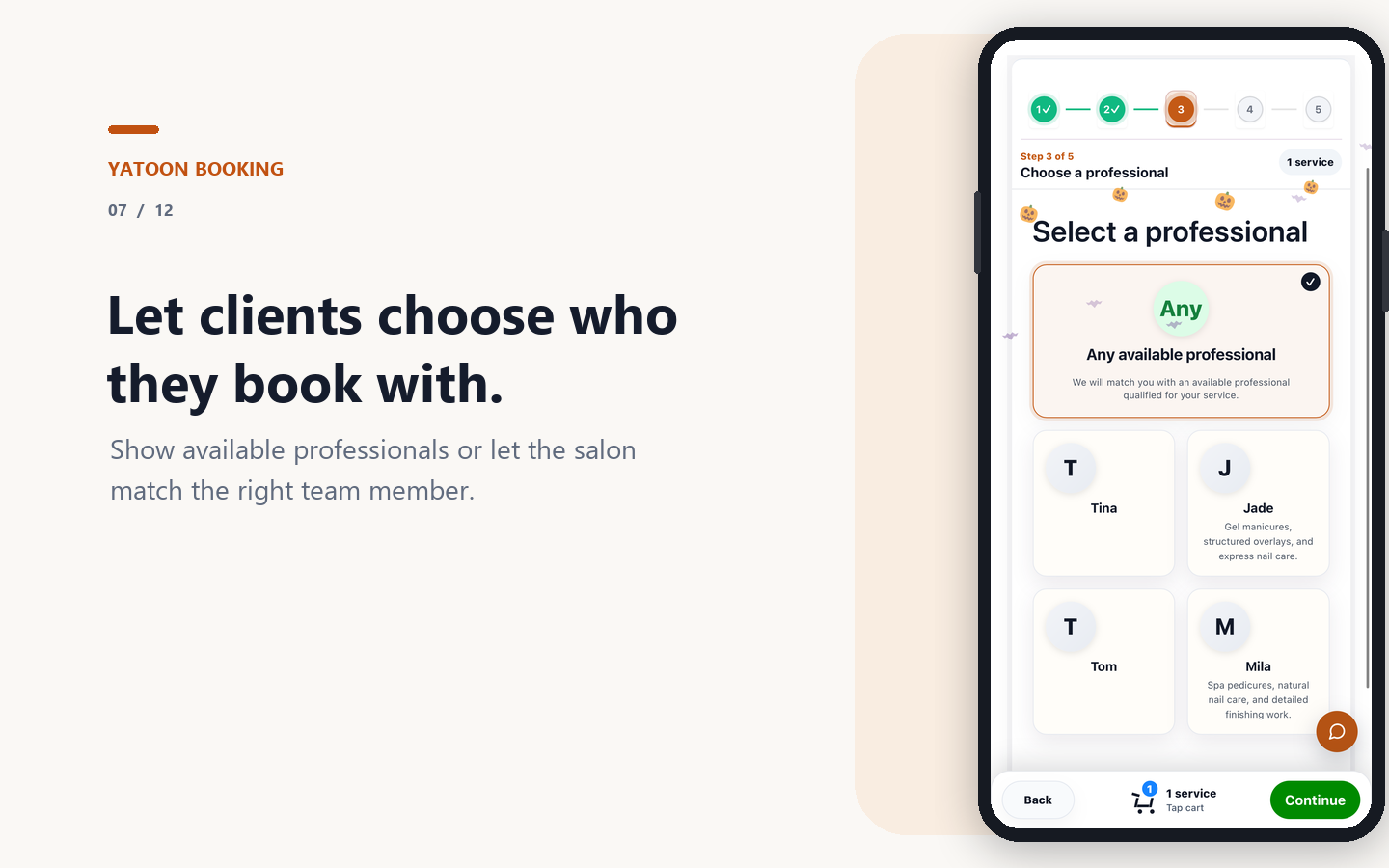
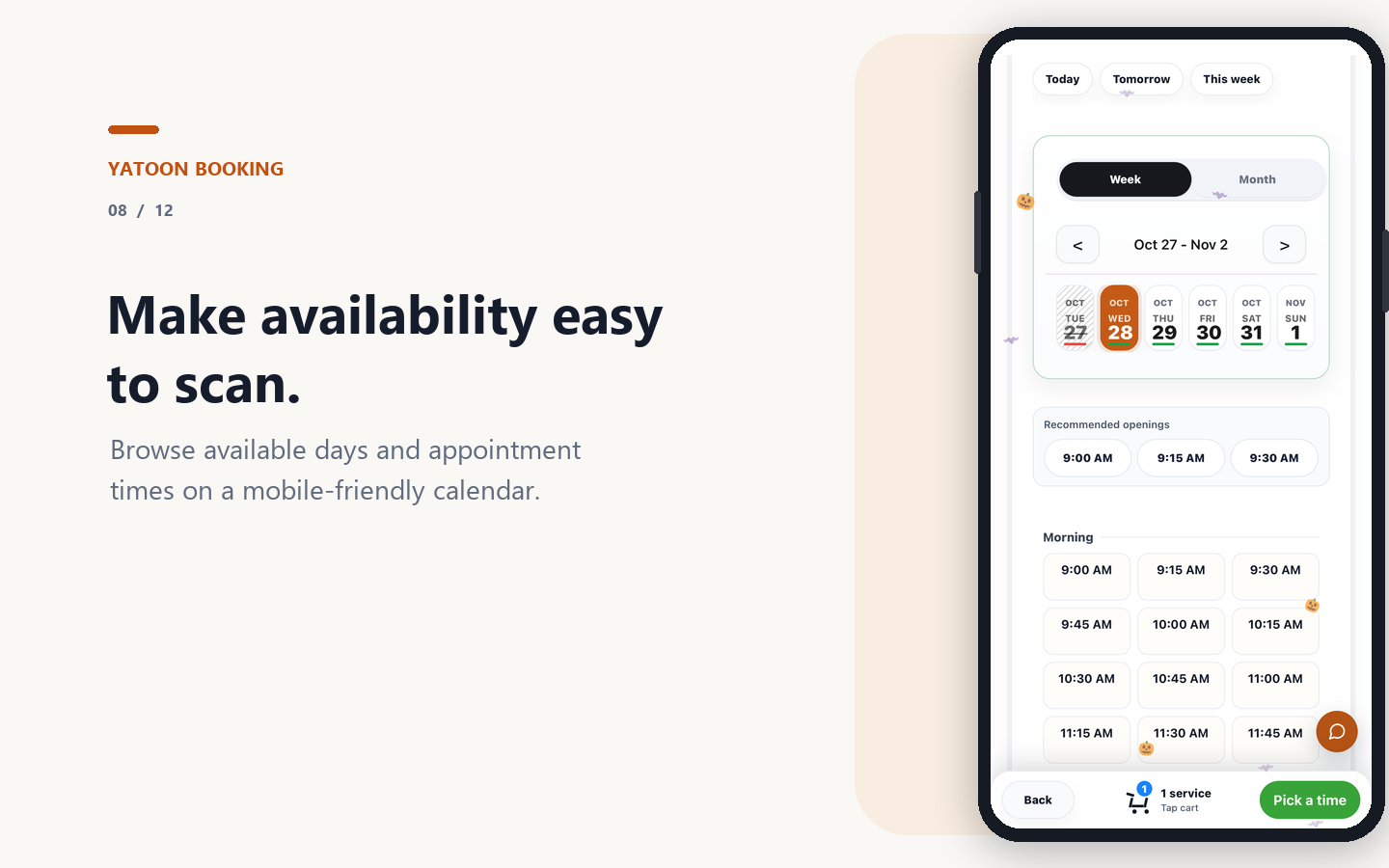
- Mobile booking for services, options, professionals, dates, times, customer details, and confirmation
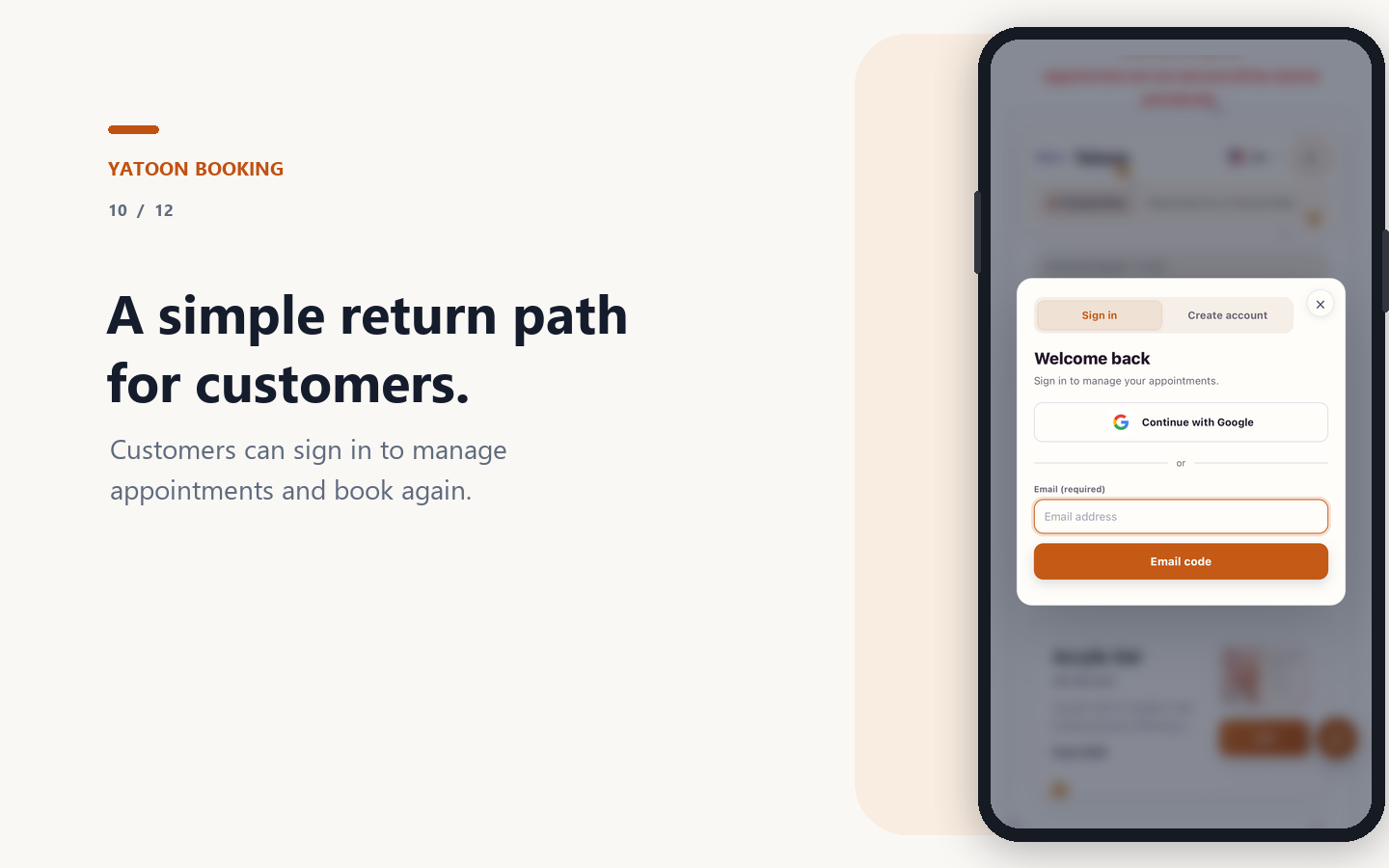
- Customer self-service for reviewing, rescheduling, cancelling, and rebooking appointments
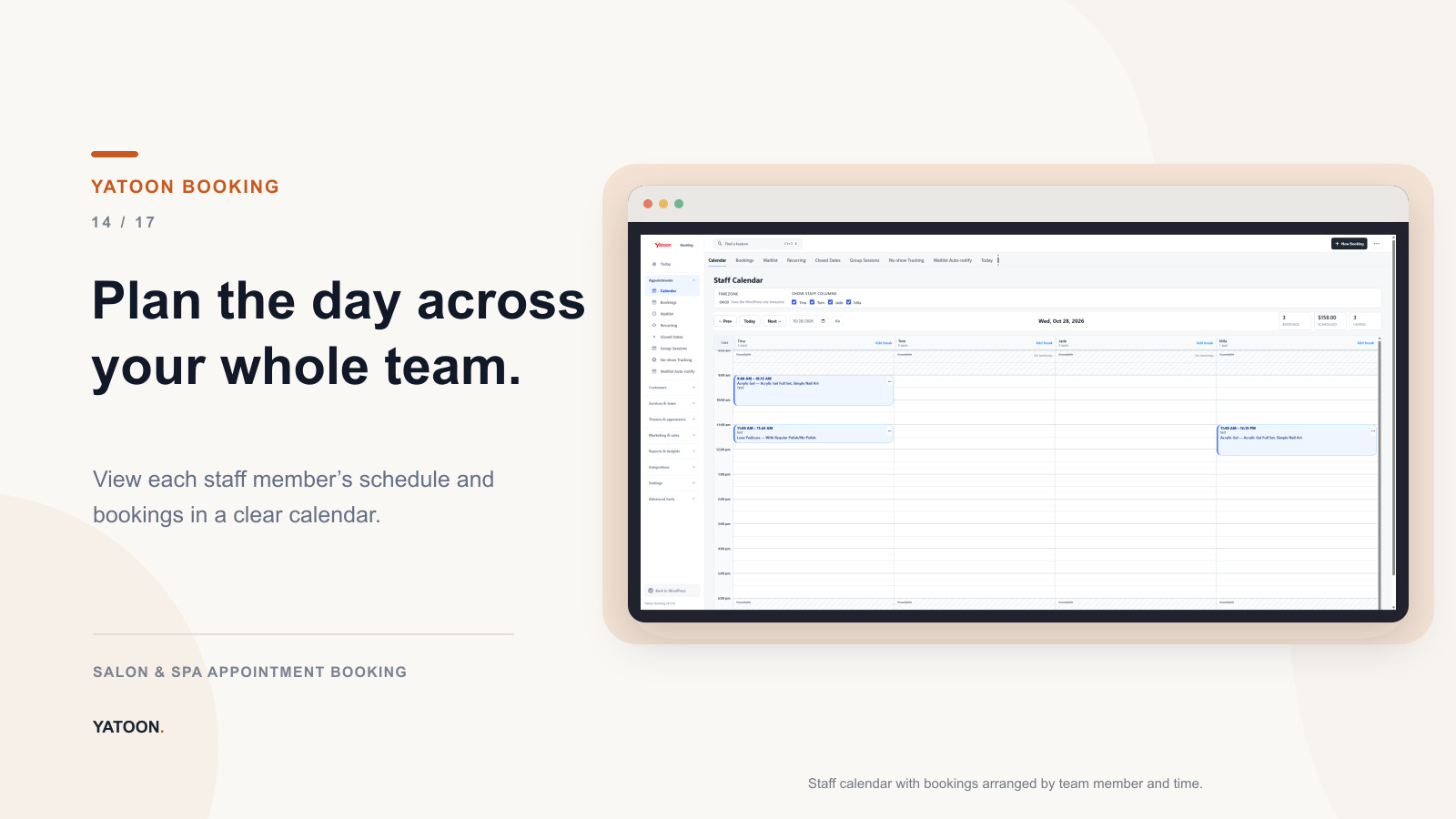
- Staff calendar workflows with mobile rescheduling, temporary breaks, shared-resource checks, and capability-based Yatoon roles
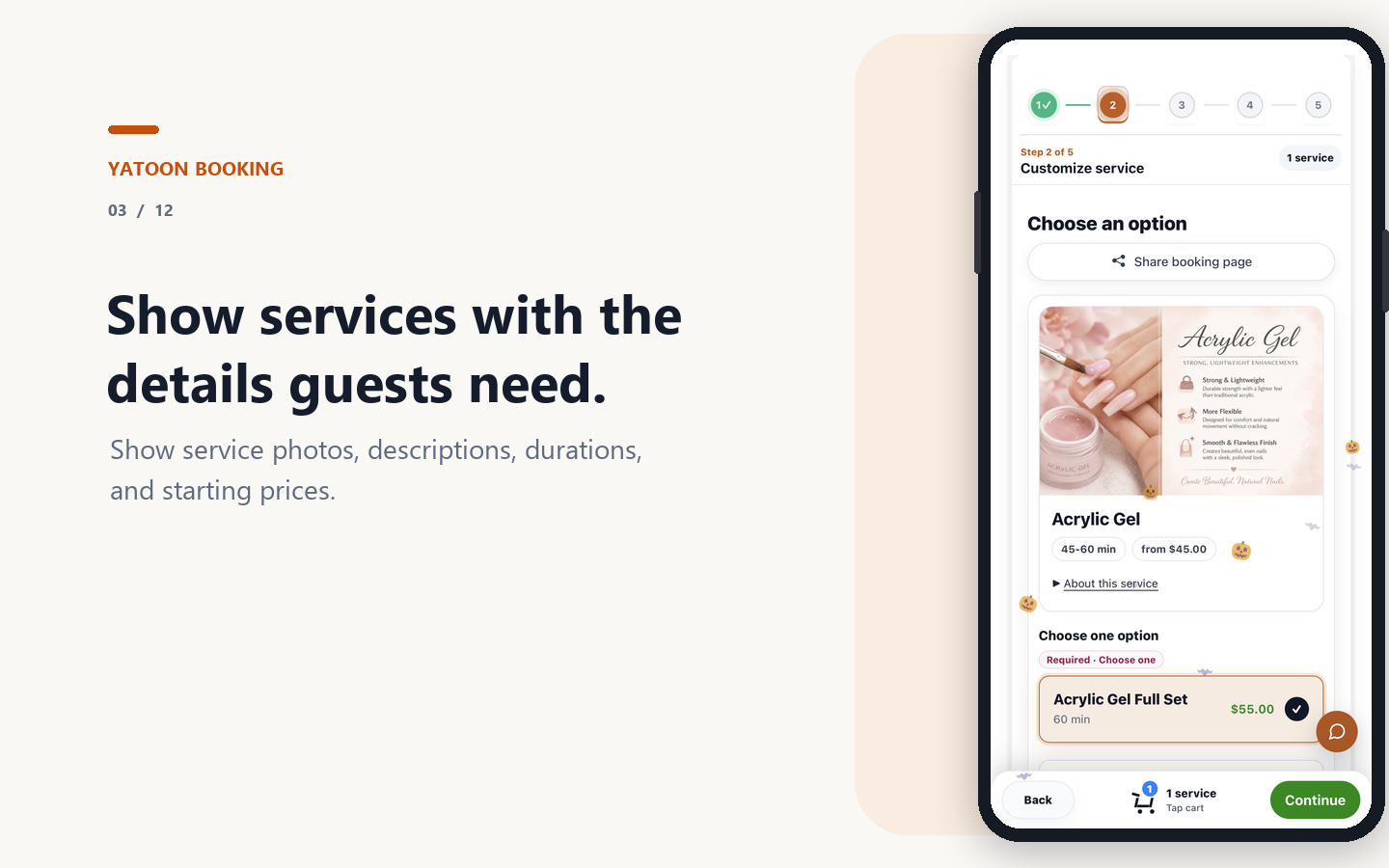
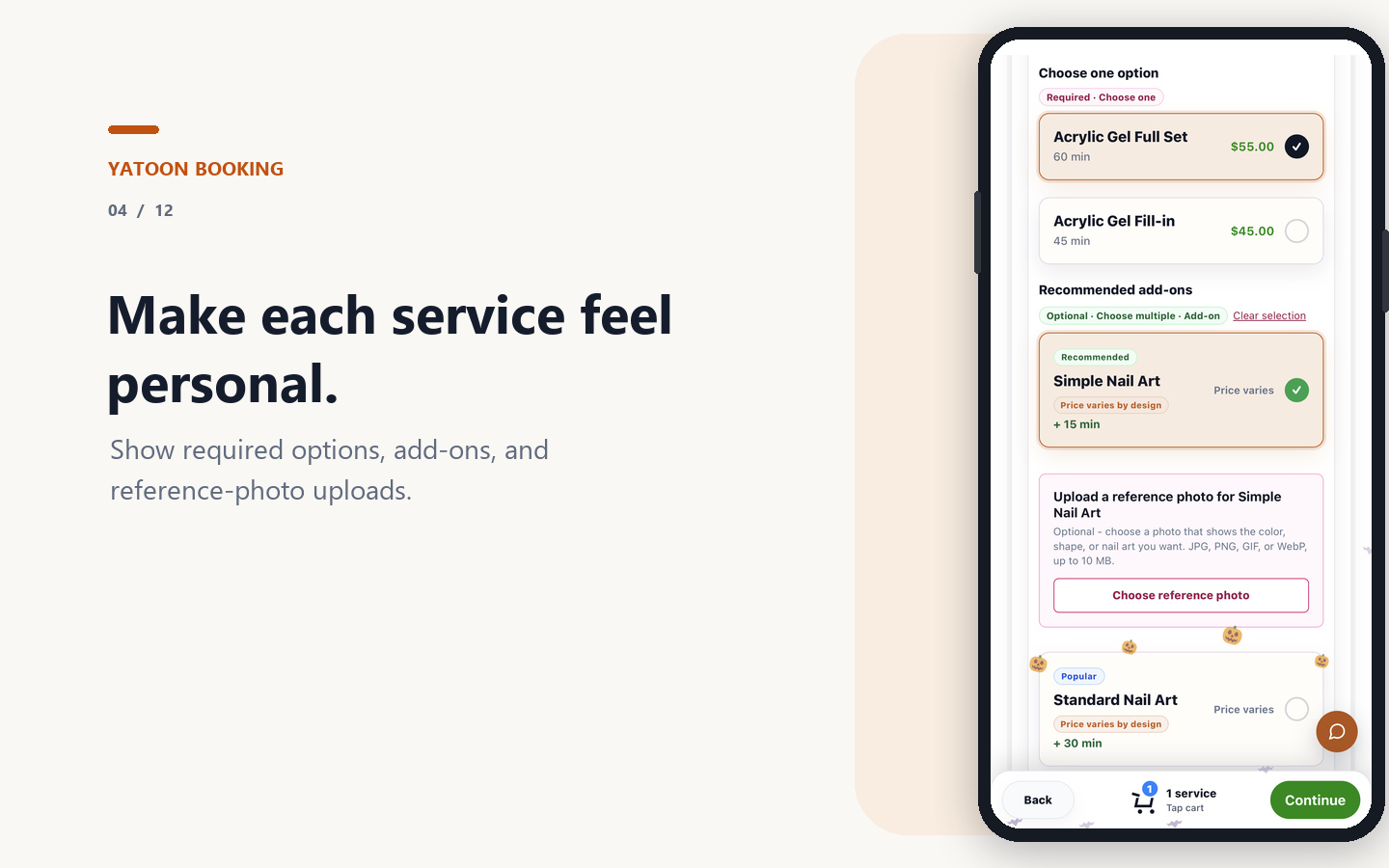
- Services, categories, images, variations, add-ons, pricing, staff qualifications, schedules, breaks, and closed dates
- Waitlist, service menu, customer portal, staff portal, booking blocks, Elementor, and shortcode integrations
- Customer-facing AI Chat when WordPress AI Client and a provider are connected and Chat is enabled by an administrator
Third-party integrations are optional and require their own accounts, credentials, supported regions, and provider terms. Local mode continues to work inside WordPress when an external provider is unavailable.
What customers experience
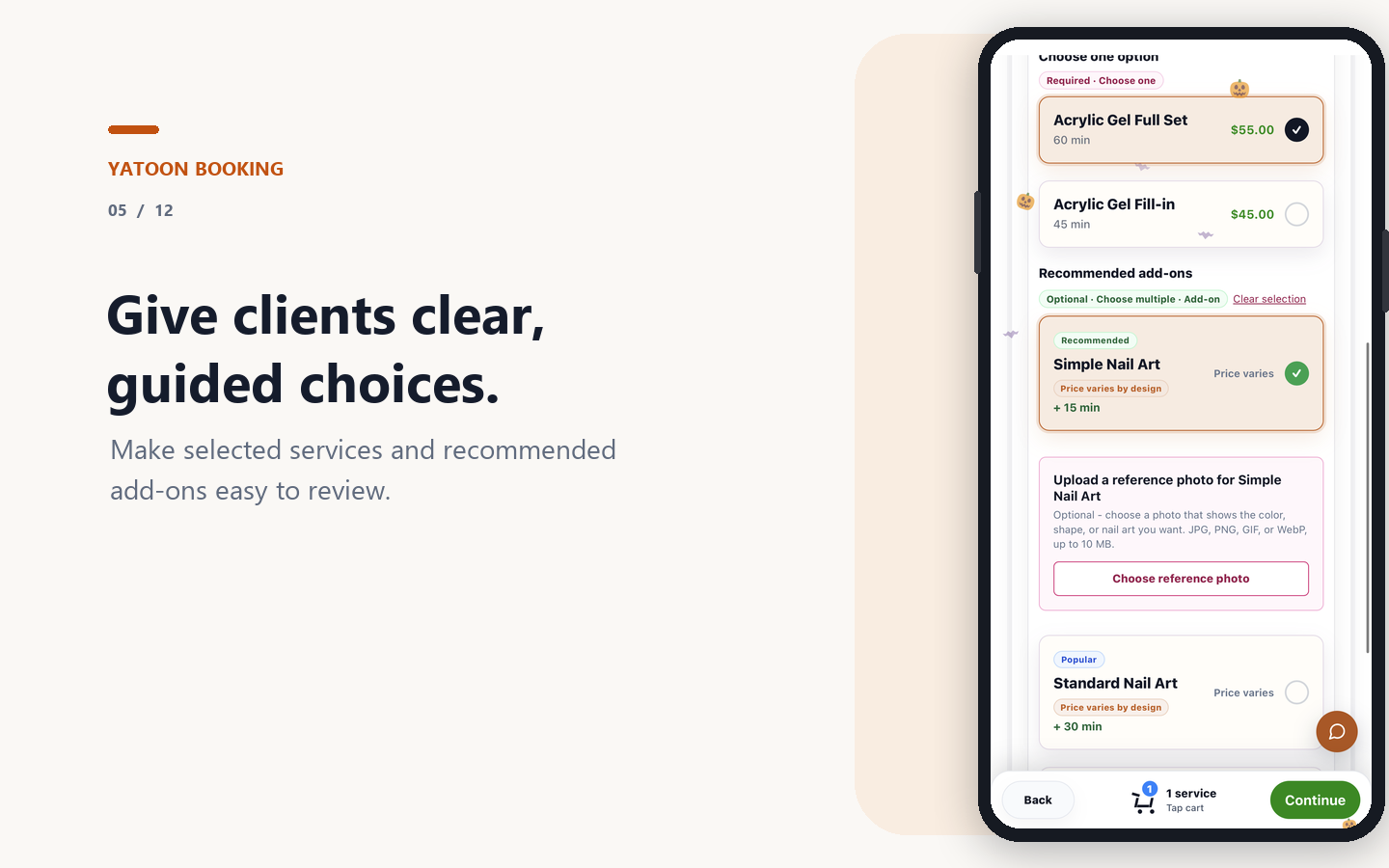
- A mobile booking flow for services, variations, add-ons, professionals, date, time, customer details, and confirmation
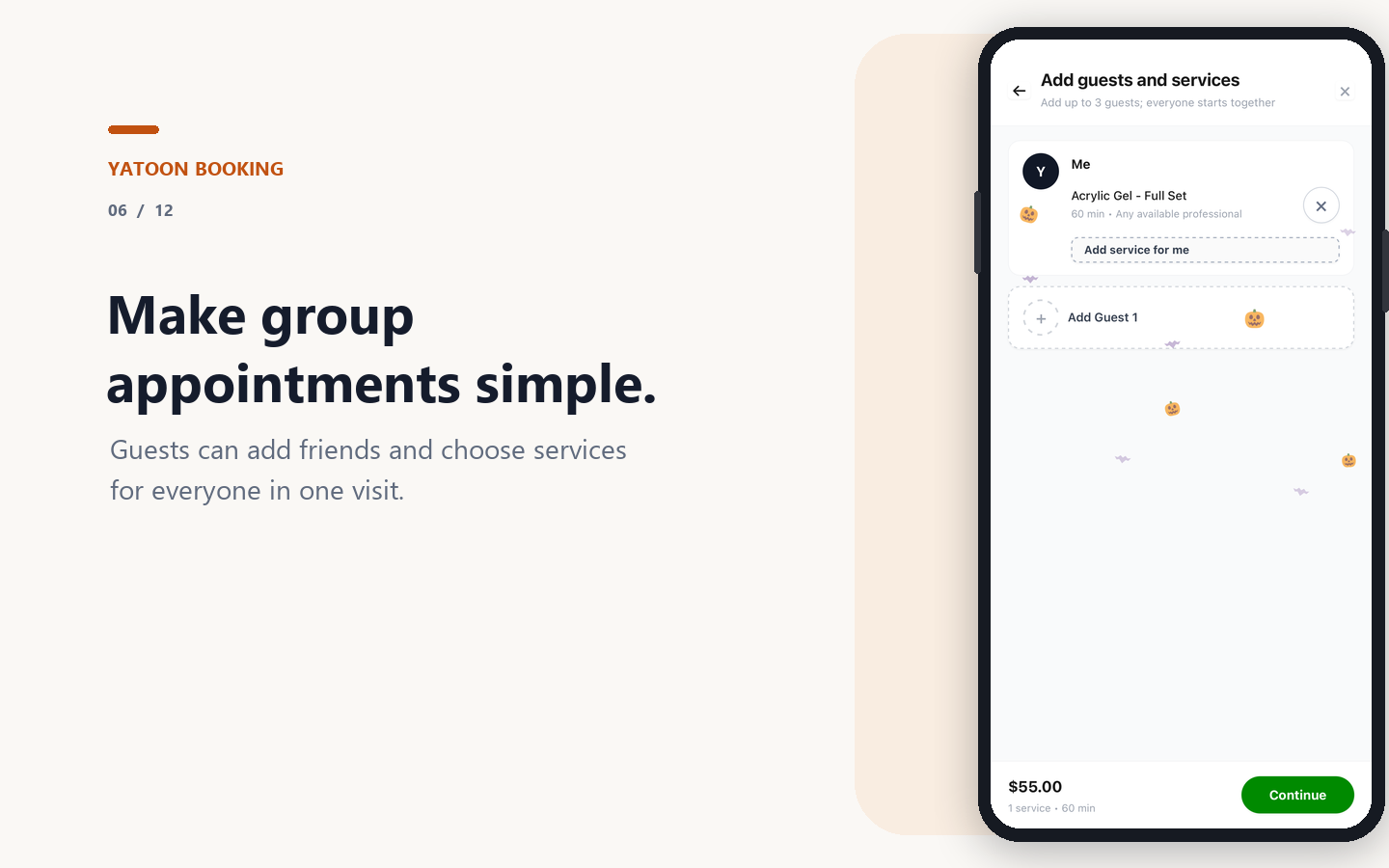
- Several services or guests in one booking journey, with separate staff choices and reference photos where enabled
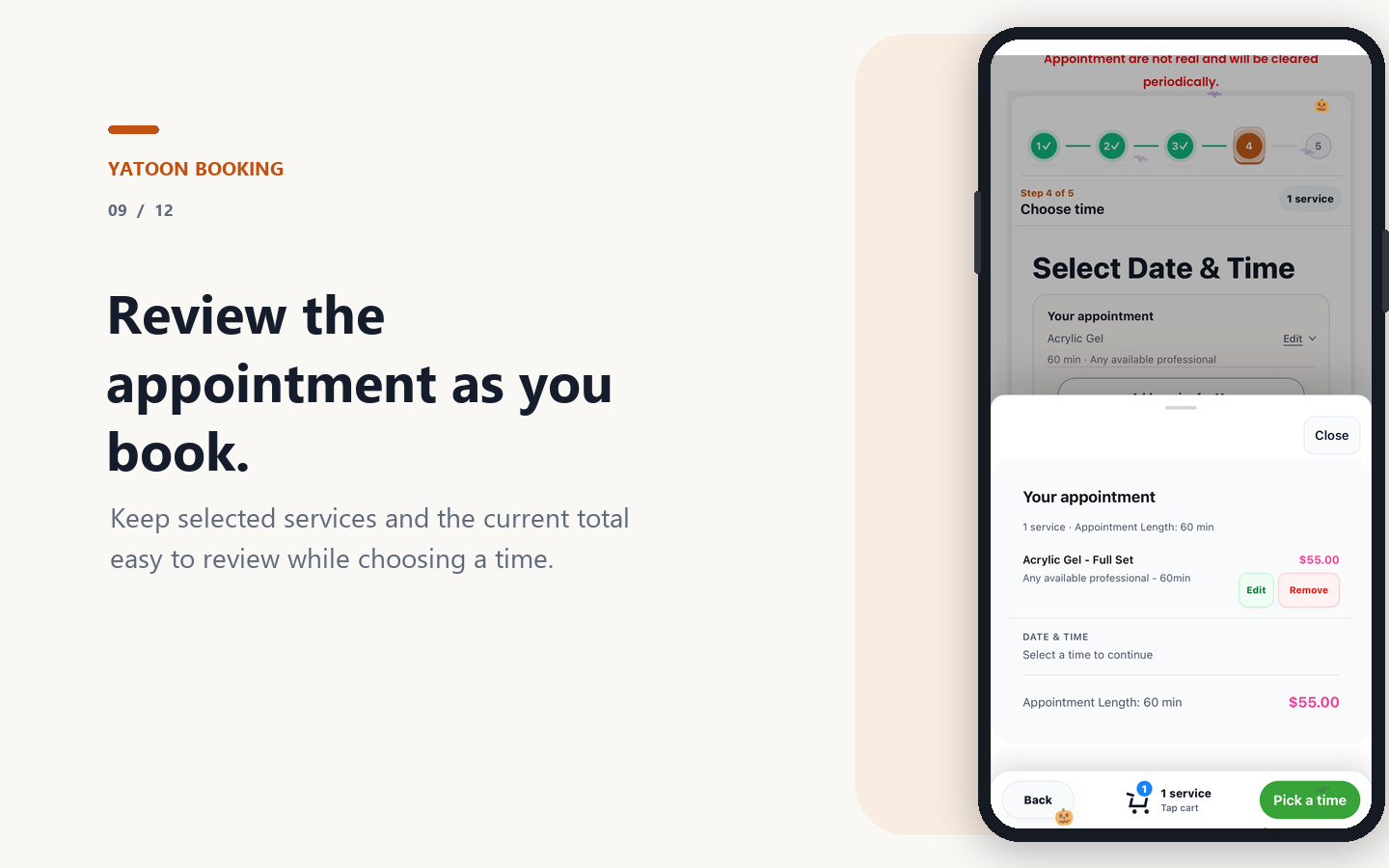
- Clear service durations, prices, appointment summaries, directions, and calendar actions
- Secure self-service for viewing, rescheduling, cancelling, rebooking, and eligible service changes
- A branded service menu, discovery storefront, portfolio, favorites, quick rebooking, and lightweight installable customer app
What your team manages
- Services, categories, images, variations, add-ons, pricing, staff qualifications, and schedules
- Business hours, staff schedules, breaks, time off, closed dates, and availability rules
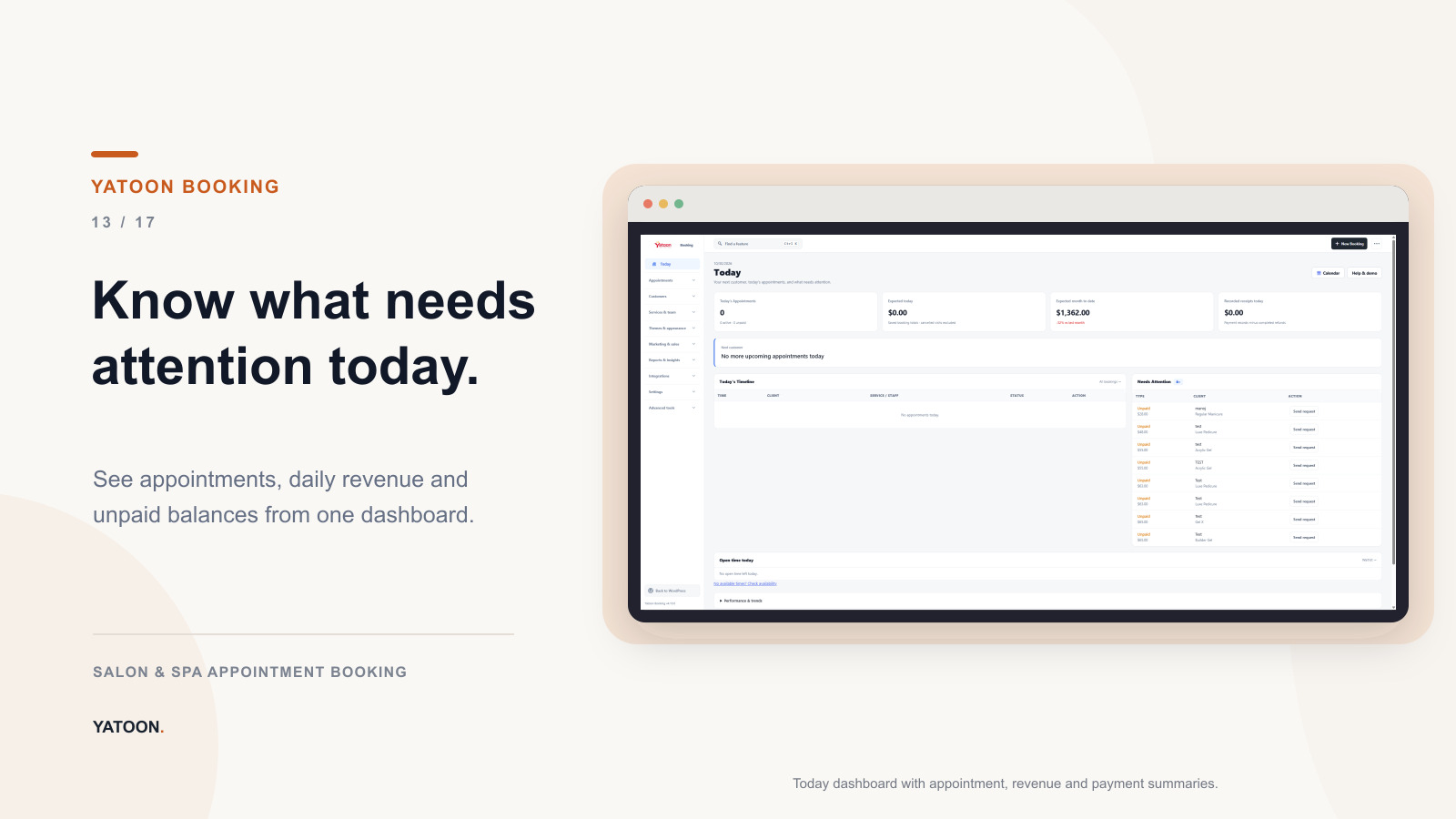
- Appointment calendar, client records, notes, reports, notifications, and waitlist
- Mobile-friendly rescheduling, temporary break controls, shared-resource checks, and role-specific staff workspaces
- Move in from Fresha, Square, Booksy or Vagaro in about 10 minutes: customers and appointment history import from CSV with a preview and one-click undo. Yatoon takes no commission on bookings.
- Trackable Book links for Google, Instagram, Facebook and TikTok, a link-in-bio page, QR codes, and a report of where bookings come from
- Walk-ins & turns for the front desk: staff clock in, walk-ins join a waiting list, and the turn list suggests who is next. While a walk-in is in service, that person is blocked for online booking
- Daily close for the front desk: what came in by payment method, tips and sales per team member, unpaid visits, and a cash drawer count that shows over or short
- Attendance: team members clock in and out at the front desk or in the staff app; see hours for any week or month, fix missed clock-outs and export hours for payroll
- My earnings in the staff app: each employee sees their own sales and tips for today, this week or this month
- Each team member can use the dashboard in their own language (English, German, French, Chinese, Vietnamese or Spanish) while the website stays in yours
Before a booking or sensitive change is saved, Yatoon rechecks staff qualification, schedules, breaks, closed dates, existing appointments, shared resources, and relevant external availability. If a time is taken during checkout, the customer keeps their details and gets a clear recovery path.
Add it to any WordPress page
Use the native block, Elementor widget, or one of these shortcodes:
[yatoon_booking]– complete booking form[yatoon_service_menu]– visual service menu with Book buttons[yatoon_customer_portal]– customer self-service portal[yatoon_staff_portal]– mobile staff schedule portal[yatoon_discovery]– discovery storefront and booking entry points[yatoon_link_in_bio]– mobile link-in-bio page with a Book button and popular services
External Services and Privacy
Google Maps – www.google.com/maps. The confirmation page and appointment emails can link to directions when a business address is configured. Google receives the public business address and normal browser connection information when the customer opens the link. No customer or appointment fields are included. See Google Privacy and Google Terms.
Free Local mode performs booking and availability inside WordPress and does not require Square, Vagaro, Stripe, PayPal, Twilio, Google Calendar, Microsoft Outlook, or Meta WhatsApp.
Optional external services are described below. They are used only by their configured features; third-party sign-in additionally requires the user to choose the relevant sign-in button. Local booking does not require third-party sign-in.
Google sign-in – accounts.google.com, oauth2.googleapis.com, openidconnect.googleapis.com. Available in Free and Pro, disabled by default. After an administrator configures and enables it, a customer or eligible staff member can choose Google sign-in. The browser sends the configured OAuth client ID, callback URL, requested identity scopes, and random state/nonce to Google. The server exchanges the authorization code using the configured client credentials and requests the approved identity profile. Google returns an account identifier, verified email, and name/profile image URL when available; Yatoon uses this identity to link the local account. Appointment details are not sent for sign-in. See Google Privacy and Google Terms.
Sign in with Apple – appleid.apple.com. Available in Free and Pro for customers, disabled by default. After an administrator configures and enables it, a customer can choose Apple sign-in. The browser sends the Services ID, callback URL, requested name/email scopes, and random state/nonce. The server exchanges the authorization code with a signed client credential and fetches Apple’s public verification keys. Apple returns an account identifier and, when approved and available, name/email; the email can be an Apple private relay address. Yatoon links this identity to the local account. Appointment details are not sent for sign-in. See Apple Privacy and Apple Developer Terms.
Facebook sign-in – www.facebook.com, graph.facebook.com. Available in Free and Pro for customers, disabled by default. After an administrator configures and enables it, a customer can choose Facebook sign-in. The browser sends the configured App ID, callback URL, requested public-profile/email scopes, and random state. The server exchanges the authorization code using the configured app credentials, then requests the approved profile with the access token. Meta returns the account identifier, name, and email when available; Yatoon links this identity to the local account. Appointment details are not sent for sign-in. See Meta Privacy and Meta Platform Terms.
Fonts. Yatoon does not download fonts from any remote host, and does not bundle font files either. Choosing a font family under Brand & Colors only adds that family name to the CSS font stack; otherwise the system font is used.
Yatoon push relay (Cloudflare Worker) – https://yatoon-api.yatoon.workers.dev. Optional and disabled by default. When explicitly enabled, Yatoon sends a signed, pseudonymous browser push subscription endpoint and a generic event type to this Cloudflare Worker. Customer names, contact details, services, appointment times, and notes are never sent. See Yatoon and the Cloudflare Privacy Policy.
Freemius – https://api.freemius.com. Used for optional account connection, licensing, plugin updates, and upgrade screens. It is contacted only when an administrator opts in or uses one of those features. See Freemius Privacy Policy and Freemius Terms.
Provider integrations. Each service below is contacted only when an administrator has configured its credentials and switched the corresponding feature on, and only while performing the action that needs it. Provider credentials are stored encrypted in WordPress; Yatoon diagnostics must not include them.
Free package providers. Free can use the following optional services when the site owner enables them:
- Google Maps –
www.google.com/maps(confirmation-page directions map) - OpenAI –
api.openai.com(optional AI assistant). Privacy – Terms - Anthropic –
api.anthropic.com(optional AI assistant). Privacy – Terms - Google Gemini –
generativelanguage.googleapis.com(optional AI assistant). Privacy – Terms - Cloudflare Turnstile –
challenges.cloudflare.com(optional booking-form bot check). Privacy – Terms
Before any customer text can reach an AI provider, an administrator must enable the relevant AI feature, and Yatoon requires explicit one-time customer consent and screens the message for sensitive data. Customer-facing AI is off by default on new installations, and connecting a provider alone does not publish it.
Verification cookie. When booking verification is on and a customer enters a correct code, they can tick “Remember this browser”. Only then does Yatoon set a signed, HTTP-only cookie (yatoon_verified_contacts) holding a one-way hash of the verified phone or email, so the same browser is not asked again. It contains no readable personal data, lasts 30 to 365 days (90 by default), and can be turned off in Settings > Booking Verification. Suggested policy text is added to the WordPress Privacy Policy Guide.
Site owners are responsible for obtaining required consent, publishing an accurate privacy notice, configuring retention, and complying with the rules of their region and chosen providers.
Source and Build Tools
Editable assets, the browser asset build script, and its dependency lockfile are included. See build-tools/README.md for the commands to rebuild the distributed assets and translations.
Installation
- Install and activate Yatoon Salon Booking & Appointments.
- Open Yatoon Booking > Settings > Features & setup > Setup Wizard.
- Add your services, prices, durations, staff, schedules, business hours, breaks, and closed dates.
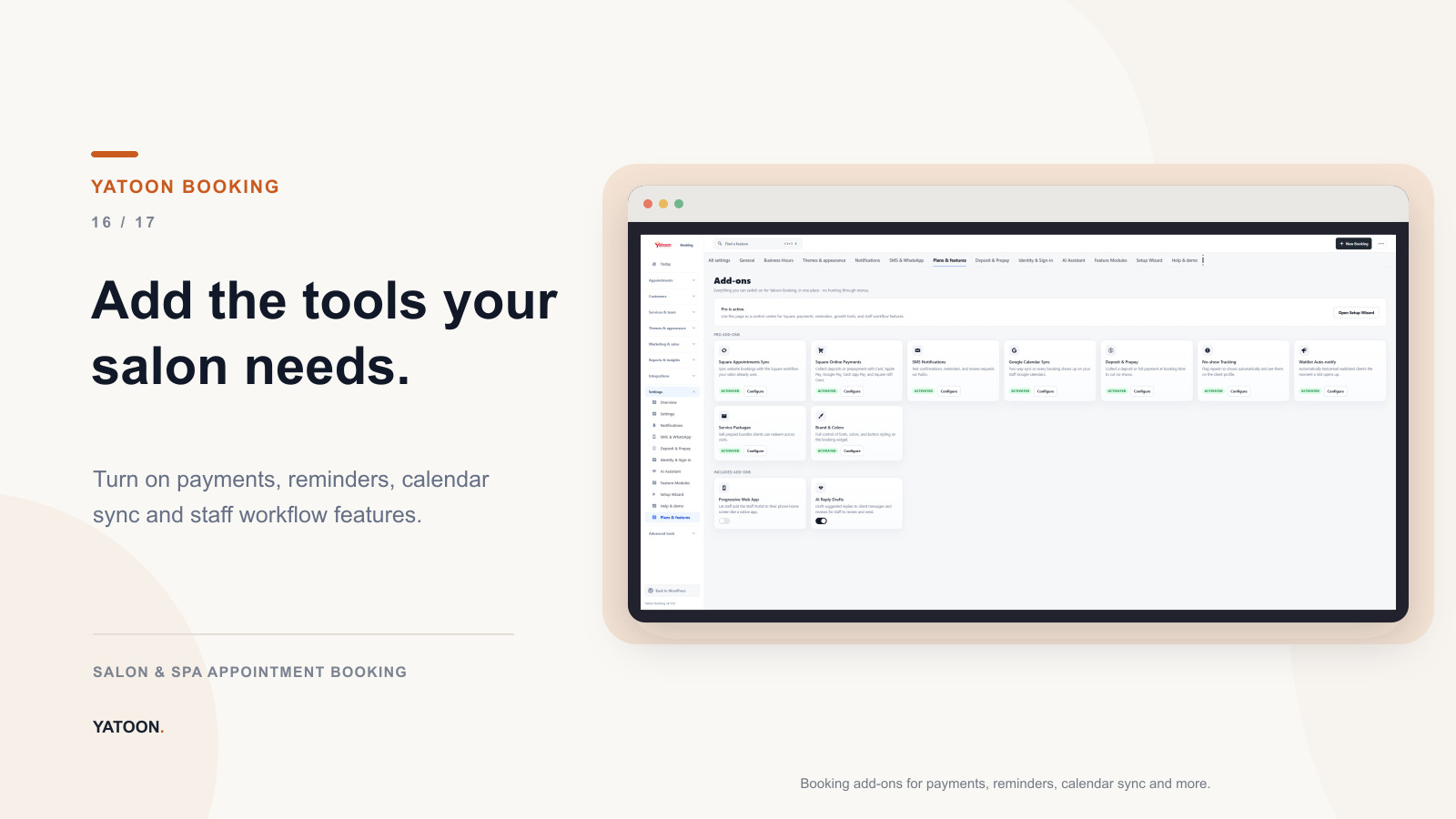
- Connect only the payment, calendar, messaging, or platform integrations your workflow needs.
- Add the booking block, Elementor widget, builder element, or
[yatoon_booking]shortcode to a public page. - Run a test booking, customer self-service, and staff workflow before launch.
- Exclude booking and portal pages from full-page caching and delayed JavaScript optimization.
Open Settings > Features & setup > Help & demo for the built-in quick start, demo, and troubleshooting guide. The package includes docs/staff-portal-4.9.2.md for the staff fixes and targeted release checks.
FAQ
What does Pro add?
Pro adds two-way Square Appointments synchronization, Vagaro booking with appointment sync from Vagaro, online payments and deposits, no-show tracking, SMS and calendar integrations, a text-message booking assistant, advanced customer self-service, growth tools, multi-location operations, and priority support.
How do walk-in customers check themselves in?
Open Walk-ins & turns, turn on “Let customers check themselves in”, then print the QR code for your door or open the kiosk view on a tablet at the desk. Customers enter a name and, if you ask for it, an email or phone number. They see their place in line and an estimated wait. They can only check in while someone is clocked in.
How are walk-in customers told it is their turn?
Customers who add an email get a message when they are checked in, when it is almost their turn and when their technician is ready, each sent once. Text messages need Pro with Twilio. You can require an email or a phone number for self check-in in the same settings.
How do I install the staff app on an iPhone?
Open the staff app link in Safari, tap the Share icon (or the “…” button first), choose Add to Home Screen and leave Open as Web App on. Booking alerts on iPhone only work from the Home Screen app (iOS 16.4 or newer): open it from the Home Screen and turn on Booking alerts in More. In Facebook, Instagram or similar in-app browsers, copy the link and open it in Safari first.
Does Yatoon require Square?
No. Yatoon Free runs in Local mode inside WordPress. Square, Vagaro, Stripe, PayPal, Twilio, Google Calendar, and Outlook Calendar are optional integrations.
How does AI Chat connect, and how fast is it?
AI Chat uses the WordPress AI Client and the provider connections configured by the site owner. It does not use a separate AI Relay or expose provider credentials in the browser. The chat keeps the complete provider response and shows a clear sending state; it does not use fake character-by-character playback. The current public WordPress AI Client returns a complete text result rather than exposing a stable token-stream API to plugins, so this release does not claim token-by-token streaming.
Are AI features enabled automatically?
No. New installations keep Chat Concierge, the booking-form Style Assistant, natural-language rescheduling, and reply drafts off until an administrator enables each feature. Connecting a provider or entering an API key does not publish an AI widget by itself. Existing sites keep their saved settings when updating.
What does the Square integration cover?
Yatoon Pro supports two-way Square Appointments synchronization – creating, updating, and cancelling Square bookings and receiving Square webhooks – plus Square online payment, deposit, and refund options. Point of sale is limited to recording that an appointment was paid in Square POS or Tap to Pay so it settles correctly in Yatoon’s own reports and invoices; Yatoon does not replace the Square point-of-sale application.
What exactly does the Vagaro integration do?
It imports services and staff from Vagaro, shows Vagaro availability, and creates the appointment in Vagaro when a customer books. With a Vagaro webhook, appointments made, moved or cancelled in Vagaro also appear in Yatoon. Changes made in Yatoon are not sent back to Vagaro, so customers reschedule or cancel Vagaro appointments through the salon. Vagaro API access needs a paid Vagaro plan with Vagaro card processing and Vagaro’s approval.
Can customers book more than one service or guest?
Yes. Each guest can have separate services, staff assignments, timing, and reference photos while remaining part of one booking journey.
Does Pro support deposits and online payments?
Yes. Configure the provider and deposit rules required by your business, then test the complete payment and refund workflow in the provider’s test environment before going live.
Does the no-show rule charge the customer automatically?
It requires a deposit; it does not take money on its own. Once a customer reaches your threshold, their next booking is treated as a deposit booking and checkout asks for the deposit amount configured under Payments, through the gateway configured there. If no deposit gateway is set up, the rule can only flag the customer.
How does Yatoon protect against schedule conflicts?
It checks staff qualification, working hours, breaks, closed dates, existing appointments, shared resources, and external availability where applicable. A final server-side check runs immediately before the change is saved.
Does recording a payment in the Staff Portal charge the customer’s card?
No. Staff Portal checkout records money that was already collected (cash, or a card run on your own terminal). It keeps your books, tips and reports in Yatoon but never charges a card. To charge a customer online, send a payment request instead.
Can customers and staff manage appointments from a phone?
Yes. Customers can use the lightweight booking app and Customer Portal, while the Staff Portal is designed for mobile daily operations.
What database hosting does conflict protection require?
Booking writes require MySQL/MariaDB connection-scoped advisory locks (GET_LOCK). Lock acquisition, availability checks, booking writes, and lock release must use the same primary database connection and server. A connection pool, multiplexing proxy, read/write router, or multi-writer cluster must preserve that connection and server for the whole operation. Open Tools > Site Health to check advisory-lock support; that probe does not certify every proxy or cluster routing configuration. If required locks cannot be acquired, Yatoon refuses the booking write and returns a retry/error message rather than saving an unprotected appointment. Ask the host to confirm connection pinning and run concurrent booking checks on a disposable site before launch.
Does Yatoon work with page builders?
Yes. Major booking surfaces are available through Gutenberg blocks, Elementor widgets, shortcodes, and adapters for Bricks, Beaver Builder, Divi, and Brizy.
Is Yatoon multilingual?
Yatoon bundles German, French (France and Canada), Simplified Chinese, Traditional Chinese, Spanish and Vietnamese catalogs. Technical coverage is measured against the current source catalog in languages/translation-coverage.json; untranslated messages fall back to English. Critical 4.8.3 customer copy was reviewed in English and Simplified Chinese; the complete catalogs have not received independent native-speaker review. Site owners can edit service names, descriptions, policies and labels.
Where can I get help?
Downloads, licensing, updates, and priority support are available through Yatoon.com. Copy the privacy-safe technical summary from Operations when reporting an integration problem.
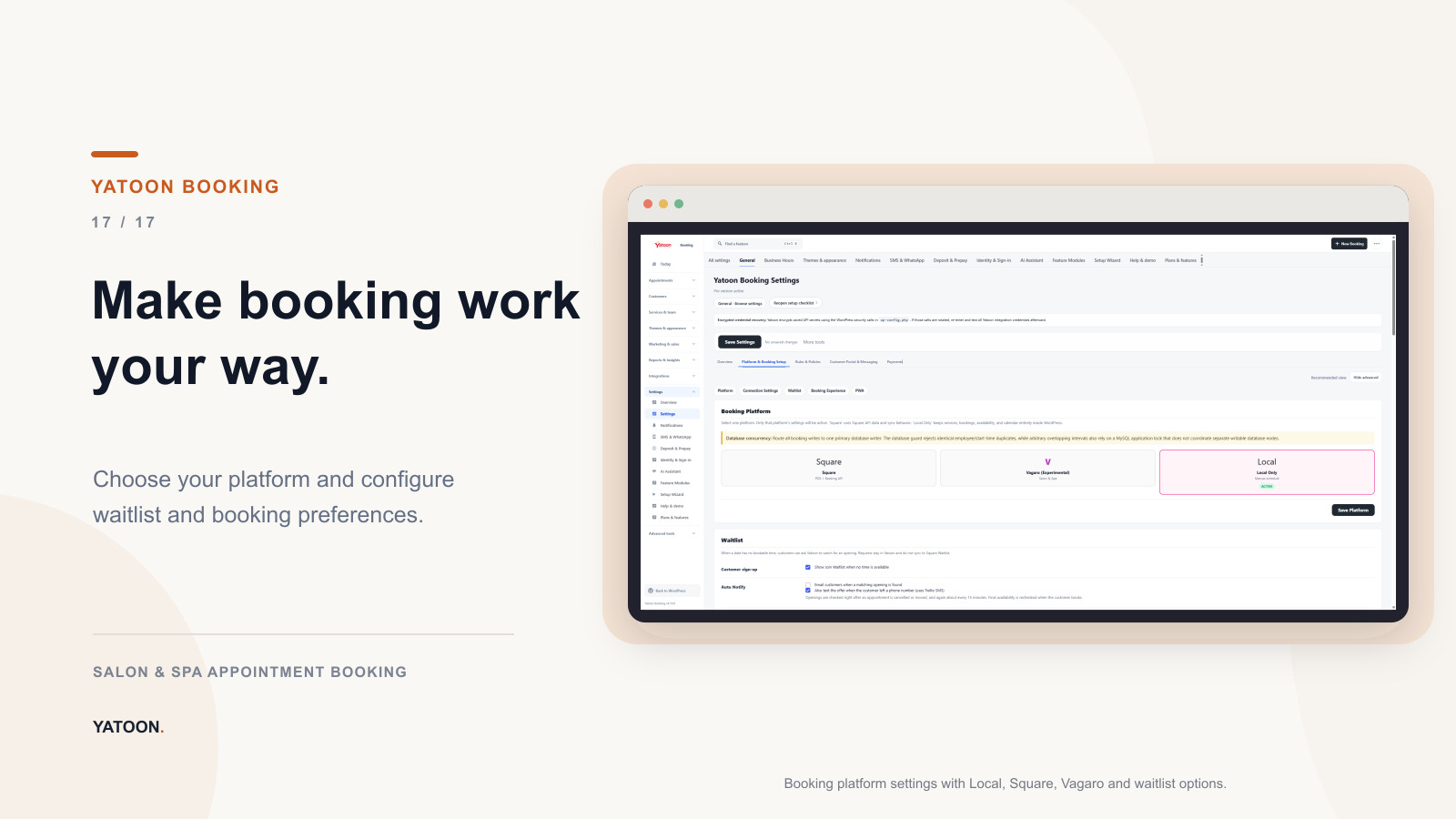
Screenshots





Changelog
4.13.1
- Daily close: preserve legacy payment statuses and include every outstanding visit in totals, with paginated details.
- Attendance: measure elapsed time using UTC and let managers resolve ambiguous legacy clock times.
4.13.0
- New: Walk-ins & turns – waiting list, fair turn order and optional tablet self check-in.
- New: Attendance – team members clock in and out at the front desk or in the staff app; hours export for payroll.
- New: Daily close – end-of-day payment summary and cash drawer count.
- New: My earnings in the staff app.
- New: Each team member can choose their own dashboard language.
- New: Customers can sign in to My Appointments with a passkey.
- Translations, fixes and interface improvements.
4.12.0
- Change Services online (Manage Booking and My Appointments): customers can keep, add or remove add-ons, and the current time stays available when the new service fits. Add-on groups fold like on the booking page, and the price shows the total of all services.
- Square: clearer messages when a save is rejected, and the staff list shows everyone who is free.
- “Price varies” services wait for staff to enter the agreed price before checkout. Price to confirm applies only to upcoming and recent appointments, and invoices follow service changes.
- The phone number check runs before an online payment.
- Option groups: a library to create a group once and apply it to many services.
- Reference photos: private storage, file names based on the appointment, and files deleted with their record. Privacy tools are under Tools > Yatoon — Reference photo privacy.
- Staff app: idle lock now signs out, clearer error messages, and fixes for saving Square appointments.
- Booking page: a required choice with one option is preselected.
- Translations for all booking, account and staff app messages.
- Fixes and interface improvements.
4.11.0
- Staff app: redesigned appointment, customer and add-appointment screens; calendar settings with employee colors and display order; customers can be sorted (last visit, A-Z with a letter index, most visits, newest); the installed app now updates itself.
- Staff calendar: new “All appointments” list; managers can open on the whole team.
- Fixes and interface improvements throughout.
4.10.3
- Performance: pages without Yatoon content stay cacheable again; pages that load Yatoon assets, and visitors who chose a non-default booking language, are served uncached.
- Translations: on a new install the site’s own language is the booking default when it is bundled; other site languages keep WordPress translations.
- Privacy: erasure also removes the client’s look history.
- Code quality: Plugin Check findings resolved (translator comments, prepared SQL, output escaping, translatable labels).
Earlier versions
See changelog.txt in the plugin folder.