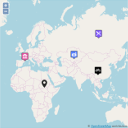
Create custom interactive maps with free Leaflet-based styles, no Google Maps API key, frontend marker submissions, search and filters.
★ 5.0/5 (70)10,000+ active installations
- Version
- 1.4.58
- WordPress
- 5.5+
- PHP
- 7.0+
- Updated
- 12 Nov 2026
View plugin details ↗Control how your WordPress posts, pages, WooCommerce products, and custom post types look when shared on Facebook, X/Twitter, LinkedIn, WhatsApp, Slac …
★ 4.6/5 (122)50,000+ active installations
- Version
- 3.5.2
- WordPress
- 5.0+
- PHP
- 7.0+
- Updated
- 28 Sep 2026
View plugin details ↗Opening hours for your business, a joy to manage and highly customizable. Conditional excerpts; conditional/replacement text; Structured Data for SEO.
★ 5.0/5 (45)5,000+ active installations
- Version
- 2.9
- WordPress
- 5.3+
- PHP
- 5.6+
- Updated
- 12 Nov 2026
View plugin details ↗Control how your content looks when shared on Facebook, X, LinkedIn, Pinterest and Slack.
★ 3.3/5 (8)3,000+ active installations
- Version
- 2.0.0
- WordPress
- 5.0+
- PHP
- 7.0+
- Updated
- 20 Oct 2026
View plugin details ↗Make your content look great when shared on social media. Automatically controls how your pages appear on Facebook, X, and other social platforms.
★ 4.3/5 (15)3,000+ active installations
- Version
- 3.1.0
- WordPress
- 6.0+
- PHP
- 7.4+
- Updated
- 11 Nov 2026
View plugin details ↗Adds Open Graph metadata to your posts and pages so that they look great when shared on sites like Facebook and Twitter.
★ 4.3/5 (13)10,000+ active installations
- Version
- 3.0.1
- WordPress
- 6.2+
- PHP
- 7.4+
- Updated
- 25 Sep 2026
View plugin details ↗Create easily maps with OpenStreetMap
★ 3.9/5 (10)3,000+ active installations
- Version
- 1.41
- WordPress
- 3.5+
- Updated
- 15 Aug 2026
View plugin details ↗Everything you need to launch an online store in days and keep it growing for years. From your first sale to millions in revenue, Woo is with you.
★ 4.5/5 (4,833)7,000,000+ active installations
- Version
- 11.3.1
- WordPress
- 7.0+
- PHP
- 7.4+
- Updated
- 19 Nov 2026
View plugin details ↗Lightweight SEO assistant for meta tags, schema and structured data, XML sitemaps, Open Graph previews, robots.txt, and Search Console.
★ 4.8/5 (55)300,000+ active installations
- Version
- 1.11.1
- WordPress
- 6.7+
- PHP
- 7.4+
- Updated
- 12 Nov 2026
View plugin details ↗Open price (i.e. Name your price) products for WooCommerce.
★ 4.1/5 (19)6,000+ active installations
- Version
- 1.7.5
- WordPress
- 4.4+
- Updated
- 15 Sep 2026
View plugin details ↗Just another contact form plugin. Simple but flexible.
★ 4.0/5 (2,189)10,000,000+ active installations
- Version
- 6.2.5
- WordPress
- 7.1+
- PHP
- 8.3+
- Updated
- 10 Nov 2026
View plugin details ↗Use Jetpack's Open Graph tags even when another SEO plugin is active or you'd rather leave Jetpack Social turned off.
★ 5.0/5 (8)500+ active installations
- Version
- 1.0.1
- WordPress
- 3.7+
- Updated
- 20 Aug 2026
View plugin details ↗