

Page Optimize
By Automattic
Optimize pages for faster load and render in the browser.
★ 3.0/5 (5)300,000+ active installations
- Version
- 0.6.4
- WordPress
- 5.3+
- PHP
- 7.4+
- Updated
- 19 Oct 2026
WORDPRESS RESOURCES
Explore public plugin information from the official WordPress.org directory. Compare what a plugin does, its requirements and update history before adding it to your website.
Explore WordPress hosting →21 matching plugins reported by WordPress.org · Page 1 of 2
Source: WordPress.org
Data refreshed 29 Nov 2026 14:28 UTC
By Automattic
Optimize pages for faster load and render in the browser.

By bdthemes
Pixel Gallery is an Elementor gallery plugin for creating responsive image and portfolio grids with customizable layouts and effects.

By Jonas Hjalmarsson
A multi-point Google Maps field for Advanced Custom Fields: numbered points, reorder and remove them in a list, and draw a line or an area.

By thingsym
The Better Website Performance plugin adds advanced features to improve website performance.

By Barry Kooij
The best WordPress plugin for related posts. Simple, flexible, powerful algorithm, and built-in caching. Fully set up with only 1 click!
Post and Page Builder is a standalone plugin which adds functionality to the existing TinyMCE Editor.

By Scott Kingsley Clark
Define custom exports / reports for users, based off of any custom MySQL SELECT query you define.

By InstaWP
Secure REST API endpoints for WordPress site migration — database export/import, file transfer, and search-replace.

By Tribulant Software
Newsletter plugin for WordPress to capture subscribers and send beautiful, bulk newsletter emails.
By Keylor Mendoza
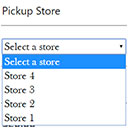
WC Pickup Store is a custom shipping method that lets you to set up one or multiple stores to local pickup in the Checkout page in WooCommerce
A productivity desktop and custom dashboard for wp-admin: windows, dark mode, dashboard notes, an AI assistant, and a progressive web app (PWA).

By 5 Star Plugins (Rob)
AI text to speech plugin for WordPress. Convert unlimited posts into audio with OpenAI or ElevenLabs voices.
CHOOSE WHAT YOUR WEBSITE NEEDS
Start with the task you need to solve. Compare features, WordPress and PHP requirements, update history and the author’s documentation. Test changes on a private copy and avoid adding several plugins for the same job.
This independent directory displays plugin information on WebFulHost and links to the official source. Packages are not mirrored or installed here. A plugin can include paid extensions or services with separate terms from its author.

