

AI form builder for WordPress. Build contact forms, payment forms, quiz, survey & conversational forms with built-in AI or drag & drop builder.
★ 4.9/5 (375)90,000+ active installations
- Version
- 3.6.5
- WordPress
- 5.5+
- PHP
- 7.2+
- Updated
- 19 Nov 2026
WORDPRESS RESOURCES
Explore public plugin information from the official WordPress.org directory. Compare what a plugin does, its requirements and update history before adding it to your website.
Explore WordPress hosting →315 matching plugins reported by WordPress.org · Page 1 of 27
Source: WordPress.org
Data refreshed 24 Nov 2026 03:19 UTC
AI form builder for WordPress. Build contact forms, payment forms, quiz, survey & conversational forms with built-in AI or drag & drop builder.

By Pär Thernström
Track changes and user activities on your WordPress site. See who created a page, uploaded an attachment, and more, for a complete audit trail.

By Nicolas Verlhiac
WordPress can't send email reliably on its own. Send through your SMTP provider, log every message, get alerts when sending breaks. Free, no upsell.
Join millions who empower their websites with ElementsKit Elementor Addons. Get templates, & 100+ widgets like header-footer, mega menu, custom widget
Take full control of WordPress notifications. Replace default messages, add custom triggers, and send alerts via email, webhook, and more.

By iTRON
Logging vars and events for fast debug WordPress site.
Build membership sites with tiered plans, content restriction, drag-&-drop custom registration & login form builder, and built-in payment system.

Get a fast contact form plugin. Create advanced forms using drag and drop form builder with all smart features.

By Sabuj Kundu
This plugin helps to send email using SMTP and Email Api. It helps to log email and displays in admin panel and more.
Log PHP, database and JavaScript errors via WP_DEBUG with one click. Conveniently create, view, filter and clear the debug.log file.

By Kuba Mikita
View, pause, remove, edit and add WP Cron events and schedules.
By Web Builder 143
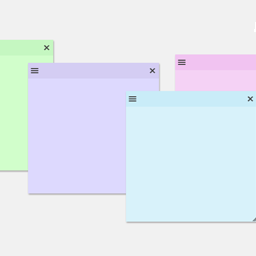
Create sticky notes in your WP admin for reminders and to-dos. Restrict notes by user roles and disable them on specific pages.
CHOOSE WHAT YOUR WEBSITE NEEDS
Start with the task you need to solve. Compare features, WordPress and PHP requirements, update history and the author’s documentation. Test changes on a private copy and avoid adding several plugins for the same job.
This independent directory displays plugin information on WebFulHost and links to the official source. Packages are not mirrored or installed here. A plugin can include paid extensions or services with separate terms from its author.



