

Smart phone field for Gravity Forms
By PluginsCafe
A simple and nice plugin to get auto country flag from user ip address on gravity form phone field.
★ 4.2/5 (23)5,000+ active installations
- Version
- 2.2.3
- WordPress
- 6.0+
- PHP
- 7.4+
- Updated
- 26 Oct 2026
WORDPRESS RESOURCES
Explore public plugin information from the official WordPress.org directory. Compare what a plugin does, its requirements and update history before adding it to your website.
Explore WordPress hosting →683 matching plugins reported by WordPress.org · Page 1 of 50
Source: WordPress.org
Data refreshed 29 Nov 2026 18:51 UTC
By PluginsCafe
A simple and nice plugin to get auto country flag from user ip address on gravity form phone field.

By Mokhtar Bensaid
Adds a country flag and phone validation to the WooCommerce checkout phone field. Supports Classic and Block Checkout.

By hulkplugins
This plugin simplifies mobile number entry by guiding users to select their country code, ensuring accurate and properly formatted data submissions.

By Hamid Alinia
Passwordless OTP login for WordPress. Login or register with phone number via SMS or Firebase. Compatible with WooCommerce. GDPR-compliant.

By Sajjad Hossain Sagor
Turn Your Simple Telephone Input Into International Dial Codes Input

By edo888
Translate WordPress with Google Translate multilanguage plugin using AI translation. Complete multilingual SEO solution, WooCommerce compatible.

By Narinder Singh
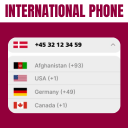
Add country drop down with flags and phone number with country phone extension fields in contact form 7.
By add-ons.org
The plugin helps you in creating a country drop-down list with country flag.

By shravanchoudhary
Add country flags, dial codes, and phone validation to any form field or WooCommerce checkout (classic + blocks).

By byteplant
With the Byteplant Phone Validator plugin you can easily verify if a phone number is really valid and callable (https://www.byteplant.

By WooCommerce
PayPal's latest payment processing solution. Accept PayPal, Pay Later, credit/debit cards, alternative digital wallets and bank accounts.

By Scott Paterson
Business Essentials for Contact Form 7
CHOOSE WHAT YOUR WEBSITE NEEDS
Start with the task you need to solve. Compare features, WordPress and PHP requirements, update history and the author’s documentation. Test changes on a private copy and avoid adding several plugins for the same job.
This independent directory displays plugin information on WebFulHost and links to the official source. Packages are not mirrored or installed here. A plugin can include paid extensions or services with separate terms from its author.