

Simple Restrict
By WP Chill
Restrict pages based on permissions assigned to pages and granted in user profiles.
★ 4.9/5 (15)1,000+ active installations
- Version
- 1.2.10
- WordPress
- 3.4+
- Updated
- 23 Nov 2026
WORDPRESS RESOURCES
Explore public plugin information from the official WordPress.org directory. Compare what a plugin does, its requirements and update history before adding it to your website.
Explore WordPress hosting →2,801 matching plugins reported by WordPress.org · Page 1 of 50
Source: WordPress.org
Data refreshed 27 Nov 2026 00:49 UTC
By WP Chill
Restrict pages based on permissions assigned to pages and granted in user profiles.

By Restrict
Show or hide Elementor sections, columns and widgets with ease using many different criteria

By Vlado Grcic
Restrict access to your WordPress pages using WooCommerce products.

By Paul Ryan
Insert Pages lets you embed any WordPress content (e.g., pages, posts, custom post types) into other WordPress content using the Shortcode API.
Create unlimited folders with the Folders WordPress plugin, organize & manage your Media Library files, Pages & Posts in folders 📁

By Joachim Jensen
Create Access Levels and restrict any post, page, category, etc. Supports bbPress, BuddyPress, WooCommerce, WPML, and more.

By Nexcess
Kadence Memberships is a powerful WordPress membership plugin that gives you full control over who can and cannot view content on your WordPress site.

By Benaceur
Restrict the usernames, email addresses, characters and symbols or email from specific domain names or language in registration ...
By add-ons.org
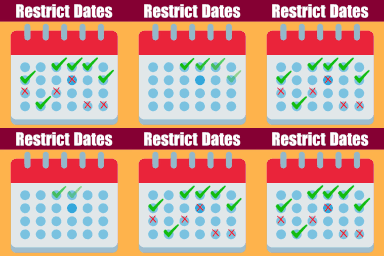
Restrict Dates is a Elementor Forms add-on that restricts users from selecting specific dates in your Elementor Forms date picker field.

By Zohaib Ali
Password-protect your entire WordPress site with a simple access screen for private, staging, and under-development websites.
Restrict content easily to logged in users, members with a specific role or user capability, to it's author, Tickera, Venuera, Easy Digital Downl …

By WP Folio Team
Password protect WordPress pages and posts by user roles or with multiple passwords; protect your entire website with a single password.
CHOOSE WHAT YOUR WEBSITE NEEDS
Start with the task you need to solve. Compare features, WordPress and PHP requirements, update history and the author’s documentation. Test changes on a private copy and avoid adding several plugins for the same job.
This independent directory displays plugin information on WebFulHost and links to the official source. Packages are not mirrored or installed here. A plugin can include paid extensions or services with separate terms from its author.

