

Datafeedr API
By datafeedr
Connect to the Datafeedr API.
★ 4.0/5 (13)4,000+ active installations
- Version
- 1.4.3
- WordPress
- 3.8+
- PHP
- 7.4+
- Updated
- 5 Oct 2026
WORDPRESS RESOURCES
Explore public plugin information from the official WordPress.org directory. Compare what a plugin does, its requirements and update history before adding it to your website.
Explore WordPress hosting →2,499 matching plugins reported by WordPress.org · Page 1 of 50
Source: WordPress.org
Data refreshed 23 Nov 2026 18:18 UTC
By datafeedr
Connect to the Datafeedr API.
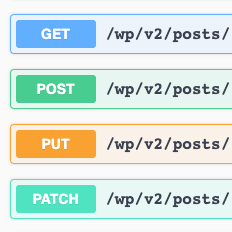
By agussuroyo
WordPress REST API with Swagger UI.

By David Anderson / Team Updraft
Connect any REST API to WordPress. WPGet API enables easy API integration, allowing you to display API data without any code.

By LiteSpeed Technologies
All-in-one unbeatable acceleration & PageSpeed improvement: caching, image/CSS/JS optimization...

By Kenny Meyer
Send Contact Form 7 submissions to a remote API with GET or POST.

AIOSEO is the WordPress SEO plugin. Boost SEO rankings with AI SEO tools, schema, meta descriptions, XML sitemaps & rank tracking.

By nsp-code
Protect your website by concealing vulnerable WordPress traces, plugins, themes, login/admin url. 2FA, Captcha, Firewall, Security Headers etc.

By John Darrel
Hide My WP Ghost is a WordPress security plugin that hides WP paths and protects your site with Path Security, Firewall, Brute Force Protection, 2FA

By John Godley
Manage 301 redirects, track 404 errors, and improve your site. No knowledge of Apache or Nginx required.

By Tech Avenue Labs
Publish posts from any app or script through a secure REST API, with optional AI titles and article rewriting using OpenAI's latest GPT models.
The AI chatbot, AI agent and MCP server for WordPress. Connect OpenAI, Claude, Gemini and more to chat, write, search and automate your site.

By Bogdan Bendziukov · Pluginarium
Browser-based image compression & WebP—no API keys or quotas. Works on any hosting.
CHOOSE WHAT YOUR WEBSITE NEEDS
Start with the task you need to solve. Compare features, WordPress and PHP requirements, update history and the author’s documentation. Test changes on a private copy and avoid adding several plugins for the same job.
This independent directory displays plugin information on WebFulHost and links to the official source. Packages are not mirrored or installed here. A plugin can include paid extensions or services with separate terms from its author.
