
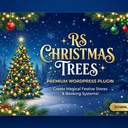
Decorate your WordPress site with festive Christmas trees, holiday garlands, festive header & footer banners, and animated falling snow effects.
★ 4.2/5 (5)200+ active installations
- Version
- 1.1.0
- WordPress
- 6.0+
- PHP
- 7.4+
- Updated
- 9 Sep 2026
WORDPRESS RESOURCES
Explore public plugin information from the official WordPress.org directory. Compare what a plugin does, its requirements and update history before adding it to your website.
Explore WordPress hosting →200 matching plugins reported by WordPress.org · Page 1 of 17
Source: WordPress.org
Data refreshed 29 Nov 2026 04:27 UTC
Decorate your WordPress site with festive Christmas trees, holiday garlands, festive header & footer banners, and animated falling snow effects.

By closemarketing
Essential toolkit for a WordPress site: block editor enhancements, maintenance mode, image optimization, login and more.

By A WP Life
Add animated falling effects like snow, rain, autumn leaves, and seasonal decorations to your website.

By Daniel Floeter
Make a group of blocks clickable: wrap a card, teaser or post tile with one link (<a>).
Social media icons and share buttons: 2,400+ icons, block, widget & Elementor. Plus a Click to Chat button for WhatsApp, Telegram & Messenger.

By Mujahid Ishtiaq
A Typography Add-on for the Advanced Custom Fields Plugin.
LoginPress is a Custom Login Page Customizer plugin allows you to easily customize the layout of login, admin login, client login, register pages.

By Blocksera
Add creative image hover effects to Elementor page builder. Easily customize title and content and effects with intuitive interface.

By YellowPencil
Customize any theme visually. Live CSS editor for fonts, colors, typography and custom CSS on every page, the WordPress login page included.
Build fast, accessible accordions and FAQ sections in the WordPress block editor.

By Kevin Batdorf
Add a CSS editor to your blocks and patterns! Loads only where necessary. Supports adding global CSS too.

By Atawai
Offers inbuilt widgets for elementor that help to create design more attractive
CHOOSE WHAT YOUR WEBSITE NEEDS
Start with the task you need to solve. Compare features, WordPress and PHP requirements, update history and the author’s documentation. Test changes on a private copy and avoid adding several plugins for the same job.
This independent directory displays plugin information on WebFulHost and links to the official source. Packages are not mirrored or installed here. A plugin can include paid extensions or services with separate terms from its author.


