

Remove Category URL strips the /category/ base from your category URLs, turning something like /category/my-category/ into simply /my-category/.
★ 4.3/5 (61)40,000+ active installations
- Version
- 1.2.6
- WordPress
- 3.1+
- Updated
- 18 Nov 2026
WORDPRESS RESOURCES
Explore public plugin information from the official WordPress.org directory. Compare what a plugin does, its requirements and update history before adding it to your website.
Explore WordPress hosting →1,103 matching plugins reported by WordPress.org · Page 1 of 50
Source: WordPress.org
Data refreshed 22 Nov 2026 14:43 UTC
Remove Category URL strips the /category/ base from your category URLs, turning something like /category/my-category/ into simply /my-category/.

By DigitalME
This plugin removes the mandatory 'Category Base' from your category permalinks. It's compatible with WPML.

By edo888
Translate WordPress with Google Translate multilanguage plugin using AI translation. Complete multilingual SEO solution, WooCommerce compatible.

By nsp-code
Drag-and-drop ordering for Categories & any taxonomy (hierarchically) using a Drag and Drop Sortable JavaScript capability.
By Pektsekye
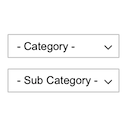
Displays product categories as dependent drop-down selects.

By Chouby
Go multilingual in a simple and efficient way. Keep writing posts and taxonomy terms as usual while defining their languages all at once.

By Atakan Au
Allows you to automatically add hierarchic categories in WordPress Navigation Menus.
Display WooCommerce product categories in responsive sliders and grids to boost navigation, engagement, and product discovery.

By QuantumCloud
Display Category based Product Listing for WooCommerce in tab format on any page. Woocommerce category list and woocommerce product table.

By megamenu
An easy to use mega menu plugin. Written the WordPress way.

By Diana van de Laarschot
Dynamic menus: List all posts from a category in your menu. Also works for tags, custom taxonomies as well as pages and custom post types.

By PluginEver
Showcase Your WooCommerce store's categories/subcategories in a beautiful slider.
CHOOSE WHAT YOUR WEBSITE NEEDS
Start with the task you need to solve. Compare features, WordPress and PHP requirements, update history and the author’s documentation. Test changes on a private copy and avoid adding several plugins for the same job.
This independent directory displays plugin information on WebFulHost and links to the official source. Packages are not mirrored or installed here. A plugin can include paid extensions or services with separate terms from its author.
