

Minimum and Maximum Quantity for WooCommerce
By Dotstore
Allow you to set a minimum or maximum purchase quantity for the WooCommerce store.
★ 4.0/5 (16)3,000+ active installations
- Version
- 2.1.4
- WordPress
- 5.0+
- PHP
- 7.2+
- Updated
- 26 Oct 2026
WORDPRESS RESOURCES
Explore public plugin information from the official WordPress.org directory. Compare what a plugin does, its requirements and update history before adding it to your website.
Explore WordPress hosting →3,016 matching plugins reported by WordPress.org · Page 10 of 50
Source: WordPress.org
Data refreshed 20 Nov 2026 03:38 UTC
By Dotstore
Allow you to set a minimum or maximum purchase quantity for the WooCommerce store.

By roehler
This plugin requires users to be logged in to view the website. Activate the plugin to enforce login, and deactivate it to remove the restriction.
Control exactly who can use your WooCommerce coupons, and when. Over 25 extra coupon restrictions, with no code.
Modern Bulk Editor for WooCommerce Coupons, create and edit hundreds of coupons in a spreadsheet inside wp-admin. Quick view and edits.

By Kushang Tailor
Restrict WP Upload Type gives you complete control over which files your users can upload to WordPress.
Generate, validate and sell serial codes & license keys — with protected file downloads (sell software) and WooCommerce integration.

By wptools
Conditionally restrict partial content on divi page. Divi visual builder compatible. Grant access to logged-in users, users belonging to any/all selec …

By Quentn.com GmbH
Restrict access to specific pages, create access links and display countdowns. Connect your wordpress installation with your Quentn account.

By Nexcess
Kadence Memberships is a powerful WordPress membership plugin that gives you full control over who can and cannot view content on your WordPress site.
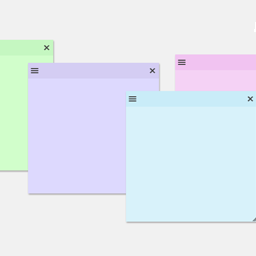
By Web Builder 143
Create sticky notes in your WP admin for reminders and to-dos. Restrict notes by user roles and disable them on specific pages.
Create unlimited Media Library folders and subfolders to organize your files. Export Media Library folders, set default attributes & more.
The #1 WooCommerce shipment tracking plugin. Add tracking numbers, auto-update order status & send branded shipping notifications. 1010+ carriers.
CHOOSE WHAT YOUR WEBSITE NEEDS
Start with the task you need to solve. Compare features, WordPress and PHP requirements, update history and the author’s documentation. Test changes on a private copy and avoid adding several plugins for the same job.
This independent directory displays plugin information on WebFulHost and links to the official source. Packages are not mirrored or installed here. A plugin can include paid extensions or services with separate terms from its author.



