

Elementor table plugin to build responsive tables in Elementor with drag & drop: merge cells, colspan, rowspan, striped rows and full styling.
★ 3.2/5 (19)20,000+ active installations
- Version
- 3.0.0
- WordPress
- 5.2+
- PHP
- 7.4+
- Updated
- 18 Nov 2026
WORDPRESS RESOURCES
Explore public plugin information from the official WordPress.org directory. Compare what a plugin does, its requirements and update history before adding it to your website.
Explore WordPress hosting →1,397 matching plugins reported by WordPress.org · Page 10 of 50
Source: WordPress.org
Data refreshed 23 Nov 2026 21:27 UTC
Elementor table plugin to build responsive tables in Elementor with drag & drop: merge cells, colspan, rowspan, striped rows and full styling.
Responsive Gutenberg tabs — vertical tabs, tabbed content & WooCommerce product tabs. 100+ patterns, lightweight & accessible.

By metaphorcreations
Ditty offers a range of content display options, including its signature news ticker and customizable layouts.
Use ACF repeater fields inside Elementor loop items and add smart dynamic dropdown taxonomy filters to the Elementor Loop Grid widget.

By jetmonsters
20+ Premium widgets for Elementor, including Advanced Slider, Instagram, Google Maps, Advanced Accordion, Post Grid.

By Bongdevs
Smooth, accessible scrolling announcement bars and news tickers for your header, footer or any page. Live preview, block and Elementor widget.
The complete Elementor addons plugin: 55+ widgets for Elementor, Mega Menu Builder, Popup Builder, Widget Builder & Elementor Template Kits.

By WebMat
The plugin "Flexible Editor Panel" makes the Elementor editor panel flexible, draggable, resizable, foldable and adds many productivity features.
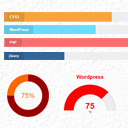
By Sonal S Sinha
Showcase skillsets that you are good at anywhere on your website using this plugin.
Tabs Block for Gutenberg – create responsive, accessible tabs using the WordPress Interactivity API.

By subhansanjaya
A simple posts content slider, product, images, videos, related posts, custom post type carousel plugin for WordPress.
Interactive OpenStreetMap and Leaflet maps with unlimited markers, categories and clustering. No Google API key and no requests to Google.
CHOOSE WHAT YOUR WEBSITE NEEDS
Start with the task you need to solve. Compare features, WordPress and PHP requirements, update history and the author’s documentation. Test changes on a private copy and avoid adding several plugins for the same job.
This independent directory displays plugin information on WebFulHost and links to the official source. Packages are not mirrored or installed here. A plugin can include paid extensions or services with separate terms from its author.




