Add Custom Image To Your Category / Custom Taxonomy Field With Advanced Category and Custom Taxonomy Image Plugin.
★ 5.0/5 (5)1,000+ active installations
- Version
- 2.1.1
- WordPress
- 5.6+
- PHP
- 8.0+
- Updated
- 21 Sep 2026
View plugin details ↗Add an image to a category or taxonomy. Display a category image using either a template tag or a shortcode.
★ 5.0/5 (3)300+ active installations
- Version
- 1.1.2
- WordPress
- 5.0+
- PHP
- 7.4+
- Updated
- 15 Sep 2026
View plugin details ↗Print the entire page or part of any web page with just a single click.
★ 4.9/5 (7)1,000+ active installations
- Version
- 1.3.3
- WordPress
- 6.5+
- PHP
- 7.1+
- Updated
- 18 Nov 2026
View plugin details ↗WordPress blocks, page builder, and website builder for the Block Editor and Site Editor with templates, popups, and block themes.
★ 4.9/5 (190)20,000+ active installations
- Version
- 4.2.3
- WordPress
- 5.9+
- PHP
- 7.4+
- Updated
- 13 Nov 2026
View plugin details ↗The only plugin in WooCommerce that empowers you to build profit-pulling Thank You Pages with plug & play components.
★ 4.7/5 (150)10,000+ active installations
- Version
- 2.25.0
- WordPress
- 5.0+
- PHP
- 7.4+
- Updated
- 25 Nov 2026
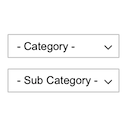
View plugin details ↗Displays product categories as dependent drop-down selects.
★ 4.7/5 (12)800+ active installations
- Version
- 1.0.0
- WordPress
- 4.7+
- Updated
- 16 Nov 2026
View plugin details ↗A page builder that is fast & easy, Brizy is a next-gen website builder that anyone can use. No designer or developer skills required.
★ 4.7/5 (973)60,000+ active installations
- Version
- 2.8.26
- WordPress
- 4.5+
- PHP
- 7.4+
- Updated
- 11 Nov 2026
View plugin details ↗Build a business directory or member directory on WordPress, complete with a listing manager and directory website builder. No developer needed.
★ 4.6/5 (505)10,000+ active installations
- Version
- 6.4.30
- WordPress
- 5.9+
- PHP
- 7.4+
- Updated
- 24 Nov 2026
View plugin details ↗Adds Matomo (former Piwik) statistics to your WordPress dashboard and is also able to add the Matomo Tracking Code to your blog.
★ 4.5/5 (95)60,000+ active installations
- Version
- 1.1.12
- WordPress
- 5.0+
- Updated
- 15 Sep 2026
View plugin details ↗OnSale Page is an extension for Woocommerce which enables you to have real on sale page with paging, sorting and filtering.
★ 4.5/5 (26)2,000+ active installations
- Version
- 2.0.2
- WordPress
- 5.0+
- PHP
- 7.4+
- Updated
- 20 Oct 2026
View plugin details ↗The Events Calendar addon to create custom single event page templates and replace the default event single page layout with your own branded design.
★ 4.8/5 (81)6,000+ active installations
- Version
- 1.9.4
- WordPress
- 5.0+
- PHP
- 7.2+
- Updated
- 5 Nov 2026
View plugin details ↗Go multilingual in a simple and efficient way. Keep writing posts and taxonomy terms as usual while defining their languages all at once.
★ 4.7/5 (3,012)900,000+ active installations
- Version
- 3.9.2
- WordPress
- 6.8+
- PHP
- 7.4+
- Updated
- 9 Nov 2026
View plugin details ↗