
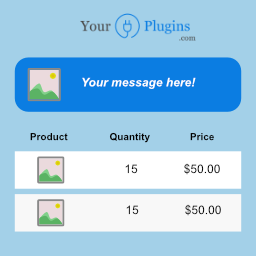
Show cart messages or notices in your WooCommerce cart by using conditional rules! Made with love by yourplugins.com
★ 5.0/5 (4)40+ active installations
- Version
- 1.3.5
- WordPress
- 4.3.1+
- Updated
- 5 Nov 2026
WORDPRESS RESOURCES
Explore public plugin information from the official WordPress.org directory. Compare what a plugin does, its requirements and update history before adding it to your website.
Explore WordPress hosting →10,000 matching plugins reported by WordPress.org · Page 10 of 50
Source: WordPress.org
Data refreshed 20 Nov 2026 18:46 UTC
Show cart messages or notices in your WooCommerce cart by using conditional rules! Made with love by yourplugins.com
Create high-converting popups, floating hello bars, slide-ins, opt-in forms & CTAs in minutes. Unlimited campaigns, no pageview limits & no coding.

By Qode
Qi Addons for Elementor is a comprehensive library of 60+ custom, flexible & easily styled Elementor widgets developed by Qode Interactive.

By Himanshu Yadav
Lightweight WordPress social sharing with Share to AI, on-site click analytics, advanced customization, and conversion-friendly sharing tools.

By colorlibplugins
Easily reorder posts, pages, custom post types, and taxonomies with intuitive drag-and-drop sorting in the WordPress admin.

By adaptatuweb
Legal withdrawal button for WooCommerce. EU Directive 2023/2673 compliant. Works for registered customers and guests. 1-click acknowledgement.

Free WordPress form builder with calculations, signatures, star ratings, unlimited submissions stored on your site, and an AI form builder.

By WPClever
WPC Smart Wishlist is a simple but powerful tool that can help your customer save products for buying later.
MCP server for WordPress. Connect Claude, ChatGPT, Cursor or any MCP client to manage content, themes and settings, with approvals.
Drag-and-drop contact form builder with ready templates, 25+ field types, reCAPTCHA, saved submissions and form statistics. No coding needed.

By Snappy Plugins
Add a floating WhatsApp chat button to your WordPress site and let visitors contact you instantly.
Free Sticky Header for Elementor. Features Logo Swap, Shrink Effect, Mobile Sticky Menu, Scroll Blur, and Zero Layout Shift. No Pro Required!
CHOOSE WHAT YOUR WEBSITE NEEDS
Start with the task you need to solve. Compare features, WordPress and PHP requirements, update history and the author’s documentation. Test changes on a private copy and avoid adding several plugins for the same job.
This independent directory displays plugin information on WebFulHost and links to the official source. Packages are not mirrored or installed here. A plugin can include paid extensions or services with separate terms from its author.



