3DPrint Lite
By fuzzoid
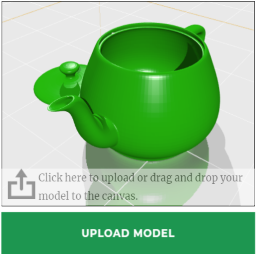
A plugin for selling 3D printing services.
★ 4.8/5 (37)600+ active installations
- Version
- 2.1.9
- WordPress
- 3.5+
- Updated
- 17 Sep 2026
WORDPRESS RESOURCES
Explore public plugin information from the official WordPress.org directory. Compare what a plugin does, its requirements and update history before adding it to your website.
Explore WordPress hosting →841 matching plugins reported by WordPress.org · Page 10 of 50
Source: WordPress.org
Data refreshed 25 Nov 2026 04:49 UTC
By fuzzoid
A plugin for selling 3D printing services.

By Noptin Newsletter Team
Fast, lightweight newsletter plugin. Send new post notifications and newsletters, collect unlimited subscribers, and automate WordPress emails. ★★★★★
Easily add a "Was it helpful?" survey on your blog or knowledge base pages with this article feedback plugin.

By Brainstorm Force
Build a community right inside WordPress. Discussion spaces, courses, member profiles, and a beautiful dashboard — no coding needed.

By Art Project Group
Add to WooCommerce a NIF/CIF/NIE field for all billing and shipping forms, with validation and VIES/EORI support.

By David Anderson / Team Updraft
Remote, single-dashboard management for WordPress/theme/plugin updates and UpdraftPlus backups across all your WP sites

By Serhii Pasyuk
Gmedia Gallery - photo gallery with comments, show EXIF & Metadata, gallery with map geolocation (GPS), private galleries.

By Sami Ahmed Siddiqui
A powerful WordPress plugin for full URL control. Set custom permalinks, auto-redirects, and use dynamic tags for ideal site structure and SEO.

By add-ons.org
Make an impression with your customers and represent your brand well by customizing the design and content of your email
Easily create & manage documentation. Reduce support tickets & scale your customer support workload. This simple plugin works with any theme.
Send newsletters, automated post notifications & WooCommerce emails in WordPress. Unlimited subscribers & campaigns, opt-in forms & no SaaS fees.
Schedule WordPress posts to social media and auto share content across Facebook, Twitter (X), Instagram, Pinterest, TikTok, and LinkedIn.
CHOOSE WHAT YOUR WEBSITE NEEDS
Start with the task you need to solve. Compare features, WordPress and PHP requirements, update history and the author’s documentation. Test changes on a private copy and avoid adding several plugins for the same job.
This independent directory displays plugin information on WebFulHost and links to the official source. Packages are not mirrored or installed here. A plugin can include paid extensions or services with separate terms from its author.