Set WooCommerce product prices in multiple currencies with flexible cart and checkout options and per-product currency settings.
★ 4.1/5 (17)2,000+ active installations
- Version
- 2.0.1
- WordPress
- 4.4+
- PHP
- 7.4+
- Updated
- 16 Sep 2026
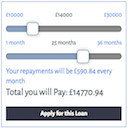
View plugin details ↗A simple repayment calculator. Uses sliders to set the amount and term and displays a range of outputs
★ 4.6/5 (13)1,000+ active installations
- Version
- 3.1.8
- WordPress
- 6.0+
- Updated
- 16 Jul 2026
View plugin details ↗Accept bKash, Nagad, Rocket, and Upay in WooCommerce with offline QR codes, Advance COD fraud shield, 80mm thermal POS slips, and WhatsApp tools.
★ 5.0/5 (3)1,000+ active installations
- Version
- 1.6
- WordPress
- 5.6+
- PHP
- 7.4+
- Updated
- 24 Oct 2026
View plugin details ↗Add a WooCommerce payment gateway fee or surcharge, fixed amount or percentage, per payment method at checkout. Fully compatible with WooCommerce HPOS …
★ 5.0/5 (4)100+ active installations
- Version
- 1.7.0
- WordPress
- 5.0+
- PHP
- 7.0+
- Updated
- 3 Oct 2026
View plugin details ↗Payoneer Checkout for WooCommerce - Build beautiful checkout flows + manage payments in one place
★ 4.2/5 (5)5,000+ active installations
- Version
- 4.0.1
- WordPress
- 6.5+
- PHP
- 7.4+
- Updated
- 16 Nov 2026
View plugin details ↗This plugin allows you to set a flat delivery rate per States, Countries or World Regions on WooCommerce.
★ 4.3/5 (35)1,000+ active installations
- Version
- 3.2
- WordPress
- 5.4+
- PHP
- 7.0+
- Updated
- 2 Aug 2026
View plugin details ↗Donation buttons and forms for Mollie and Stripe. One-off and recurring donations, PDF receipts, and no platform fees on your donations.
★ 5.0/5 (6)100+ active installations
- Version
- 4.3.6
- WordPress
- 6.9+
- PHP
- 7.4+
- Updated
- 15 Nov 2026
View plugin details ↗This plugin generates thumbnails for documents and displays them in a gallery-like format for easy sharing.
★ 4.8/5 (112)8,000+ active installations
- Version
- 5.1.2
- WordPress
- 6.1+
- PHP
- 5.6+
- Updated
- 28 Oct 2026
View plugin details ↗A fast WooCommerce side cart and cart drawer with coupons and upsells. Pro adds a free shipping bar, rewards, bundles and analytics.
★ 4.3/5 (28)4,000+ active installations
- Version
- 2.0.17
- WordPress
- 6.5+
- PHP
- 8.1+
- Updated
- 14 Nov 2026
View plugin details ↗Ultimate Multisite turns your WordPress network into a WaaS platform with subscriptions, site provisioning, and domain mapping.
★ 5.0/5 (12)90+ active installations
- Version
- 2.20.0
- WordPress
- 5.3+
- PHP
- 8.2+
- Updated
- 21 Nov 2026
View plugin details ↗Paid membership & LMS plugin. Sell courses, subscriptions & digital products, paywall content, and add login & registration forms and user profiles.
★ 3.1/5 (938)100,000+ active installations
- Version
- 4.18.1
- WordPress
- 6.9+
- PHP
- 8.0+
- Updated
- 12 Nov 2026
View plugin details ↗Accept partial payments, deposits, and installments on your WooCommerce store.
★ 4.6/5 (14)200+ active installations
- Version
- 4.0.31
- WordPress
- 5.8+
- PHP
- 7.4+
- Updated
- 26 Oct 2026
View plugin details ↗