Automatically reorders the HTML head of your WordPress pages for optimal browser rendering performance using the Capo.js methodology.
30+ active installations
- Version
- 0.1.4
- WordPress
- 6.0+
- PHP
- 7.4+
- Updated
- 24 Aug 2026
View plugin details ↗Replace your stack of WordPress plugins with one: SMTP, duplicate post, code snippets, custom login URL, maintenance mode, SVG upload and more.
★ 4.9/5 (28)600+ active installations
- Version
- 3.4.4
- WordPress
- 5.6+
- PHP
- 8.1+
- Updated
- 8 Nov 2026
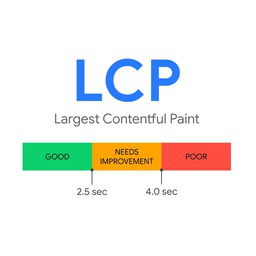
View plugin details ↗A lightweight plugin to optimize Largest Contentful Paint (LCP) for better page speed.
30+ active installations
- Version
- 2.0
- WordPress
- 5.0+
- PHP
- 7.1+
- Updated
- 20 Aug 2026
View plugin details ↗Optimize Scripts & Styles combines scripts and styles on your site, minifies them and provides cachable versions for improved site performance.
★ 5.0/5 (2)50+ active installations
- Version
- 1.9.7
- WordPress
- 6.1+
- PHP
- 7.4+
- Updated
- 20 Apr 2026
View plugin details ↗List products from WordPress on eBay. The easy way.
★ 4.3/5 (75)2,000+ active installations
- Version
- 3.8.13
- WordPress
- 4.2+
- Updated
- 12 Sep 2026
View plugin details ↗Page cache, WebP, lazy load, CSS/JS optimization and local Google Fonts for WordPress and Elementor, with a setup wizard.
★ 5.0/5 (1)10+ active installations
- Version
- 0.11.8
- WordPress
- 6.0+
- PHP
- 7.4+
- Updated
- 15 Oct 2026
View plugin details ↗Bộ công cụ All-in-One chuẩn doanh nghiệp giúp bảo mật đa lớp, tăng tốc độ tải trang, tối ưu SEO, SMTP và bứt phá doanh số WooCommerce.
★ 5.0/5 (1)100+ active installations
- Version
- 3.1.0
- WordPress
- 5.8+
- PHP
- 7.4+
- Updated
- 10 Nov 2026
View plugin details ↗Fastest cache for Elementor & WooCommerce. Works on LiteSpeed, Nginx, Apache. WebP, lazy load, critical CSS, CDN, Core Web Vitals boost.
50+ active installations
- Version
- 1.8.2
- WordPress
- 5.4+
- PHP
- 7.4+
- Updated
- 29 May 2026
View plugin details ↗Fast REST API live search with optional FULLTEXT index, Meilisearch, AI-powered Related Posts, slash commands, ACF and WooCommerce support.
★ 5.0/5 (7)100+ active installations
- Version
- 2.0.2
- WordPress
- 6.9+
- PHP
- 7.4+
- Updated
- 6 Oct 2026
View plugin details ↗Replace the default search with ExpertRec's powerful and fully customizable WordPress search plugin.
★ 5.0/5 (27)100+ active installations
- Version
- 5.4.20
- WordPress
- 5.6+
- PHP
- 7.1+
- Updated
- 29 May 2026
View plugin details ↗Affilizz allows you to manage all your affiliated content in one place regardless of your activity.
★ 5.0/5 (1)200+ active installations
- Version
- 1.18.1
- WordPress
- 5.9+
- PHP
- 7.3.0+
- Updated
- 19 Oct 2026
View plugin details ↗A productivity desktop and custom dashboard for wp-admin: windows, dark mode, dashboard notes, an AI assistant, and a progressive web app (PWA).
★ 5.0/5 (24)1,000+ active installations
- Version
- 1.1.20
- WordPress
- 6.0+
- PHP
- 7.4+
- Updated
- 13 Nov 2026
View plugin details ↗