
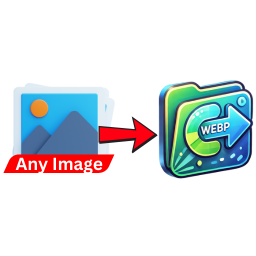
Image to WebP Converter
By SACHINRAJ CP
Automatically convert uploaded images (PNG, JPG, JPEG) to WebP format to enhance website performance and reduce load times.
300+ active installations
- Version
- 1.0
- WordPress
- 5.0+
- PHP
- 7.1+
- Updated
- 20 Aug 2026
WORDPRESS RESOURCES
Explore public plugin information from the official WordPress.org directory. Compare what a plugin does, its requirements and update history before adding it to your website.
Explore WordPress hosting →2,331 matching plugins reported by WordPress.org · Page 10 of 50
Source: WordPress.org
Data refreshed 22 Nov 2026 09:25 UTC
By SACHINRAJ CP
Automatically convert uploaded images (PNG, JPG, JPEG) to WebP format to enhance website performance and reduce load times.

By uPress
Page caching, Redis, WebP conversion and optional WordPress performance tools. All features are free; no license key or trial is required.

By Team Staatic
Use WordPress as your CMS, then publish a fast, lower-exposure static version of your site.

By Cloudways
Breeze is a caching plugin developed by Cloudways. Breeze uses advance caching systems to improve site loading times exponentially.
The Ultimate Image Optimization Suite for WordPress. WebP & AVIF conversion, Smart Format Selection, Watermarking, and Lazy Load. Zero server load.
Translate WordPress with Google Language Translator multilanguage plugin which allows to insert a language selector widget anywhere on your website.

By WPMU DEV - Your All-in-One WordPress Platform
Optimize PageSpeed Performance & Core Web Vitals, Advanced Cache, Minify CSS & JavaScript, Inline Critical CSS, Defer CSS & JS, Smush & Lazy Load, CDN

Create WooCommerce product feeds for Google Shopping, Facebook, TikTok & 220+ channels. 2026 compliant. 6 formats.

EasyMedia - Increase the maximum upload file size limit to any value. Increase upload limit - upload large files effortlessly.
Connect Google Drive to WordPress to embed documents, build galleries and file lists, uploads, downloads, media library, and secure file sharing.
Responsive pricing tables and comparison tables with a drag-and-drop builder. Templates, badges, icons and buttons included.

By Sully
See every file's size in your Media Library, find your largest files, and delete leftover image sizes to free up disk space.
CHOOSE WHAT YOUR WEBSITE NEEDS
Start with the task you need to solve. Compare features, WordPress and PHP requirements, update history and the author’s documentation. Test changes on a private copy and avoid adding several plugins for the same job.
This independent directory displays plugin information on WebFulHost and links to the official source. Packages are not mirrored or installed here. A plugin can include paid extensions or services with separate terms from its author.



