Add a clickable map of the 54 countries of Africa to your site. Set colors, links and tooltips for each country in an easy visual editor.
20+ active installations
- Version
- 3.1.4
- WordPress
- 6.3+
- PHP
- 7.4+
- Updated
- 14 Nov 2026
View plugin details ↗Hurrakify adds tooltips in Plain Language to your blog articles.
60+ active installations
- Version
- 8.0.2
- WordPress
- 5.4+
- PHP
- 5.6+
- Updated
- 7 Nov 2026
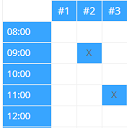
View plugin details ↗Create configurable occupancy schedules and let visitors view, request and manage bookings directly in the WordPress frontend.
★ 5.0/5 (5)100+ active installations
- Version
- 1.7.0
- WordPress
- 4.9+
- PHP
- 5.3+
- Updated
- 6 Nov 2026
View plugin details ↗60+ free Elementor widgets: gallery, testimonials, FAQ, pricing, calendar, maps, posts, plus display conditions and editor tools.
★ 5.0/5 (2)70+ active installations
- Version
- 3.0.6
- WordPress
- 6.2+
- PHP
- 7.4+
- Updated
- 14 Oct 2026
View plugin details ↗Interactive image hotspots and image maps — clickable pins and areas with accessible tooltips, for floor plans and shoppable images.
40+ active installations
- Version
- 1.3.0
- WordPress
- 6.6+
- PHP
- 7.4+
- Updated
- 17 Nov 2026
View plugin details ↗Reading controls your visitors set for themselves, in any theme. No account, no CDN, no tracking, no branding. Not an overlay.
200+ active installations
- Version
- 1.2.3
- WordPress
- 6.2+
- PHP
- 7.4+
- Updated
- 11 Nov 2026
View plugin details ↗Advanced AI-driven content creation and SEO optimization tool (Lite version). Some features are disabled and available only in the Pro version.
★ 5.0/5 (24)10+ active installations
- Version
- 2.6
- WordPress
- 5.5+
- PHP
- 7.4+
- Updated
- 16 Aug 2026
View plugin details ↗
By David Anderson / Team Updraft
Get caching and more with this powerful cache plugin. Cache, optimize images, clean your database and minify for maximum performance.
★ 4.8/5 (2,617)1,000,000+ active installations
- Version
- 4.7.1
- WordPress
- 4.9+
- PHP
- 7.2+
- Updated
- 18 Nov 2026
View plugin details ↗Infinity logo carousel and text marquee for client, partner or sponsor logos.
★ 5.0/5 (2)300+ active installations
- Version
- 2.5.0
- WordPress
- 6.6+
- PHP
- 7.2+
- Updated
- 14 Oct 2026
View plugin details ↗WordPress Performance Tweaks
★ 5.0/5 (3)20+ active installations
- Version
- 0.7.3
- WordPress
- 6.0+
- PHP
- 8.0+
- Updated
- 19 Sep 2025
View plugin details ↗Extend Elementor with 30+ powerful widgets, dynamic content tools, custom form fields, and smart extensions - all in one plugin.
20+ active installations
- Version
- 1.0.5
- WordPress
- 6.8+
- PHP
- 7.4+
- Updated
- 23 Sep 2026
View plugin details ↗Lightweight WordPress social sharing with Share to AI, on-site click analytics, advanced customization, and conversion-friendly sharing tools.
★ 5.0/5 (2)30+ active installations
- Version
- 1.7.11
- WordPress
- 5.8+
- PHP
- 7.4+
- Updated
- 13 Nov 2026
View plugin details ↗