

Maximum Products per User for WooCommerce
By WPFactory
Limit number of items your WooCommerce customers can buy (lifetime or in selected date range).
★ 4.6/5 (42)1,000+ active installations
- Version
- 4.5.3
- WordPress
- 5.7+
- Updated
- 20 Nov 2026
WORDPRESS RESOURCES
Explore public plugin information from the official WordPress.org directory. Compare what a plugin does, its requirements and update history before adding it to your website.
Explore WordPress hosting →952 matching plugins reported by WordPress.org · Page 10 of 50
Source: WordPress.org
Data refreshed 26 Nov 2026 20:19 UTC
By WPFactory
Limit number of items your WooCommerce customers can buy (lifetime or in selected date range).

By Noor Alam
Connect to Gmail SMTP server to automatically send email from your WordPress site. Configure wp_mail() to use SMTP with OAuth 2.0 authentication.
Build flexible popups and modal windows with multiple popup types, triggers, and display controls.

By Javier Carazo
Choose which users or roles can see and buy each WooCommerce product or product category. The rest of your customers won't see it or can't buy it.
Optimize your site instantly with one-click activation. WP Extra offers easy fixes and features for WordPress.

By miniOrange
Login to WordPress with AWS Cognito using OAuth 2.0 single sign-on (SSO).

By Ludwig You
Modular WordPress toolkit for security, performance, SMTP, WebP images, code snippets, redirects, administration and more.
Disable right click, text selection and copy paste. Content copy protection for WordPress: protect text and images, prevent copying, add watermarks.

By Aaditya Sharma
Manage contact info, business hours, schema SEO, and harden login security with custom slugs and CAPTCHA from a single premium admin panel.

By Robert G.
Blocks unauthorized role logins and account registrations from restricted countries using local MaxMind databases with customizable checkbox controls.
By Pektsekye
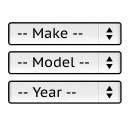
It will find products for selected make and model.

By Janis Elsts
Lets you edit the WordPress admin menu. You can re-order, hide or rename menus, add custom menus and more.
CHOOSE WHAT YOUR WEBSITE NEEDS
Start with the task you need to solve. Compare features, WordPress and PHP requirements, update history and the author’s documentation. Test changes on a private copy and avoid adding several plugins for the same job.
This independent directory displays plugin information on WebFulHost and links to the official source. Packages are not mirrored or installed here. A plugin can include paid extensions or services with separate terms from its author.


