
Database for Contact Form 7
By Ninja Team
Automatically save all data submitted via Contact Form 7 to your database
★ 4.2/5 (14)7,000+ active installations
- Version
- 3.1.0
- WordPress
- 3.5+
- Updated
- 19 Oct 2026
WORDPRESS RESOURCES
Explore public plugin information from the official WordPress.org directory. Compare what a plugin does, its requirements and update history before adding it to your website.
Explore WordPress hosting →6,831 matching plugins reported by WordPress.org · Page 10 of 50
Source: WordPress.org
Data refreshed 19 Nov 2026 14:08 UTC
By Ninja Team
Automatically save all data submitted via Contact Form 7 to your database

By Tobias @Saleswonder.biz
Turn ‘just another CF7 form’ into a branded experience across all your forms. WOW Styler for CF7 lets you style multiple Contact Form 7 forms visually …

By kendysond
Create forms with multiple input fields and have your users pay before submission. Form submission results are available on your dashboard.
Save Contact Form 7, Elementor, WPForms & Gravity Forms entries in database. View, filter, export form submissions to CSV & analytics reports.
A lightweight plugin to enable Cloudflare's Turnstile alternative CAPTCHA on your Gravity Forms.

By ThemeHunk
Drag & Drop Contact Form Builder for WordPress to create contact, lead generation, Cloudflare Turnstile CAPTCHA Support.
Add conditional fields to Elementor forms and apply if-else conditional logic to show or hide Elementor form widget fields via dynamic rules.
90+ Elementor widgets & addons, 600+ templates, Mega Menu, WooCommerce, Display Conditions. The only Elementor addon AI agents can fully build with.
Forminator PDF allows you to automatically generate PDF documents from your Forminator form submissions.
By Dinesh Karki
New standard of advance validation for Contact Form 7.
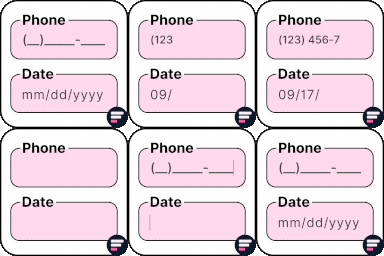
By Cool Plugins
Add input masks to Elementor Pro or Hello Plus form fields - phone, date, time, credit card, CPF, CNPJ, CEP & more for accurate entries.

By Corey Salzano
An add-on for Gravity Forms. Enhances Gravity Forms for power users.
CHOOSE WHAT YOUR WEBSITE NEEDS
Start with the task you need to solve. Compare features, WordPress and PHP requirements, update history and the author’s documentation. Test changes on a private copy and avoid adding several plugins for the same job.
This independent directory displays plugin information on WebFulHost and links to the official source. Packages are not mirrored or installed here. A plugin can include paid extensions or services with separate terms from its author.