Variation Images Gallery for WooCommerce plugin allows to add UNLIMITED additional images for each variation of product.
★ 4.7/5 (39)10,000+ active installations
- Version
- 2.4.6
- WordPress
- 6.0+
- PHP
- 7.4+
- Updated
- 22 Sep 2026
View plugin details ↗
By David Anderson / Team Updraft
Backup, restore or migrate your WordPress website to another host or domain. Schedule backups or run manually. Migrate in minutes.
★ 4.8/5 (8,740)4,000,000+ active installations
- Version
- 1.26.16
- WordPress
- 3.9+
- Updated
- 18 Nov 2026
View plugin details ↗This WooCommerce related products plugin, lets you create upsells, and cross-sells with smart WooCommerce product recommendations widget.
★ 4.6/5 (82)10,000+ active installations
- Version
- 1.8.0
- WordPress
- 6.0+
- PHP
- 7.0+
- Updated
- 15 Oct 2026
View plugin details ↗With Product Tabs Manager for WooCommerce You can create any tabs for products that you want
★ 4.9/5 (38)1,000+ active installations
- Version
- 3.2
- WordPress
- 5.0+
- PHP
- 7.4+
- Updated
- 17 Nov 2026
View plugin details ↗The most powerful WordPress RSS aggregator, helping you curate content, autoblog, import RSS & display unlimited RSS feeds within a few minutes.
★ 4.6/5 (361)40,000+ active installations
- Version
- 5.2.18
- WordPress
- 6.0+
- PHP
- 7.2+
- Updated
- 25 Nov 2026
View plugin details ↗Display product categories in responsive sliders or grids to showcase them effectively on your WooCommerce store and improve shoppers' navigation.
★ 4.8/5 (91)8,000+ active installations
- Version
- 1.7.5
- WordPress
- 5.3+
- PHP
- 7.0+
- Updated
- 25 Nov 2026
View plugin details ↗WPC Composite Products provide a powerful kit-building solution for WooCommerce store.
★ 4.6/5 (76)9,000+ active installations
- Version
- 8.0.9
- WordPress
- 5.9+
- Updated
- 19 Nov 2026
View plugin details ↗The Premmerce Product Filter for WooCommerce plugin is a professional tool for managing filters with perfect Ajax and unique SEO features.
★ 3.4/5 (22)2,000+ active installations
- Version
- 3.8.5
- WordPress
- 4.8+
- PHP
- 5.6+
- Updated
- 9 Oct 2026
View plugin details ↗It presents products visually engagingly to customers by offering attention-drawing swapping effects for images of products on archive/shop pages.
★ 5.0/5 (1)900+ active installations
- Version
- 1.2.7
- WordPress
- 5.9+
- Updated
- 22 Oct 2026
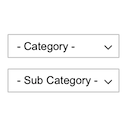
View plugin details ↗Displays product categories as dependent drop-down selects.
★ 4.7/5 (12)800+ active installations
- Version
- 1.0.0
- WordPress
- 4.7+
- Updated
- 16 Nov 2026
View plugin details ↗Edit any WooCommerce product from your frontend — price, stock, variations, and more — without ever opening wp-admin.
★ 5.0/5 (12)400+ active installations
- Version
- 1.2.3
- WordPress
- 5.0+
- PHP
- 7.4+
- Updated
- 30 Jul 2026
View plugin details ↗Restrict access to any WooCommerce product, depending on the ownership and/or purchase of other required products.
★ 5.0/5 (16)3,000+ active installations
- Version
- 2.0.3
- WordPress
- 6.2+
- Updated
- 10 Nov 2026
View plugin details ↗