
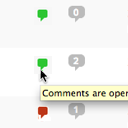
One Click Close Comments
By Scott Reilly
Conveniently close or open comments for a post or page with one click from the admin listing of posts.
★ 4.9/5 (10)5,000+ active installations
- Version
- 3.0
- WordPress
- 4.7+
- Updated
- 17 Apr 2025
WORDPRESS RESOURCES
Explore public plugin information from the official WordPress.org directory. Compare what a plugin does, its requirements and update history before adding it to your website.
Explore WordPress hosting →405 matching plugins reported by WordPress.org · Page 10 of 34
Source: WordPress.org
Data refreshed 19 Nov 2026 06:12 UTC
By Scott Reilly
Conveniently close or open comments for a post or page with one click from the admin listing of posts.

By Joost de Valk
Resets the WordPress database back to its defaults. Deletes all customizations and content. Does not modify files only resets the database.

By Progress Planner
Improve WordPress comment moderation with cleaner emails, comment policy checks, routing, redirects, and length controls.

By BREADFISH
Manage and provide download functionality for files in secure, auto-generated directories.

By Alvaro Vasconcelos
Add multiple products to WooCommerce cart with native add-to-cart parameters.

By invisnet
WP fail2ban uses fail2ban to protect your WordPress site.

By Viktor Petersson
Turn WordPress posts, pages and images into digital signage for any TV, kiosk or notice board. Works with Screenly and Anthias.

By Mautic
Privacy first marketing automation built for WordPress. Capture, manage, and grow your leads with powerful forms and dynamic content.

By WordPress.org
Expose WordPress abilities as Model Context Protocol (MCP) tools, resources, and prompts for AI agents.

By Vladimir Statsenko
This plugin allows you to create list of terms and assign links to them. Plugin replaces terms occurrences in your posts with appropriate links.

By Scott Reilly
Removes the WordPress update nag that appears at the top of all admin pages when a new version of WordPress is released.

By WordPress.org
Plugin Check is a WordPress.org tool which provides checks to help plugins meet the directory requirements and follow various best practices.
CHOOSE WHAT YOUR WEBSITE NEEDS
Start with the task you need to solve. Compare features, WordPress and PHP requirements, update history and the author’s documentation. Test changes on a private copy and avoid adding several plugins for the same job.
This independent directory displays plugin information on WebFulHost and links to the official source. Packages are not mirrored or installed here. A plugin can include paid extensions or services with separate terms from its author.