WooCommerce Zoho Connector allows you to quickly integrate WooCommerce Orders with Zoho CRM, Books, Inventory and Invoice.
★ 4.9/5 (85)1,000+ active installations
- Version
- 1.6.2
- WordPress
- 4.7+
- PHP
- 5.3+
- Updated
- 6 Sep 2026
WORDPRESS RESOURCES
Explore public plugin information from the official WordPress.org directory. Compare what a plugin does, its requirements and update history before adding it to your website.
Explore WordPress hosting →921 matching plugins reported by WordPress.org · Page 10 of 50
Source: WordPress.org
Data refreshed 21 Nov 2026 04:22 UTC
WooCommerce Zoho Connector allows you to quickly integrate WooCommerce Orders with Zoho CRM, Books, Inventory and Invoice.
The CRM for small businesses. Manage leads, invoicing, billing, email marketing, clients, contacts, quotes, automation. Works with WooCommerce too.
Radio Station lets you build and manage a Show Schedule for a radio station or Internet broadcaster's WordPress website.
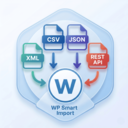
By Xylus Themes
Import any XML file into WordPress in minutes — no coding needed, just drag, drop, map your fields & go live instantly!
Easily manage events and sell tickets on your WordPress site. Sugar Calendar is easy-to-use, reliable, and exceptionally powerful. See for yourself.

By Black Studio
The visual editor widget for WordPress.

By MonarchWP
Easily set a default post author for new posts, pages and custom post types. Capability-aware, bulk update and WP-CLI support.
Easily assign different menus to pages, posts, user roles, devices, and custom URLs using advanced conditional menu visibility rules.

By Weblizar - WordPress Themes & Plugin
Customize Your WordPress Login Screen Amazingly - Add Own Logo, Add Social Profiles, Login Form Positions, Background Image Slide Show

By Dylan James
Zephyr Project Manager is a modern, easy to use sophisticated project manager for WordPress.
Organize your pages, posts, and custom post types into folders. Upgrade to pro for media library folders, WooCommerce integration, and more.

By Narinder Singh
The Events Calendar addon to create custom single event page templates and replace the default event single page layout with your own branded design.
CHOOSE WHAT YOUR WEBSITE NEEDS
Start with the task you need to solve. Compare features, WordPress and PHP requirements, update history and the author’s documentation. Test changes on a private copy and avoid adding several plugins for the same job.
This independent directory displays plugin information on WebFulHost and links to the official source. Packages are not mirrored or installed here. A plugin can include paid extensions or services with separate terms from its author.