

The best WooCommerce checkout manager. Edit, remove or add checkout fields. Customize WooCommerce checkout with this checkout field customizer.
★ 4.7/5 (297)80,000+ active installations
- Version
- 4.1.45
- WordPress
- 6.4+
- PHP
- 7.4+
- Updated
- 7 Nov 2026
WORDPRESS RESOURCES
Explore public plugin information from the official WordPress.org directory. Compare what a plugin does, its requirements and update history before adding it to your website.
Explore WordPress hosting →5,797 matching plugins reported by WordPress.org · Page 10 of 50
Source: WordPress.org
Data refreshed 21 Nov 2026 08:32 UTC
The best WooCommerce checkout manager. Edit, remove or add checkout fields. Customize WooCommerce checkout with this checkout field customizer.

By Elementor
Monitor every change on your WordPress site — who did what, when, and where it came from — for a complete audit trail and stronger security.

By BeRocket
Permalink Manager for WooCommerce improves your store permalinks and remove product, product_category and product_tag slugs from the URL.
Cookie consent for GDPR, CCPA, ePrivacy: autoblocking, Google Consent Mode, Microsoft Consent Mode (Pro), GPC (Pro), WP Consent API.

By WPFactory
Add "Related categories" section to single product and/or shop pages in WooCommerce.

By VillaTheme
Ensure GDPR (General Data Protection Regulation) compliance (EU Cookie Law) with our straightforward cookie bar

By wpdreams
The Best Ajax Live Search and Filter for WordPress. Live suggestions, Custom Post types, Custom fields, Categories, WooCommerce & Elementor support

By Code Amp
Search and Filtering for Custom Posts, Categories, Tags, Taxonomies, Post Dates and Post Types
By SunCart
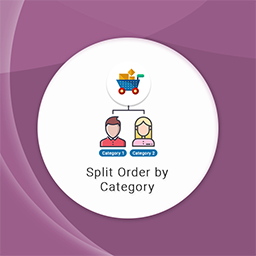
"Split order by Category for Woocommerce" allows splitting an order into separate orders based on category.

By David Lingren
Enhances the Media Library; powerful gallery and list shortcodes, full taxonomy support, IPTC/EXIF/XMP/PDF processing, bulk/quick edit.

By WP Wham
Let your customers upload files on (or after) WooCommerce checkout.

By SiteGround
Manage all your WordPress sites from one AI chat. Create content, run your WooCommerce store, and handle admin tasks, wherever the sites are hosted.
CHOOSE WHAT YOUR WEBSITE NEEDS
Start with the task you need to solve. Compare features, WordPress and PHP requirements, update history and the author’s documentation. Test changes on a private copy and avoid adding several plugins for the same job.
This independent directory displays plugin information on WebFulHost and links to the official source. Packages are not mirrored or installed here. A plugin can include paid extensions or services with separate terms from its author.
