

Payment Button for PayPal
By Noor Alam
Easily accept payment in WordPress by adding a PayPal button to your website.
★ 4.5/5 (40)4,000+ active installations
- Version
- 1.2.3.49
- WordPress
- 5.3+
- Updated
- 13 Oct 2026
WORDPRESS RESOURCES
Explore public plugin information from the official WordPress.org directory. Compare what a plugin does, its requirements and update history before adding it to your website.
Explore WordPress hosting →869 matching plugins reported by WordPress.org · Page 10 of 50
Source: WordPress.org
Data refreshed 26 Nov 2026 18:30 UTC
By Noor Alam
Easily accept payment in WordPress by adding a PayPal button to your website.

By averta
Build Stunning Slider and Popup. Exit intent Popup, Image slider carousel, video slider carousel, post slider carousel, product slider, promote popup
WooCommerce Product Addons Add custom fields to your WooCommerce product page. With an easy-to-use Custom Form Builder.

By mra13 / Team Tips and Tricks HQ
Lightweight, user-friendly plugin to sell products/services on WordPress. Easily add a shopping cart and start accepting orders in minutes.

By Pronamic
Connect Mollie to Ninja Forms with Pronamic Pay. This free plugin is all that you need to start selling with Ninja Forms.

By Xendit
Xendit Payment Gateway for WooCommerce

By The CSSIgniter Team
AudioIgniter lets you create music playlists and embed them in your WordPress posts, pages or custom post types and serve your audio content in style!
Free WordPress SMTP plugin with email logs, open & click tracking, reports & charts, CSV export, and WooCommerce email preview.

By magepeopleteam
Offer the convenience of seat selection and reservation on your WordPress website. A customized solution for efficient bus ticketing.
Create sales reports and order exports for WooCommerce with product analytics, order fulfillment data, filtering, charts, and 15+ templates.
By pay4all
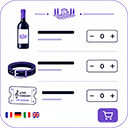
Sell products, services, events, courses and meals with a complete order form, Stripe, myPOS & TWINT payments, delivery, pickup and more.

By Flashyapp
Flashy is an all-in-one marketing platform for e-commerce websites to grow sales.
CHOOSE WHAT YOUR WEBSITE NEEDS
Start with the task you need to solve. Compare features, WordPress and PHP requirements, update history and the author’s documentation. Test changes on a private copy and avoid adding several plugins for the same job.
This independent directory displays plugin information on WebFulHost and links to the official source. Packages are not mirrored or installed here. A plugin can include paid extensions or services with separate terms from its author.


