Sticky CTA boosts user engagement with sticky and floating buttons, keeping CTAs visible to maximize clicks and conversions.
★ 4.7/5 (12)90+ active installations
- Version
- 1.3.4
- WordPress
- 6.2+
- PHP
- 7.4+
- Updated
- 19 Dec 2024
WORDPRESS RESOURCES
Explore public plugin information from the official WordPress.org directory. Compare what a plugin does, its requirements and update history before adding it to your website.
Explore WordPress hosting →1,092 matching plugins reported by WordPress.org · Page 10 of 50
Source: WordPress.org
Data refreshed 22 Nov 2026 05:05 UTC
Sticky CTA boosts user engagement with sticky and floating buttons, keeping CTAs visible to maximize clicks and conversions.

By wpkoithemes
Unlock 400+ stunning Elementor templates that transform your website into a visual masterpiece. Compatible with popular WordPress themes.

By Themepure
Pure Metafields is very light weight plugin tused to create custom metabox for any post type like page, post and your custom post type support it.
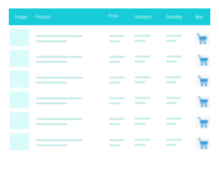
A truly lightweight, EASY to use and super FAST WooCommerce product table solution to add multiple products to cart at once.

Display posts in Grid, Carousel, Slider, Timeline, List & Live Filter layouts with Gutenberg Blocks & Ready Patterns - Elementor, Divi, & Shortcodes.
Display client logos, partner logos, and sponsor logos in a responsive logo carousel or logo grid. Build it with AI or start from a Ready Pattern.

By HeroThemes
Heroic Table of Contents is the easiest way to add a table of contents to your site.
Build beautiful responsive forms for WordPress. Contact forms, surveys, quizzes, booking forms, payments, popups & more with NEX-Forms...
Free Theme Builder For Elementor – header, footer, posts and archives, plus starter templates and whole websites to import. No Elementor Pro needed.

By quadlayers
Responsive mega menu plugin for WordPress with customizable layouts and an intuitive drag-and-drop builder.

By IdeaBox Creations
40+ free Elementor widgets plus extensions: form stylers for Contact Form 7, WPForms and Gravity Forms, Instagram feed, display conditions, templates.

By Fibro Jedi
Your own tab for Classic Editor containing the preview/publish buttons. As you use the editor, it scrolls with you. No more scrolling back to the top!
CHOOSE WHAT YOUR WEBSITE NEEDS
Start with the task you need to solve. Compare features, WordPress and PHP requirements, update history and the author’s documentation. Test changes on a private copy and avoid adding several plugins for the same job.
This independent directory displays plugin information on WebFulHost and links to the official source. Packages are not mirrored or installed here. A plugin can include paid extensions or services with separate terms from its author.