Essential elements for modern websites. Add buttons, sliders, heroes, maps, images, carousels, features, icons, more. Create dynamic pages easily.
★ 4.9/5 (134)400,000+ active installations
- Version
- 1.77.0
- WordPress
- 6.6+
- PHP
- 7.0.0+
- Updated
- 23 Nov 2026
View plugin details ↗Hide My WP Ghost is a WordPress security plugin that hides WP paths and protects your site with Path Security, Firewall, Brute Force Protection, 2FA
★ 4.5/5 (373)100,000+ active installations
- Version
- 7.0.21
- WordPress
- 5.8+
- PHP
- 7.4+
- Updated
- 26 Nov 2026
View plugin details ↗300+ free WordPress website templates, page templates & block patterns. A starter sites library for Elementor, Gutenberg & any theme.
★ 4.9/5 (4,756)1,000,000+ active installations
- Version
- 4.7.13
- WordPress
- 6.6+
- PHP
- 7.4+
- Updated
- 25 Nov 2026
View plugin details ↗Cookie consent banner with cookie scanner & script blocking. Manage cookie consent, cookie notice & cookie policy for GDPR, CCPA & privacy compliance.
★ 4.9/5 (89)200,000+ active installations
- Version
- 1.2.1
- WordPress
- 5.6+
- PHP
- 7.0+
- Updated
- 12 Nov 2026
View plugin details ↗The Events Calendar: #1 calendar plugin for WordPress. Create/manage events (virtual too!) on your site with the free plugin.
★ 4.2/5 (2,467)600,000+ active installations
- Version
- 6.18.5
- WordPress
- 6.9+
- PHP
- 7.4+
- Updated
- 25 Nov 2026
View plugin details ↗Turn dropdowns into color, image, and button swatches for WooCommerce Variable Products. No coding needed.
★ 4.8/5 (926)300,000+ active installations
- Version
- 2.6.2
- WordPress
- 6.8+
- PHP
- 7.4+
- Updated
- 28 Oct 2026
View plugin details ↗Power-up your Elementor workflow with global theme style presets, container-based patterns, and more global design controls.
★ 4.7/5 (44)10,000+ active installations
- Version
- 2.7.0
- WordPress
- 6.6+
- PHP
- 7.4+
- Updated
- 30 Oct 2026
View plugin details ↗The #1 fonts plugin for WordPress. 1,900+ Google Fonts, Adobe Fonts and your own font files. Live preview, no code required.
★ 5.0/5 (1,222)200,000+ active installations
- Version
- 4.2.3
- WordPress
- 4.0+
- Updated
- 28 Oct 2026
View plugin details ↗Pods is a framework for creating, managing, and deploying customized content types and fields for any project.
★ 4.8/5 (418)100,000+ active installations
- Version
- 3.3.9.2
- WordPress
- 6.3+
- PHP
- 7.2+
- Updated
- 31 Aug 2026
View plugin details ↗Seven free modules for Elementor: dark mode, container layouts, mobile menu, editorial text, style presets, JSON editor — all modular, all free.
★ 4.6/5 (117)100,000+ active installations
- Version
- 4.3.15
- WordPress
- 6.0+
- PHP
- 8.0+
- Updated
- 24 Nov 2026
View plugin details ↗TZM Responsive Block Controls lets you customize blocks for different screen sizes. Control visibility, alignment, font size, spacing, and much more.
★ 5.0/5 (1)100+ active installations
- Version
- 1.2.2
- WordPress
- 6.4+
- Updated
- 20 May 2026
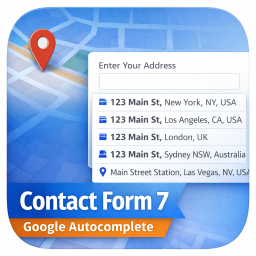
View plugin details ↗Add a Google Address Autocomplete field to Contact Form 7 forms. Powered by Google Places API for real-time address suggestions and accurate data coll …
★ 5.0/5 (13)1,000+ active installations
- Version
- 10.0
- WordPress
- 5.8+
- PHP
- 7.2+
- Updated
- 25 Oct 2026
View plugin details ↗