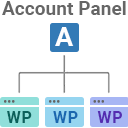
Free Sticky Header for Elementor. Features Logo Swap, Shrink Effect, Mobile Sticky Menu, Scroll Blur, and Zero Layout Shift. No Pro Required!
★ 5.0/5 (1)600+ active installations
- Version
- 1.2.5
- WordPress
- 5.0+
- PHP
- 7.2+
- Updated
- 17 Oct 2026
WORDPRESS RESOURCES
Explore public plugin information from the official WordPress.org directory. Compare what a plugin does, its requirements and update history before adding it to your website.
Explore WordPress hosting →1,074 matching plugins reported by WordPress.org · Page 10 of 50
Source: WordPress.org
Data refreshed 22 Nov 2026 11:38 UTC
Free Sticky Header for Elementor. Features Logo Swap, Shrink Effect, Mobile Sticky Menu, Scroll Blur, and Zero Layout Shift. No Pro Required!

By wpexpertlab
Simple and lightweight PDF viewer and embedder for Elementor, with four ready-to-use widgets.

By Samee Ullah Feroz
Notify IndexNow-compatible search engines, manage a lightweight XML sitemap, verification tags, robots rules, and page metadata.
The Click To Copy Block plugin offers a seamless Gutenberg block for one-click content copying.

By Nikul Valani
Monitor online users, track active users, display user status and review user activity with WooCommerce customer chat.

By kubiq
Fully responsive Bootstrap 5 blocks, components and extends for Gutenberg

By ByTheWeb
AI Visibility (GEO) & SEO toolkit. Optimize WordPress for traditional search and AI engines (LLMs) like ChatGPT, Gemini & Perplexity.
Helps to automatically connect a WordPress site to the ICDSoft WordPress MultiManager tool which allows users to manage multiple WordPress sites from …

By ohadsh535
An advanced plugin, that immediately applies key accessibility features on your WordPress website.

By ufukart
🎯 Never miss scheduled posts again! Automatically publishes missed scheduled posts on time, every time. Zero bloat, single purpose, reliable.

By fatcatapps
Add Meta & Facebook Pixel, Google Analytics (GA4) and any header script to your site. Everything you need to track users, ads, events & conversions.

By ithemelandco
Stop guessing. Grow your sales with powerful, easy-to-understand reports and analytics for WooCommerce.
CHOOSE WHAT YOUR WEBSITE NEEDS
Start with the task you need to solve. Compare features, WordPress and PHP requirements, update history and the author’s documentation. Test changes on a private copy and avoid adding several plugins for the same job.
This independent directory displays plugin information on WebFulHost and links to the official source. Packages are not mirrored or installed here. A plugin can include paid extensions or services with separate terms from its author.