

GTM4WP – A Google Tag Manager (GTM) plugin for WordPress
By Thomas Geiger
Advanced tag management for WordPress with Google Tag Manager
★ 4.5/5 (155)700,000+ active installations
- Version
- 2.1.1
- WordPress
- 6.3+
- PHP
- 8.0+
- Updated
- 5 Nov 2026
WORDPRESS RESOURCES
Explore public plugin information from the official WordPress.org directory. Compare what a plugin does, its requirements and update history before adding it to your website.
Explore WordPress hosting →6,594 matching plugins reported by WordPress.org · Page 10 of 50
Source: WordPress.org
Data refreshed 21 Nov 2026 05:29 UTC
By Thomas Geiger
Advanced tag management for WordPress with Google Tag Manager

By BoldGrid
Search Engine (SEO) & Performance Optimization (WPO) via caching. Integrated caching: CDN, Page, Minify, Object, Fragment, Database support.

By Heateor Support
Integrate Facebook Comments, Vkontakte Comments and/or Disqus Comments along with default comment form at your website

By pluginkollektiv
Sophisticated antispam plugin for effective daily comment and trackback spam-fighting. Built with data protection and privacy in mind.

By Automattic
The official Gravatar plugin, featuring privacy-focused settings, easy profile updates, and customizable Gravatar Profile blocks.
The AI chatbot, AI agent and MCP server for WordPress. Connect OpenAI, Claude, Gemini and more to chat, write, search and automate your site.

By Jacob N. Breetvelt
This plugin is more than just a photo album plugin, it is a complete, highly customizable multimedia cms and display system.

By WordPress.org
Opt-in AI for WordPress: one stable feature plus experiments that may change or be removed. Needs an AI provider plugin and your own API key.

By Bunty
Tag and mention users in WordPress comments with @username — no BuddyPress needed! Notify tagged users via email. Supports bbPress & WooCommerce.
MCP server for WordPress. Connect Claude, ChatGPT, Cursor or any MCP client to manage content, themes and settings, with approvals.

By Logtivity Activity Logs
Logtivity is the activity log service for WordPress admins. Track user activity and site events across every WordPress site you maintain.
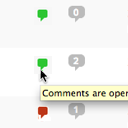
By Scott Reilly
Conveniently close or open comments for a post or page with one click from the admin listing of posts.
CHOOSE WHAT YOUR WEBSITE NEEDS
Start with the task you need to solve. Compare features, WordPress and PHP requirements, update history and the author’s documentation. Test changes on a private copy and avoid adding several plugins for the same job.
This independent directory displays plugin information on WebFulHost and links to the official source. Packages are not mirrored or installed here. A plugin can include paid extensions or services with separate terms from its author.

