

Presswell Content Extractor
By Presswell
Serve AI-agent-friendly Markdown and an llms.txt index from your WordPress content.
0+ active installations
- Version
- 1.0.0
- WordPress
- 6.9+
- PHP
- 8.2+
- Updated
- 3 Nov 2026
WORDPRESS RESOURCES
Explore public plugin information from the official WordPress.org directory. Compare what a plugin does, its requirements and update history before adding it to your website.
Explore WordPress hosting →373 matching plugins reported by WordPress.org · Page 11 of 32
Source: WordPress.org
Data refreshed 28 Nov 2026 16:15 UTC
By Presswell
Serve AI-agent-friendly Markdown and an llms.txt index from your WordPress content.
Find the plugins and themes nothing is updating: expired licenses, missing update sources, and premium plugins that silently stopped patching.

By Asmaul Hoque
Expose per-page machine-readable Markdown for WordPress, with discovery, caching, controls, diagnostics, and optional llms.txt management.

By Andrea Parenti
Connect WordPress to SteadWeave for authenticated monitoring and Smart Fix. Full monitoring for 1 website, free forever.

By avakodeforge
WordPress security plugin: brute-force login protection, two-factor login, file-integrity checks and a tamper-evident audit log. No account needed.

By Broadstreet
Simple Ad-Management for WordPress.
Offer buy now pay later (BNPL) on your own credit: Pay in 4 installments or Net 30 terms, with credit limits and due date reminders. No lender.

By miniOrange
WordPress OAuth SSO (Single Sign On) with Azure, Okta, Cognito, Keycloak, OAuth & OpenID Providers. Free Unlimited SSO Authentication [24/7 Support]
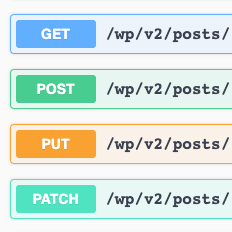
By agussuroyo
WordPress REST API with Swagger UI.

By WP Overnight
Automatically displays a shopping cart in your menu bar. Works with WooCommerce and Easy Digital Downloads (EDD)

By codecprime
Premium monetizing system for quality blogs & publications (English-language websites only.) Generate revenue by displaying a widget with manually …
Track where every lead comes from: UTM, gclid, ads and searches for Contact Form 7, WPForms, Elementor and 20+ form plugins. Follow leads to sales.
CHOOSE WHAT YOUR WEBSITE NEEDS
Start with the task you need to solve. Compare features, WordPress and PHP requirements, update history and the author’s documentation. Test changes on a private copy and avoid adding several plugins for the same job.
This independent directory displays plugin information on WebFulHost and links to the official source. Packages are not mirrored or installed here. A plugin can include paid extensions or services with separate terms from its author.


