

Create interactive floating bubble menus to enhance site navigation and boost user engagement effortlessly.
★ 4.2/5 (9)1,000+ active installations
- Version
- 4.1.1
- WordPress
- 5.5+
- PHP
- 7.4+
- Updated
- 25 Aug 2026
WORDPRESS RESOURCES
Explore public plugin information from the official WordPress.org directory. Compare what a plugin does, its requirements and update history before adding it to your website.
Explore WordPress hosting →1,139 matching plugins reported by WordPress.org · Page 11 of 50
Source: WordPress.org
Data refreshed 23 Nov 2026 08:34 UTC
Create interactive floating bubble menus to enhance site navigation and boost user engagement effortlessly.
Fast, responsive, and SEO-friendly multi-purpose calculators including Finance, Health, CGPA, Math, and Utility tools.

By wppluginboxdev
Loan, mortgage, savings, retirement, investment, solar, and industry-specific calculators in one plugin to engage users and generate leads.

By OnTime Digital
Financial calculator toolkit with 20 responsive calculators, shortcodes, styling controls, CTA settings, and PDF reports.
Use ACF repeater fields inside Elementor loop items and add smart dynamic dropdown taxonomy filters to the Elementor Loop Grid widget.
By fuzzoid
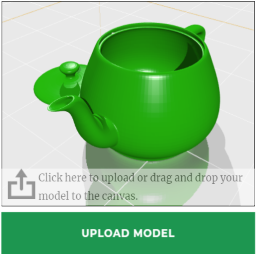
A plugin for selling 3D printing services.
Floating Buttons let you easily create sticky, fixed, and floating action buttons
Add extra product options on your WooCommerce product page. Product addons for all product variations. 20 free product addons.

By hamsalam
اتصال و همگام سازی ووکامرس و باسلام و اضافه کردن و بروزرسانی محصولات از ووکامرس به باسلام و همگام سازی اتوماتیک آن و مدیریت سفارشات باسلام در ووکامرس
BEAR - WooCommerce Bulk Editor Professional. Bulk edit prices, stock, SKU, attributes. Bulk delete, export CSV. AI assistants manage your shop via MCP …
A fast WooCommerce side cart and cart drawer with coupons and upsells. Pro adds a free shipping bar, rewards, bundles and analytics.

By Ecreate Infotech
Loan, mortgage, savings, BMI and business calculators for any page. Add one with a shortcode, a block or an Elementor widget.
CHOOSE WHAT YOUR WEBSITE NEEDS
Start with the task you need to solve. Compare features, WordPress and PHP requirements, update history and the author’s documentation. Test changes on a private copy and avoid adding several plugins for the same job.
This independent directory displays plugin information on WebFulHost and links to the official source. Packages are not mirrored or installed here. A plugin can include paid extensions or services with separate terms from its author.





