OnSale Page is an extension for Woocommerce which enables you to have real on sale page with paging, sorting and filtering.
★ 4.5/5 (26)2,000+ active installations
- Version
- 2.0.2
- WordPress
- 5.0+
- PHP
- 7.4+
- Updated
- 20 Oct 2026
View plugin details ↗Use product and country rules to show or hide payment gateways in WooCommerce, improve margins, and streamline checkout.
★ 4.2/5 (18)4,000+ active installations
- Version
- 2.0.1
- WordPress
- 4.4+
- PHP
- 7.4+
- Updated
- 19 Nov 2026
View plugin details ↗Add Custom Image To Your Category / Custom Taxonomy Field With Advanced Category and Custom Taxonomy Image Plugin.
★ 5.0/5 (5)1,000+ active installations
- Version
- 2.1.1
- WordPress
- 5.6+
- PHP
- 8.0+
- Updated
- 21 Sep 2026
View plugin details ↗Create attractive WooCommerce product category sections with flexible layouts, editor-friendly controls, and styling options that fit your store.
★ 5.0/5 (2)300+ active installations
- Version
- 1.5.3
- WordPress
- 5.6+
- PHP
- 7.4+
- Updated
- 1 Jun 2026
View plugin details ↗News & Blog plugin for post grid, post slider, post carousel, post filter, masonry, ticker & list category posts using shortcode, Elementor & Divi.
★ 4.7/5 (79)30,000+ active installations
- Version
- 4.0.14
- WordPress
- 5.8+
- PHP
- 5.4+
- Updated
- 11 Oct 2026
View plugin details ↗Easily migrate all Shopify products and their collections(categories) to WooCommerce after several clicks
★ 4.7/5 (42)3,000+ active installations
- Version
- 1.3.8
- WordPress
- 6.2+
- PHP
- 7.4+
- Updated
- 6 Nov 2026
View plugin details ↗Organize your pages, posts, and custom post types into folders. Upgrade to pro for media library folders, WooCommerce integration, and more.
★ 4.9/5 (56)20,000+ active installations
- Version
- 4.2.0
- WordPress
- 4.6+
- Updated
- 5 Nov 2026
View plugin details ↗The Events Calendar addon to create custom single event page templates and replace the default event single page layout with your own branded design.
★ 4.8/5 (81)6,000+ active installations
- Version
- 1.9.4
- WordPress
- 5.0+
- PHP
- 7.2+
- Updated
- 5 Nov 2026
View plugin details ↗Displays a yearly, monthly, weekly or daily archive of posts for one or more specific categories.
★ 4.2/5 (5)900+ active installations
- Version
- 1.1.0
- WordPress
- 6.6+
- PHP
- 7.0+
- Updated
- 5 Nov 2026
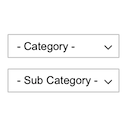
View plugin details ↗Displays product categories as dependent drop-down selects.
★ 4.7/5 (12)800+ active installations
- Version
- 1.0.0
- WordPress
- 4.7+
- Updated
- 16 Nov 2026
View plugin details ↗A collection of customizable elements for WPBakery Page Builder.
★ 4.2/5 (57)20,000+ active installations
- Version
- 4.4.0
- WordPress
- 4.9+
- Updated
- 26 Oct 2026
View plugin details ↗WordPress SEO plugin with AI SEO metadata, schema, XML sitemap, redirections & Search Console. Privacy-first, white-label SEO. Now AI-ready.
★ 4.8/5 (1,271)300,000+ active installations
- Version
- 10.4
- WordPress
- 6.5+
- PHP
- 7.4+
- Updated
- 29 Oct 2026
View plugin details ↗