
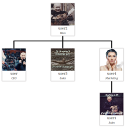
Simple Org Chart
By G Matta
Drag-and-drop organization chart for WordPress. Display your team hierarchy with a shortcode.
★ 4.8/5 (22)900+ active installations
- Version
- 2.3.6
- WordPress
- 6.0+
- PHP
- 8.0+
- Updated
- 28 Jul 2026
WORDPRESS RESOURCES
Explore public plugin information from the official WordPress.org directory. Compare what a plugin does, its requirements and update history before adding it to your website.
Explore WordPress hosting →5,976 matching plugins reported by WordPress.org · Page 11 of 50
Source: WordPress.org
Data refreshed 22 Nov 2026 22:34 UTC
By G Matta
Drag-and-drop organization chart for WordPress. Display your team hierarchy with a shortcode.
Real-time private messaging, group chat, chat rooms, video and audio calls, AI chat bots and mobile apps for WordPress, BuddyPress and BuddyBoss.

By Matt Biscay
Control where users land after login/logout. Redirect by role, user, or previous page. Includes a powerful login customizer and WooCommerce support.
Checkout Field Editor for WooCommerce – The best WooCommerce checkout manager plugin to manage checkout fields in both Classic & Block Checkout.
The Feeds for YouTube plugin allows you to display customizable YouTube feeds from any YouTube channel.

By David Stone
Connects the WordPress AI Client to Ollama, LM Studio, or any AI endpoint that uses the standard chat completions API format.
WordPress blocks, page builder, and website builder for the Block Editor and Site Editor with templates, popups, and block themes.

By Burst Statistics B.V.
Simple, lightweight WordPress analytics with privacy-friendly visitor tracking. Cookieless and GDPR-ready. Setup in seconds, no cookie banner needed.
Connect Claude, ChatGPT or any AI app to WordPress. Drafts only mode, access levels per app and a 72-hour undo. 400+ tools, self-hosted.

By rbplugins
Drag-and-drop form builder: contact, order and multi-step forms with file uploads, spam protection, and email, Telegram or webhook delivery.

By joshfraz
A WebSub plugin for WordPress that enables real-time publishing and subscription capabilities.
Customize your WooCommerce thank you page. Redirect customers after purchase based on products, categories, payment methods & more.
CHOOSE WHAT YOUR WEBSITE NEEDS
Start with the task you need to solve. Compare features, WordPress and PHP requirements, update history and the author’s documentation. Test changes on a private copy and avoid adding several plugins for the same job.
This independent directory displays plugin information on WebFulHost and links to the official source. Packages are not mirrored or installed here. A plugin can include paid extensions or services with separate terms from its author.





