WordPress optimization plugin and all-in-one toolkit for performance, security, SEO, content, media, users, and site management.
★ 5.0/5 (2)100+ active installations
- Version
- 3.2.0
- WordPress
- 5.9+
- PHP
- 8.1.0+
- Updated
- 13 Nov 2026
WORDPRESS RESOURCES
Explore public plugin information from the official WordPress.org directory. Compare what a plugin does, its requirements and update history before adding it to your website.
Explore WordPress hosting →836 matching plugins reported by WordPress.org · Page 11 of 50
Source: WordPress.org
Data refreshed 20 Nov 2026 14:55 UTC
WordPress optimization plugin and all-in-one toolkit for performance, security, SEO, content, media, users, and site management.

By wpformation
Thirteen security modules + AI briefing: hide login, request firewall, brute force, 2FA, password policy, sessions, hardening, audit log. No upsells.
Enterprise-grade quiz and assessment platform for educators with AI question generation, LMS integration, and modern themes.

By Loyal Security
Free, lightweight WordPress security: firewall, malware scanner, two-factor login, backups and activity log in one plugin.
Free WordPress activity log with IP blocking, vulnerability scanner, WooCommerce abandoned cart analytics, and real-time Slack and Telegram alerts.
Security and anti-spam without CAPTCHA. Blocks bots on forms, comments and logins, limits login attempts and hardens WordPress. No outside service.

By Patrick Schlesinger
Read-only security audit for WordPress: 64 checks including PHP2Shell and NGINX2Root, an A to F grade, and a checklist of what you have fixed.
By Denis Botić
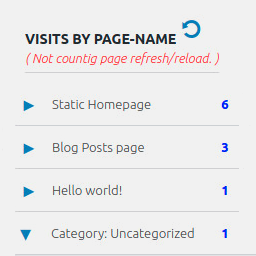
Display number of visits for each page in admin dashboard and browser developer-tool/console. Doesn't count page refresh as a new visit...
Lens has it all: unlimited folders, drag-and-drop, role-based permissions, smart search, and more. Get organized now!

By Thomas Lloancy
Broke functions.php in the file editor? Every save is tracked with git-style diffs and restorable in one click — with automatic crash rollback.

By Nexura Security
Free WordPress security plugin with malware scanner, firewall, 2FA & brute force protection. Lightweight alternative to Wordfence & Sucuri.

By alexkrauchn
Monitor uptime, SSL, domain, integrity, malware, visual changes, activity, and errors. Lightweight client. Requires a WPMissionControl account.
CHOOSE WHAT YOUR WEBSITE NEEDS
Start with the task you need to solve. Compare features, WordPress and PHP requirements, update history and the author’s documentation. Test changes on a private copy and avoid adding several plugins for the same job.
This independent directory displays plugin information on WebFulHost and links to the official source. Packages are not mirrored or installed here. A plugin can include paid extensions or services with separate terms from its author.