Expiring Posts
By Ivan
This plugin adds functionality to expire a post on a given date.
★ 3.5/5 (2)1,000+ active installations
- Version
- 1.3
- WordPress
- 3.0.1+
- PHP
- 5.3+
- Updated
- 23 Jan 2022
WORDPRESS RESOURCES
Explore public plugin information from the official WordPress.org directory. Compare what a plugin does, its requirements and update history before adding it to your website.
Explore WordPress hosting →348 matching plugins reported by WordPress.org · Page 11 of 29
Source: WordPress.org
Data refreshed 25 Nov 2026 21:24 UTC
By Ivan
This plugin adds functionality to expire a post on a given date.

By Tal Sibony
Add floating messages, popups, and AI-powered live chat to WordPress. 13+ templates, scheduling, and geo targeting.

By sathsarawj
Track document expiry dates, assign owners and recipients, and send automated renewal reminders.
Self-hosted WordPress helpdesk with support tickets, customer portal, guest tickets, support plans, email notifications and WooCommerce integration.
100% Free URL Shortener & Link Management for WordPress. Short links, QR codes, UTM parameters, redirects, retargeting pixels & click analytics.

By Vahid Behnam
Real-time WordPress analytics: live visitors, pageviews, traffic sources, bots and goals. Privacy-first, self-hosted, no external scripts.

By ProPluginsLab
Let customers design t-shirts, mugs, posters, stickers and any custom product in the browser, then get print ready PDF, SVG and PNG files.
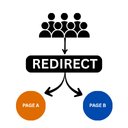
Create expiring links with redirection to alternate URLs & track clicks. Set 404 redirect, keyword autolink, & temporary link that redirects a …

By nativebreed
Add expiration dates and lifecycle actions to posts, pages, and public custom post types.

By dominic_ks
A simple plugin that adds a password reset facility to the WordPress REST API using a code. The process is a two step process:

By Abdullah Dilshad
Generate secure temporary login links with role-based and time-based access control.

By Shafat Mahmud Khan
Frontend file browser, document library and file manager for WordPress. Drag-and-drop uploads, folder ZIP downloads, share links, protected folders.
CHOOSE WHAT YOUR WEBSITE NEEDS
Start with the task you need to solve. Compare features, WordPress and PHP requirements, update history and the author’s documentation. Test changes on a private copy and avoid adding several plugins for the same job.
This independent directory displays plugin information on WebFulHost and links to the official source. Packages are not mirrored or installed here. A plugin can include paid extensions or services with separate terms from its author.