Turn your Google Calendar or Outlook calendar into a full event communication channel: website, QR codes, emails and partner sites, always in sync.
★ 5.0/5 (1)10+ active installations
- Version
- 1.0.2
- WordPress
- 6.4+
- PHP
- 7.2+
- Updated
- 19 Oct 2026
WORDPRESS RESOURCES
Explore public plugin information from the official WordPress.org directory. Compare what a plugin does, its requirements and update history before adding it to your website.
Explore WordPress hosting →335 matching plugins reported by WordPress.org · Page 11 of 28
Source: WordPress.org
Data refreshed 21 Nov 2026 13:54 UTC
Turn your Google Calendar or Outlook calendar into a full event communication channel: website, QR codes, emails and partner sites, always in sync.

Boost trust & sales with WiserNotify! Show sign-ups, sales popups & reviews. Convert faster with Social proof & FOMO widgets.
Stop Using Unneccessary Plugins! We have brought an amazing plugin for your woocommerce store. Drag & Drop with Elementor page builder.

By Walter Pinem
Easily build your own micro landing page showing all the links you want to share to engage your audience. Use your own brand, link it anywhere.
Completely plugins Ultimate Bootstrap Elements for Elementor. Enhance your Elementor page building experience with Bootstrap Components and many other …
Use AI to build popups, flyouts, and announcement bars that match your brand. Free popup templates, triggers, targeting rules, and lead capture.

By devfelixmoira
Popup AI is an advanced WordPress popup plugin that leverages the power of AI to create intelligent, highly customizable popups.

By Rhys Wynne
Quickly and easily add a flipclock to your site’s posts and pages via a shortcode.

By InDesign Media
Responsive image popups for WordPress with display rules, WooCommerce support, scheduling, GTM/GA4 tracking, and a modern admin UI.

By gregwisepops
Add Wisepops popups to your WordPress to effortlessly capture and engage web visitors and turn them into leads and happy customers.

By elfsight
Custom Gutenberg Blocks to embed the Elfsight Widgets.
By ConicPlex
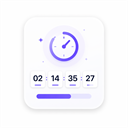
Add fixed-date and evergreen countdown timers to the WordPress block editor.
CHOOSE WHAT YOUR WEBSITE NEEDS
Start with the task you need to solve. Compare features, WordPress and PHP requirements, update history and the author’s documentation. Test changes on a private copy and avoid adding several plugins for the same job.
This independent directory displays plugin information on WebFulHost and links to the official source. Packages are not mirrored or installed here. A plugin can include paid extensions or services with separate terms from its author.