Easily add cloud-powered instant search and filters to your website or WooCommerce store with advanced algorithms that boost your search results based …
★ 4.5/5 (10)5,000+ active installations
- Version
- 8.0.0
- WordPress
- 7.0+
- PHP
- 7.4+
- Updated
- 4 Nov 2026
View plugin details ↗Boost page speed by replacing embedded YouTube and Vimeo videos with a clickable preview image. Video scripts only load on click.
★ 4.4/5 (105)9,000+ active installations
- Version
- 2.18.12
- WordPress
- 5.6+
- PHP
- 7.2+
- Updated
- 25 Oct 2026
View plugin details ↗Connect WooCommerce and Polylang for a multilingual store.
★ 4.7/5 (124)8,000+ active installations
- Version
- 1.7.0
- WordPress
- 5.4+
- PHP
- 8.3+
- Updated
- 25 Nov 2026
View plugin details ↗Embed Instagram feeds and photo galleries anywhere on your site. Responsive, accessible and SEO-friendly, with a block, shortcode, and widget.
★ 4.7/5 (171)50,000+ active installations
- Version
- 1.9.0
- WordPress
- 6.3+
- PHP
- 7.1+
- Updated
- 19 Nov 2026
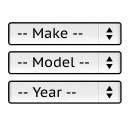
View plugin details ↗It will find products for selected make and model.
★ 5.0/5 (34)1,000+ active installations
- Version
- 1.0.12
- WordPress
- 4.7+
- Updated
- 20 Nov 2026
View plugin details ↗Manage data sets in a spreadsheet, display them as charts with the bundled Chart.js library, and embed them anywhere with a shortcode or block.
★ 4.9/5 (28)3,000+ active installations
- Version
- 2.4.2
- WordPress
- 6.6+
- PHP
- 8.1+
- Updated
- 23 Nov 2026
View plugin details ↗Free MCP plugin for WordPress. Connect Claude, ChatGPT, Cursor or any AI agent and manage your site by chat. 200+ tools, no coding needed.
★ 5.0/5 (10)3,000+ active installations
- Version
- 3.0.1
- WordPress
- 6.9+
- PHP
- 7.4+
- Updated
- 25 Nov 2026
View plugin details ↗Build responsive Swiper carousels with images, media, and nested WordPress blocks.
★ 5.0/5 (24)4,000+ active installations
- Version
- 1.5.0
- WordPress
- 6.3+
- PHP
- 7.4+
- Updated
- 4 Aug 2026
View plugin details ↗Loginizer is a WordPress security plugin which helps you fight against bruteforce attacks.
★ 4.8/5 (1,034)1,000,000+ active installations
- Version
- 2.1.4
- WordPress
- 3.0+
- PHP
- 5.5+
- Updated
- 19 Nov 2026
View plugin details ↗Disable Wordpress's native Gutenberg or TinyMCE editor in favor of a Markdown editor.
★ 5.0/5 (11)1,000+ active installations
- Version
- 4.0.2
- WordPress
- 6.6+
- PHP
- 7.2.0+
- Updated
- 8 Sep 2026
View plugin details ↗
By mra13 / Team Tips and Tricks HQ
Easily accept payments on your WordPress site via Stripe payment gateway.
★ 4.2/5 (115)20,000+ active installations
- Version
- 2.1.5
- WordPress
- 6.0+
- PHP
- 7.4+
- Updated
- 20 Nov 2026
View plugin details ↗Automatically post and import your Instagram photos to WordPress. Create new posts from your Instagram images and save them to the media library.
★ 4.1/5 (27)3,000+ active installations
- Version
- 1.4.3
- WordPress
- 4.2+
- PHP
- 5.5+
- Updated
- 6 Oct 2026
View plugin details ↗